
sotfkd B0DMSRZL6G
sotfkd GPS Tracker for Vehicles User Manual
Model: B0DMSRZL6G
Brand: sotfkd
1. Introduction
The sotfkd GPS Tracker is a portable, magnetic, and waterproof device designed for tracking vehicles and other valuable assets. It offers universal compatibility with both Android and iOS devices, providing location tracking without any monthly fees. This manual provides detailed instructions on how to set up, operate, install, and maintain your GPS tracker, along with troubleshooting tips.

Image: The sotfkd GPS Tracker, a small black disc, shown next to a smartphone displaying its location on a map, with a car illustration above.
2. What's in the Box
Upon opening the package, please ensure all the following items are present:
- 1 x Car Locator Device (GPS Tracker)
- 1 x Battery (pre-installed or included separately)
- 1 x User Manual (this document)
3. Specifications
| Feature | Detail |
|---|---|
| Dimensions | Approximately 1.33 x 0.2 x 1.33 inches (based on product information) |
| Item Weight | 0.634 ounces |
| Battery Type | CR2032 Coin Cell Battery (1 Lithium Ion battery required, included) |
| Battery Life | Up to 12 months (365 days) standby time |
| Connectivity | Wireless Connection (utilizes nearby Apple devices for location relay) |
| Compatibility | Android and iOS Universal |
| Waterproof Rating | IP67 (Waterproof upgrade) |
| Special Features | No monthly fee, Magnetic casing, View historical tracks (up to 3 days) |

Image: A graphic displaying key product information such as product name, size, weight, controller, prompting method, battery model, waterproof rating, and battery life.
4. Setup Guide
Follow these steps to set up your sotfkd GPS Tracker:
- Download the App:
- For Android users: Search for "CityTag" in the Google Play Store and download the app.
- For Apple (iOS) users: Search for "CityTag.cc" in the Apple App Store and download the app.
Alternatively, scan the QR code provided in the physical user manual to be directed to the correct app store.

Image: Screenshots showing the CityTag app in Google Play Store for Android and CityTag.cc in Apple App Store for iOS, with instructions to download.
- Prepare the Tracker: If the battery is not pre-installed, or if there's a plastic insulator, gently pull out any plastic insert to ensure the battery makes proper contact. The tracker uses a CR2032 coin cell battery.
- Register and Add Device: Open the downloaded app. Follow the on-screen instructions to register an account. Once logged in, locate and press the "+" symbol (usually in the top right corner) to add your new GPS tracker device. The app will guide you through the pairing process.
5. Operating Instructions
Once your tracker is set up and connected to the app, you can begin monitoring its location and history.
- Real-time Location Tracking: The Car Tracker emits a secure signal every two seconds. Nearby Apple devices (such as iPhones, iPads, or Mac computers) detect this signal and upload it to Apple's cloud servers. Your app then retrieves this data to display the tracker's fixed location on a map.
- Viewing Historical Tracks: The app allows you to view the historical movement of your tracker for up to 3 days. Navigate to the "Historical Tracks" or "History" section within the app and select the desired time frame.
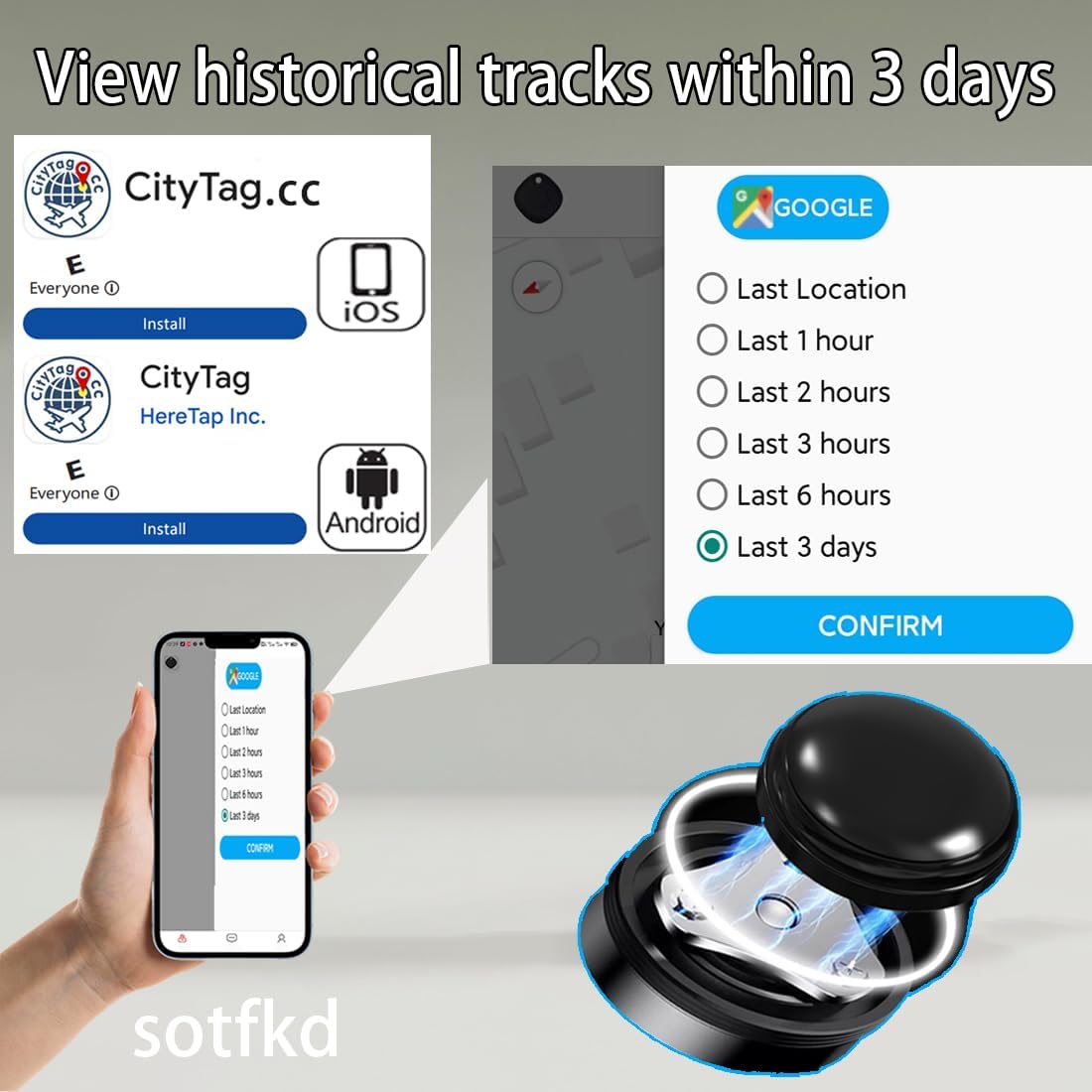
Image: A smartphone screen displaying options to view historical tracks, such as "Last Location," "Last 1 hour," "Last 2 hours," up to "Last 3 Days," with a "CONFIRM" button.
- Multiple Device Management: A single mobile device (phone/tablet) can be tied to and monitor between 1 to 2000 Car Tracker Devices, making it suitable for managing multiple assets.
- Wide Application: The CityTag and CityTag.cc apps, along with the tracker, are versatile and can be used for various purposes beyond vehicles, including tracking pets, valuables, suitcases, wallets, bicycles, electric cars, and lost courier items.

Image: A central GPS tracker surrounded by illustrations of its various applications, including a scooter, bicycle, wallet, motorcycle, suitcase, and dog, demonstrating its versatility.
6. Installation
The sotfkd GPS Tracker features a built-in magnet, allowing for easy, labor-free installation without the need for complex wiring or tools. Its discreet and waterproof design enables flexible placement.
Recommended Placement Locations:
- Front Bumper
- Car Door Glove Box
- Under the Driver's Seat
- Armrest Box
- Trunk / Boot
- Rear Bumper
- Chassis
- Center Control Box
Simply attach the tracker to any magnetic surface in a desired location. Ensure the chosen spot is secure and does not interfere with vehicle operation.

Image: A diagram of a car highlighting various magnetic attachment points for the tracker, such as the front bumper, glove box, under the seat, armrest, trunk, and rear bumper.
7. Maintenance
The sotfkd GPS Tracker is designed for low maintenance, primarily requiring battery replacement.
Battery Replacement:
- The tracker uses a standard CR2032 coin cell battery.
- With a standby time of up to 12 months, battery replacement is infrequent.
- To replace the battery, carefully open the tracker casing (refer to the physical manual for specific instructions if needed) and swap the old battery with a new CR2032 battery, ensuring correct polarity.
- Dispose of old batteries responsibly according to local regulations.
General Care:
- Although waterproof (IP67 rated), avoid prolonged submersion in water.
- Clean the device with a soft, dry cloth. Do not use harsh chemicals or abrasive cleaners.
- Store the tracker in a cool, dry place when not in use for extended periods.
8. Troubleshooting
If you encounter issues with your sotfkd GPS Tracker, refer to the common problems and solutions below:
- Issue: Location updates are delayed or inaccurate.
Solution: The tracker relies on nearby Apple devices to relay its location. In areas with fewer Apple devices (e.g., remote locations, dense forests), updates may be less frequent or less precise. Ensure the tracker is not obstructed by thick metal or dense materials that could block signals. Location updates can sometimes take 30-45 minutes or longer depending on network density.
- Issue: Tracker does not appear in the app after setup.
Solution:
- Ensure the battery is correctly inserted and has power. Remove any plastic insulator if present.
- Verify that you have downloaded the correct app version for your operating system (CityTag for Android, CityTag.cc for iOS).
- Confirm that your mobile device has an active internet connection.
- Try restarting the app and your mobile device.
- Attempt to re-add the device through the app's "+" function.
- Issue: App interface is in an unexpected language (e.g., Chinese).
Solution: The app should automatically adjust to your device's language settings. If not, check for a language setting option within the app's settings menu. Restarting the app may also resolve this.
- Issue: Tracker does not work with Apple's native "Find My" app.
Solution: This tracker is designed to work with its dedicated "CityTag" or "CityTag.cc" application, not Apple's "Find My" network directly. Please use the specified app for all tracking functions.
9. Warranty and Support
For warranty information, please refer to the product packaging or the retailer's website where you purchased the device. Specific warranty terms and conditions may vary.
If you require further assistance or have questions not covered in this manual, please contact sotfkd customer support through the contact information provided on the product packaging or the official sotfkd website. Please have your model number (B0DMSRZL6G) and purchase details ready when contacting support.
10. Official Product Videos
No official product videos were provided in the product data for this manual. Please check the product listing page on Amazon or the manufacturer's website for any available video content.
Ask a question about this manual
Ask about setup, troubleshooting, compatibility, parts, safety, or missing instructions. Manuals+ will review the question and use this page’s manual context to help answer it.