1. Introduction
This manual provides essential instructions for setting up, operating, and maintaining your IWO WATCH X10 ULTRA 3 Smart Watch. Please read this guide thoroughly to ensure proper use and to maximize your device's functionality.
2. Package Contents
Upon unboxing your IWO WATCH X10 ULTRA 3, please verify that all components are present:
- IWO WATCH X10 ULTRA 3 Smart Watch (Titanium color)
- Standard Silicone Strap (44/45/49mm compatible)
- Wireless Magnetic Charging Cable
- User Manual (this document)
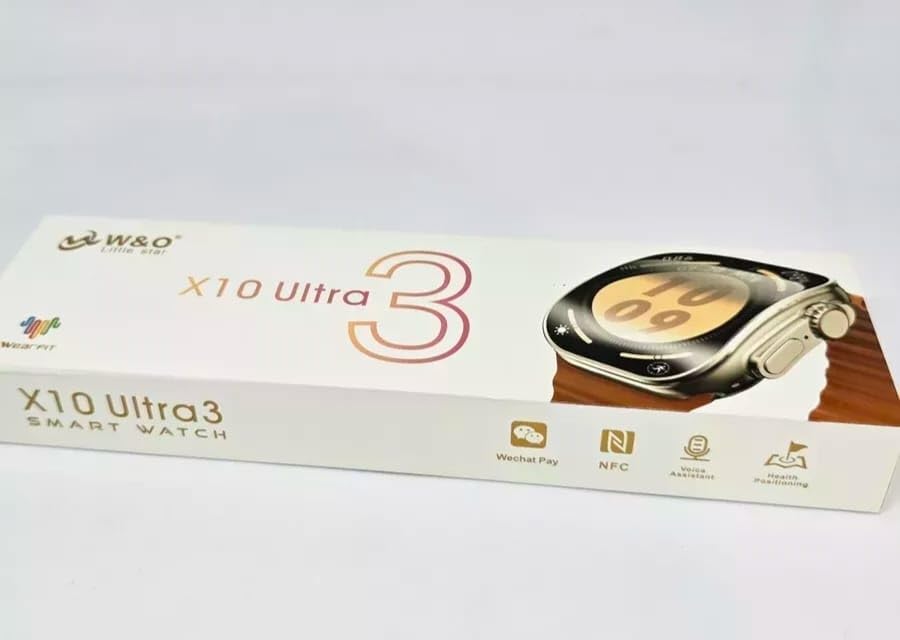
Image: The retail packaging for the IWO WATCH X10 ULTRA 3 Smart Watch, displaying the model name and key features.
3. Setup Guide
3.1 Initial Charging
Before first use, fully charge your smartwatch. Connect the wireless magnetic charging cable to a USB power adapter (not included) and place the watch onto the magnetic charging pad. The watch features a 300mAh Lithium-ion polymer battery.
3.2 App Installation
To unlock the full potential of your smartwatch, download and install the Wearfit application on your smartphone. The app is compatible with Android 5.0+ and iOS 8.0+ devices.
- Scan the QR code provided in the quick start guide (if available) or search for "Wearfit" in your device's app store.
- Download and install the application.
- Follow the on-screen instructions to create an account or log in.
3.3 Device Pairing
Ensure Bluetooth is enabled on your smartphone. Open the Wearfit app and follow the pairing instructions. The watch utilizes Bluetooth 5.0 for fast and stable connectivity.
- Open the Wearfit app on your smartphone.
- Navigate to the "Device" or "Add Device" section within the app.
- Select your IWO WATCH X10 ULTRA 3 from the list of available devices.
- Confirm the pairing request on both your watch and smartphone.
4. Operating Instructions
4.1 Basic Navigation
The IWO WATCH X10 ULTRA 3 features a 396 x 484 OLED curved display. Navigate through menus and functions using touch gestures and the physical buttons on the side of the watch.
- Swipe Up/Down: Scroll through notifications or menu options.
- Swipe Left/Right: Access quick widgets or different watch faces.
- Tap: Select an item or open an application.
- Side Button(s): Typically used for power on/off, returning to the home screen, or accessing specific functions. Refer to the in-app guide for detailed button assignments.

Image: The IWO WATCH X10 ULTRA 3 Smart Watch screen displaying a grid of application icons, illustrating the user interface.
4.2 Time Display
The watch can display time in various formats and watch faces, customizable through the Wearfit app. The OLED display ensures clear visibility.
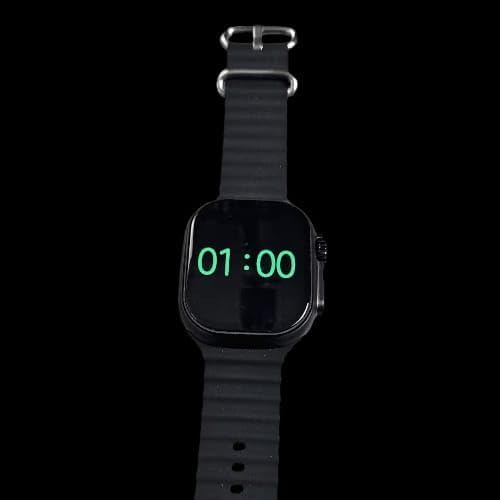
Image: The IWO WATCH X10 ULTRA 3 Smart Watch displaying the time "01:00" in a digital format on its screen.
4.3 Strap Adjustment
The standard silicone strap is designed for wrist sizes compatible with 44/45/49mm watch bodies. Adjust the strap to a comfortable and secure fit for accurate sensor readings.
5. Maintenance
5.1 Cleaning
Regularly clean your smartwatch to maintain its appearance and functionality. Use a soft, lint-free cloth to wipe the screen and watch body. For the silicone strap, a mild soap solution and water can be used, followed by thorough drying.
5.2 Water Resistance
The IWO WATCH X10 ULTRA 3 is water-resistant. However, it is not suitable for diving or high-pressure water activities. Avoid prolonged exposure to water and ensure the watch is dry before charging.
5.3 Battery Care
To prolong battery life, avoid extreme temperatures. Charge the watch using only the provided wireless magnetic charging cable. Do not attempt to open or replace the battery yourself.
6. Troubleshooting
If you encounter issues with your IWO WATCH X10 ULTRA 3, refer to the following common solutions:
- Watch not turning on: Ensure the watch is fully charged. Connect it to the charger for at least 30 minutes.
- Cannot pair with smartphone: Verify Bluetooth is enabled on your phone and the watch. Restart both devices and try pairing again through the Wearfit app. Ensure the app is updated to the latest version.
- Charging issues: Check that the charging cable is securely connected to a power source and the watch is correctly aligned on the magnetic charging pad. Clean the charging contacts if necessary.
- App data not syncing: Ensure the watch is connected to your phone via Bluetooth and the Wearfit app is running in the background. Check app permissions on your phone.
- Inaccurate readings: Ensure the watch is worn snugly on your wrist, but not too tight. Clean the sensors on the back of the watch.
For persistent issues, consult the Wearfit app's help section or contact customer support.
7. Specifications
| Feature | Detail |
|---|---|
| Model Number | PNGN-40759 |
| Brand Name | Generic |
| Manufacturer | IWO WATCH |
| Material | 49mm Titanium alloy case with real screw |
| Strap | Standard silicone (44/45/49mm compatible) |
| Color | Titanium color |
| Display | 396 x 484 OLED, Curved Screen |
| Screen Size | 60.55 Millimeters |
| Battery | 300mAh Lithium-ion polymer |
| Charging | Wireless Magnetic Charging |
| Connectivity Technology | Bluetooth 5.0 |
| Wireless Communication Standard | Bluetooth |
| Compatibility | Android 5.0+, iOS 8.0+ |
| Water Resistance | Yes (general water-resistant, not for diving) |
| Item Weight | 122 g |
| GPS | No GPS |
| Country of Origin | China |
| Date First Available | 12 November 2024 |
8. Warranty Information
This product comes with a standard manufacturer's warranty. Please refer to your purchase documentation or contact the seller for specific warranty terms and conditions. Keep your proof of purchase for any warranty claims.
9. Customer Support
For further assistance, technical support, or inquiries regarding your IWO WATCH X10 ULTRA 3 Smart Watch, please contact the retailer or the manufacturer directly. Contact information can typically be found on the product packaging or the seller's website.


