
1. Introduction
Thank you for choosing the Voistek BC3pro Bone Conduction Headphones. These open-ear headphones are designed for active lifestyles, featuring IP68 waterproofing, a built-in 32GB MP3 player, Bluetooth 5.3 connectivity, and nighttime safety lights. This manual provides detailed instructions for setup, operation, maintenance, and troubleshooting to ensure optimal performance and longevity of your device.
2. Package Contents
Please verify that all items are present in your package:
- 1x Voistek BC3pro Bone Conduction Headphones
- 1x Magnetic Charging Cable
- 1x Adjustable Elastic Strap
- 1x User Manual (this document)
3. Product Overview
The Voistek BC3pro headphones feature an ergonomic, open-ear design that rests on your cheekbones, allowing you to hear ambient sounds while enjoying audio. The flexible titanium frame ensures a secure and comfortable fit for various activities.

Image 3.1: Voistek BC3pro Bone Conduction Headphones, showcasing their waterproof design.
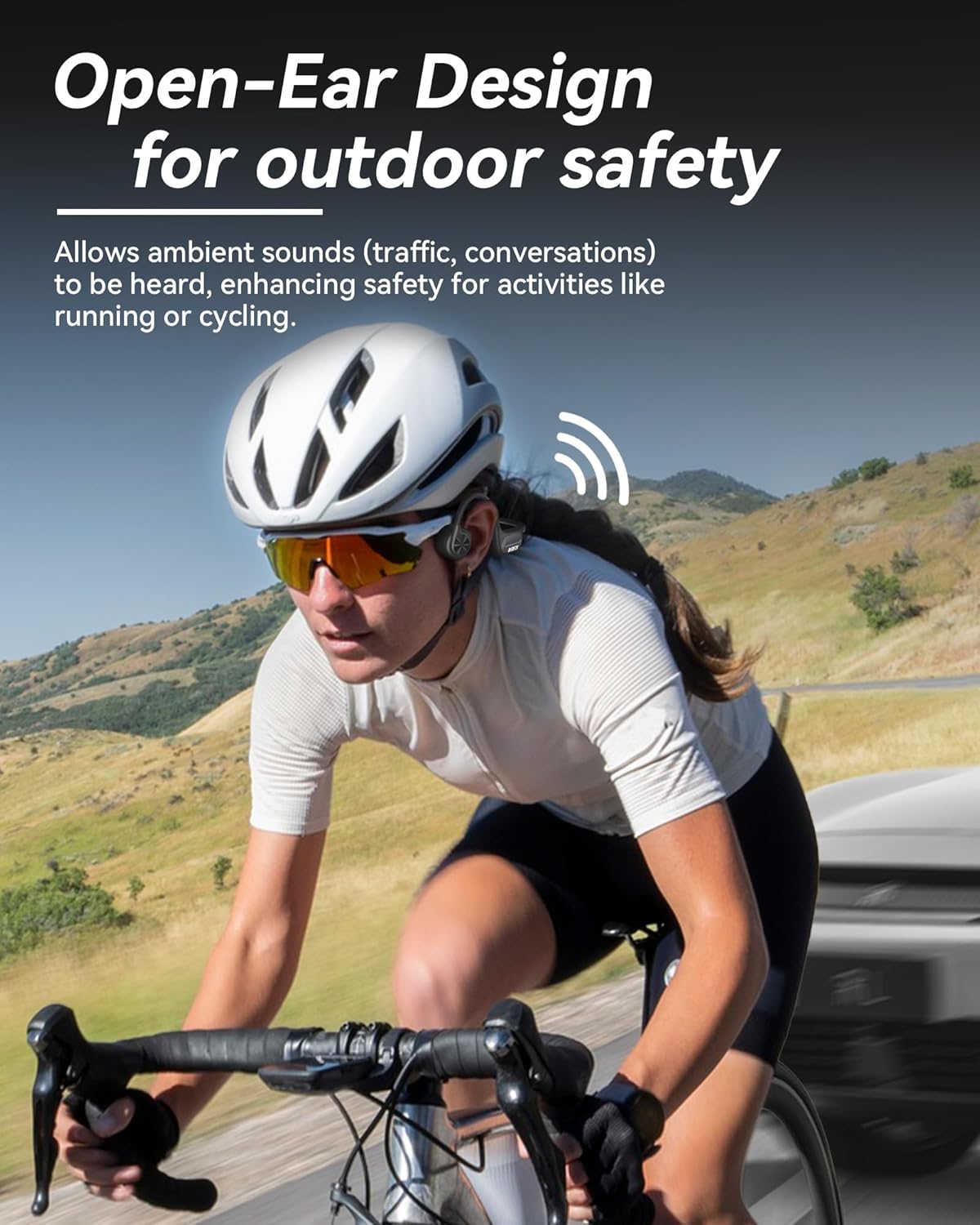
Image 3.2: Open-ear design allows awareness of surroundings, ideal for outdoor activities like cycling.

Image 3.3: The adjustable elastic band ensures a snug and comfortable fit for various head sizes.
4. Setup
4.1 Charging the Headphones
- Connect the magnetic charging cable to the charging port on the headphones. Ensure the magnetic connection is secure.
- Connect the USB-A end of the cable to a standard USB power adapter (not included) or a computer USB port.
- The LED indicator on the headphones will show charging status. A full charge takes approximately 1.5 hours.
- Once fully charged, the headphones provide up to 8 hours of playtime.

Image 4.1: Magnetic charging connection and battery life indication.
4.2 Power On/Off
- Power On: Press and hold the multi-function button for 3 seconds until the LED indicator lights up and you hear a power-on prompt.
- Power Off: Press and hold the multi-function button for 3 seconds until the LED indicator turns off and you hear a power-off prompt.
4.3 Bluetooth Pairing
- Ensure the headphones are powered off.
- Press and hold the multi-function button for approximately 5 seconds until the LED indicator flashes red and blue alternately, indicating pairing mode.
- On your device (smartphone, tablet, computer), enable Bluetooth and search for available devices.
- Select "BC3pro" from the list of devices.
- Once connected, the LED indicator will flash blue slowly, and you will hear a connection prompt.

Image 4.2: Bluetooth 5.3 connectivity for stable pairing with devices.
4.4 MP3 Mode and Music Transfer
The headphones feature 32GB of built-in storage for offline music playback, especially useful for swimming or activities where a phone is not desired.
- Music Transfer: Connect the headphones to a computer using the magnetic charging cable. The headphones will appear as a removable disk drive. Drag and drop your audio files (e.g., MP3 format) into the headphones' storage folder.
- Switching to MP3 Mode: Double-tap the multi-function button to switch between Bluetooth mode and MP3 mode.

Image 4.3: MP3 mode allows music playback without a phone, ideal for swimming.
5. Operating Instructions
5.1 Button Functions
The headphones are controlled via a multi-function button and volume buttons. Refer to the diagram below for button locations and functions:

Image 5.1: Overview of button controls for the Voistek BC3pro headphones.
- Power On/Off: Press and hold multi-function button for 3 seconds.
- Play/Pause: Single tap multi-function button.
- Volume Up: Single tap '+' button.
- Volume Down: Single tap '-' button.
- Next Song: Press and hold '+' button for 2 seconds.
- Previous Song: Press and hold '-' button for 2 seconds.
- Answer/Hang Up Call: Single tap multi-function button during a call.
- Reject Call: Press and hold multi-function button for 2 seconds during an incoming call.
- Activate Voice Assistant (Siri/Google Assistant): Press and hold multi-function button for 2 seconds.
- Switch MP3/Bluetooth Mode: Double tap multi-function button.
- Night Light On/Off: Triple tap multi-function button.
- Factory Data Reset: Tap multi-function button five times.
5.2 Nighttime Lights
The integrated LED light strips enhance visibility during low-light conditions, improving safety for activities like night running or cycling.

Image 5.2: Luminous function for increased safety during nighttime activities.
5.3 Waterproof Usage (IP68)
The IP68 rating allows the headphones to be submerged in water up to 10 feet for 2 hours. This makes them suitable for swimming and other water sports.
- For underwater use, always switch to MP3 Mode as Bluetooth signals do not transmit effectively through water.
- Ensure the charging port is clean and dry before charging after water exposure.

Image 5.3: IP68 waterproof rating enables use during swimming and snorkeling.
6. Maintenance
6.1 Cleaning
- Wipe the headphones with a soft, damp cloth after each use, especially after workouts or swimming.
- Do not use abrasive cleaners or solvents, as these can damage the materials.
- Ensure the charging port is dry before connecting the charging cable.
6.2 Storage
- Store the headphones in a cool, dry place away from direct sunlight and extreme temperatures.
- Avoid placing heavy objects on the headphones to prevent damage to the frame.
7. Troubleshooting
- No Power: Ensure the headphones are fully charged. Connect to the magnetic charging cable and check the LED indicator.
- No Sound:
- Check the volume level on both the headphones and your connected device.
- Ensure the headphones are correctly paired via Bluetooth or are in MP3 mode.
- If in MP3 mode, ensure music files are properly loaded onto the 32GB storage.
- Bluetooth Disconnection/Pairing Issues:
- Ensure the headphones are within the 10-meter Bluetooth range of your device.
- Turn off and on Bluetooth on your device.
- Forget the "BC3pro" device in your device's Bluetooth settings and attempt to re-pair.
- Perform a factory data reset (five taps on the multi-function button).
- MP3 Mode Not Working:
- Ensure the headphones are switched to MP3 mode (double-tap multi-function button).
- Verify that compatible audio files are stored on the device's internal memory.
- Night Light Not Activating: Ensure the headphones are powered on and triple-tap the multi-function button.
8. Specifications
| Feature | Specification |
|---|---|
| Model Name | BC3pro |
| Connectivity Technology | Wireless (Bluetooth 5.3) |
| Wireless Communication Technology | Bluetooth |
| Bluetooth Version | 5.3 |
| Bluetooth Range | 10 Meters |
| Water Resistance Level | IP68 (Waterproof) |
| Built-in Storage | 32GB (MP3 Mode) |
| Battery Life | Up to 8 Hours |
| Charging Time | 1.5 Hours |
| Charging Method | Magnetic Charging Cable |
| Audio Driver Type | Bone Conduction Driver |
| Audio Driver Size | 16.3 Millimeters |
| Earpiece Shape | Open Ear |
| Weight | Approximately 30g (1.06 oz) |
| Material | Acrylonitrile Butadiene Styrene (ABS), Rubber, Titanium |
| Control Type | Push Button, Media Control, Voice Assistant |
9. Safety Information
- Do not disassemble, repair, or modify the product. This may cause fire, electronic breakdown, or even complete damage to the product.
- Keep the product away from fire, heat, and corrosive substances.
- Avoid using the headphones at excessively high volumes for prolonged periods to prevent hearing damage.
- While the open-ear design enhances situational awareness, always exercise caution in environments requiring full attention.
- Ensure the charging port is dry before charging to prevent short circuits.
10. Warranty and Support
Voistek products are designed for reliability and performance. For warranty information, technical support, or service inquiries, please refer to the contact information provided with your purchase or visit the official Voistek website.