
1. Product Overview
The UseeLink Matter Smart Water Valve is an automatic valve controller designed to integrate with various smart home platforms. It allows for remote control, voice control, and scheduled operation of compatible water or gas valves, enhancing home automation and water management.
1.1 Multi-Platform Compatibility
This Matter Water Valve is compatible with all certified smart home platforms, including Apple Home, Amazon Alexa, Google Home, and SmartThings. This eliminates the need for multiple applications to control different smart devices, allowing unified management from a single app.

Image 1.1: The UseeLink Matter Water Valve supports multiple smart home platforms like Apple Home, Google Home, Alexa, and SmartThings.

Image 1.2: Certain smart home platforms require a Matter-compatible hub for the valve to function. Examples include Apple HomePod, Amazon Echo devices, Google Nest Hub, and SmartThings Hubs.
2. Setup and Installation
2.1 Package Contents
Before installation, ensure all components are present:
- UseeLink Matter Smart Water Valve Controller
- Power Adapter (12V 2A)
- Support Brackets
- Screws
- Stainless Steel Cable Tie (Hose Clamp)

Image 2.1: Included components for the UseeLink Smart Water Valve.
2.2 Valve Compatibility
The controller is designed for handle-type ball valves. It is suitable for water pipes ranging from 4 points to 1.2 inches in diameter.

Image 2.2: The valve controller is designed for handle-type ball valves.
2.3 Installation Steps
- Ensure the main water or gas supply is turned off before installation to prevent leaks.
- Position the valve controller over the handle of your existing ball valve.
- Secure the controller to the pipe using the provided stainless steel cable tie and support brackets. Ensure the controller is firmly attached and aligned to properly operate the valve handle.
- Connect the power adapter to the valve controller and plug it into a power outlet.
- Turn the main water or gas supply back on and check for any leaks.

Image 2.3: Diagram illustrating the installation of the valve controller on a home water valve.
2.4 Easy Setup with Matter Protocol
To integrate the valve into your smart home system:
- Connect the device to your 2.4GHz WiFi network.
- Open a Matter-compatible smart home application (e.g., Apple Home, Amazon Alexa, Google Home, SmartThings).
- Scan the QR code located on the Matter water valve to quickly and easily integrate it into your home network.
Video 2.1: This video demonstrates the physical appearance of the UseeLink Smart Water Valve, highlighting its reset button and power input port. It provides a visual guide to the device's components.
3. Operation
3.1 Remote Control
Once connected to your 2.4GHz WiFi network, you can remotely control the valve's opening and closing through the Matter protocol-supported application. The app also displays the current status of the device.
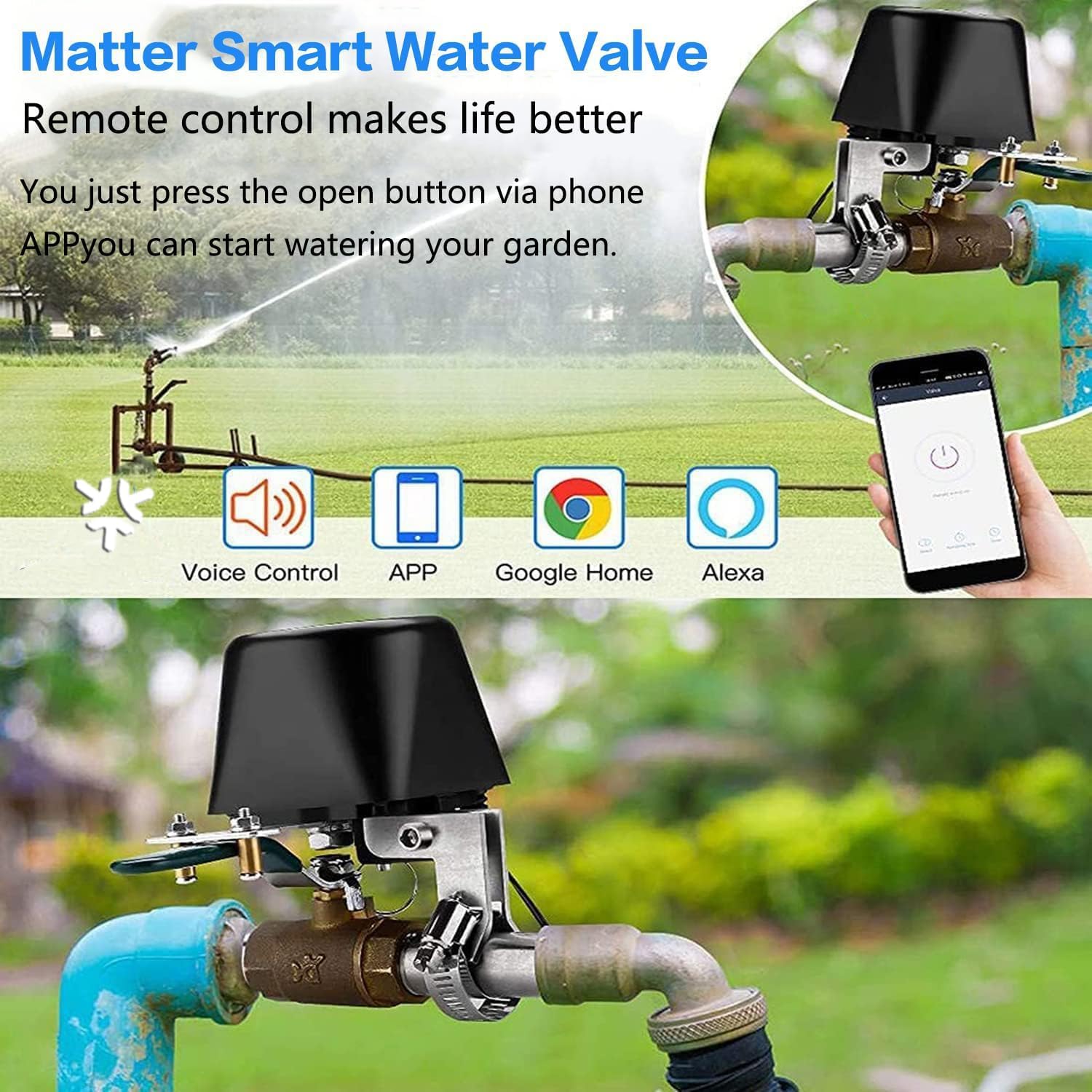
Image 3.1: Remote control of the smart water valve using a smartphone application.
3.2 Voice Control
The smart water valve is compatible with Apple Home (Siri), Amazon Alexa, Google Assistant, and SmartThings. Use voice commands to operate the valve. For example, say "Alexa, open the valve" or "Siri, close the valve."
3.3 Timing Function
After connecting to the internet, you can set specific opening and closing times for the valve through the application. This feature helps conserve water and automate tasks, automatically shutting down the device after the set time.

Image 3.2: Screenshot of the timing control interface within the application, allowing users to schedule valve operations.
4. Maintenance
4.1 Manual Override
In the event of a power outage or system malfunction, a manual clutch with a pull ring is located at the bottom of the unit. Pulling this ring allows you to manually move the lever to close or open the valve. Ensure this mechanism is accessible for emergency use.
4.2 General Care
Keep the device clean and free from debris. Avoid exposing it to extreme temperatures or direct water spray unless specifically designed for such conditions. Periodically check the mounting for tightness.
5. Troubleshooting
- Device Not Connecting to WiFi: Ensure your WiFi network is 2.4GHz. Verify the password and try resetting the device by pressing the reset button (refer to Video 2.1 for location) and re-pairing through the app.
- Valve Not Fully Opening/Closing: Check if the valve controller is securely mounted and properly aligned with the valve handle. If the existing manual valve is stiff, the controller may struggle to operate it. Consider lubricating the manual valve or ensuring it operates smoothly by hand before installing the smart controller.
- App Control Issues: Ensure your smartphone has a stable internet connection and the smart home app is updated to the latest version. Verify that the valve controller is powered on and connected to your WiFi network.
- Manual Override Difficulty: If the manual clutch pull ring is difficult to access, consider adjusting the installation position to ensure it can be reached easily in an emergency.
- Power Loss: In case of a power outage, the device will not operate automatically. Use the manual override feature to control the valve.
6. Product Specifications
| Feature | Specification |
|---|---|
| Brand | UseeLink |
| Model Number | AW713 Matter Water Valve |
| Material | Stainless Steel |
| Product Dimensions (L x W x H) | 2 x 2 x 1 inches |
| Item Weight | 3.19 pounds |
| Color | Black |
| Inlet Connection Type | National Pipe Tapered |
| Outlet Connection Type | NPT |
| Number of Ports | 2 |
| Compatibility | Matter, Alexa, Google Assistant, Apple Home, SmartThings |
7. Warranty and Support
UseeLink provides free technical support and replacement services for this product. The warranty period for the product is one year from the date of purchase. If you encounter any product issues, please contact UseeLink America through email or Amazon for assistance.
8. Applicable Environments
The UseeLink Matter Smart Water Valve is suitable for various applications, including:
- Household water supply pipelines
- Household gas supply lines
- Farmland irrigation pipelines
- Automatic water supply systems (e.g., for livestock)

Image 8.1: Examples of environments where the UseeLink Smart Water Valve can be utilized.