
SereneLife SLFOLD30.6
SereneLife 2-in-1 Foldable Treadmill & Under-Desk Walking Pad
Model: SLFOLD30.6
Introduction
The SereneLife 2-in-1 Foldable Treadmill & Under-Desk Walking Pad is a versatile fitness machine designed for both walking and running. It features a dual-mode design, allowing it to function as a compact walking pad when the handrail is folded down, or as a full-speed treadmill when the handrail is raised. Equipped with a powerful 2.5HP motor, 12 pre-set programs, and Bluetooth connectivity for integration with popular fitness apps, this unit supports users up to 265 lbs and offers a comfortable workout experience with its shock absorption system.
Safety Information
Please read all instructions carefully before using this product. Keep this manual for future reference.
- Always consult with a healthcare professional before starting any new exercise program.
- Place the treadmill on a flat, stable surface. Ensure there is at least 6 feet of clear space behind the treadmill and 2 feet on each side.
- Keep children and pets away from the treadmill during operation.
- Do not exceed the maximum user weight capacity of 265 lbs.
- Ensure the safety key is properly attached to your clothing before starting the treadmill. In case of emergency, the safety key will stop the machine.
- Do not operate the treadmill if the power cord is damaged or frayed.
- Always hold the handrails when starting or stopping the treadmill, and if you feel unsteady.
- Wear appropriate athletic footwear during use.
- Unplug the treadmill from the power outlet when not in use or before cleaning and maintenance.
What's in the Box
Verify that all components are present before assembly and operation.
- SereneLife 2-in-1 Foldable Treadmill
- Remote Controller
- Power Cord
- Lubrication Bottle
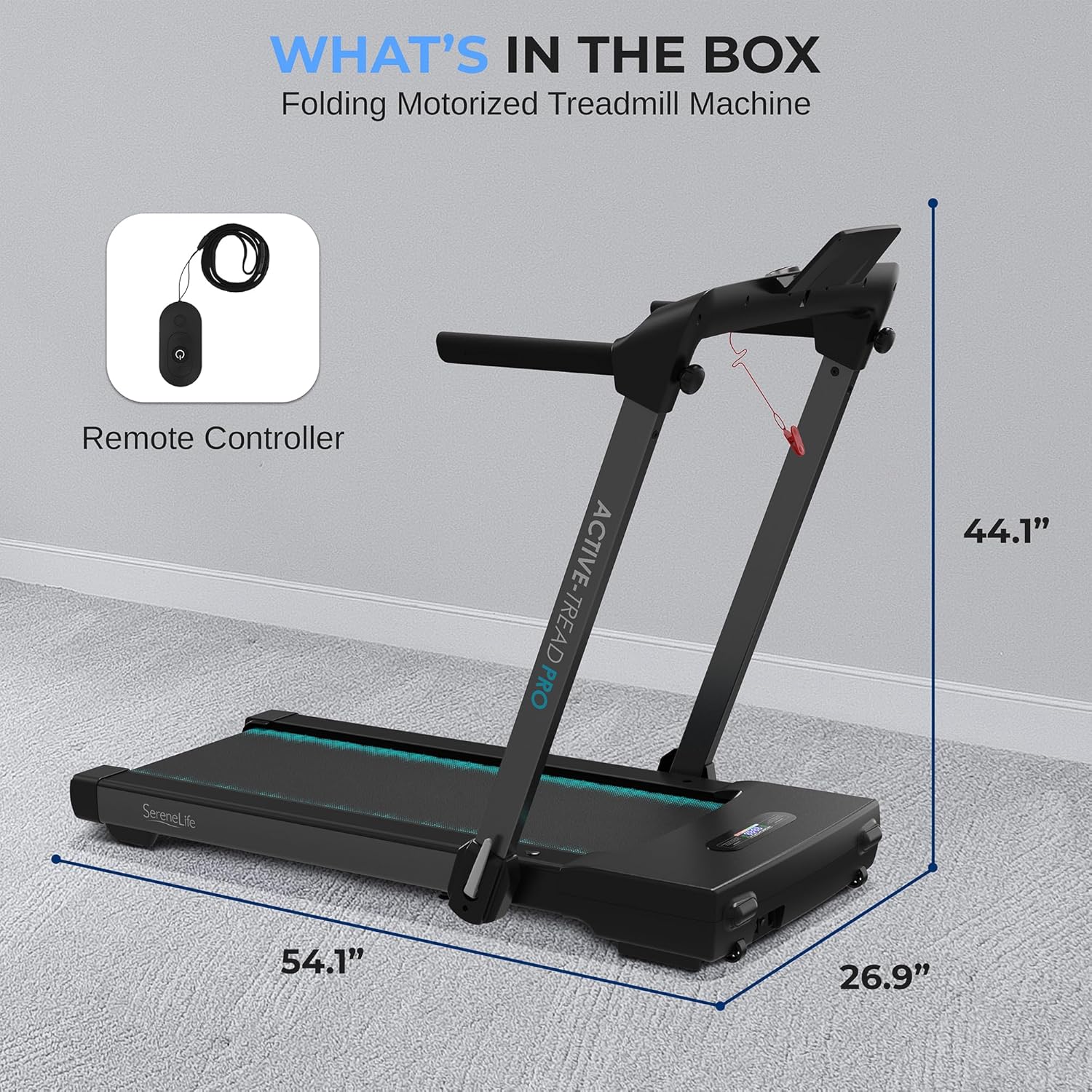
Image: Components included in the SereneLife Treadmill package, showing the main unit and the remote controller.
Setup
The SereneLife 2-in-1 Treadmill is designed for easy setup and compact storage.
- Unpacking: Carefully remove all components from the packaging.
- Placement: Choose a flat, stable surface for the treadmill, ensuring adequate clearance around the unit.
- Unfolding (for Treadmill Mode): If the handrail is folded down, gently lift it into the upright position until it locks securely.
- Power Connection: Plug the power cord into a grounded electrical outlet.
- Tablet Holder (Optional): If using the tablet holder, ensure it is securely attached. Note that for under-furniture storage, the tablet holder may need to be removed.

Image: Demonstrates the easy setup and folding mechanism of the treadmill for compact storage, including its ability to slide under furniture when folded.
Operating Instructions
Dual-Mode Operation
The treadmill offers two primary modes of operation:
- Walking/Jogging Pad Mode: With the handrail folded down, the treadmill operates at speeds ranging from 0.6 to 5 MPH. This mode is ideal for under-desk use or light exercise.
- Full-Speed Running Treadmill Mode: With the handrail raised and locked, the treadmill can reach speeds up to 8.7 MPH, suitable for more intense running workouts.
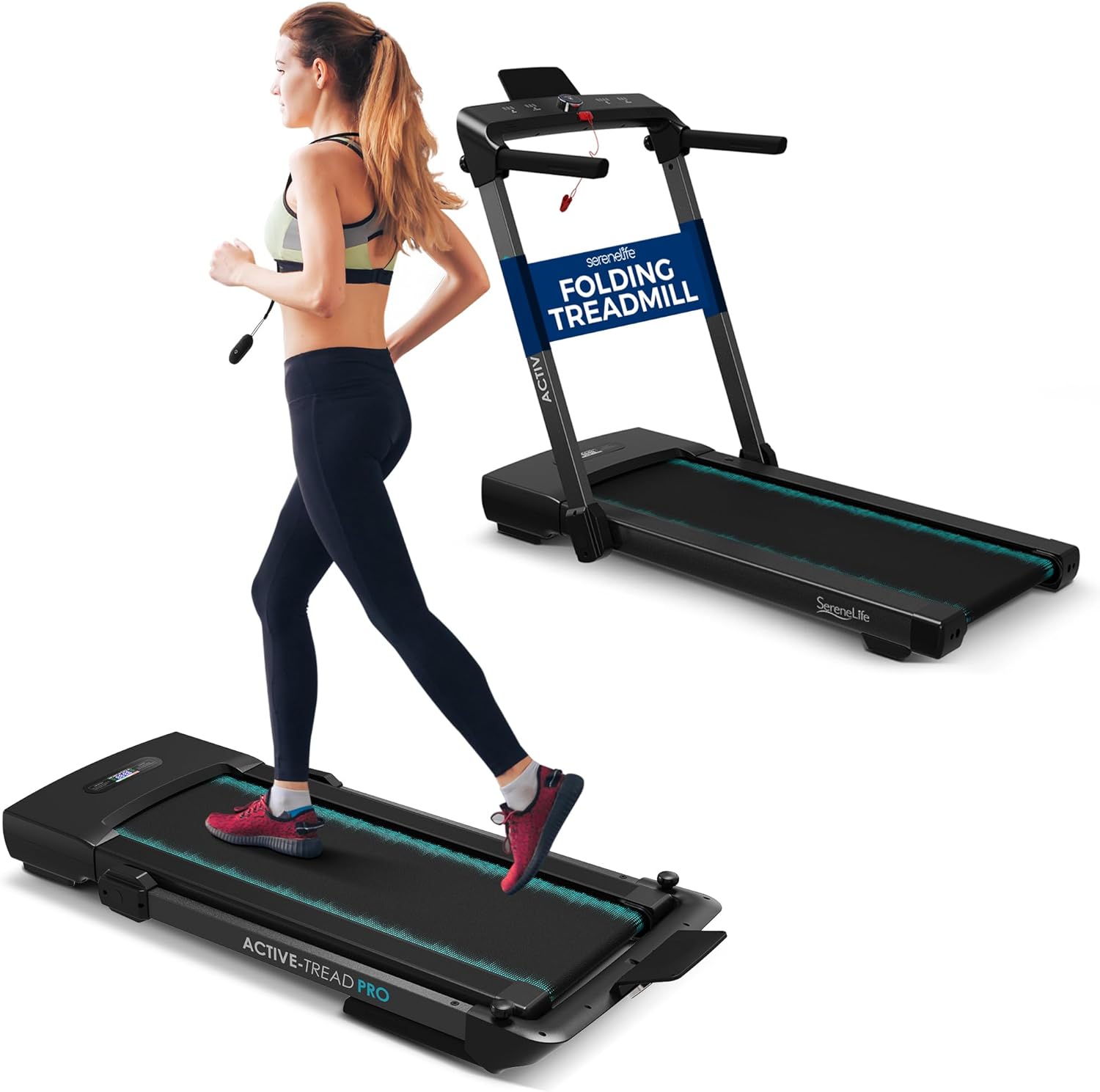
Image: Illustrates the treadmill in both its upright running configuration and its flat, under-desk walking pad configuration.
Using the Remote Control
The included remote control allows for convenient adjustment of settings during your workout.
- Start/Stop: Press the power button to start or stop the treadmill.
- Speed Adjustment: Use the speed buttons to increase or decrease the belt speed.
- Mode Selection: Cycle through different modes or pre-set programs.

Image: Shows the treadmill's digital display with metrics like run time, speed, calories burned, and distance, along with the remote control for easy adjustments.
Pre-Set Programs
The treadmill features 12 pre-set training modes to vary your workouts. Refer to the display for program selection and progress tracking.

Image: Highlights key features such as the 2.5 HP motor, 12 pre-set programs, and the 8.7 MPH speed range, with a user exercising on the treadmill.
Bluetooth Connectivity & App Integration
Connect your treadmill via Bluetooth to enhance your workout experience.
- Pairing: Enable Bluetooth on your mobile device and search for the treadmill. Select the treadmill to pair.
- Fitness Apps: The treadmill is compatible with popular fitness applications such as Fit Home, Kinomap, and Zwift. These apps allow you to track your progress, participate in interactive workouts, and manage your fitness data.
- Music Playback: Stream your favorite music through the treadmill's integrated speakers (if applicable) or your connected device.

Image: Illustrates the treadmill's seamless integration with fitness apps, displaying real-time workout data and interactive features on a connected tablet.
Maintenance
Regular maintenance ensures the longevity and optimal performance of your treadmill.
- Lubrication: The running belt requires periodic lubrication to reduce friction and wear. Use the provided lubrication bottle and follow the instructions for applying lubricant under the belt. Frequency depends on usage, typically every 3-6 months.
- Cleaning: Wipe down the treadmill surfaces with a damp cloth after each use to remove sweat and dust. Do not use abrasive cleaners.
- Belt Alignment: Check the running belt for proper alignment periodically. If the belt drifts to one side, adjust it according to the instructions in the full user manual (not provided here).
- Motor Cover: Keep the motor cover area clean and free of dust and debris to ensure proper ventilation.

Image: Focuses on the treadmill's running surface, emphasizing features like shock absorption and the multi-layer tread belt, which benefit from proper maintenance.
Troubleshooting
If you encounter issues with your treadmill, refer to the following common problems and solutions:
| Problem | Possible Cause | Solution |
|---|---|---|
| Treadmill does not power on. | Power cord not plugged in; circuit breaker tripped; safety key not in place. | Ensure power cord is securely plugged in. Check household circuit breaker. Verify safety key is correctly inserted. |
| Running belt stops or slips. | Belt too loose; insufficient lubrication; motor overload. | Adjust belt tension (refer to full manual). Apply lubrication to the belt. Reduce user weight or speed. |
| Unusual noise during operation. | Loose parts; motor issue; belt friction. | Check for and tighten any loose screws. Lubricate the running belt. If noise persists, contact customer support. |
| Bluetooth connection issues. | Bluetooth off on device; treadmill not in pairing mode; interference. | Ensure Bluetooth is enabled on your device. Restart both treadmill and device. Move closer to the treadmill. |
For issues not listed here or if solutions do not resolve the problem, please contact SereneLife customer support.
Specifications
| Feature | Detail |
|---|---|
| Brand | SereneLife |
| Model Name | SLFOLD30.6 |
| Color | Black |
| Product Dimensions (D x W x H) | 54.1" x 26.9" x 44.1" |
| Material | Acrylonitrile Butadiene Styrene (ABS) |
| Maximum Speed | 8.7 Miles per Hour |
| Special Features | Bluetooth, Foldable, Compact Design |
| Maximum Horsepower | 2.5 Horsepower |
| Maximum Weight Recommendation | 265 Pounds |
| UPC | 842893174440 |
Warranty and Support
This SereneLife product comes with a 1-Year Warranty from the date of purchase. This warranty covers manufacturing defects and workmanship under normal use.
For warranty claims, technical support, or any inquiries regarding your SereneLife 2-in-1 Foldable Treadmill, please contact SereneLife customer service. Refer to the contact information provided with your product packaging or visit the official SereneLife website for the most up-to-date support details.
Please have your model number (SLFOLD30.6) and proof of purchase ready when contacting support.
Ask a question about this manual
Ask about setup, troubleshooting, compatibility, parts, safety, or missing instructions. Manuals+ will review the question and use this page’s manual context to help answer it.