
1. Introduction
This manual provides detailed instructions for the installation, operation, and maintenance of your FeirTon 10.1-inch Android 12 Car Stereo. This advanced multimedia system is designed to enhance your driving experience with modern connectivity and entertainment features.
2. Product Compatibility
This car stereo is compatible with the following vehicle models:
- Toyota Tundra: 2007, 2008, 2009, 2010, 2011, 2012, 2013
- Toyota Sequoia: 2008, 2009, 2010, 2011, 2012, 2013, 2014, 2015, 2016, 2017, 2018
Please verify your vehicle's compatibility before installation. If you are uncertain, contact customer support.

3. Package Contents
Ensure all components are present before beginning installation:
- 10.1-inch Car Radio with Frame
- Power Cables (various connectors)
- Original USB Cable
- Canbus Decoder
- GPS Antenna
- RCA Cable
- Camera Input Cable
- USB Cable
- Removal Tool
- Rear Camera (if included in package)

4. Setup and Installation
The FeirTon car stereo is designed for non-destructive installation, integrating seamlessly with your vehicle's existing systems.
4.1. Basic Installation Steps
- Carefully remove the original car radio unit using the provided removal tool.
- Connect the new car stereo's power cables, original USB cable, and other necessary wiring to the corresponding ports in your vehicle.
- Ensure all connections are secure.
- Mount the new car stereo unit into the dashboard opening.
4.2. Steering Wheel Control Integration
The unit supports your original car's steering wheel control functions. These can be configured using the pre-installed "Settingwheel" application on the car radio.

4.3. OEM Camera and Parking Sensor Support
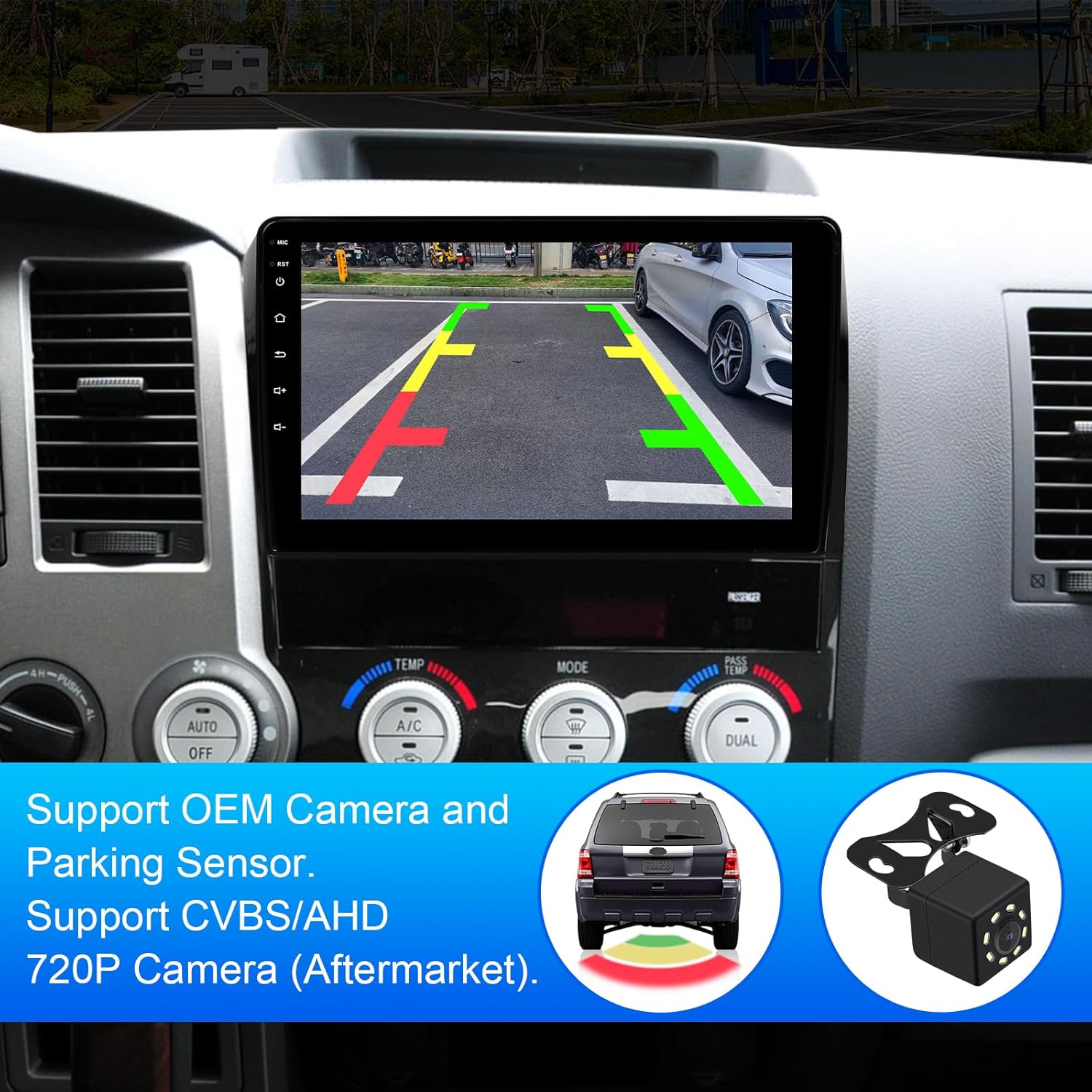
The system supports your vehicle's OEM camera and parking sensors. It also supports aftermarket AHD high-definition rearview cameras (720P 25/30 frames, 1080P 25/30 frames) and standard CVBS signals.
5. Operating Instructions
5.1. CarPlay & Android Auto
The unit supports both wired and wireless CarPlay and Android Auto. Connect your Apple or Android phone using the original USB data cable to sync phone applications with the car radio. This allows for online navigation, music playback, and hands-free communication directly from the car stereo display.


5.2. Bluetooth 5.4 Connectivity
With built-in Bluetooth 5.4, you can connect your smartphone for hands-free calling and wireless audio streaming. This ensures a stable and fast connection for all your communication and entertainment needs.

5.3. WiFi 6 & GPS Navigation
The car stereo features built-in WiFi 6, supporting both 5GHz and 2.5GHz dual-band connections. This allows you to connect to Wi-Fi networks or your mobile phone's hotspot to download applications, browse the internet, and access online navigation. The integrated GPS module supports both online and offline navigation.


5.4. FM Radio
Tune into your favorite FM radio stations with clear reception. The interface allows for easy station scanning and saving presets.
5.5. Media Playback
The unit supports 4K HD video playback with a 1280*720 QLED HD screen, providing vibrant visuals. It also features dual USB input for connecting multiple devices and seamless switching between them.


6. Specifications
| Feature | Detail |
|---|---|
| Brand | FeirTon |
| Screen Size | 10.1 Inches |
| Operating System | Android |
| Connectivity Technology | Bluetooth (5.4), WiFi (6) |
| Special Feature | Touchscreen, CarPlay, Android Auto, GPS |
| Display Type | LCD, Capacitive Touch Screen |
| Supported Satellite Navigation System | GPS |
| Mounting Type | Dashboard Mount |
| Compatible Vehicle Type | Car (Toyota Tundra 2007-2013, Sequoia 2008-2018) |
7. Troubleshooting
If you encounter any issues with your FeirTon car stereo, please consider the following basic troubleshooting steps:
- No Power: Check all power connections and ensure they are securely plugged in. Verify your vehicle's fuse box for any blown fuses related to the stereo.
- No Sound: Confirm speaker connections. Check volume levels on the stereo and ensure the mute function is not activated.
- Bluetooth Connection Issues: Ensure Bluetooth is enabled on both the stereo and your mobile device. Try unpairing and re-pairing the devices.
- GPS Signal Loss: Ensure the GPS antenna is properly installed and has a clear line of sight to the sky.
- Steering Wheel Controls Not Working: Re-enter the "Settingwheel" application and reconfigure the controls.
For persistent issues or complex problems, please contact our customer support team for assistance.
8. Warranty and Support
Your FeirTon car stereo comes with a 12-month quality assurance warranty from the date of purchase. Our professional after-sales team is available 7 days a week, 24 hours a day, to provide support for any questions you may have during installation or use.
Please do not hesitate to contact us for any assistance required.