
RETROSUN MW358
RETROSUN MW358 Replacement Remote Control User Manual
For Vibration Plate Exercise Machines
1. Introduction
This manual provides instructions for the RETROSUN MW358 Replacement Remote Control, designed for universal compatibility with various vibration plate exercise machines, including models from Dailylife, PHAGATT, FELERDUN, HOTWAVE, SoftGym, AXV, EILISON, PBYRD, Taevno, Homesy, SAVEYOUR, UCIN, TISSCARE, SEDOZIK, and Mawuye. This remote control is intended to replace your original remote, provided its appearance matches the images in this manual. No programming or pairing is required for operation.

Image 1.1: Front and back view of the RETROSUN MW358 Replacement Remote Control, showing its ergonomic design and battery compartment.
2. Setup
2.1 Battery Installation
The RETROSUN MW358 remote control requires two (2) 1.5V AAA alkaline batteries (not included). Follow these steps to install the batteries:
- Locate the battery compartment cover on the back of the remote control.
- Gently slide the cover downwards or press the latch and lift to open.
- Insert two AAA batteries, ensuring the positive (+) and negative (-) terminals align correctly with the markings inside the compartment.
- Replace the battery compartment cover by sliding it back into place until it clicks securely.
The remote is ready for use immediately after battery installation; no programming is required.

Image 2.1: Diagram illustrating the correct insertion of two AAA batteries into the remote control's battery compartment.
3. Operating Instructions
3.1 Button Functions
The RETROSUN MW358 remote control features clearly labeled buttons for intuitive operation of your vibration plate exercise machine. Refer to the diagram below for a detailed overview of each button's function.

Image 3.1: Overview of the remote control, showing button labels and their respective functions for operating a vibration plate exercise machine.
| Button | Function |
|---|---|
| Power (Red Circle) | Turns the vibration plate ON or OFF. |
| Start (Black Triangle) | Initiates the exercise program. |
| Stop (Two Vertical Bars) | Pauses or stops the exercise program. |
| Program Autorun Mode (HI) | Activates the high-intensity autorun program. |
| Program Mode (P) | Cycles through available pre-set programs. |
| Low Intensity (LOW) | Activates the low-intensity program. |
| Time + / Time - | Adjusts the duration of the exercise session. |
| Speed + / Speed - | Increases or decreases the vibration speed/intensity. |
| Mode (M) | Switches between different exercise modes (e.g., manual, automatic). |
| Jogging (Running Figure) | Activates a jogging simulation mode. |
| Walking (Walking Figure) | Activates a walking simulation mode. |
| Running (Sprinting Figure) | Activates a running simulation mode. |
3.2 Control Distance and Angle
The RETROSUN MW358 remote control offers a reliable transmission range of up to 8 meters (approximately 26 feet) and an effective 360-degree angle, allowing for flexible control of your vibration plate from various positions within the room. For optimal performance, ensure a clear line of sight between the remote and the vibration plate's receiver.
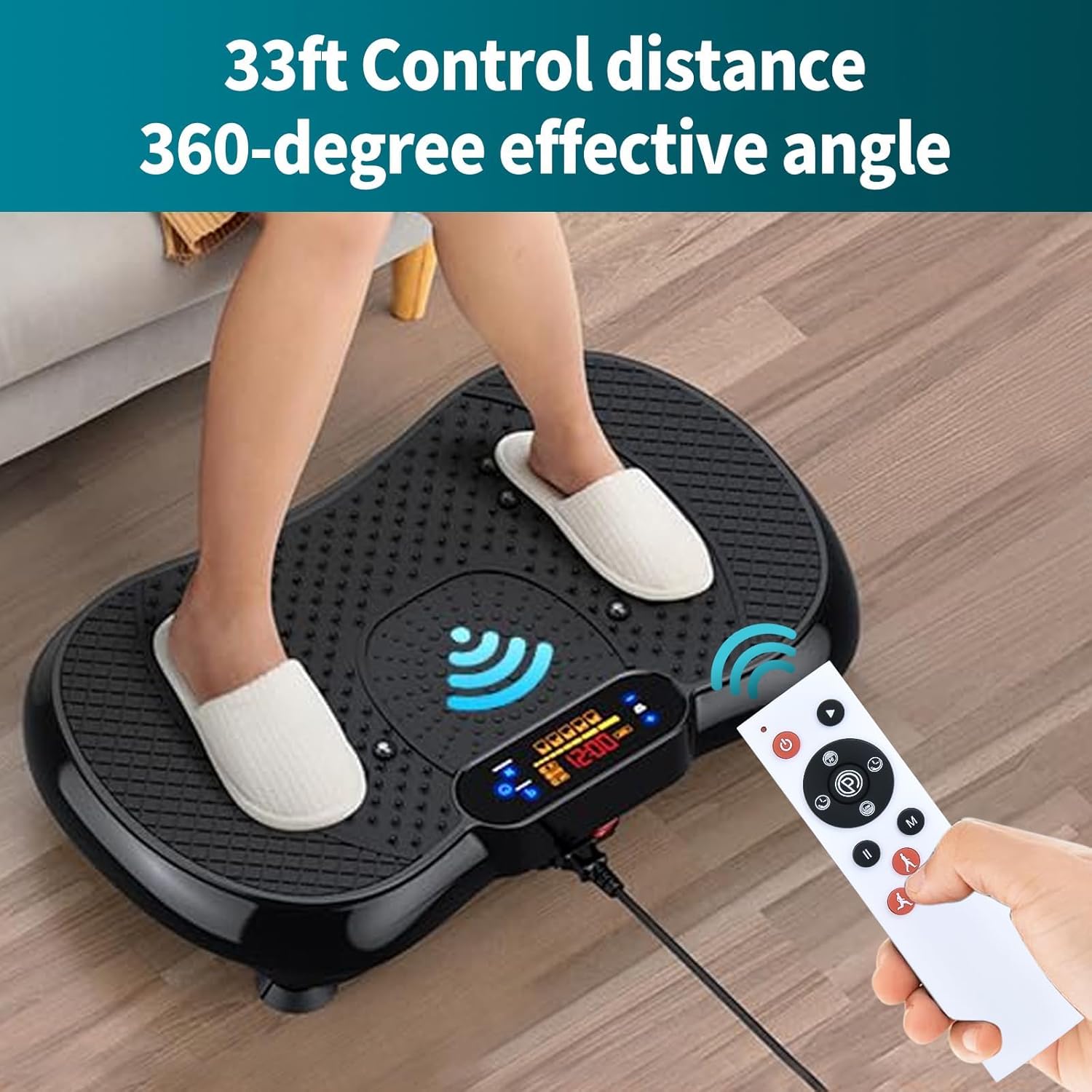
Image 3.2: Visual representation of the remote control's effective range and wide control angle.
4. Maintenance
Proper care and maintenance will extend the lifespan of your remote control.
- Cleaning: Wipe the remote control with a soft, dry cloth. For stubborn dirt, a slightly damp cloth can be used, followed by immediate drying. Avoid using harsh chemicals, abrasive cleaners, or solvents.
- Storage: Store the remote control in a cool, dry place away from direct sunlight and extreme temperatures.
- Battery Replacement: If the remote control becomes unresponsive or its range decreases, replace the batteries with fresh AAA alkaline batteries. Remove batteries if the remote will not be used for an extended period to prevent leakage.
- Impact Protection: Avoid dropping the remote control or subjecting it to strong impacts, as this can damage internal components.
5. Troubleshooting
If you experience issues with your RETROSUN MW358 remote control, please refer to the following common solutions:
- Remote Not Responding:
- Ensure batteries are correctly installed with the proper polarity (+/-).
- Replace old batteries with new 1.5V AAA alkaline batteries.
- Check if there are any obstructions between the remote and the vibration plate's receiver.
- Verify that the vibration plate itself is powered on and functioning correctly.
- Limited Range or Intermittent Control:
- Ensure fresh batteries are installed.
- Reduce the distance between the remote and the vibration plate.
- Remove any objects that might be blocking the signal path.
- Avoid strong light sources or other electronic devices that might cause interference.
- Specific Button Not Working:
- Clean the remote control surface and buttons to ensure no debris is interfering with button presses.
- If only one button is unresponsive after trying new batteries, the remote may require replacement.
6. Specifications
| Feature | Detail |
|---|---|
| Model Number | MW358 |
| Brand | RETROSUN |
| Compatible Devices | Vibration Plate Exercise Machines (Universal) |
| Power Source | 2 x 1.5V AAA Batteries (not included) |
| Control Distance | Up to 8 meters (26 feet) |
| Effective Angle | 360 degrees |
| Material | High-quality ABS |
| Dimensions (L x W x H) | 5.90 x 1.53 x 0.55 inches (approx.) |
| Item Weight | 1.76 ounces (without batteries) |
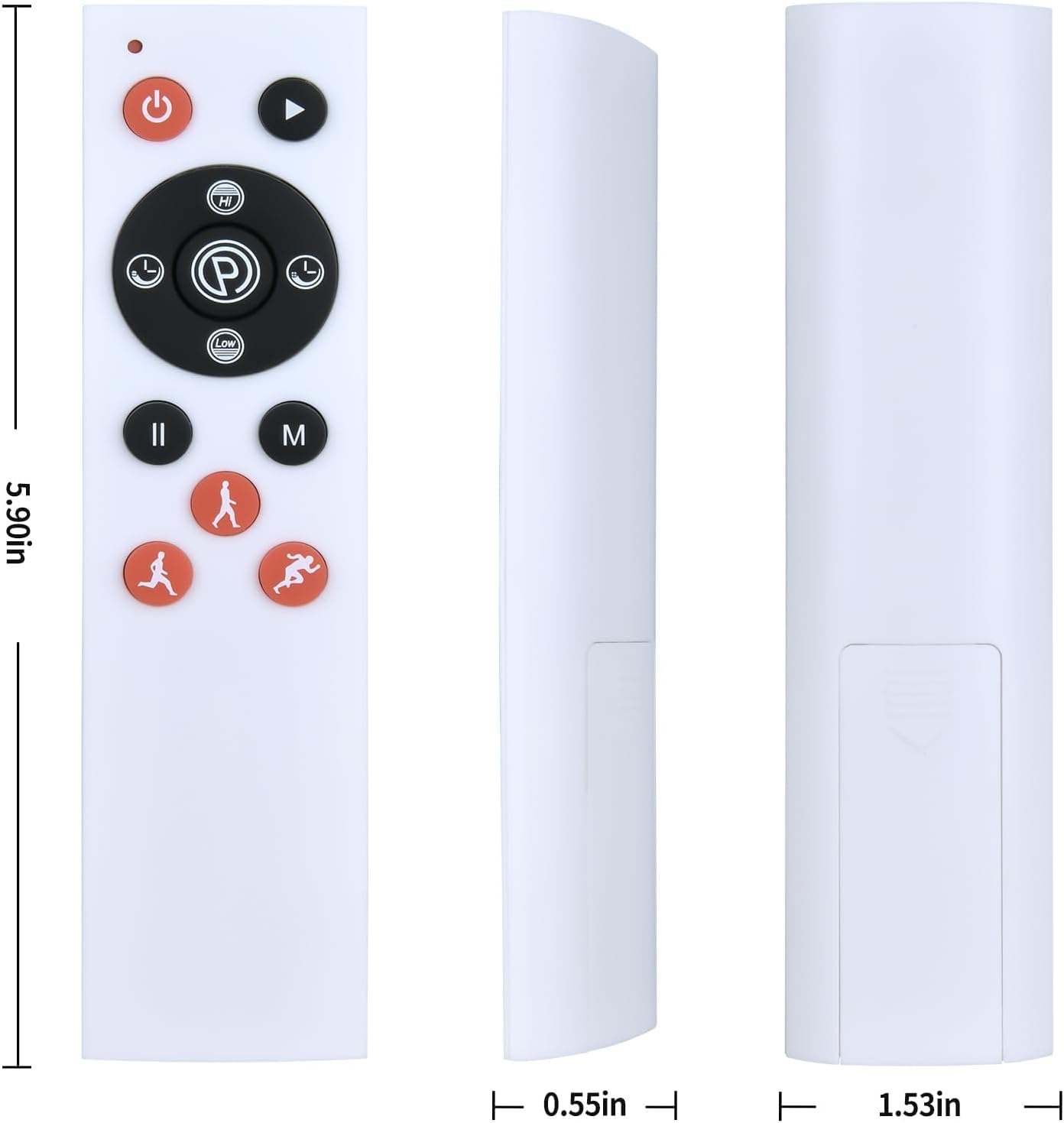
Image 6.1: Detailed dimensions of the RETROSUN MW358 remote control.
7. Support
For any issues or questions regarding your RETROSUN MW358 Replacement Remote Control, please do not hesitate to contact our customer support. We are committed to providing solutions within 24 hours to assist you.
Please refer to your product packaging or the retailer's website for specific contact information.
Ask a question about this manual
Ask about setup, troubleshooting, compatibility, parts, safety, or missing instructions. Manuals+ will review the question and use this page’s manual context to help answer it.