
CARDSPIN 4 PCS
CARDSPIN Wireless Drawing Remotes Instruction Manual
Model: 4 PCS
Introduction
This manual provides detailed instructions for the CARDSPIN Wireless Drawing Remotes, designed to enhance your experience with Automatic Card Dealer Machines and 2-in-1 Automatic Card Shuffler & Dealer Machines. These remotes offer wide compatibility and flexible operation for various gaming setups.
What's Included
Your package should contain the following items:
- 4 x CARDSPIN Wireless Drawing Remotes

Image: Four black circular wireless drawing remotes, each marked with numbers from 1 to 12 around the edge, indicating their function for different player positions or directions.
Compatibility
These digital remote controls are designed for broad compatibility with CARDSPIN card dealer and shuffler machines. Refer to the table below for specific model compatibility:
| Device Model | Description | Remote Support |
|---|---|---|
| Fifth-generation shuffler | Older dealing machines | Compatible (e.g., "Forward" can be 9 or 12, "Reverse" can be 9 or 10) |
| Sixth-generation shuffler | Supports 1-12 directional operations | Compatible (e.g., screen number "4" can match with remote numbers "9" or "10") |
| MAX V | 2-in-1 Auto Card Shuffler and Dealer | Supports up to 4 remotes |
| MAX III | Auto Card Dealer | Supports up to 4 remotes |
| MAX6 | 2-in-1 Auto Card Shuffler and Dealer | Supports up to 12 remotes (comes with 4 by default) |
| ACE5 | Auto Card Dealer | Supports up to 12 remotes (comes with 4 by default) |
Note: If your device supports only 4 directions, the digital remote can be used only as a replacement and cannot expand to more directions. For devices supporting 1-12 directions (e.g., MAX6, ACE5), additional remotes can be purchased to expand functionality. Even with duplicate numbers, such as two "9"s, you can match each "9" to different screen numbers (e.g., one to "5" and the other to "9").

Image: A visual chart illustrating the compatibility of CARDSPIN remotes with various card dealer machine models (MAX V, MAX III, MAX6, ACE5), detailing their type and the number of remotes they support.
Setup and Pairing
The CARDSPIN Wireless Drawing Remotes are designed for easy pairing with compatible card dealer machines. Follow these steps to set up your remotes:
- Power On Device: Ensure your Automatic Card Dealer Machine or 2-in-1 Automatic Card Shuffler & Dealer Machine is powered on and in pairing mode (refer to your machine's manual for specific instructions on entering pairing mode).
- Activate Remote: The remotes are typically active upon receiving a signal from the machine or when a button is pressed. There are no on/off switches on the remotes themselves.
- Smart Digital Matching: The remotes utilize smart digital matching. The numbers (9-12) on the remote are intelligently recognized and automatically matched with the device’s operation directions.
- For fifth-generation shufflers, the "Forward" function can correspond to either remote number 9 or 12. The "Reverse" function can correspond to remote number 9 or 10.
- For sixth-generation shufflers, the screen number "4" on the machine can match with remote numbers "9" or "10."
- Individual Matching: Each remote can be individually matched with the device, allowing independent control for every player. This ensures a better multiplayer experience.
- Expanding Player Capacity: If your device supports 1-12 players but originally comes with fewer remotes (e.g., 4), you can purchase additional sets of these remotes to meet the needs of more players.
- Duplicate Number Matching: Even if you have multiple remotes with the same number (e.g., two remotes marked "9"), you can match each "9" to different screen numbers or functions on your machine (e.g., one "9" to screen number "5" and the other "9" to screen number "9").

Image: A graphic displaying four individual wireless remotes labeled 9, 10, 11, and 12, emphasizing their role as standalone replacements and their ability to support more players.
Operating Instructions
Once paired, the wireless drawing remotes allow for precise control over your card dealer machine. The operation is intuitive and designed for seamless gameplay.
- Initiating a Draw: Press the remote corresponding to the desired player position or direction. The machine will then deal cards according to its programmed settings for that position.
- Multi-Player Use: In a multi-player setup, each player can use their assigned remote to initiate their turn or receive cards. The system is designed to handle multiple simultaneous remote signals, ensuring fair and organized play.
- Understanding Remote Numbers: The numbers on the remotes (9-12) correspond to specific functions or player positions as configured on your card dealer machine. Always refer to your machine's display or manual to confirm the current mapping.
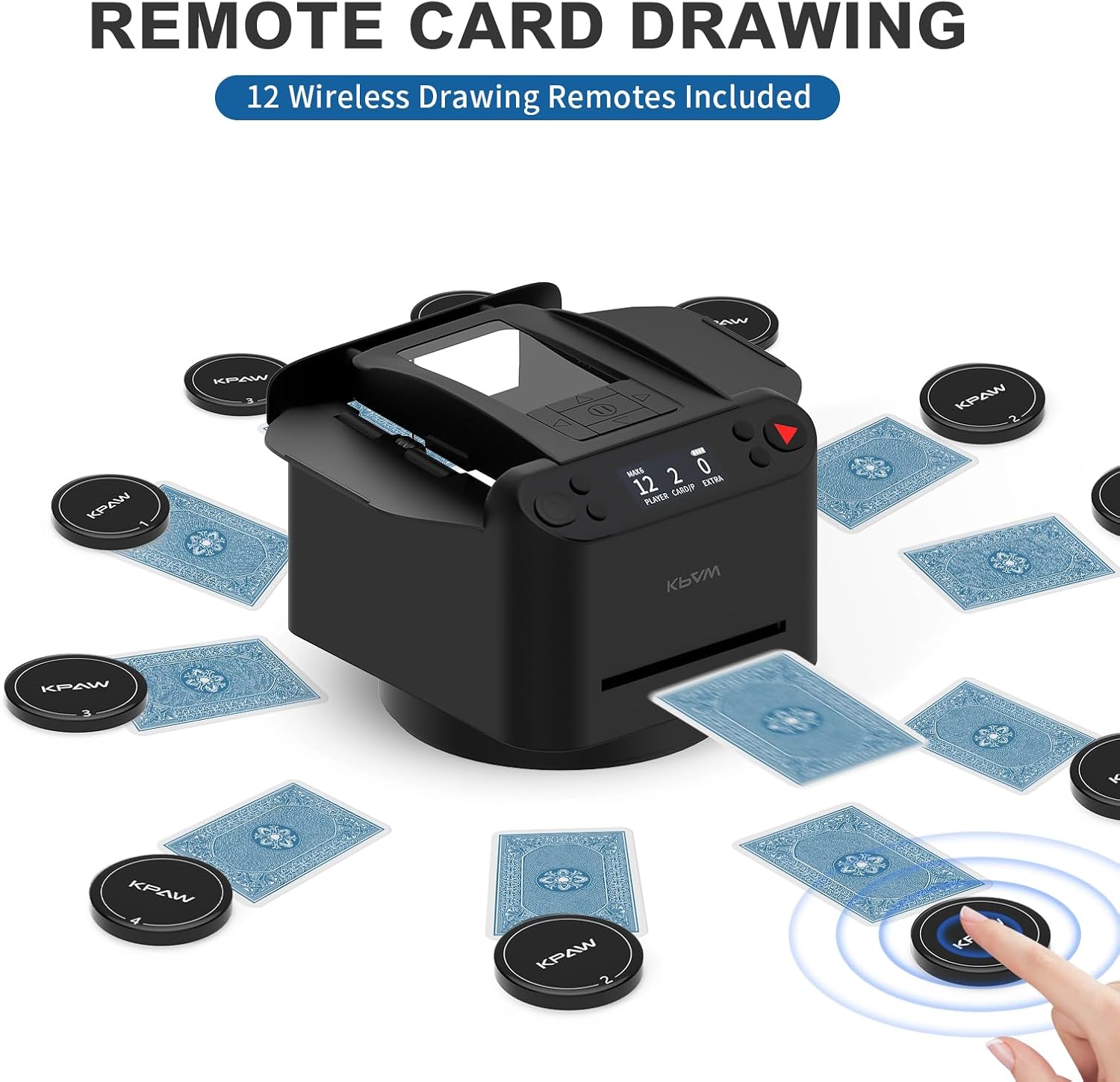
Image: An automatic card dealer machine centrally placed, surrounded by playing cards and multiple black wireless drawing remotes, illustrating a multi-player setup.

Image: An automatic card dealer machine dealing UNO cards, with several wireless remotes positioned around it, demonstrating its use with different card types.

Image: A close-up of a hand pressing a wireless remote, with cards visibly being dealt from an automatic card dealer machine in the background, illustrating the remote's function.
Care and Maintenance
To ensure the longevity and optimal performance of your CARDSPIN Wireless Drawing Remotes, follow these simple care guidelines:
- Cleaning: Wipe the remotes with a soft, dry cloth. For stubborn dirt, a slightly damp cloth can be used, but ensure no moisture enters the remote. Do not use harsh chemicals or abrasive cleaners.
- Storage: Store the remotes in a cool, dry place away from direct sunlight and extreme temperatures.
- Battery: The remotes are powered by internal batteries. If a remote stops responding, it may indicate a low battery. Consult your card dealer machine's manual or the remote's product page for information on battery replacement or charging.
- Avoid Drops: While durable, avoid dropping the remotes on hard surfaces, as this can damage internal components.
Troubleshooting
If you encounter issues with your CARDSPIN Wireless Drawing Remotes, try the following troubleshooting steps:
| Problem | Possible Cause | Solution |
|---|---|---|
| Remote not responding | Low or dead battery; Remote out of range; Not properly paired. |
|
| Incorrect function when pressed | Remote matched to wrong function/player position; Machine setting issue. |
|
| Interference with other remotes | Too many remotes in close proximity; Signal conflict. |
|
If these steps do not resolve the issue, please contact CARDSPIN customer support for further assistance.
Product Specifications
| Feature | Detail |
|---|---|
| Model Name | 4 PCS Wireless Drawing Remotes |
| Brand | CARDSPIN |
| Color | BLACK |
| Material | Plastic |
| Number of Items | 4 (per package) |
| Item Package Dimensions (L x W x H) | 1 x 1 x 0.5 inches |
| Package Weight | 0.2 Pounds |
| Manufacturer | CARDSPIN |
| Suggested Users | unisex-adult |
| ASIN | B0DMNVZ14D |
| Date First Available | November 11, 2024 |
Warranty and Support
Warranty Information: The product specifications indicate "NO" for Warranty Description. Please refer to your point of purchase or the CARDSPIN official website for any applicable return policies or limited guarantees.
Customer Support: For further assistance, technical support, or inquiries regarding your CARDSPIN Wireless Drawing Remotes, please visit the official CARDSPIN store on Amazon or their official website. You can also contact the seller directly via the Amazon platform.
Seller: CARDSPIN Direct
Brand Store: Visit the CARDSPIN Store