
Hy-T26 Pro
User Manual
T26 Pro Wireless Bluetooth AI Translation Earbuds
Product Overview
The HY-T26 Pro Language Translator Earbuds are designed to provide seamless real-time translation and a high-quality audio experience. These earbuds utilize advanced AI technology to break down language barriers, supporting communication in 114 languages.
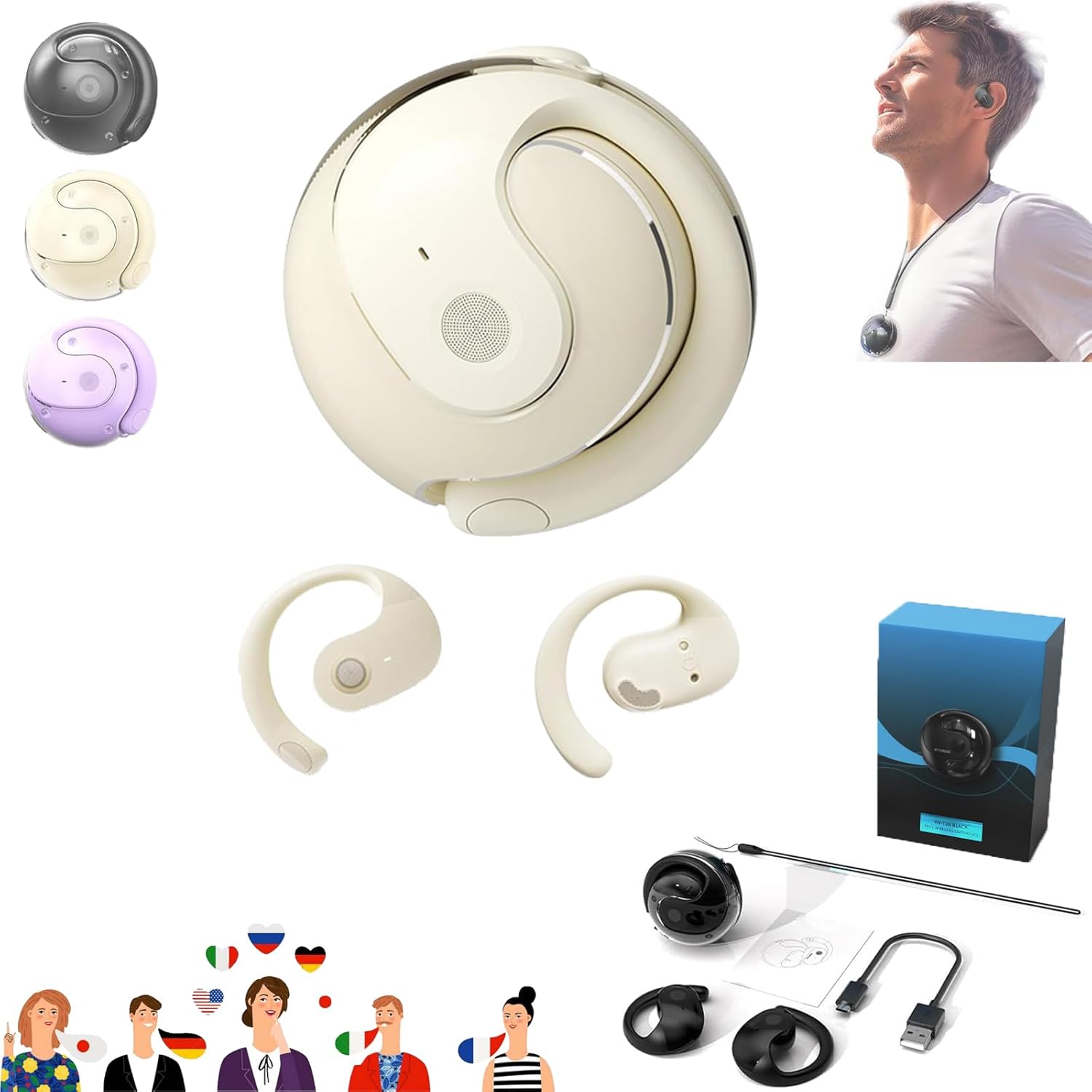
Image: The HY-T26 Pro Translation Earbuds, showing the main device, individual earbuds, charging case, and included accessories like a charging cable and user guide.
Key Features:
- Real-Time Translation: Supports high-precision real-time translation in 114 languages, ideal for travel and professional use.
- Advanced AI Technology: Offers five core functions: recording, writing, translating, listening, and speaking, with up to 98% translation accuracy.
- Multi-Function AI App: Companion app includes features like recording, translation, AI chat, picture generation, and simple music generation.
- Superior Sound Quality: Built-in 16mm dynamic speakers deliver 360° Hi-Fi stereo sound with noise reduction for clear audio.
- Seamless Bluetooth Connectivity: Quick and easy pairing with devices for instant wireless translations.
Setup and Pairing
Follow these steps to set up and pair your HY-T26 Pro Translation Earbuds with your mobile device.

Image: A visual guide illustrating the smart pairing connection process, showing icons for app download, headphone pairing, Bluetooth connection, opening the app, setting target language, and starting a conversation.
- Download the App: Search for the official HY-T26 Pro companion app on your device's app store (compatible with Android and iOS).
- Power On Earbuds: Turn on the HY-T26 Pro earbuds. They will automatically enter pairing mode.
- Connect Bluetooth: On your mobile device, go to Bluetooth settings and select "HY-T26 Pro" from the list of available devices to pair.
- Open the App: Launch the HY-T26 Pro app on your smartphone.
- Set Target Language: Within the app, select your desired source and target languages for translation.
- Start Conversation: You are now ready to use the translation features.
Operating Instructions
Real-Time Translation:
The HY-T26 Pro allows for efficient cross-language communication. Use the companion app to manage translation modes and settings.

Image: Demonstrates cross-language communication, showing a person on a video call with translated text appearing on a screen, indicating the earbuds' function as an auxiliary interpreter.
- Conversation Mode: Speak naturally, and the earbuds will translate your speech into the selected target language for the other party, and vice-versa.
- Interpreter Mode: One earbud can be shared with another person for direct two-way translation.
- Text/Picture Translation: Utilize the app's features to translate text from images or typed input.

Image: Illustrates the text and picture translation capabilities, showing a laptop screen with a video call and a smartphone displaying translated text, highlighting the versatility of the translation functions.
Audio Playback and Calls:
The earbuds also function as standard Bluetooth headphones for music and calls.
- Music Playback: Control playback (play, pause, skip) directly from the earbuds or your connected device.
- Hands-Free Calling: Answer or end calls with a tap on the earbud. The built-in microphone ensures clear communication.
Battery and Charging
The HY-T26 Pro earbuds offer extended battery life for prolonged use.

Image: Displays the battery duration information for the HY-T26 Pro, indicating 15 hours of total playtime with the charging case, 4.5 hours of continuous use time for the earbuds, and 2 hours for a full charge.
- Charging Case: Provides additional charges for the earbuds, extending total listening time.
- Battery Life: Up to 4.5 hours of use time on a single charge. The charging case provides up to 15 hours of total playtime.
- Charging Time: Approximately 2 hours for a full charge of the earbuds and case.
- Charging Indicator: Refer to the LED indicators on the earbuds and charging case for battery status.
Maintenance and Care
To ensure the longevity and optimal performance of your HY-T26 Pro Translation Earbuds, follow these maintenance guidelines:
- Cleaning: Gently wipe the earbuds and charging case with a soft, dry, lint-free cloth. Do not use abrasive cleaners or solvents.
- Water Resistance: The earbuds have an IPX5 waterproof rating, meaning they are resistant to splashes and sweat. Do not submerge them in water.
- Storage: Store the earbuds in their charging case when not in use to protect them and keep them charged.
- Temperature: Avoid exposing the earbuds to extreme temperatures (hot or cold) or high humidity.
Troubleshooting
Common Issues and Solutions:
- Earbuds not pairing:
- Ensure earbuds are charged.
- Turn Bluetooth off and on again on your device.
- Forget the device in your Bluetooth settings and try pairing again.
- Restart your mobile device.
- No sound or poor audio quality:
- Check volume levels on both earbuds and your device.
- Ensure earbuds are properly seated in your ears.
- Clean any debris from the earbud speakers.
- Move closer to your connected device to avoid interference.
- Translation not working or inaccurate:
- Ensure you have a stable internet connection (required for translation).
- Check that the correct source and target languages are selected in the app.
- Speak clearly and at a moderate pace.
- Update the app to the latest version.
- App crashing or freezing:
- Close and reopen the app.
- Clear the app's cache (in device settings).
- Ensure your device's operating system is up to date.
Specifications
| Product Name | HY-T26 Pro Language Translator Earbuds |
| Model | HY-T26 Pro |
| Dimensions | 51 x 41 x 18 mm (approximate) |
| Wireless Version | Bluetooth 5.4 |
| Speaker Specifications | 16mm Dynamic |
| Transmission Distance | ≥10 meters |
| Waterproof Rating | IPX5 |
| Battery Life (Earbuds) | Up to 4.5 hours |
| Total Playtime (with Case) | Up to 15 hours |
| Charging Time | Approx. 2 hours |
| Supported Languages | 114 (for translation) |
Warranty and Support
This product is manufactured by Generic. For warranty information and technical support, please refer to the contact details provided with your purchase or visit the manufacturer's official website.
Please retain your proof of purchase for any warranty claims.
Related documentsHy-T26 Pro


Ask a question about this manual
Ask about setup, troubleshooting, compatibility, parts, safety, or missing instructions. Manuals+ will review the question and use this page’s manual context to help answer it.