
Boolegon fd79dc15-607e-48a3-8890-564bbaed1fcb
Boolegon Motorized Blackout Roller Blinds Instruction Manual
Model: fd79dc15-607e-48a3-8890-564bbaed1fcb (JL0906 Linen Beige)
1. Introduction
This manual provides detailed instructions for the installation, operation, and maintenance of your Boolegon Motorized Blackout Roller Blinds. Please read this manual thoroughly before installation and use to ensure proper function and longevity of your product. Keep this manual for future reference.

Image: Boolegon Motorized Custom Linen Roller Blinds in a living room setting, showcasing remote control operation.
2. Safety Information
- For indoor use only.
- Keep children and pets away from the blinds during operation. The cordless design enhances child and pet safety.
- Ensure proper installation to prevent accidental detachment or malfunction.
- Do not attempt to disassemble or repair the motor or remote control yourself. Contact customer support for assistance.
- Avoid exposing the blinds to excessive moisture or direct sunlight for prolonged periods, as this may affect material integrity and motor function.
3. Package Contents
Verify that all components are present before beginning installation:
- Motorized Roller Blind (1 unit)
- 6-Channel Remote Control (1 unit)
- Brackets (2 units)
- Charge Cable (1 unit)
- Screws (Set)
- Customize Size Instructions (Included in manual)

Image: Diagram illustrating the components included in the package: roller blind, two brackets, a charge cable, a remote controller, and screws.
4. Product Overview
The Boolegon Motorized Blackout Roller Blinds feature a high-quality linen fabric designed for optimal room darkening. Key features include:
- 100% Blackout Linen Fabric: Provides a dark environment, helps with energy retention, reduces external noise, ensures privacy, and protects against UV rays.
- Silent DC Motor: Operates at a quiet 25 dB, ensuring minimal disturbance.
- Rechargeable Battery: Built-in motor battery lasts 3-6 months on a full charge.
- Fabric Wrapped Aluminum Cassette: Offers a cohesive and aesthetic look with color-matched side covers and bottom rod.
- 6-Channel Remote: Capable of controlling up to 6 blinds individually or simultaneously.
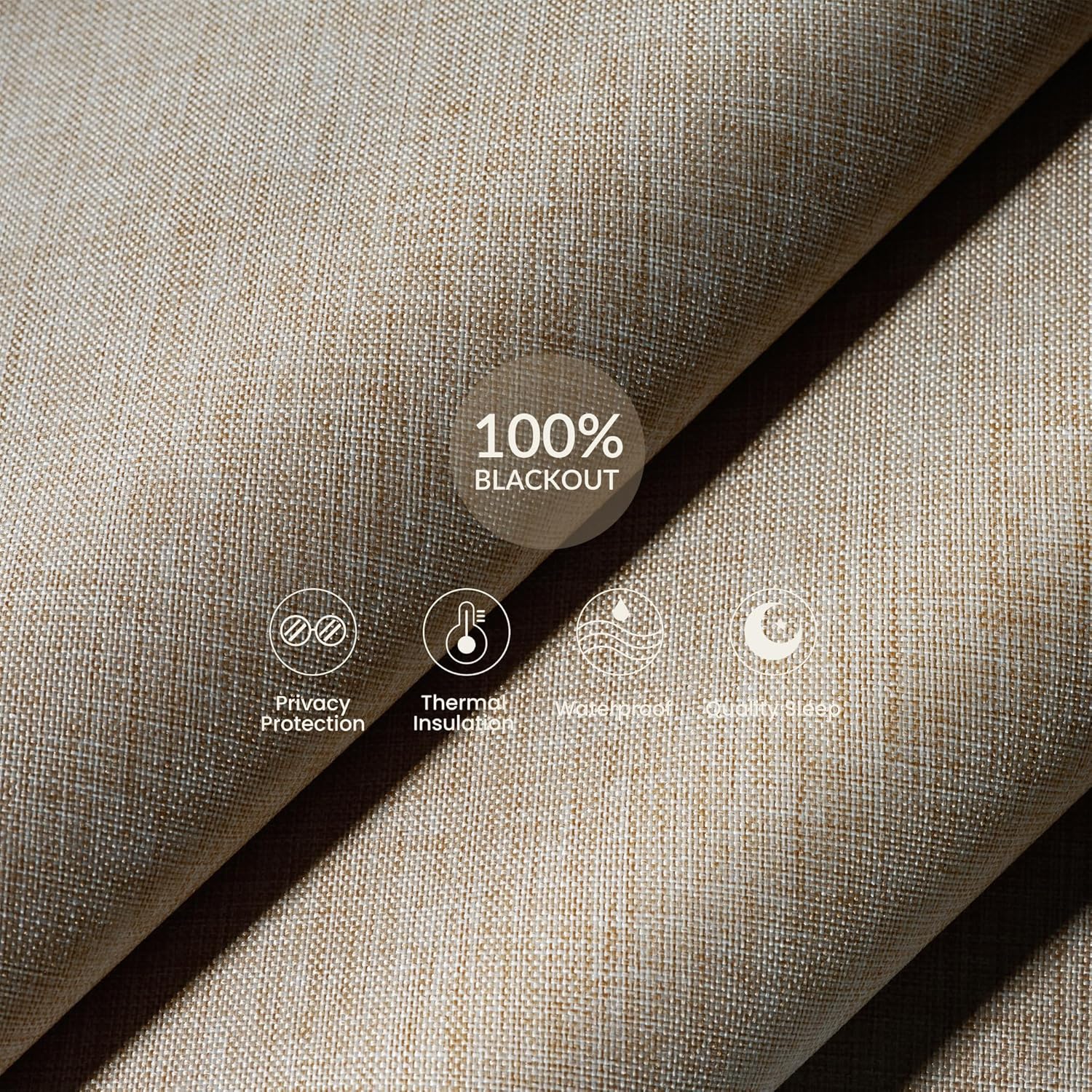
Image: Close-up view of the blackout linen fabric, highlighting its properties such as privacy protection, thermal insulation, and contribution to quality sleep.

Image: The motor component of the roller blind, detailing its quiet operation (25dB), charging time (6 hours), and operational cycles (300 times), emphasizing its energy-saving and cordless features.
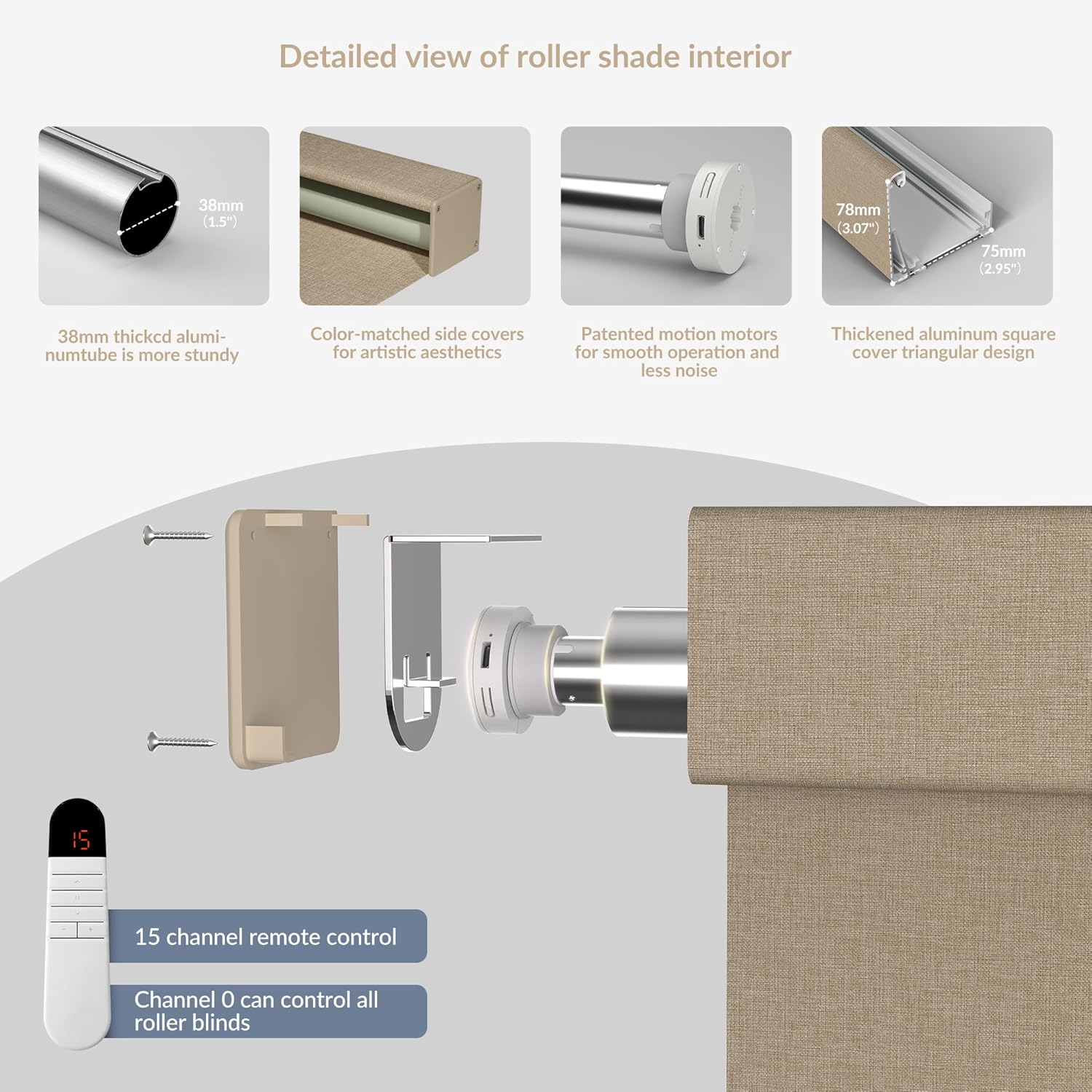
Image: An exploded view of the roller shade's internal structure, illustrating the robust aluminum tube, aesthetic side covers, advanced motor, and the design of the bottom rail. A 15-channel remote is also shown.
5. Installation
5.1 Measuring Your Window
Accurate measurements are crucial for a perfect fit. Please refer to the guidelines below:
Image: A visual guide demonstrating how to measure windows for both inside and outside mount installations, including specific deductions and additions for blind dimensions.
Inside Mount:
- Window frame depth must be a minimum of 2 inches.
- Blind Width: Measure the exact window width and subtract 1/4 inch.
- Blind Height: Measure the exact window height.
Outside Mount:
- Blind Width: Measure the exact window width and add 2-4 inches for overlap.
- Blind Height: Measure the exact window height and add 2-4 inches for overlap.
5.2 Mounting the Blinds
Follow these general steps for mounting. Detailed instructions are provided with your custom order.
- Mark installation locations for the brackets.
- Punch at the marked positions.
- Drill holes and install the brackets (inside or outside mount specific).
- Install the blind onto the brackets.
- Ensure the blind is securely in place.
Video: A tutorial demonstrating how to accurately measure your windows for Boolegon Motorized Blinds, covering both inside and outside mount methods.

Image: An overview of the customized service process, from size measurement to easy installation, highlighting the support provided for installation.
6. Operation
6.1 Remote Control Functions
Your Boolegon motorized blinds come with a multi-channel remote control for convenient operation.
Video: A demonstration of the various functions of the Boolegon Motorized Roller Blind, including raising, lowering, and stopping the shade.
6.1.1 Remote Control Pairing Setup
To pair your remote control with the blinds:
- Switch the remote to Admin Mode by opening the battery compartment and pressing the small button inside.
- Press and hold the motor's 'M' button for 2 seconds. One rotation indicates pairing mode activation (valid for 60 seconds).
- On the remote, select a channel from 1 to 15. Do not select channel 00 for individual pairing.
- Press and hold the 'S' button on the remote for 2 seconds until the motor rotates once. Pairing is successful.
6.1.2 Remote Control Group Control Operation
To control multiple paired blinds simultaneously, switch the remote control to channel 00. This channel will operate all electric roller shades that have been paired to any channel on this remote.
6.1.3 Remote Control Pairing Cancellation
To cancel pairing for a specific blind:
- Ensure the remote is in Admin Mode.
- Press the 'S' button continuously 5 times. One motor rotation will confirm pairing cancellation.
6.1.4 Electric Roller Shade Limit Settings (Upper, Lower, Third Position)
To set the operational limits of your shade:
- Run the shade to the desired upper limit using the remote. Press and hold the up arrow key (▲) for 2 seconds. One motor rotation confirms successful setup.
- Run the shade to the desired lower limit using the remote. Press and hold the down arrow key (▼) for 2 seconds. One motor rotation confirms successful setup.
- To set a third, intermediate position, run the shade to the desired position. Press and hold both the up arrow (▲) and down arrow (▼) keys for 2 seconds. One motor rotation confirms successful setup.
6.1.5 Running Speed Adjustment Settings
The motor has three speed levels, with Level 1 as the default. Slower speeds result in quieter operation. Each operation adjusts the speed by one level only. When switching to a gear, the number of motor rotations matches the gear:
- Level 1: 1 rotation
- Level 2: 2 rotations
- Level 3: 3 rotations
To adjust the speed:
- Switch the remote to User Mode.
- To increase speed: Press and hold both the up arrow (▲) and pause button (II). The motor will run and the speed will increase by one level.
- To decrease speed: Press and hold both the down arrow (▼) and pause button (II). The motor will run and the speed will decrease by one level.
6.2 Smart Control (APP & Voice)
Your Boolegon Motorized Roller Blinds can be integrated with smart home systems for enhanced control.
- Mobile APP Control: Connect to a compatible APP for more precise control and remote off-site management.
- Voice Control: Compatible with voice assistants for hands-free operation.
- APP Timed Rise and Fall: Set schedules for your blinds to open or close automatically.
7. Charging
The built-in rechargeable battery motor can be used for 3-6 months once fully charged. Charging takes approximately 6 hours.
- Connect the provided USB charging cable to the motor.
- You can use a standard USB charging head, a mobile power supply, or a solar panel (sold separately) for charging.

Image: Illustration of the charging process and various power supply options for the motorized blinds, including USB, mobile power, and solar panel.
8. Maintenance
To maintain the appearance and functionality of your blinds:
- Regularly dust the fabric with a soft cloth or a vacuum cleaner with a brush attachment.
- For spot cleaning, use a damp cloth with mild soap and water. Blot the area gently and allow it to air dry completely. Do not rub vigorously.
- Avoid using harsh chemicals or abrasive cleaners, as these can damage the fabric or motor components.
9. Troubleshooting
If you encounter issues with your Boolegon Motorized Blackout Roller Blinds, refer to the following common solutions:
| Problem | Possible Cause | Solution |
|---|---|---|
| Blind does not respond to remote. | Low battery in remote or blind motor. Remote not paired. Obstruction. | Replace remote battery. Recharge blind motor. Re-pair remote (see Section 6.1.1). Check for obstructions. |
| Blind moves erratically or stops prematurely. | Incorrect limit settings. Low motor battery. | Reset limit settings (see Section 6.1.4). Recharge blind motor. |
| Motor makes unusual noise. | Obstruction. Internal issue. | Check for obstructions. If noise persists, contact customer support. |
| Cannot pair remote. | Remote not in Admin Mode. Incorrect channel selected. | Ensure remote is in Admin Mode. Select a channel from 1-15. Follow pairing steps carefully. |
If the problem persists after attempting these solutions, please contact Boolegon customer support.
10. Specifications
- Brand: Boolegon
- Model Number: fd79dc15-607e-48a3-8890-564bbaed1fcb
- Color: Jl0906 Linen Beige (Custom Size)
- Material: Blackout Linen Fabric
- Opacity: 1.0 inches (Blackout)
- Operation Mode: Automatic (Motorized)
- Control Type: Remote
- Special Features: Blackout, Cordless, Noise reduction, Privacy, Thermal Insulation
- Recommended Uses: Indoor (Bathroom, Bedroom, Hotel, Kitchen, Office, Window)
- Mounting Type: Inside Mount & Outside Mount
- Power: Rechargeable Battery Motor
11. Warranty & Support
Boolegon offers a 12-month guarantee on this product. If you encounter any problems while using your motorized roller shades, please contact us via Amazon mail for professional after-sales service.
Ask a question about this manual
Ask about setup, troubleshooting, compatibility, parts, safety, or missing instructions. Manuals+ will review the question and use this page’s manual context to help answer it.