
Geshowit S1 Pro
Geshowit S1 Pro Portable Air Conditioner User Manual
Model: S1 Pro | Brand: Geshowit
Introduction
Thank you for choosing the Geshowit S1 Pro Portable Air Conditioner. This manual provides essential information for the safe and efficient operation of your new device. Please read it thoroughly before use and retain it for future reference.
Important Safety Information
To reduce the risk of fire, electric shock, or injury, always follow these basic precautions:
- Electrical Safety: Ensure the power source matches the voltage requirements of the unit. Do not use damaged power cords or plugs. Avoid operating the unit with wet hands.
- Placement: Place the unit on a stable, level surface. Ensure adequate ventilation around the unit, keeping at least 12 inches (30 cm) clear from walls or other objects. Do not block air inlets or outlets.
- Water and Moisture: Do not expose the unit to rain or excessive moisture. If using in high humidity, ensure the drain hose is properly connected to prevent water overflow.
- Children and Pets: Keep the unit out of reach of children and pets. Do not allow them to play with or operate the appliance.
- Maintenance: Always unplug the unit before cleaning or performing any maintenance. Do not attempt to repair or modify the unit yourself. Contact qualified service personnel for assistance.
- Intended Use: This appliance is designed for cooling and dehumidifying purposes in various environments such as rooms, tents, RVs, cars, and trucks. Do not use it for any other purpose.
Product Overview
Package Contents
The Geshowit S1 Pro Portable Air Conditioner package includes the following items:
- Geshowit S1 Pro Portable Air Conditioner Unit
- Front Air Cover
- Rear Air Cover
- Drain Pipe (D: 1.6cm, L: 100cm)
- Air Duct (D: 10cm, L: 120cm)
- Air Duct (D: 13cm, L: 120cm)
- User Manual
- Note: Remote Control and Storage Bag are sold separately.

Key Features
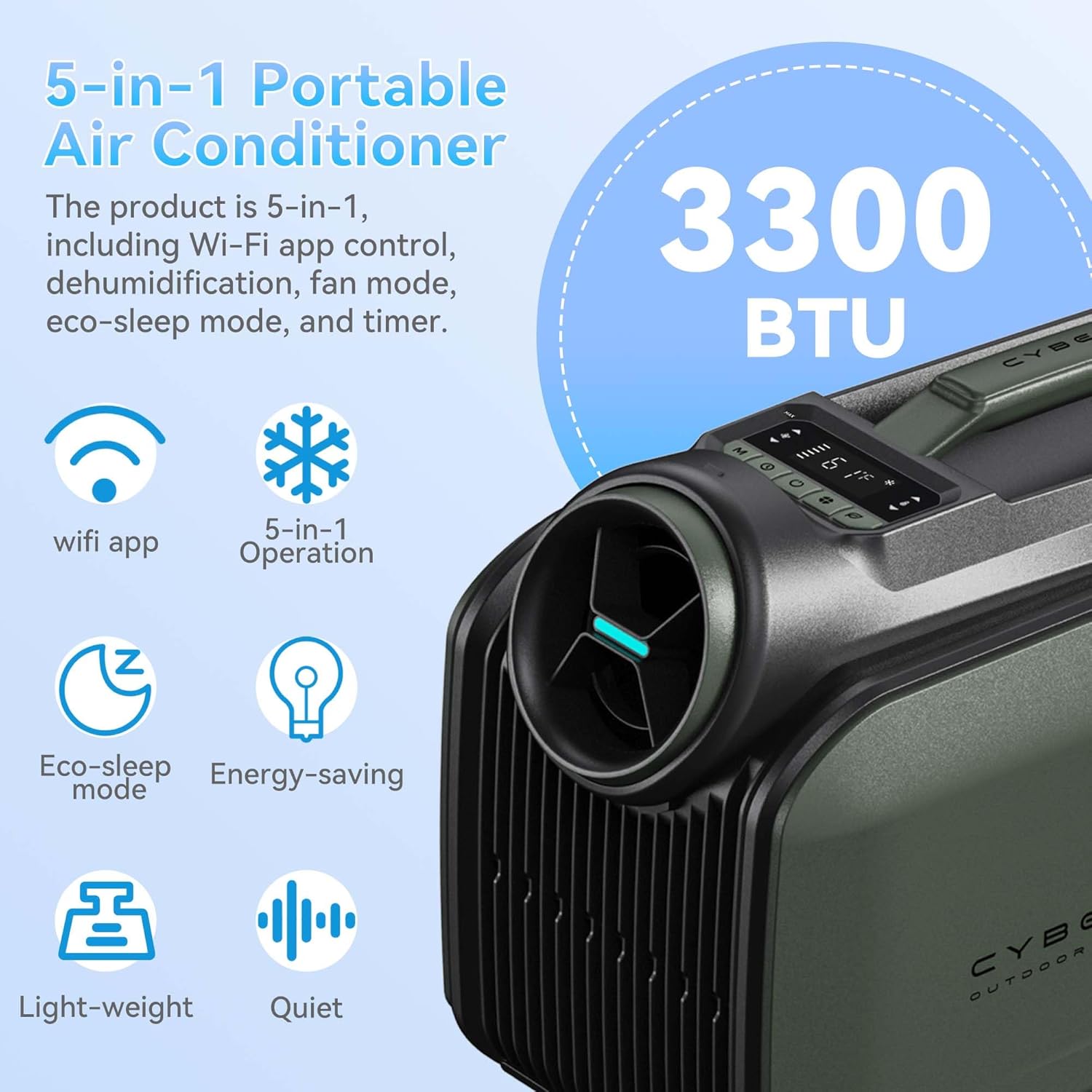
- Powerful Cooling: Rapidly cools spaces by 18°F (10°C) in approximately 5 minutes with 3300 BTU cooling capacity.
- Energy Efficiency: Features a high-efficiency 48V DC system and smart 3.0 inverter algorithm, consuming only 100W per hour in sleep mode.
- Multiple Power Options: Supports AC power, DC battery, portable power stations (with solar panels), and car chargers.
- Quiet Operation: Ultra-quiet 38 dB Sleep Mode for undisturbed comfort.
- No-Drain Function: Operates without drainage in cooling mode when humidity is below 70%. A drain hose can be connected for high humidity conditions.
- Compact & Portable: Weighs 21.6 lbs (9.8 kg) with an aluminum alloy frame and ergonomic handle for easy transport.
- 5-in-1 Versatility: Offers Cooling, Dehumidifier, Fan, Eco-Sleep Mode, and a 24-hour Timer.
- Smart Control: WiFi App Control and a top-mounted control panel with LED display.
Setup and Installation
1. Tube Installation
Follow these steps to properly install the air ducts:
- Connect the Tube: Attach the air duct to the tube connector by twisting it clockwise.
- Insert Cold Air Outlet: Insert the tube connector into the cold air outlet on the unit.
- Insert Air Inlet: Insert the other end of the tube connector into the air inlet on the unit.

2. Unit Placement
The Geshowit S1 Pro offers flexible placement options depending on your cooling needs:
- Outside the Tent: For optimal cooling and reduced noise inside, place the AC unit outside the tent and direct the cold air in.
- Inside the Tent/Room: The unit can also be placed inside the tent or room, ensuring proper ventilation for the exhaust.
- Under a Canopy/Awning: Position the unit under a canopy or awning to provide cooling for outdoor seating areas.
Operating Instructions
Control Panel
The unit features a top-mounted control panel with an LED display for easy operation. Refer to the diagram below for button functions:

- Power Button: Turns the unit On/Off.
- Mode Button: Cycles through Cooling, Dehumidifier, Fan, and Eco-Sleep modes.
- Temperature Adjustment Buttons: Increase or decrease the target temperature.
- Timer Button: Sets the 24-hour timer for automatic operation.
- LED Display: Shows current temperature, mode, and timer settings.
Operating Modes
- Cooling Mode: Provides powerful cooling to lower ambient temperature.
- Dehumidifier Mode: Reduces humidity in the air. In high humidity, connect the drain hose.
- Fan Mode: Circulates air without cooling.
- Eco-Sleep Mode: Operates quietly and efficiently, consuming only 100W per hour. Ideal for overnight use.
- Timer Mode: Set the unit to turn on or off automatically after a specified duration (up to 24 hours).
WiFi App Control
The Geshowit S1 Pro can be controlled via a dedicated WiFi application. Download the app from your device's app store and follow the in-app instructions for pairing and control.
Optional Remote Control
An optional remote control (sold separately) can be used to operate the unit. This remote also functions as a temperature and humidity display.

Maintenance
Regular maintenance ensures optimal performance and extends the lifespan of your air conditioner.
- Cleaning the Air Filter: The air filter should be cleaned every two weeks or more frequently depending on usage.
- Unplug the unit from the power source.
- Remove the air filter cover.
- Gently remove the filter.
- Wash the filter with warm, soapy water. Rinse thoroughly and allow it to air dry completely before reinserting.
- Reattach the filter cover.
- Draining Water (High Humidity): If operating in high humidity, water may accumulate.
- Ensure the unit is off and unplugged.
- Connect the drain pipe to the drainage outlet.
- Direct the other end of the drain pipe into a suitable container or drain.
- Monitor the water level in the container and empty as needed.
- Exterior Cleaning: Wipe the exterior of the unit with a soft, damp cloth. Do not use harsh chemicals or abrasive cleaners.
- Storage: When not in use for extended periods, unplug the unit, clean it thoroughly, and store it in a cool, dry place.
Troubleshooting
Before contacting customer support, please refer to the following table for common issues and their solutions:
| Problem | Possible Cause | Solution |
|---|---|---|
| Unit does not turn on. | No power supply; power cord not properly connected; power outlet faulty. | Check power connection; try a different outlet; ensure battery is charged if using DC power. |
| Insufficient cooling. | Air filter is dirty; air inlets/outlets blocked; room/area too large; doors/windows open. | Clean the air filter; ensure clear airflow; close doors/windows; consider unit capacity for the space. |
| Unit is noisy. | Unit not on a level surface; internal components vibrating. | Place unit on a stable, level surface; ensure no loose parts. |
| Water leakage. | Drain pipe not connected or blocked (in high humidity); unit tilted. | Ensure drain pipe is properly connected and clear; place unit on a level surface. |
| Remote control not working. | Batteries dead; remote out of range; obstruction between remote and unit. | Replace batteries; ensure remote is within range and pointed at the unit; remove obstructions. |
Technical Specifications
| Feature | Specification |
|---|---|
| Brand | Geshowit |
| Model Name | S1 Pro |
| Cooling Power | 3300 British Thermal Units (BTU) |
| Item Weight | 21.6 lbs (9.8 kg) |
| Product Dimensions | 18.1"D x 9.4"W x 13"H (46 x 24 x 33 cm) |
| Noise Level | 48 dB (as low as 38 dB in Sleep Mode) |
| Voltage | 110 Volts |
| Wattage | 400 Watt-hours (100W/hour in Sleep Mode) |
| Refrigerant | R-290 |
| Installation Type | Installation free |
| Special Features | Fast Cooling, No Drainage Required (under 70% humidity), Sleep saving energy mode, Timer Mode, WiFi App Control |
Warranty and Support
For information regarding product warranty, please refer to the warranty card included with your purchase or contact Geshowit customer support directly. Protection plans are available for purchase separately to extend coverage.
If you encounter any issues not covered in the troubleshooting section, or require further assistance, please contact Geshowit customer service through the official website or the contact information provided in your product documentation.
Ask a question about this manual
Ask about setup, troubleshooting, compatibility, parts, safety, or missing instructions. Manuals+ will review the question and use this page’s manual context to help answer it.