
1. Introduction
This user manual provides essential information for the proper installation, operation, and maintenance of your LCWLYOBM QS18VN6D Photoelectric Switch Sensor. Please read this manual thoroughly before using the product to ensure safe and efficient operation. This sensor is designed for industrial applications requiring reliable object detection.
2. Safety Information
Always observe the following safety precautions to prevent injury or damage to the product:
- Electrical Hazard: Ensure power is disconnected before installation, wiring, or maintenance. Only qualified personnel should perform electrical connections.
- Proper Use: Use the sensor only for its intended purpose as a photoelectric switch. Do not modify the product.
- Environmental Conditions: Avoid exposing the sensor to extreme temperatures, excessive moisture, corrosive gases, or strong vibrations beyond its specified operating limits.
- Secure Mounting: Ensure the sensor is securely mounted to prevent accidental detachment or misalignment.
3. Product Overview
The LCWLYOBM QS18VN6D is a photoelectric switch sensor designed for automatic object detection. It operates by emitting a light beam and detecting changes in the received light, indicating the presence or absence of an object. This model features a Normally Open (NO) contact type and is equipped with a Din connector and screw terminals for robust electrical connections.
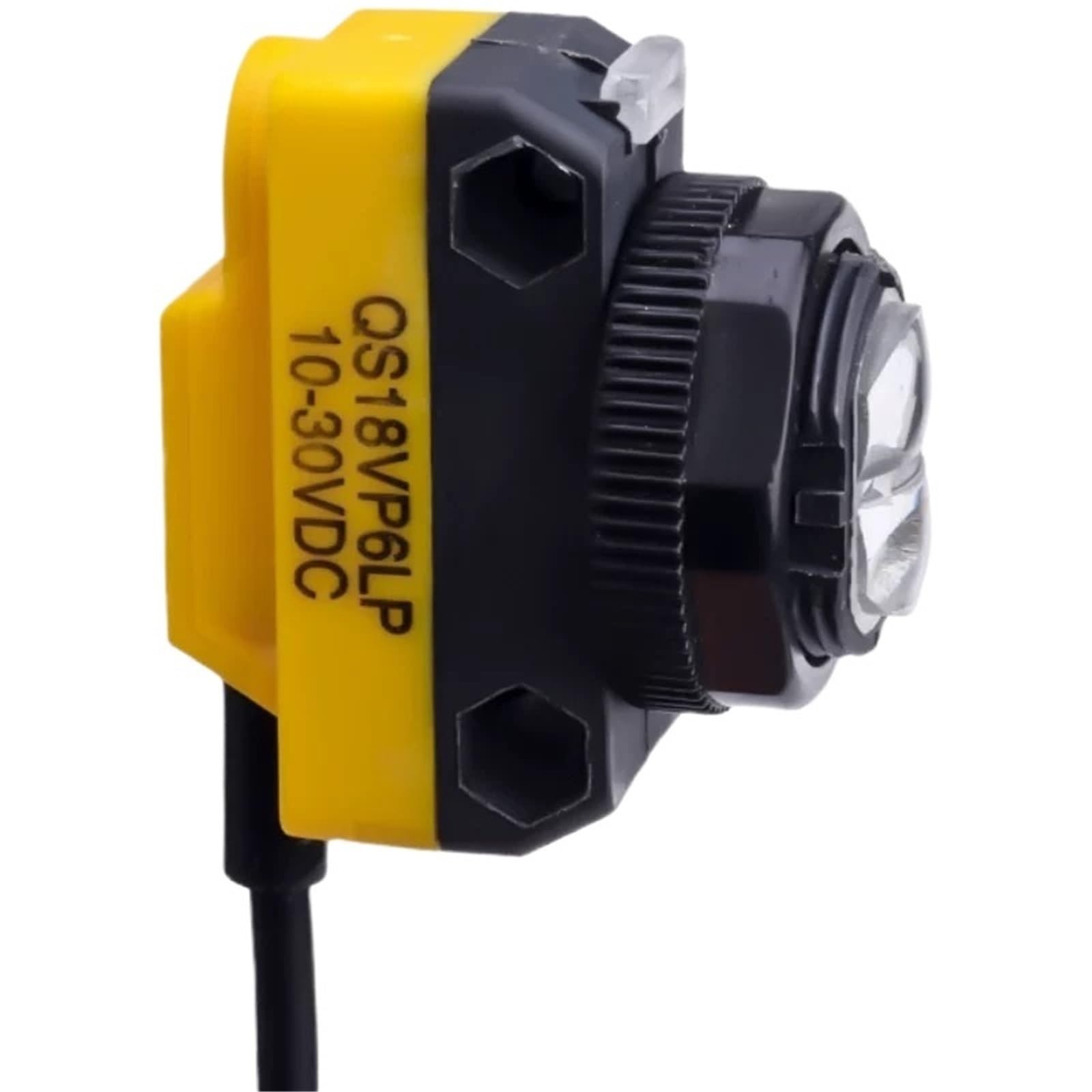
Figure 1: LCWLYOBM QS18VN6D Photoelectric Switch Sensor. This image displays the compact design of the sensor, highlighting its cylindrical body and the connection interface, which typically includes the Din connector and screw terminals for wiring.
4. Setup and Installation
Follow these steps for proper installation of the QS18VN6D sensor:
- Mounting: The sensor is designed for flush mounting. Securely attach the sensor to the desired surface using appropriate hardware. Ensure the sensing area is unobstructed and aligned correctly with the target detection path.
- Wiring:
- Disconnect all power to the circuit before wiring.
- Connect the sensor using the Din connector and screw terminals. Refer to the wiring diagram provided with the product packaging for specific connections.
- Ensure all connections are tight and secure to prevent intermittent operation or electrical hazards. The sensor operates with a 1-way circuit type.
- Power On: After verifying all connections, restore power to the circuit.
5. Operating Instructions
The QS18VN6D Photoelectric Switch Sensor operates automatically once powered and correctly installed. It functions by detecting the presence or absence of an object within its sensing range.
- Automatic Operation: The sensor continuously monitors its detection field. When an object enters the field, the sensor's output changes state.
- Normally Open (NO) Contact: In its default state (no object detected), the output contact is open. When an object is detected, the contact closes, completing the circuit and triggering the connected device or system.
- Detection: The sensor uses a light beam to detect objects. Ensure the light path is clear for proper operation and that the object to be detected is within the sensor's specified range and reflectivity.
6. Maintenance
Regular maintenance helps ensure the longevity and reliable performance of your sensor:
- Cleaning: Periodically clean the sensor lens and housing with a soft, dry cloth. Avoid using abrasive cleaners or solvents that could damage the sensor's surface.
- Inspection: Regularly inspect the wiring and connections for any signs of wear, corrosion, or damage. Ensure the sensor remains securely mounted.
- Alignment Check: Verify that the sensor's alignment has not shifted, especially in environments with vibrations or potential for physical impact.
7. Troubleshooting
If you encounter issues with your QS18VN6D sensor, consider the following troubleshooting steps:
- Sensor Not Detecting Objects:
- Check power supply to the sensor.
- Verify wiring connections are correct and secure.
- Ensure the sensor lens is clean and free from obstructions.
- Confirm the object is within the sensor's detection range and has sufficient reflectivity.
- Check for proper alignment of the sensor.
- False Detections or Intermittent Operation:
- Inspect for external light interference or reflective surfaces near the detection path.
- Ensure the sensor is securely mounted and not subject to excessive vibration.
- Check for loose wiring connections.
- No Power Indicator:
- Verify the power source is active and connected correctly.
- Check for blown fuses or tripped circuit breakers in the power supply line.
If problems persist after performing these checks, contact customer support for further assistance.
8. Specifications
| Feature | Specification |
|---|---|
| Model | QS18VN6D |
| Operation Mode | Automatic |
| Contact Type | Normally Open (NO) |
| Connector Type | Din |
| Terminal | Screw |
| Circuit Type | 1-way |
| Number of Positions | 1 |
| Mounting Type | Flush Mount |
9. Warranty and Support
For warranty information, technical support, or service inquiries regarding your LCWLYOBM QS18VN6D Photoelectric Switch Sensor, please refer to the documentation included with your purchase or contact LCWLYOBM customer service directly. Ensure you have your product model number and purchase details available when contacting support.