1. Introduction
The Novastar TB50 is a third-generation multimedia player designed for full-color LED displays. It integrates both playback and sending capabilities, enabling users to manage content and control LED displays efficiently. This device supports various control methods, including computers, mobile phones, and tablets, and can be managed remotely via cloud-based platforms. This manual provides essential instructions for the setup, operation, maintenance, and troubleshooting of your Novastar TB50 LED Display Controller.
2. Product Overview
The Novastar TB50 offers robust processing power and versatile control options for LED display management.
2.1 Key Features
- Powerful Processing Capacity: Equipped with a quad-core ARM A55 processor (1.8 GHz), supporting H.264/H.265 4K@60Hz video decoding, 1 GB onboard RAM, and 16 GB internal storage.
- Flawless Playback: Capable of 1x 4K video playback or 2x 1080p video playback.
- All-Round Control Plans: Content publishing and screen control via computer, mobile phone, or tablet. Remote management and monitoring are supported.
- Wi-Fi AP and Wi-Fi STA Switching: Flexible network connectivity options.
- Synchronous and Asynchronous Modes: Supports both internal video source (asynchronous) and HDMI input video source (synchronous).
- Multi-Screen Synchronous Playback: Achieved through NTP or GPS time synchronization (requires specified 4G module for GPS).
- 4G Module Support: Optional 4G module for enhanced connectivity (purchased separately).
- High Pixel Load Capacity: Supports up to 1,300,000 pixels resolution, with a maximum width of 4096 pixels and height of 4096 pixels.
2.2 Device Components

Figure 1: Front View of Novastar TB50. This image displays the front panel of the Novastar TB50, showing the NovaStar logo, TB50 model name, and indicators for PWR, CLOUD, SYS, RUN, and LED OUT ports. It also features a SWITCH button, SIM CARD slot, RESET button, and USB port.

Figure 2: Rear View of Novastar TB50. This image shows the rear panel of the Novastar TB50, highlighting the various input and output ports. These include SENSOR ports, HDMI OUT and IN ports, WIFI antenna connectors, an ETHERNET port, COM ports, a USB 3.0 port, and an AUDIO OUT jack. The power input and ON/OFF switch are also visible.

Figure 3: Novastar TB50 and Accessories. This image presents the Novastar TB50 unit alongside its essential accessories: a detachable Wi-Fi antenna and a power cable. This provides a complete view of the main components required for operation.
3. Setup Instructions
Follow these steps to set up your Novastar TB50 LED Display Controller.
- Unpack the Device: Carefully remove the TB50 unit and all accessories from its packaging.
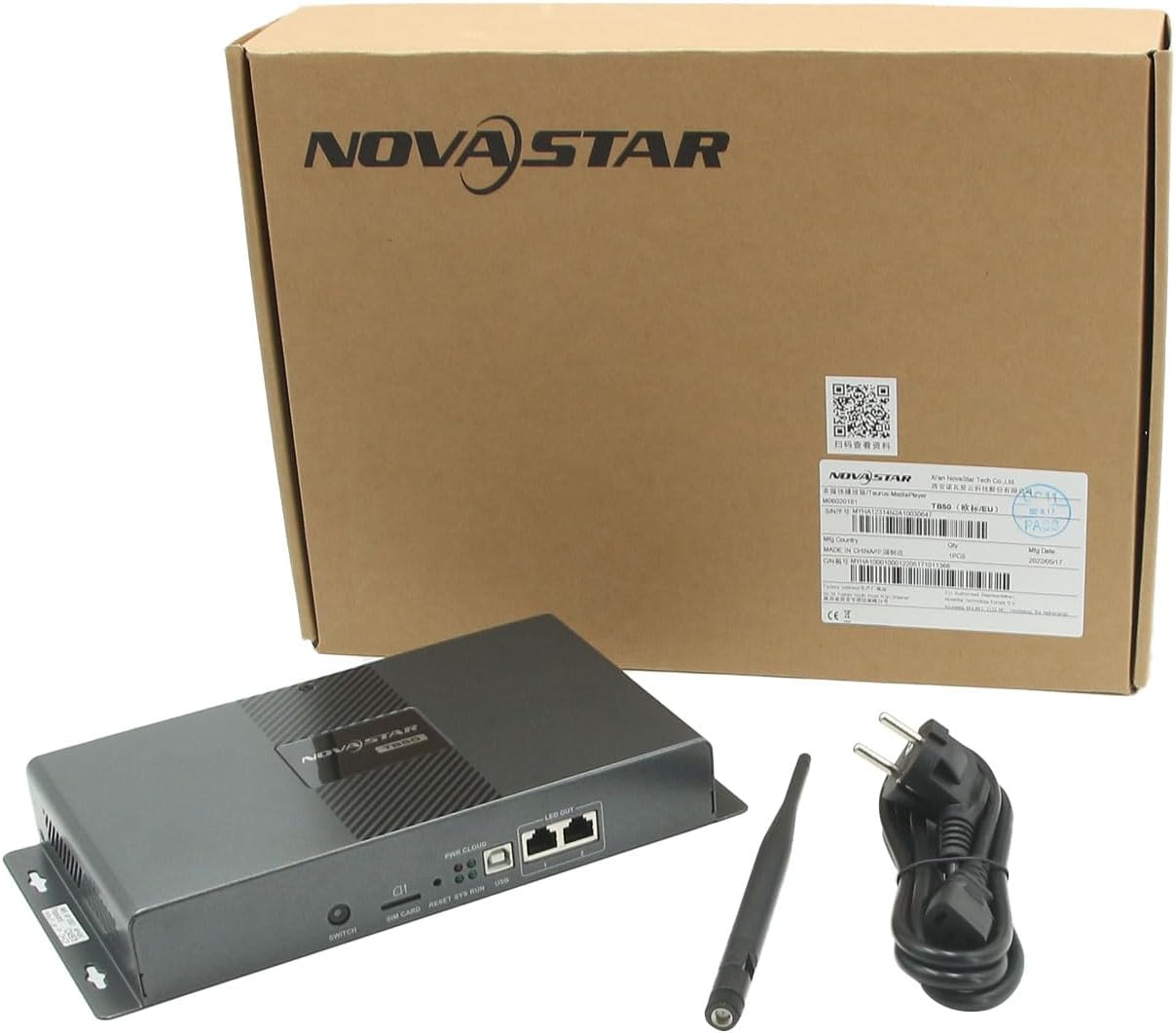
Figure 4: Unboxed Novastar TB50. This image shows the Novastar TB50 unit, power cable, and Wi-Fi antenna neatly arranged within its retail packaging, ready for initial setup.
- Connect Power: Connect the provided power cable to the power input port on the rear of the TB50 and then to a suitable power outlet. Ensure the power switch is in the OFF position before connecting.
- Attach Wi-Fi Antenna: Screw the Wi-Fi antenna onto the designated connector on the rear panel.
- Connect to LED Display: Use an Ethernet cable to connect the LED OUT ports (1 or 2) on the front of the TB50 to your LED display receiving cards.
- Video Input (Optional): If using synchronous mode, connect your video source (e.g., computer, media player) to the HDMI IN port on the rear of the TB50 using an HDMI cable.
- Network Connection (Optional): For wired network access, connect an Ethernet cable from your router or network switch to the ETHERNET port on the rear of the TB50.
- 4G Module Installation (Optional): If a 4G module is required for mobile network connectivity, install it into the SIM CARD slot on the front panel. Refer to the 4G module's specific instructions for proper installation.
- Power On: Flip the power switch on the rear panel to the ON position. The PWR indicator on the front panel should illuminate.
4. Operating Instructions
4.1 Control Methods
The TB50 can be controlled and content published using various devices:
- Computer: Utilize dedicated software for comprehensive control and content management.
- Mobile Phone/Tablet: Use the official mobile application for convenient remote control and content updates.
- Cloud Platform: Access the cloud-based publishing and monitoring platforms via any internet-connected device for remote management.
4.2 Synchronous and Asynchronous Modes
- Asynchronous Mode: In this mode, the TB50 uses its internal storage to play pre-loaded video content. This is ideal for standalone operation without an external video source.
- Synchronous Mode: When an external video source is connected to the HDMI IN port, the TB50 operates in synchronous mode, displaying content directly from the external source.
4.3 Wi-Fi Connectivity
- Wi-Fi AP Mode: The TB50 acts as a Wi-Fi access point, allowing direct connection from a control device (e.g., laptop, smartphone) for local management.
- Wi-Fi STA Mode: The TB50 connects to an existing Wi-Fi network (router hotspot), enabling control devices on the same network to manage the TB50.
4.4 Multi-Screen Synchronous Playback
For applications requiring synchronized content across multiple LED displays, the TB50 supports:
- NTP Time Synchronization: Network Time Protocol ensures all connected TB50 units maintain precise time synchronization.
- GPS Time Synchronization: For highly accurate synchronization, a specified 4G module must be installed to enable GPS-based time synchronization.
5. Maintenance
Regular maintenance ensures the longevity and optimal performance of your Novastar TB50.
- Cleaning: Use a soft, dry cloth to clean the exterior of the device. Avoid liquid cleaners or abrasive materials.
- Ventilation: Ensure the device is placed in a well-ventilated area to prevent overheating. Do not block ventilation openings.
- Firmware Updates: Periodically check for and install firmware updates provided by Novastar or ARTPIXEL to ensure the device has the latest features and bug fixes.
- Storage: If storing the device for an extended period, disconnect power and store it in a cool, dry place away from direct sunlight and extreme temperatures.
6. Troubleshooting
This section addresses common issues you might encounter with the Novastar TB50.
| Problem | Possible Cause | Solution |
|---|---|---|
| Device does not power on. | No power supply; power cable loose; power switch off. | Ensure power cable is securely connected and plugged into a live outlet. Verify the power switch is in the ON position. |
| No display on LED screen. | LED OUT cable loose; incorrect display configuration; no content loaded. | Check Ethernet cable connection to the LED display. Verify display parameters in the control software. Ensure content is loaded and playing. |
| Cannot connect via Wi-Fi. | Incorrect Wi-Fi mode (AP/STA); wrong password; antenna not connected. | Confirm the TB50 is in the correct Wi-Fi mode. Re-enter Wi-Fi password. Ensure Wi-Fi antenna is securely attached. |
| External HDMI source not displayed. | HDMI cable loose; TB50 not in synchronous mode; source device not outputting. | Check HDMI cable connection. Ensure the TB50 is configured for synchronous mode. Verify the external source device is powered on and outputting video. |
If you encounter issues not covered here, please refer to the support section for contact information.
7. Technical Specifications
| Feature | Detail |
|---|---|
| Brand | ARTPIXEL (Novastar) |
| Model Name | TB50 |
| Item Model Number | N-TB50 |
| Processor | Quad-core ARM A55 @1.8 GHz |
| Video Decoding | H.264/H.265 4K@60Hz |
| RAM | 1 GB |
| Internal Storage | 16 GB |
| Max Loading Capacity | 1,300,000 pixels (Max Width: 4096, Max Height: 4096) |
| Video Playback | 1x 4K or 2x 1080p |
| Connectivity Technology | Wi-Fi, HDMI, USB, Ethernet, 4G (optional module) |
| Connector Type | HDMI, USB 3.0, Ethernet, Audio Out, COM, SENSOR |
| Color | Black |
| Item Weight | 3.25 pounds |
| Package Dimensions | 15 x 11 x 3 inches |
8. Warranty and Support
For specific warranty information, please refer to the documentation provided at the time of purchase or contact your vendor.
For technical support, relevant configuration software, and detailed instructions, please contact Shenzhen Artpixel Technology Co., Ltd.
- Manufacturer: Novastar
- Seller/Support: ARTPIXEL (Shenzhen Artpixel Technology Co., Ltd)