
1. Introduction
This manual provides essential instructions for the safe and efficient operation, maintenance, and troubleshooting of your aqxreight Cordless Robotic Pool Cleaner IPX8. Please read this manual thoroughly before using the product and retain it for future reference.
The aqxreight Cordless Robotic Pool Cleaner is designed for cleaning ordinary flat swimming pools, offering a hassle-free solution without the need for messy wires or hoses. Its powerful suction effectively removes debris, and the self-parking function ensures easy retrieval.
2. Package Contents
Carefully unpack the box and ensure all the following items are present and in good condition. If any items are missing or damaged, please contact customer support.
- 1 x Robotic Pool Cleaner Unit
- 1 x User Manual
- 1 x Power Adapter
- 2 x Scrapers
- 2 x Screws
- 1 x Handle
- 1 x Retrieval Hook

Image: Robotic Pool Cleaner unit with its handle, retrieval hook, power adapter, and other accessories.
3. Setup
3.1 Handle Assembly
- Align the handle with the designated slots on the top of the robotic cleaner unit.
- Secure the handle using the two provided screws. Ensure it is firmly attached.
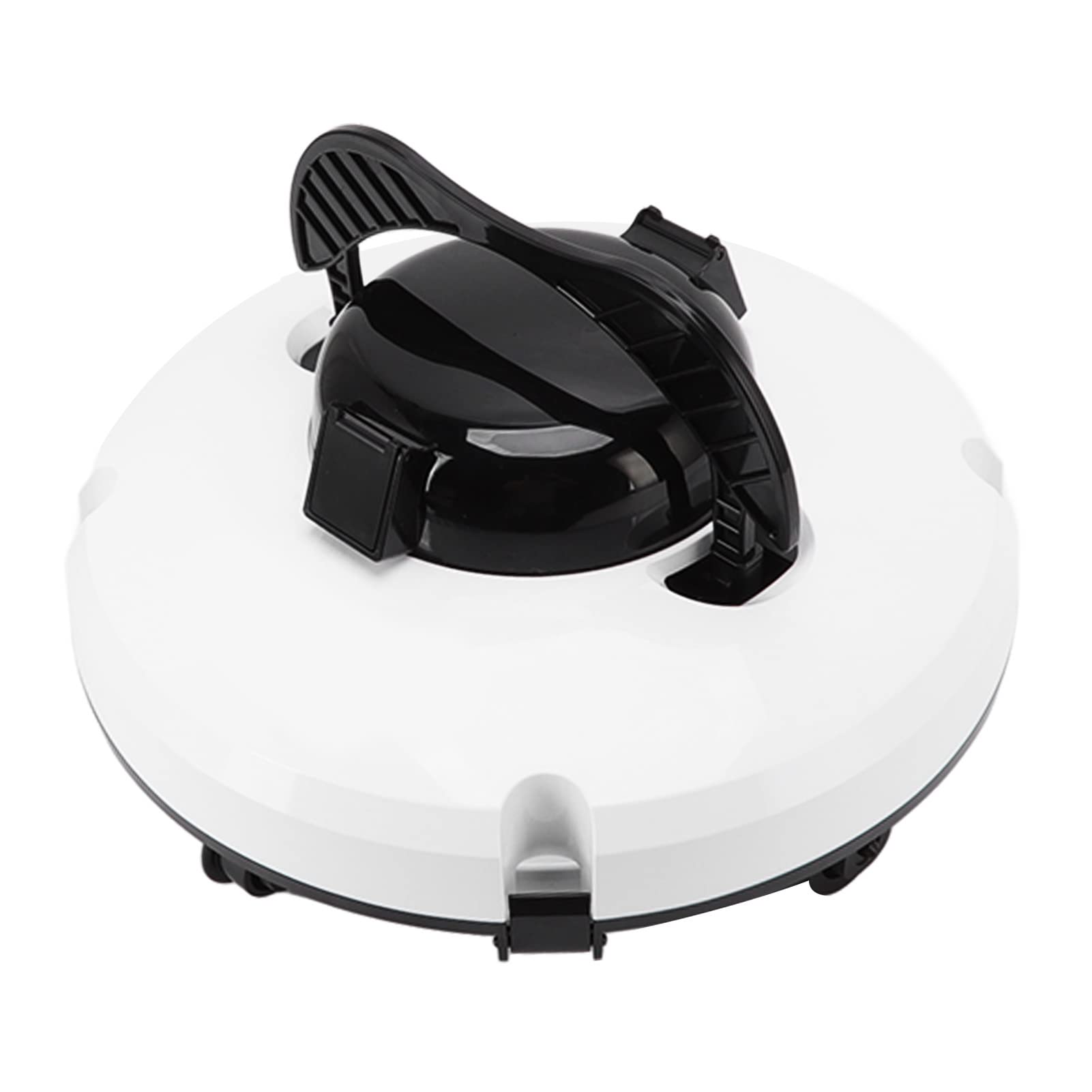
Image: Top view of the assembled robotic pool cleaner, showing the handle in place.
3.2 Charging the Unit
Before first use, fully charge the robotic pool cleaner. The unit features a large capacity polymer lithium battery (5200mAh).
- Ensure the cleaner is dry and clean before charging.
- Connect the power adapter to the charging port on the cleaner.
- Plug the power adapter into a standard electrical outlet (Input Voltage: 100-240V US, 50Hz/60Hz).
- The charging time is approximately 4 to 5 hours for a full charge.
- Charge the unit in an ambient temperature range of 0℃-37℃ (32℉-98.6℉).
4. Operation
4.1 Placing the Cleaner in the Pool
- Ensure the cleaner is fully charged.
- Turn on the power switch on the unit.
- Gently lower the robotic cleaner into the pool. The unit will begin its cleaning cycle automatically once submerged.
- The cleaner is designed to operate in pool temperatures between 8℃-37℃ (46.4℉-98.6℉) and a maximum water depth of approximately 3 meters (9.8 ft).

Image: A person carefully placing the robotic pool cleaner into the water.
4.2 Cleaning Cycle
The robotic cleaner will work continuously for up to 120 minutes on a full charge, efficiently cleaning the pool floor. It features powerful suction to remove small stones, leaves, sand, and other debris.

Image: An illustration depicting the robotic pool cleaner actively cleaning the pool floor underwater.
4.3 Self-Parking Function
Upon completion of its cleaning cycle or when the battery level is low, the robotic pool cleaner will automatically move and park itself near the pool wall. This feature simplifies retrieval.
4.4 Retrieving the Cleaner
To retrieve the cleaner from the pool, use the included retrieval hook. Attach the hook to a standard pool pole (not included) and gently lift the cleaner out of the water. This prevents you from needing to get wet.
5. Maintenance
5.1 Cleaning the Filter
Regularly clean the internal filter to maintain optimal cleaning performance. The filter has a density of 178µm and a capacity of 45L per minute.
- After each cleaning cycle, remove the cleaner from the pool.
- Open the top cover of the cleaner to access the filter assembly.
- Remove the filter and rinse it thoroughly with clean water to remove all collected debris.
- Ensure the filter is completely clean before reassembling.
- Reinsert the clean filter and close the top cover securely.

Image: The robotic pool cleaner with its top cover and filter assembly separated, showing the filter's design.

Image: A detailed close-up of the filter mesh, highlighting its fine filtration capability.
5.2 General Cleaning and Storage
- Wipe down the exterior of the cleaner with a soft, damp cloth after each use.
- Store the cleaner in a cool, dry place away from direct sunlight when not in use.
- Ensure the storage ambient temperature is between 0℃-37℃ (32℉-98.6℉).
- Periodically check the wheels and brushes for any entangled debris and remove them if necessary.
6. Troubleshooting
If you encounter issues with your robotic pool cleaner, refer to the following common problems and solutions:
| Problem | Possible Cause | Solution |
|---|---|---|
| Cleaner does not turn on. | Battery is depleted or not charged. | Charge the cleaner for 4-5 hours until fully charged. |
| Cleaner moves slowly or stops. | Debris caught in wheels or motor. Battery low. | Check and clear any obstructions from the wheels. Recharge the battery. |
| Poor cleaning performance. | Filter is clogged with debris. | Remove and thoroughly clean the filter as described in Section 5.1. |
| Cleaner does not self-park. | Battery is completely depleted. | Manually retrieve the cleaner and recharge the battery. |
| Cleaner is not charging. | Power adapter not connected properly or faulty. | Ensure all connections are secure. Try a different outlet. Contact support if issue persists. |
7. Specifications
Detailed technical specifications for the aqxreight Cordless Robotic Pool Cleaner IPX8:
- Model Name: aqxreightsgey39r1gk
- Material: ABS
- Weight: Approx. 3900g / 8.6lb
- Input Voltage (Adapter): 100-240V US
- Frequency: 50Hz, 60Hz
- Output Voltage (Adapter): 12.6V
- Output Current (Adapter): 2A
- Output Power (Adapter): 25.2W
- Working Voltage: 11.5V
- Working Power: 28W
- Battery: Polymer Lithium Battery 5200mAh (Included)
- Charging Time: 4 to 5 hours
- Working Time: Up to 120 minutes
- Maximum Cleaning Area: 100m²
- Filtration Capacity: 45L per minute
- Filtration Density: 178µm
- Movement Speed: 17m per minute
- Waterproof Grade: IPX8
- Pool Temperature Range: 8℃-37℃ (46.4℉-98.6℉)
- Charging Ambient Temperature: 0℃-37℃ (32℉-98.6℉)
- Maximum Water Depth: Approx. 3 meters / 9.8ft
- Storage Temperature: 0℃-37℃ (32℉-98.6℉)
- Item Dimensions: 14.57 x 14.17 x 7.09 inches
8. Safety Information
Please observe the following safety precautions to prevent injury or damage to the product:
- Do not operate the cleaner out of water.
- Ensure the power adapter is disconnected from the cleaner before placing it in or removing it from the pool.
- Only use the provided power adapter for charging.
- Keep the charging port dry before connecting the power adapter.
- Do not allow children to operate the cleaner without adult supervision.
- Avoid operating the cleaner if the pool water temperature is outside the recommended range (8℃-37℃).
- Do not attempt to disassemble or repair the cleaner yourself. Contact qualified personnel for service.
- Store the cleaner in a safe place to prevent accidental damage.