
Walsunny SHX5630
Walsunny Bathroom Floor Storage Cabinet Instruction Manual
Model: SHX5630
Important Safety Information
Warning: Always follow the assembly instructions carefully to avoid injury. Do not exceed the maximum weight capacity of 37 pounds per shelf to prevent structural failure. Keep hands and body away from moving parts during assembly.
Read all instructions before assembly and use. Keep this manual for future reference.
Product Overview
The Walsunny Bathroom Floor Storage Cabinet is designed to provide versatile storage solutions for various rooms in your home. It features four spacious drawers and a cabinet section with an adjustable shelf, offering ample space for organizing essentials.

Figure 1: Walsunny Bathroom Floor Storage Cabinet in a typical bathroom environment, showcasing its compact design and storage capabilities.
Key Features:
- Adjustable Shelf: The cabinet section includes an adjustable shelf, allowing for customized storage heights to accommodate items of various sizes.
- Four Drawers: Four smooth-gliding drawers provide concealed storage for smaller items.
- Durable Construction: Made from engineered wood with a painted finish for longevity and easy maintenance.
- Versatile Use: Suitable for bathrooms, living rooms, kitchens, or any area requiring additional storage.

Figure 2: Detailed view of the cabinet's features, including its wear-resistant surface, integrated cutout drawer pulls, and stable base design.
Package Contents
Before beginning assembly, ensure all parts are present and undamaged. If any parts are missing or damaged, do not proceed with assembly. Contact customer support for assistance.
| Part | Description | Quantity |
|---|---|---|
| A | Top Panel | 1 |
| B | Bottom Panel | 1 |
| C | Side Panels | 2 |
| D | Back Panel | 1 |
| E | Adjustable Shelf | 1 |
| F | Drawer Fronts | 4 |
| G | Drawer Sides/Backs | 8/4 |
| H | Drawer Bottoms | 4 |
| I | Cabinet Door | 1 |
| J | Hardware Pack | 1 |
Note: The hardware pack (J) typically includes screws, dowels, cam locks, hinges, and shelf pins.
Setup and Assembly
Assembly typically requires a Phillips head screwdriver and a hammer (not included). It is recommended to assemble the cabinet on a soft, clean surface to prevent scratches.
Step-by-Step Assembly:
- Prepare the Area: Clear a spacious area and lay out all components from the package. Identify each part using the provided labels or diagrams.
- Assemble the Frame: Attach the side panels (C) to the bottom panel (B) using the appropriate hardware from the hardware pack (J). Ensure all connections are secure.
- Install Back Panel: Slide the back panel (D) into the grooves on the side and bottom panels. Secure it with small nails or screws as indicated in the instructions.
- Attach Top Panel: Secure the top panel (A) to the assembled frame.
- Assemble Drawers: For each drawer, attach the drawer sides and back (G) to the drawer front (F). Insert the drawer bottom (H) into the grooves. Secure with hardware. Repeat for all four drawers.
- Install Drawers: Carefully slide the assembled drawers into their respective slots in the cabinet frame.
- Install Adjustable Shelf: Insert the shelf pins into the desired holes within the cabinet section. Place the adjustable shelf (E) onto the pins.
- Attach Cabinet Door: Secure the cabinet door (I) to the frame using the provided hinges. Adjust hinges as necessary to ensure the door closes properly.
- Final Check: Once assembled, gently move the cabinet to its desired location. Ensure it is stable and level.

Figure 3: Illustration demonstrating the three available height options for the adjustable shelf within the cabinet section.
For detailed visual instructions, refer to the assembly diagram included with your product.
Operating Instructions
The Walsunny Storage Cabinet is designed for straightforward operation.
- Opening and Closing Drawers: Use the integrated cutout pulls to smoothly open and close the four drawers. Avoid forcing drawers if they feel stiff; check for obstructions.
- Opening and Closing Cabinet Door: Gently pull the knob to open the cabinet door. Push the door firmly to close it.
- Adjusting Shelf Height: To adjust the shelf, remove all items from the shelf. Lift the shelf slightly and remove the four shelf pins. Reinsert the pins into the desired set of holes, ensuring they are level, then place the shelf back onto the pins.
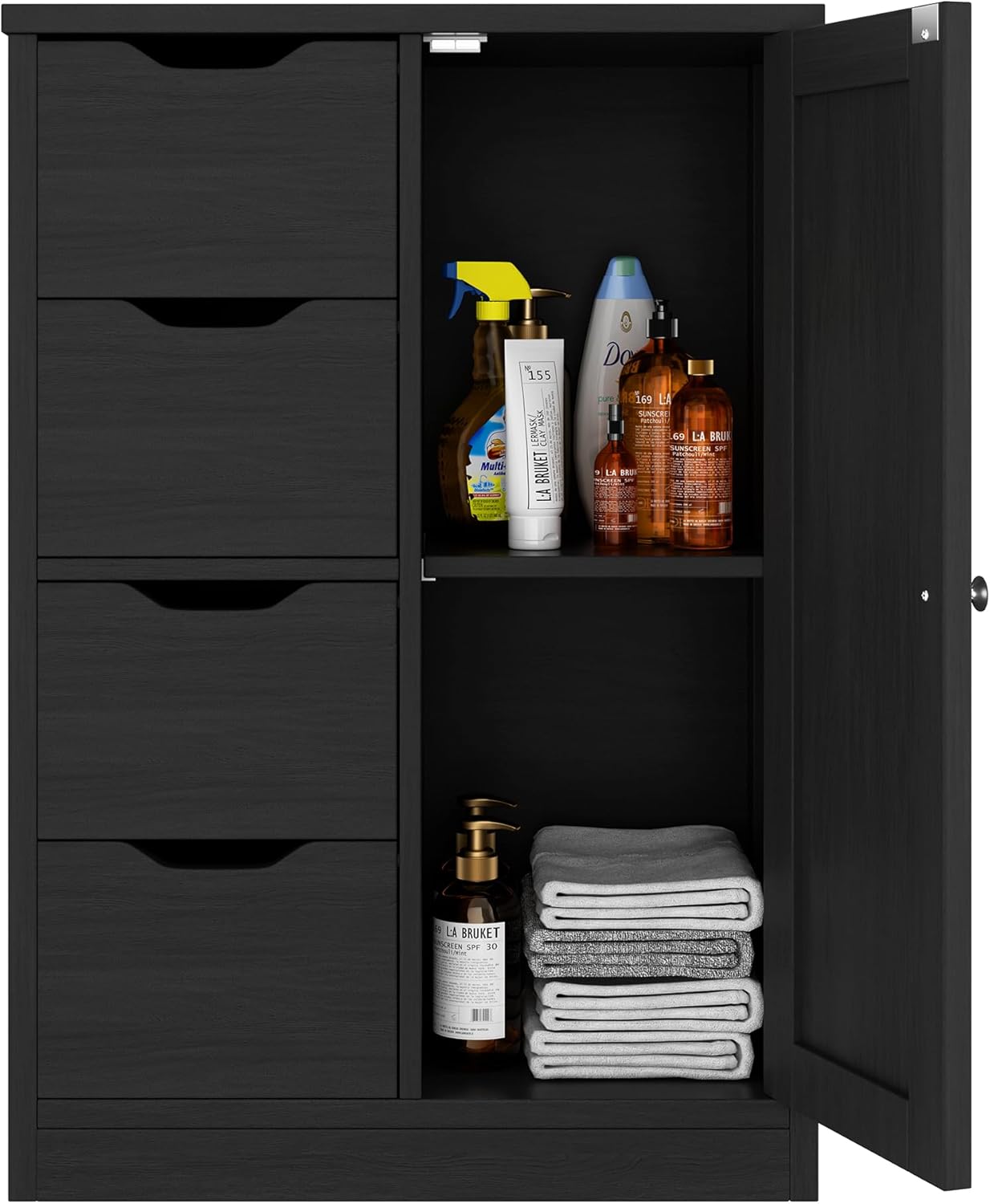
Figure 4: The cabinet's interior, demonstrating how various items can be organized within the drawers and on the adjustable shelf.
Storage Capacity:
The cabinet offers ample storage. Examples of capacity include:
- Over 20 rolls of toilet paper
- Over 15 bottles of hand soap
- Over 15 snack items

Figure 5: Visual representation of the cabinet's storage capacity for common household items.
Maintenance and Care
Proper care will extend the life and appearance of your Walsunny Storage Cabinet.
- Cleaning: Wipe surfaces with a soft, damp cloth. Avoid abrasive cleaners or harsh chemicals, as these can damage the finish.
- Spills: Immediately wipe up any spills to prevent water damage or staining, especially on the engineered wood surfaces.
- Weight Distribution: Distribute weight evenly across shelves and within drawers. Do not exceed the maximum weight capacity of 37 pounds per shelf.
- Stability Check: Periodically check all screws and fasteners to ensure they remain tight. Retighten if necessary to maintain stability.
- Environmental Conditions: Avoid placing the cabinet in direct sunlight or near heat sources, which can cause warping or fading. Maintain a stable room temperature and humidity.
Troubleshooting
If you encounter issues with your Walsunny Storage Cabinet, refer to the following common problems and solutions:
| Problem | Possible Cause | Solution |
|---|---|---|
| Cabinet is wobbly/unstable. | Loose fasteners; uneven floor. | Ensure all screws and cam locks are fully tightened. If the floor is uneven, place shims under the cabinet base to level it. |
| Drawers do not slide smoothly. | Misaligned drawer components; obstruction in drawer slides. | Remove the drawer and check that all drawer assembly hardware is correctly installed and tightened. Inspect the drawer slides for any debris or obstructions and clear them. |
| Cabinet door does not close properly. | Misaligned hinges; obstruction. | Adjust the screws on the hinges to align the door. Check for any items inside the cabinet that might be preventing the door from closing fully. |
| Parts missing or damaged upon arrival. | Shipping damage; packaging error. | Do not proceed with assembly. Contact Walsunny customer support immediately with your purchase details and a description of the issue. |
Specifications
| Attribute | Detail |
|---|---|
| Brand | Walsunny |
| Model Number | SHX5630 |
| Mounting Type | Floor Mount |
| Product Dimensions (L x W x H) | 11.8" D x 22.1" W x 32.1" H (Based on image 71YSlQw7nRL) |
| Weight Limit (per shelf) | 37 Pounds |
| Material | Engineered Wood |
| Finish Type | Painted |
| Number of Shelves | 1 (adjustable) |
| Number of Drawers | 4 |
| UPC | 850069465759 |

Figure 6: Detailed product dimensions, including height, width, and depth, along with shelf weight capacity.
Warranty and Support
Walsunny stands behind the quality of its products. For specific warranty details, please refer to the warranty card included with your purchase or visit the official Walsunny website.
If you require assistance with assembly, have questions about product features, or need to report missing/damaged parts, please contact Walsunny customer support:
- Website: Visit the Walsunny Store on Amazon
- Email: Refer to your product packaging or warranty card for direct email support.
- Phone: Refer to your product packaging or warranty card for phone support.
Please have your model number (SHX5630) and purchase date ready when contacting support.
Ask a question about this manual
Ask about setup, troubleshooting, compatibility, parts, safety, or missing instructions. Manuals+ will review the question and use this page’s manual context to help answer it.