
1. Introduction
This manual provides instructions for the safe and effective use of your Othemo 230° LED Headlamp, Model CAW-165A1. Please read this manual thoroughly before operating the device and retain it for future reference.

Figure 1.1: Versatile Usage Scenarios. This image displays the Othemo headlamp being used in diverse settings such as camping, cycling, working on a car, fishing, and hiking, highlighting its adaptability for various outdoor and indoor tasks.
2. Safety Information
- Do not look directly into the LED light to avoid eye injury.
- Keep out of reach of children.
- Do not disassemble or modify the headlamp. This may void the warranty and pose a safety risk.
- Use only the provided USB-C cable for charging.
- Avoid exposing the headlamp to extreme temperatures or direct sunlight for prolonged periods.
- While the headlamp is IPX4 waterproof, it is not designed for submersion.
3. Product Overview
The Othemo 230° LED Headlamp is designed for various outdoor activities, offering a wide beam and motion-sensing capabilities. It features a lightweight, adjustable design and is rechargeable via USB-C.

Figure 3.1: Headlamp Components. This image displays the Othemo 230° LED Headlamp with various parts labeled, including the Sensor light, Sensor switch, ON/OFF button, Power display, USB rechargeable battery (1200mAh), Comfortable silicone strap, COB LED, XPE LED, Adjustment buckle, and Reflective band.
Key Features:
- 230° Wide Beam & Spotlight: Provides broad illumination and a focused XPE light.
- 5 Lighting Modes: COB high/low, XPE high/low, and Strobe.
- Motion Sensing: Allows hands-free operation.
- USB-C Rechargeable: Built-in 1200mAh lithium battery.
- Lightweight & Adjustable: Comfortable for extended wear.
- IPX4 Waterproof: Resistant to splashes and light rain.

Figure 3.2: IPX4 Waterproof Design. This image illustrates the headlamp's IPX4 waterproof rating, indicating its resistance to water splashes, snow, and shock, making it suitable for various weather conditions.
4. Setup
4.1 Initial Charge
Before first use, fully charge the headlamp. Refer to the "Charging" section for detailed instructions.
4.2 Wearing the Headlamp
- Place the headlamp on your forehead with the light panel facing forward.
- Adjust the elastic strap using the adjustment buckle until it fits snugly and comfortably around your head.
- Ensure the headlamp is stable and does not obstruct your vision.
5. Operating Instructions
5.1 Power On/Off
- Press the ON/OFF button (refer to Figure 3.1) to turn the headlamp on or off.
5.2 Changing Lighting Modes
With the headlamp powered on, press the ON/OFF button repeatedly to cycle through the 5 lighting modes:
- COB High (Wide Beam)
- COB Low (Wide Beam)
- XPE High (Spotlight)
- XPE Low (Spotlight)
- Strobe (Flashing light)
5.3 Motion Sensing Function
The headlamp features a motion sensor for hands-free operation.
- To activate motion sensing, press the Sensor switch button (refer to Figure 3.1). An indicator light may illuminate to confirm activation.
- Once activated, wave your hand approximately 5-10 cm (2-4 inches) in front of the sensor light to turn the headlamp on or off.
- To deactivate motion sensing, press the Sensor switch button again.
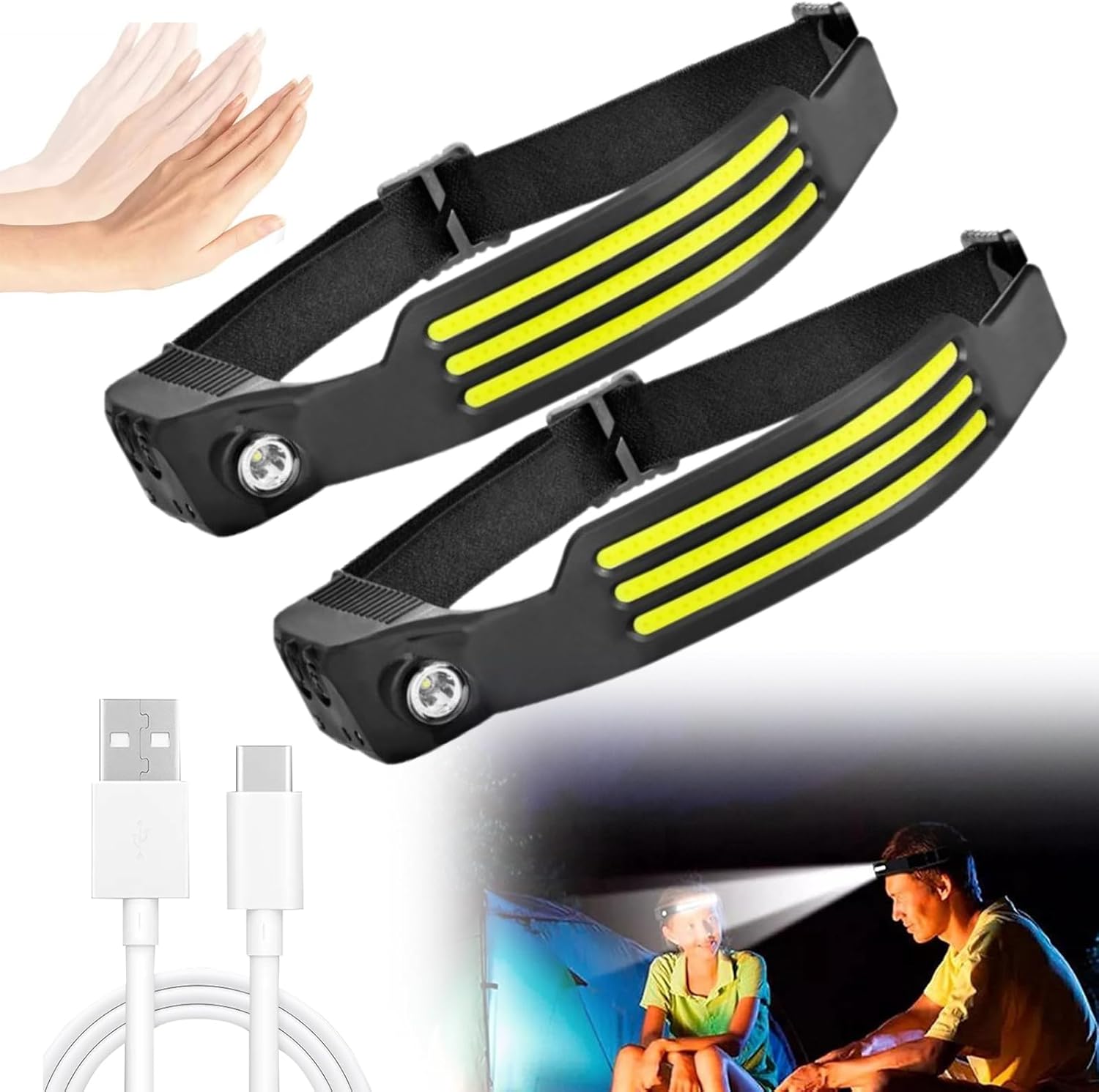
Figure 5.1: Motion Sensing Feature. This image shows two Othemo headlamps and an illustration of hands waving, demonstrating the motion sensing capability for hands-free control.
6. Charging
The Othemo headlamp is equipped with a built-in 1200mAh rechargeable lithium battery.
- Locate the USB-C charging port on the side of the headlamp.
- Connect the provided USB-C cable to the headlamp's charging port.
- Connect the other end of the USB-C cable to a standard USB power source (e.g., wall adapter, computer USB port, power bank).
- The power display indicator will show charging status. A full charge typically takes 2-4 hours.
- Once fully charged, disconnect the charging cable.
Note: Battery life ranges from 2.5 to 8 hours depending on the selected lighting mode.
7. Maintenance
7.1 Cleaning
- Wipe the headlamp body with a soft, damp cloth.
- Do not use abrasive cleaners or solvents.
- Ensure the charging port cover is securely closed to maintain water resistance.
7.2 Storage
- Store the headlamp in a cool, dry place away from direct sunlight.
- If storing for an extended period, charge the battery every 3-6 months to maintain battery health.
8. Troubleshooting
| Problem | Possible Cause | Solution |
|---|---|---|
| Headlamp does not turn on. | Battery is depleted. | Charge the headlamp fully. |
| Light is dim or flickers. | Low battery. | Recharge the headlamp. |
| Motion sensing not working. | Sensor not activated or obstruction. | Ensure the Sensor switch is pressed. Wave hand within 5-10 cm of the sensor. Clean the sensor area if dirty. |
| Headlamp not charging. | Faulty cable or power source. | Try a different USB-C cable or power adapter. Ensure connections are secure. |
9. Specifications
- Model: CAW-165A1
- Light Source: LED (COB & XPE)
- Beam Angle: 230° (COB)
- Brightness: 230 Lumens (White)
- Lighting Modes: 5 (COB High/Low, XPE High/Low, Strobe)
- Battery: 1200mAh Lithium Ion (Rechargeable)
- Charging Time: 2-4 hours (via USB-C)
- Battery Life: 2.5-8 hours (depending on mode)
- Water Resistance: IPX4 (Waterproof)
- Material: TPU-ABS + PC
- Product Dimensions: 15.24 x 5.08 x 12.7 cm (6 x 2 x 5 inches)
- Weight: 136.08 g (4.8 oz)
- Special Features: Adjustable Light Modes, Adjustable Strap, Lightweight, Motion Sensing
10. Warranty and Support
For warranty information or technical support, please contact your retailer or the manufacturer directly. Please retain your proof of purchase for warranty claims.


