
1. Introduction
The LVYUAN 600W/1200W Pure Sine Wave Power Inverter is designed to convert 12V DC power from your vehicle battery or other 12V DC sources into 230V AC household power. This inverter provides a pure sine wave output, which is essential for safely operating sensitive electronic devices. With a rated power of 600W and a peak power of 1200W, it is suitable for a variety of applications, including camping, road trips, and emergency power needs. It features two USB ports for charging mobile devices and an EU standard AC outlet.
2. Safety Instructions
Please read and understand all safety instructions before operating the inverter. Failure to follow these instructions may result in electric shock, fire, or serious injury.
- Ventilation: Ensure the inverter is placed in a well-ventilated area. Do not block the cooling fan or vents.
- Dry Environment: Do not expose the inverter to water, rain, snow, or spray. Operate only in dry conditions.
- Flammable Materials: Do not operate the inverter near flammable materials, gases, or vapors.
- Proper Grounding: Ensure the inverter is properly grounded according to local electrical codes.
- Avoid Overload: Do not exceed the inverter's rated power output (600W continuous). Overloading can damage the inverter and connected devices.
- Correct Polarity: Always connect the inverter to the 12V DC power source with correct polarity (positive to positive, negative to negative). Reverse polarity can cause severe damage.
- Children: Keep the inverter out of reach of children.
- Maintenance: Do not attempt to open or modify the inverter casing. There are no user-serviceable parts inside. Refer all servicing to qualified personnel.

Image: The inverter features multiple built-in protections including overload, short circuit, over-temperature, reverse polarity, over-voltage, and low-voltage protection to ensure safe operation.
3. Package Contents
Verify that all items are present in the package:
- 1 x LVYUAN Pure Sine Wave Power Inverter (600W/1200W)
- 1 x Car Cigarette Lighter Adapter
- 2 x Battery Clips (Red and Black)
- 1 x User Manual (This document)

Image: The package includes the inverter unit, battery clips for direct battery connection, and a car cigarette lighter adapter for vehicle power outlets.
4. Product Overview
Familiarize yourself with the components and ports of your LVYUAN Power Inverter.

Image: This diagram highlights the key components of the inverter, including the battery voltage display, on/off switch, AC output socket, LED indicator, USB ports, positive and negative DC input terminals, and the cooling fan.
Front Panel:
- Battery Voltage Display: Shows the current DC input voltage.
- On/Off Switch: Powers the inverter on or off.
- AC Output Socket: EU standard 230V AC outlet.
- LED Indicator: Indicates operational status or fault conditions.
- USB Ports: Two 5V USB ports for charging compatible devices.
Rear Panel:
- Positive Port (Red): Connects to the positive terminal of the 12V DC power source.
- Negative Port (Black): Connects to the negative terminal of the 12V DC power source.
- Cooling Fan: Automatically activates to dissipate heat during operation.
5. Setup
Follow these steps to set up your inverter:
5.1 Placement
- Place the inverter on a flat, stable surface.
- Ensure adequate ventilation around the inverter. Do not place it in an enclosed space or cover the cooling fan.
- Keep the inverter away from direct sunlight, heat sources, moisture, and corrosive materials.
5.2 Connecting to a 12V DC Power Source
Choose the appropriate connection method based on your power requirements:
Method A: Using the Car Cigarette Lighter Adapter (for loads up to 150W)
- Ensure the inverter's On/Off switch is in the "OFF" position.
- Plug the car cigarette lighter adapter into the inverter's DC input terminals (matching red to positive, black to negative).
- Insert the cigarette lighter plug into your vehicle's 12V cigarette lighter socket.
Method B: Using Battery Clips (for loads up to 600W)
- Ensure the inverter's On/Off switch is in the "OFF" position.
- Connect the red battery clip cable to the inverter's positive (+) terminal and the black battery clip cable to the inverter's negative (-) terminal. Tighten the terminal nuts securely.
- Connect the red battery clip to the positive (+) terminal of your 12V battery.
- Connect the black battery clip to the negative (-) terminal of your 12V battery.
- Ensure all connections are firm and secure to prevent loose connections and sparking.
6. Operating Instructions
Once the inverter is properly connected to a 12V DC power source:
- Power On: Flip the On/Off switch on the inverter to the "ON" position. The LED indicator should light up, and the battery voltage display will show the input voltage.
- Connect AC Devices: Plug your 230V AC devices into the AC output socket. Ensure the total power consumption of all connected AC devices does not exceed 600W.
- Connect USB Devices: Plug your USB-powered devices into the USB ports for charging.
- Monitor: Periodically check the battery voltage display to ensure the input voltage remains within a safe operating range (typically 11V-15V).
- Power Off: When finished, first disconnect all AC and USB devices, then turn the inverter's On/Off switch to the "OFF" position. Finally, disconnect the inverter from the 12V DC power source.

Image: The inverter is suitable for various applications such as powering devices in an RV, during outdoor work, camping, or other outdoor activities, providing a stable pure sine wave output.
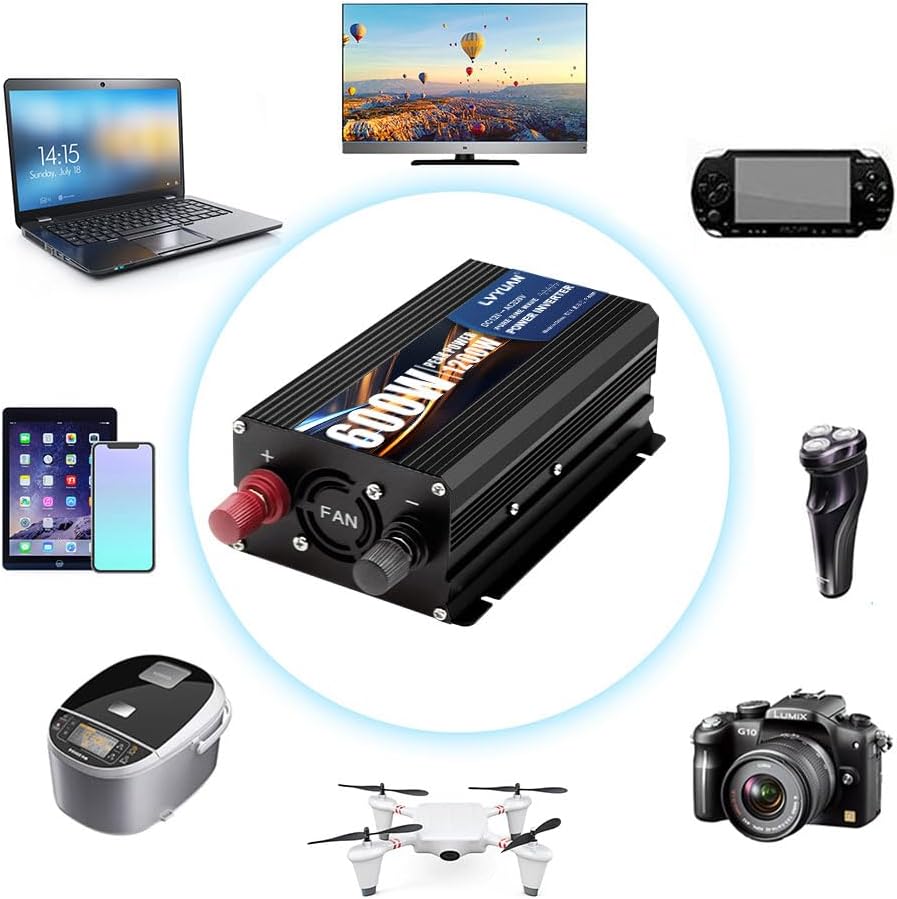
Image: This illustration demonstrates the wide range of devices that can be powered by the inverter, including laptops, televisions, smartphones, cameras, and small household appliances.
7. Maintenance
Proper maintenance ensures the longevity and reliable operation of your inverter.
- Cleaning: Keep the inverter clean and free from dust and debris. Use a dry, soft cloth to wipe the exterior. Do not use liquid cleaners.
- Connections: Periodically check all electrical connections (battery clips, cigarette lighter adapter) to ensure they are tight and free from corrosion.
- Ventilation: Ensure the cooling fan and vents are unobstructed. Clean any dust buildup from the fan blades and vents using compressed air if necessary.
- Storage: When not in use for extended periods, store the inverter in a cool, dry place, away from direct sunlight and extreme temperatures.
8. Troubleshooting
If you encounter issues with your inverter, refer to the following common problems and solutions:
Problem: No power output / Inverter does not turn on.
- Check Connections: Ensure the inverter is securely connected to the 12V DC power source with correct polarity.
- Check Battery Voltage: Verify that the 12V battery has sufficient charge (typically above 11V). Recharge the battery if necessary.
- Check Inverter Switch: Make sure the On/Off switch is in the "ON" position.
- Check Fuses: The inverter may have internal fuses. If you suspect a blown fuse, contact customer support. Do not attempt to replace fuses yourself.
Problem: Inverter shuts down / Fault indicator is on.
- Overload Protection: The total power consumption of connected devices exceeds 600W. Disconnect some devices to reduce the load.
- Over-temperature Protection: The inverter is overheating. Disconnect devices, turn off the inverter, and allow it to cool down. Ensure proper ventilation and clear any obstructions from the cooling fan.
- Low Voltage Protection: The input DC voltage is too low (e.g., battery is discharged). Recharge or replace the 12V battery.
- Over Voltage Protection: The input DC voltage is too high. Ensure the input source is a stable 12V DC.
- Short Circuit Protection: A short circuit has occurred in the output. Disconnect all AC devices and check for faulty wiring or damaged appliances.
- Reverse Polarity Protection: The DC input connections are reversed. Immediately disconnect and reconnect with correct polarity.
If the problem persists after attempting these solutions, please contact LVYUAN customer support.
9. Specifications
| Feature | Specification |
|---|---|
| Model Number | 25a6555f-4860-4baa-baee-6a6f4a9e9f5e |
| Input Voltage | DC 12V |
| Output Voltage | AC 230V |
| Waveform | Pure Sine Wave |
| Rated Power | 600W |
| Peak Power | 1200W |
| Frequency | 50 Hz |
| USB Output | 5V (2 ports) |
| Item Weight | 1 Kilogram |
| Dimensions (Approx.) | 210mm x 112mm x 60mm |
10. Warranty and Support
This LVYUAN Power Inverter comes with a 180-day warranty from the date of purchase, covering manufacturing defects. Please retain your proof of purchase for warranty claims.
For technical support, troubleshooting assistance, or warranty inquiries, please contact LVYUAN customer service through the retailer where the product was purchased or visit the official LVYUAN website for contact information.