
1. Introduction
Thank you for choosing the LIBODD 108C Basic Digital Multimeter. This device is a stable performance, high-precision, and high-reliability digital multimeter designed for electrical measurements. It features clear readings, overload protection, and is suitable for various applications including electronic equipment repair, circuit testing, experimental research, teaching, and everyday home use. Please read this manual thoroughly before operation to ensure safe and correct usage.
2. Safety Information
To prevent electric shock or personal injury, and to avoid damage to the meter or the equipment under test, please observe the following safety rules:
- Always ensure the meter is in good working condition before use.
- Do not apply more than the rated voltage, as marked on the meter, between the terminals or between any terminal and earth ground.
- Use caution when working with voltages above 30V AC RMS, 42V peak, or 60V DC. Such voltages pose a shock hazard.
- Before measuring current, ensure the meter's fuses are intact and the test leads are connected correctly.
- Disconnect the test leads from the circuit before changing functions.
- Do not use the meter if the battery cover is not properly closed.
- Replace the battery as soon as the low battery indicator appears to ensure accurate readings.
- Adhere to local and national safety codes.
3. Product Overview
3.1 Components
The LIBODD 108C Basic Digital Multimeter includes the main unit and a pair of test leads.
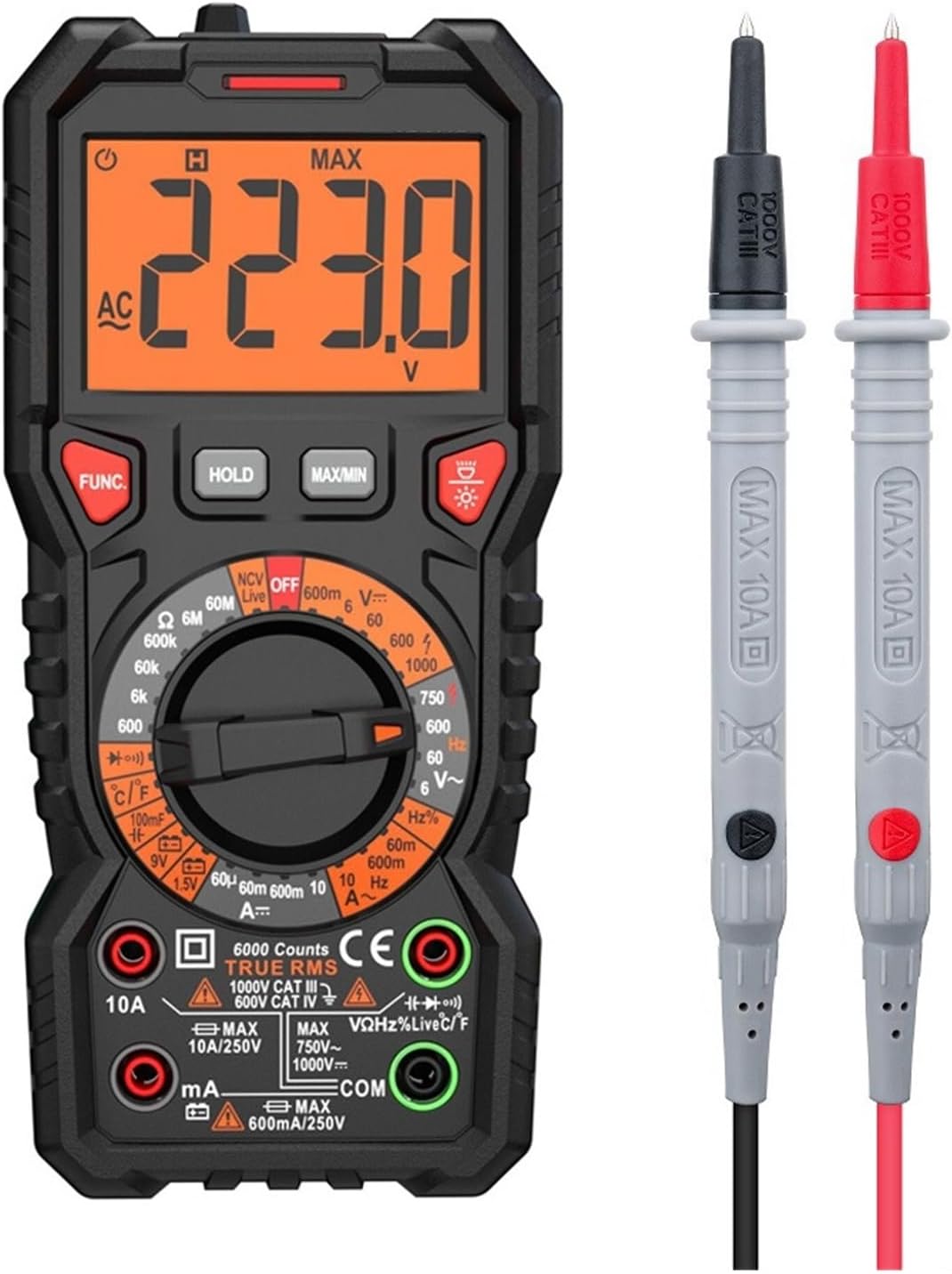
Figure 1: Front view of the LIBODD 108C Basic Digital Multimeter with connected test leads. The multimeter features a large LCD display, a rotary dial for function selection, and input jacks for test leads.
3.2 Display
The multimeter features a large LCD display that shows measurement readings, units, and various indicators. The display provides clear readings for easy interpretation.
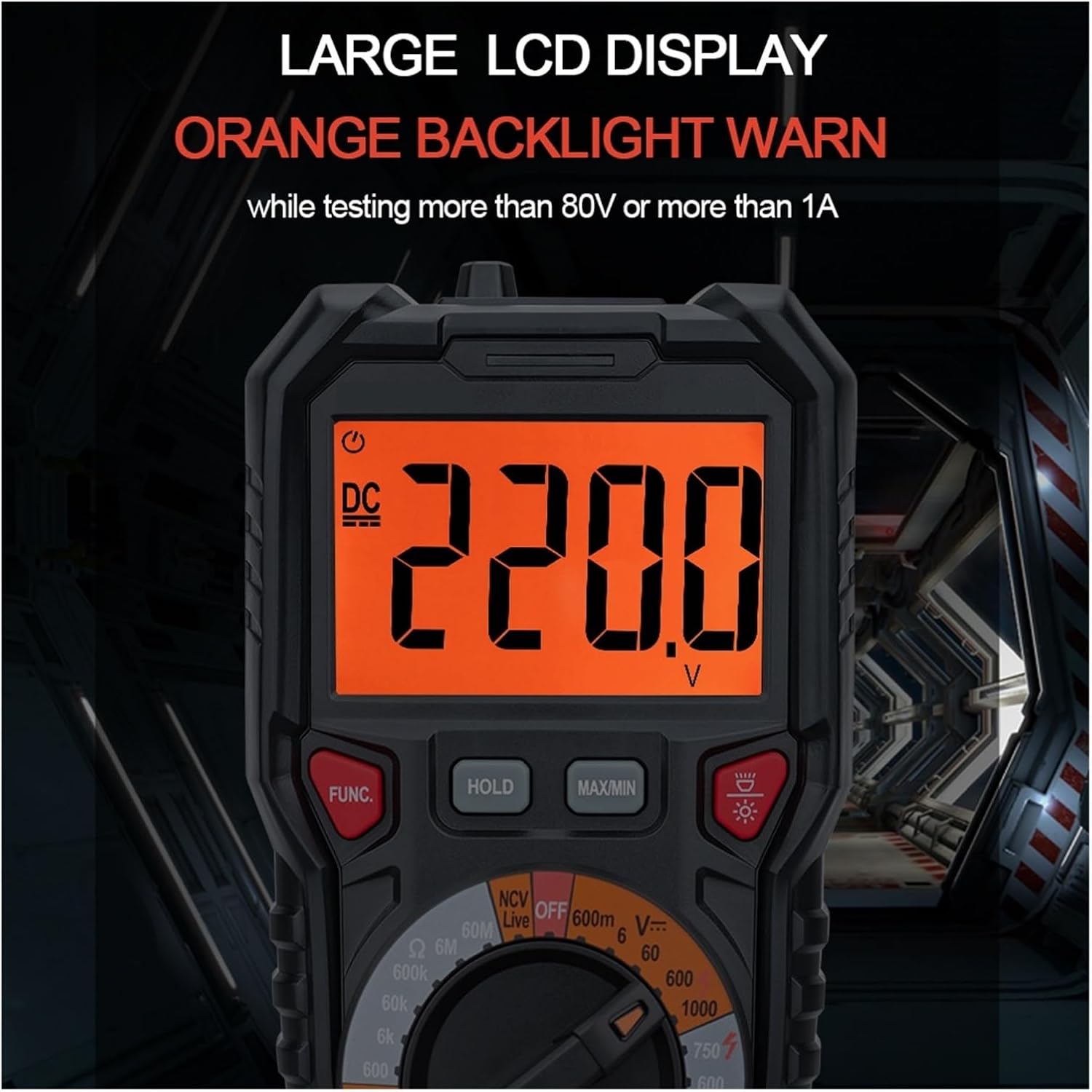
Figure 2: The large LCD display with orange backlight, showing a DC voltage reading. The backlight activates when testing voltages above 80V or current above 1A, providing a visual warning.
4. Setup
4.1 Battery Installation
The LIBODD 108C Basic Digital Multimeter requires two 1.5V AA batteries (not included) for operation.
- Locate the battery compartment on the back of the multimeter.
- Use a screwdriver to open the battery compartment cover.
- Insert two 1.5V AA batteries, observing the correct polarity (+ and -) as indicated inside the compartment.
- Replace the battery compartment cover and secure it with the screw.
Note: Replace batteries promptly when the low battery indicator appears on the display to ensure accurate measurements.
5. Operating Instructions
Before taking any measurements, ensure the test leads are properly connected to the correct input jacks and the rotary switch is set to the desired function.
5.1 DC Voltage Measurement (DCV)
- Insert the red test lead into the "VΩHz" jack and the black test lead into the "COM" jack.
- Turn the rotary switch to the DCV range (6V/60V/600V/1000V). The 108C model uses manual ranging, so select the appropriate range.
- Connect the test leads in parallel to the circuit or component under test.
- Read the voltage value on the display.
5.2 AC Voltage Measurement (ACV)
- Insert the red test lead into the "VΩHz" jack and the black test lead into the "COM" jack.
- Turn the rotary switch to the ACV range (6V/60V/600V/750V). Select the appropriate range.
- Connect the test leads in parallel to the AC circuit or component under test.
- Read the voltage value on the display.
5.3 DC Current Measurement (DCA)
- For currents up to 600mA, insert the red test lead into the "mA" jack. For currents up to 10A, insert the red test lead into the "10A" jack. Insert the black test lead into the "COM" jack.
- Turn the rotary switch to the DCA range (60mA/600mA or 10A).
- Open the circuit and connect the meter in series with the load.
- Read the current value on the display.
- Caution: Do not exceed the maximum current rating for the selected jack.
5.4 AC Current Measurement (ACA)
- For currents up to 600mA, insert the red test lead into the "mA" jack. For currents up to 10A, insert the red test lead into the "10A" jack. Insert the black test lead into the "COM" jack.
- Turn the rotary switch to the ACA range (60mA/600mA or 10A).
- Open the circuit and connect the meter in series with the AC load.
- Read the current value on the display.
- Caution: Do not exceed the maximum current rating for the selected jack.
5.5 Resistance Measurement (Ω)
- Insert the red test lead into the "VΩHz" jack and the black test lead into the "COM" jack.
- Turn the rotary switch to the "Ω" position.
- Connect the test leads across the component to be measured. Ensure the circuit is de-energized before measuring resistance.
- Read the resistance value on the display.
5.6 Capacitance Measurement
- Insert the red test lead into the "VΩHz" jack and the black test lead into the "COM" jack.
- Turn the rotary switch to the capacitance symbol (usually next to resistance).
- Discharge the capacitor completely before connecting the test leads.
- Connect the test leads across the capacitor.
- Read the capacitance value on the display.

Figure 3: Performing a capacitance test. The display shows a reading in microfarads (uF).
5.7 Frequency Measurement (Hz)
- Insert the red test lead into the "VΩHz" jack and the black test lead into the "COM" jack.
- Turn the rotary switch to the "Hz" position.
- Connect the test leads in parallel to the circuit where frequency is to be measured.
- Read the frequency value on the display.
5.8 NCV (Non-Contact Voltage) Detection
- Turn the rotary switch to the "NCV" position.
- Move the top part of the multimeter close to the conductor or outlet.
- The meter will emit an audible alarm and the display will show a visual indication (sound and light alarm) if AC voltage is detected without contact.
5.9 Live Wire Checking
- Insert the red test lead into the "VΩHz" jack and the black test lead into the "COM" jack.
- Turn the rotary switch to the "Live" position.
- Touch the red test lead to the wire you suspect is live.
- The display will show "LIVE" and emit a sound and light alarm if a live wire is detected.
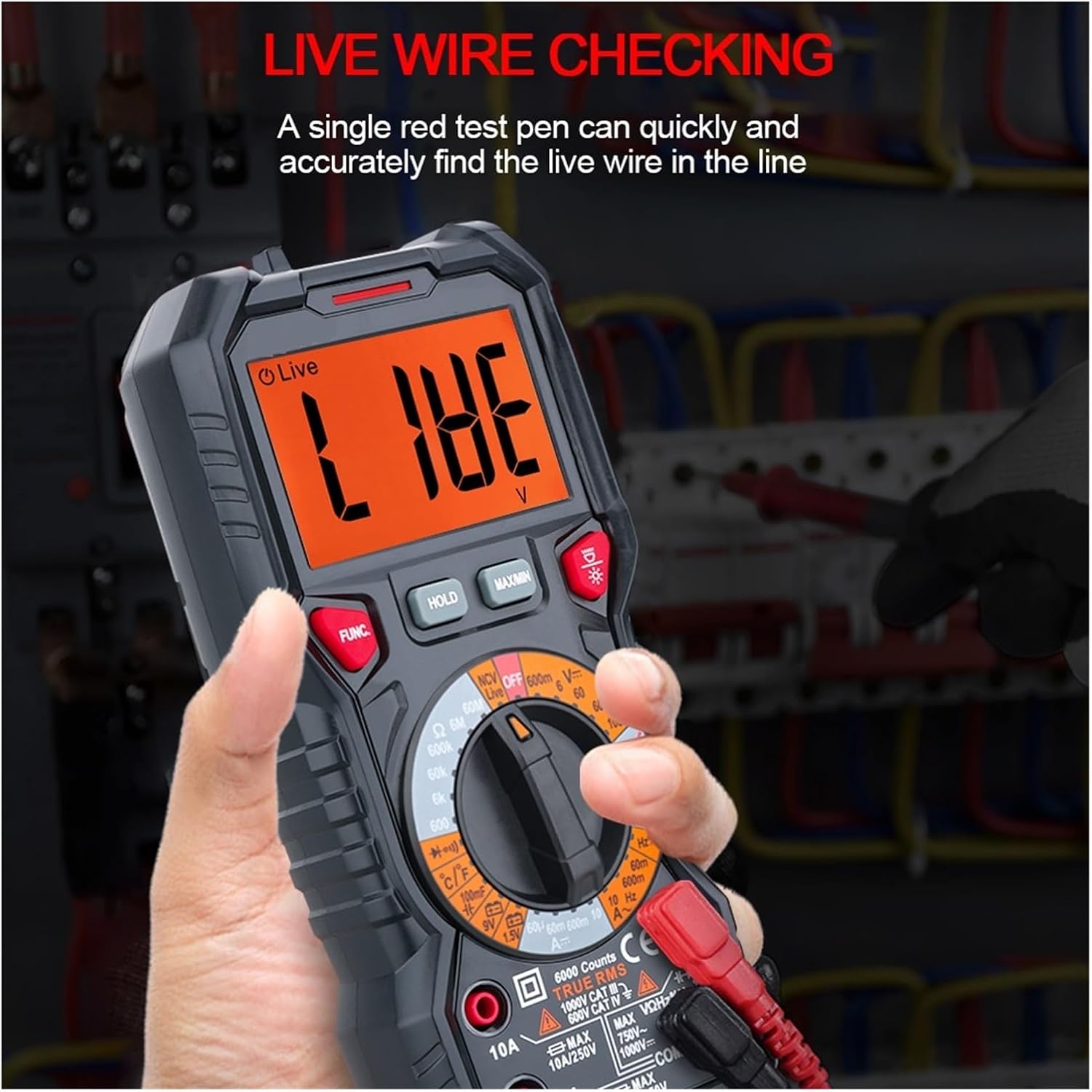
Figure 4: Live wire checking function in use. The display indicates "LIVE" when a live wire is detected, accompanied by an alarm.
5.10 Diode Test
- Insert the red test lead into the "VΩHz" jack and the black test lead into the "COM" jack.
- Turn the rotary switch to the diode symbol.
- Connect the red test lead to the anode and the black test lead to the cathode of the diode.
- The display will show the forward voltage drop. Reverse the leads; the display should show "OL" (open loop) for a good diode.
5.11 Continuity Test
- Insert the red test lead into the "VΩHz" jack and the black test lead into the "COM" jack.
- Turn the rotary switch to the continuity symbol (usually shared with diode test).
- Connect the test leads across the circuit or component.
- If continuity exists (resistance below a certain threshold), the meter will emit an audible beep and show a visual indication.
5.12 Data Hold (HOLD)
Press the "HOLD" button to freeze the current reading on the display. Press it again to release the hold function.
5.13 Maximum/Minimum Hold (MAX/MIN)
Press the "MAX/MIN" button to enter Max/Min recording mode. The meter will display the maximum or minimum value measured since the mode was activated. Press again to cycle through MAX, MIN, and current readings. Hold the button to exit.
5.14 Backlight
The meter features a backlight for improved visibility in low-light conditions. The backlight also serves as a warning when testing more than 80V or 1A.
5.15 Auto Power Off
To conserve battery life, the multimeter will automatically power off after a period of inactivity. Press any button or turn the rotary switch to wake it up.
6. Maintenance
- Cleaning: Wipe the case with a damp cloth and mild detergent. Do not use abrasives or solvents.
- Battery Replacement: Replace batteries when the low battery indicator appears. Refer to Section 4.1 for instructions.
- Fuse Replacement: If the current measurement function fails, the fuse may need replacement. Refer to the technical specifications for the correct fuse type and rating. Fuse replacement should only be performed by qualified personnel.
- Storage: If the meter is not to be used for an extended period, remove the batteries to prevent leakage. Store the meter in a cool, dry place.
7. Troubleshooting
| Problem | Possible Cause | Solution |
|---|---|---|
| Meter does not power on. | Dead or incorrectly installed batteries. | Check battery polarity, replace batteries. |
| "OL" displayed during measurement. | Overload or out of range. | Select a higher range or check if the measured value exceeds the meter's maximum capacity. |
| Inaccurate readings. | Low battery, incorrect function/range, or damaged test leads. | Replace batteries, select correct function/range, check test leads for damage. |
| No current measurement. | Blown fuse. | Replace the fuse (refer to Maintenance section). |
8. Specifications
| Parameter | Specification (108C Basic) |
|---|---|
| Maximum Display | 6000 Counts |
| Ranging | Manual Range |
| Sampling Rate | Approximately 3 times per second |
| Over Range Display | "OL" |
| Low Voltage Display | Low battery indication (<80%) |
| Power Supply | 2 x 1.5V AA Batteries |
| DC Voltage | 600mV/6V/60V/600V/1000V (±(0.5%+3)) |
| AC Voltage | 6V/60V/600V/750V (±(0.8%+5)) |
| DC Current | 10A (±(1.2%+3)) |
| AC Current | 60mA/600mA (±(1.0%+3)), 10A (±(1.5%+3)) |
| Resistance | 600Ω/6kΩ/60kΩ/600kΩ/6MΩ/60MΩ (±(0.8%+3)) |
| Capacitance | 10nF/100nF/1µF/10µF/100µF/1mF/10mF (±(4.0%+3)), 100mF (±(5.0%+5)) |
| Frequency | 10Hz/100Hz/1kHz/10kHz/100kHz/1MHz/10MHz (±(1.0%+3)) |
| Duty Cycle | 1%~99% (±(1.0%+2)) |
| Live Test | Yes (sound and light alarm) |
| NCV | Yes (sound and light alarm) |
| Diode Test | Yes |
| Continuity | Yes (sound and light alarm) |
| Max/Min Hold | Yes |
| Data Hold | Yes |
| True RMS | Yes |
| Bandwidth | 1kHz |
| Auto Power Off | Yes |
| Backlight | Yes (Double Color) |
| Product Weight / Size | Approx. 350g / 188 x 88 x 58mm |
9. Warranty and Support
LIBODD products are designed for reliability and performance. For warranty information or technical support, please refer to the contact details provided with your purchase or visit the official LIBODD website. Keep your purchase receipt as proof of purchase for warranty claims.