
KIEEQGAK X8 170x22(4558)
Tuya WiFi Smart Door Lock User Manual
Brand: KIEEQGAK | Model: X8 170x22(4558)
Introduction
This manual provides comprehensive instructions for the installation, operation, and maintenance of your KIEEQGAK Tuya WiFi Smart Door Lock. This advanced biometric digital electronic lock offers multiple unlocking methods including fingerprint, password, RFID card, and mechanical key, integrated with Tuya APP for smart control. Please read this manual carefully before installation and use to ensure proper function and security.

Image: Front view of the KIEEQGAK Tuya WiFi Smart Door Lock, showing the fingerprint sensor and numeric keypad.
Product Overview and Components
The KIEEQGAK Smart Door Lock system includes the main lock unit, handles, keys, RFID cards, and mounting hardware. Familiarize yourself with all components before beginning installation.

Image: Detailed view of all components included with the smart door lock, such as the main lock assembly, interior and exterior handles, two mechanical keys, two RFID smart cards, and a diagram illustrating the lock body dimensions (170mm x 22mm) and latch dimensions (70mm x 125mm).
Key Components:
- Exterior Handle Assembly: Contains fingerprint sensor, keypad, and emergency Type-C USB port.
- Interior Handle Assembly: Contains battery compartment and manual release.
- Mortise Lock Body: The internal mechanism that secures the door.
- Strike Plate and Box: Installed on the door frame.
- Mechanical Keys: For emergency unlocking.
- RFID Cards: For card-based unlocking.
- Mounting Hardware: Screws and spindles for installation.
Specifications
| Parameter | Value |
|---|---|
| Material | Aluminum alloy |
| Unlocking Methods | WiFi Tuya APP, Fingerprint, Password, RFID Cards, Mechanical keys |
| Fingerprint Capacity | 100 |
| Card Capacity | 100 |
| Password Capacity | 100 |
| Working Frequency | 13.56MHz (IC) |
| Fingerprint Reader | Semiconductor sensor |
| Handle Direction | Reversible (adjustable freely) |
| Read Time | 0.3 seconds |
| Working Power | 4x AAA battery (not included) |
| Emergency Power Supply | USB Type-C charging port |
| Operating Temperature | -20 to 60°C (-4 to 140°F) |
| Suitable Door Thickness | 35-55mm (1.38-2.17 inches) |
| Application | Wooden Door / Metal Door |
| Item Weight | 1.76 ounces (50 grams for lock mechanism) |
Setup and Installation
The KIEEQGAK Smart Door Lock is designed for easy replacement of existing locks and is compatible with various door types. Ensure your door thickness is between 35-55mm.

Image: Illustration demonstrating the smart lock's compatibility with different lock bodies and the process of replacing a traditional door handle with the KIEEQGAK Smart Door Lock.
1. Prepare the Door:
- Remove your existing door lock.
- Verify that the door bore holes and backset measurements match the lock's requirements. Refer to the dimension diagram in the Product Overview section.
2. Install the Mortise Lock Body:
- Insert the mortise lock body into the edge of the door.
- Secure it with screws.
3. Install Handles and Spindles:
- The handle direction is reversible. Adjust it to suit your door's opening direction (left or right).
- Connect the exterior and interior handle assemblies through the mortise lock body using the provided spindles and screws. Ensure cables are not pinched.
4. Install Batteries:
- Open the battery compartment on the interior handle.
- Insert 4 AAA batteries (not included), ensuring correct polarity.
- Close the battery compartment. The lock will typically power on and provide an audible prompt.
5. Initial Setup and Tuya APP Connection:
- Download the Tuya Smart or Smart Life APP from your mobile app store.
- Register or log in to your account.
- Follow the in-app instructions to add your smart door lock. This usually involves putting the lock into pairing mode (refer to the lock's audible prompts or specific button combinations) and connecting it to your WiFi network.
Operating Instructions
Your KIEEQGAK Smart Door Lock offers multiple convenient ways to unlock your door.

Image: Visual guide illustrating the diverse unlocking methods available for the smart door lock, including remote access via Tuya APP, temporary password generation, fingerprint recognition, RFID card swipe, keypad entry, traditional mechanical key, and simple indoor handle press.
1. Fingerprint Unlocking:
- Place your registered finger on the semiconductor fingerprint sensor.
- The lock will verify your fingerprint in approximately 0.3 seconds.
- Once verified, the lock will unlock.
- To add fingerprints: Follow the instructions in the Tuya APP or the lock's voice prompts for administrator setup.
2. Password Unlocking:
- Enter your registered password on the keypad.
- Press the '#' key to confirm.
- Virtual Password Function: To enhance security, you can enter random digits before or after your actual password. For example, if your password is "123456", you can enter "987123456098" and the lock will still recognize "123456".
- To add/manage passwords: Use the Tuya APP or the lock's administrator settings.
3. RFID Card Unlocking:
- Hold a registered RFID card near the card reader area on the lock.
- The lock will beep and unlock upon successful verification.
- To add/manage RFID cards: Use the Tuya APP or the lock's administrator settings.

Image: Demonstrates the use of an RFID card for unlocking, highlighting its convenience, especially for individuals whose fingerprints may be difficult to read due to age or wear.
4. Mechanical Key Unlocking:
- Insert the mechanical key into the hidden keyhole (usually located at the bottom or front of the exterior handle).
- Turn the key to unlock the door. This method is primarily for emergency use, such as when batteries are depleted.
5. Tuya APP Unlocking:
- Remote Unlock: Open the Tuya Smart APP on your smartphone. Select your smart lock. Press the "Unlock" button within the app. The lock will receive the command via WiFi and unlock.
- Temporary Password Generation: The Tuya APP allows you to generate one-time or time-limited passwords for guests or service providers. These passwords can be shared via messaging apps.
- Periodic Password: Set passwords that are valid for a specific period, useful for recurring access.
- Unlock Records: View a history of all unlocking events (method, time, user) directly in the Tuya APP.
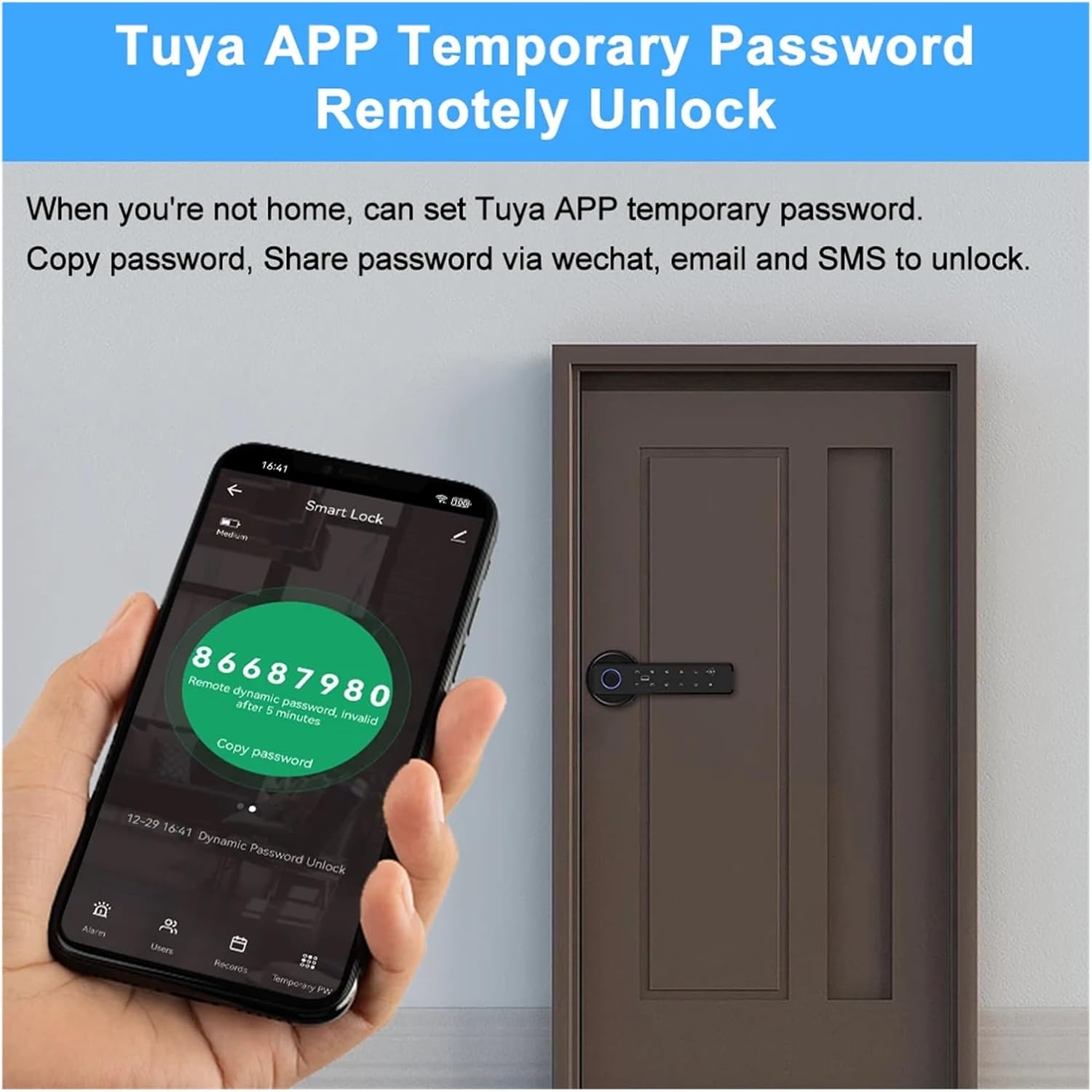
Image: A mobile phone displaying the Tuya APP interface for generating a temporary password, with the smart lock visible on a door, illustrating the remote access capability.
6. Normally Open Mode:
- This mode allows the door to remain unlocked for frequent entry and exit without requiring an unlock method each time.
- To activate/deactivate: Refer to the Tuya APP settings or the lock's administrator menu for specific instructions.
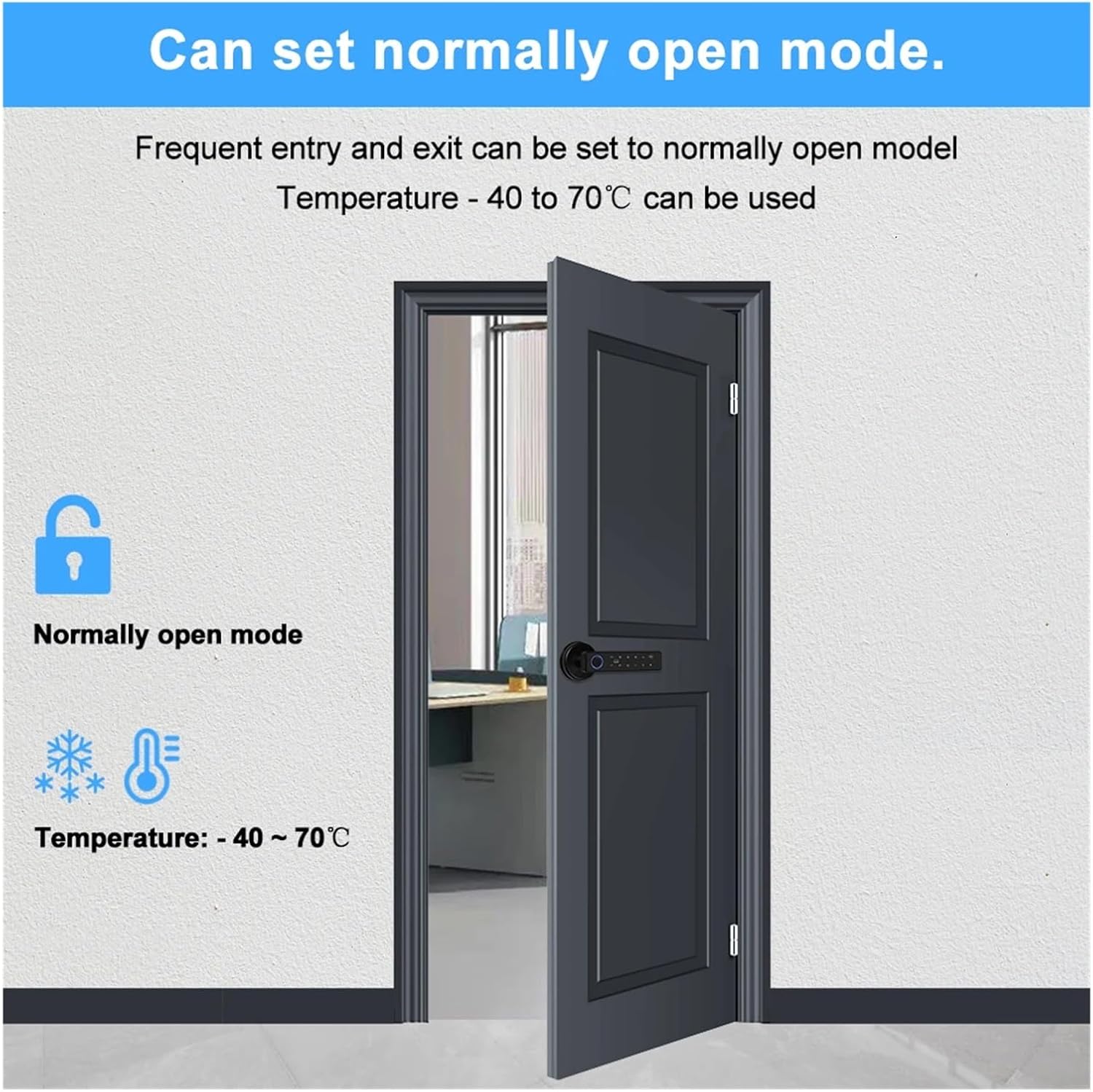
Image: Depicts a door equipped with the smart lock set to 'Normally Open Mode', signifying that the lock will remain disengaged, allowing for unrestricted passage without requiring authentication.
Maintenance
Proper maintenance ensures the longevity and optimal performance of your smart door lock.
1. Battery Replacement:
- The lock will provide a low battery warning (audible or via APP notification).
- Replace all 4 AAA batteries promptly. Do not mix old and new batteries.
- If batteries are completely depleted, use the mechanical key or a Type-C USB power bank for emergency power to unlock.
2. Cleaning:
- Wipe the lock's surface with a soft, dry cloth.
- Do not use abrasive cleaners, solvents, or harsh chemicals, as these can damage the finish and electronic components.
- Keep the fingerprint sensor and keypad clean and free of dust or debris.
3. Environmental Considerations:
- Ensure the lock operates within the specified temperature range of -20 to 60°C.
- Avoid exposing the lock to excessive moisture or direct water spray.
Troubleshooting
If you encounter issues with your smart lock, refer to the following common problems and solutions:
| Problem | Possible Cause / Solution |
|---|---|
| Lock does not respond / No power |
|
| Fingerprint not recognized |
|
| Password not working |
|
| RFID card not working |
|
| Cannot connect to Tuya APP / WiFi |
|
| Lock is stuck or difficult to operate |
|
Warranty and Support
For warranty information specific to your purchase, please refer to the terms and conditions provided by your retailer or seller at the time of purchase. KIEEQGAK products are typically covered by a manufacturer's warranty against defects in materials and workmanship.
If you require technical support, have questions about installation, or need assistance with troubleshooting that is not covered in this manual, please contact the seller or the manufacturer's customer service directly. Please have your product model number (X8 170x22(4558)) and purchase details ready when contacting support.
Ask a question about this manual
Ask about setup, troubleshooting, compatibility, parts, safety, or missing instructions. Manuals+ will review the question and use this page’s manual context to help answer it.