1. Introduction and Safety Information
This manual provides essential instructions for the safe and effective operation of your LVYUAN 12V/24V Smart Car Battery Charger, Model 30A-PRO. Please read all instructions carefully before use and retain this manual for future reference.
Important Safety Warnings:
- Always wear eye protection and protective clothing when working with batteries.
- Ensure adequate ventilation during charging to prevent gas accumulation.
- Never smoke or allow sparks or flames near the battery or charger.
- Connect and disconnect output clips only after setting the charger to OFF.
- Avoid charging frozen batteries.
- Keep out of reach of children.
- Do not expose the charger to rain or excessive moisture.
- If the power cord is damaged, it must be replaced by the manufacturer or a qualified service agent to avoid hazards.
2. Product Overview
The LVYUAN 30A-PRO is an intelligent 12V/24V car battery charger designed for various battery types, offering multiple charging modes and safety features.
Key Features:
- High Charging Current: 12V/30A and 24V/15A for faster charging compared to lower amperage chargers.
- Multi-Stage Charging: Incorporates quick and trickle charging processes to protect batteries.
- Intelligent Digital LED Display: Shows ambient temperature, voltage, current, and remaining battery capacity.
- Multiple Protection Functions: Includes short circuit, overcurrent, cooling system, and reverse polarity protection.
- Repair Function: Activates and repairs batteries that have been unused for extended periods, old batteries, or those unable to charge.
- 0V Start: Enables repair mode for deeply discharged batteries (down to 0V) to initiate charging.
- Wide Battery Compatibility: Suitable for 12V/24V 4Ah-300Ah lead-acid batteries (AGM, GEL, SLA, VRLA, Calcium, Wet) and 12V LiFePO4 batteries. Note: Not compatible with 24V LiFePO4 batteries.
- Automatic Shut-off: Charger automatically turns off when fully charged and restarts charging if the battery voltage drops below a set level.
Component Identification:

Figure 2.1: Front view of the LVYUAN 30A-PRO Smart Battery Charger.
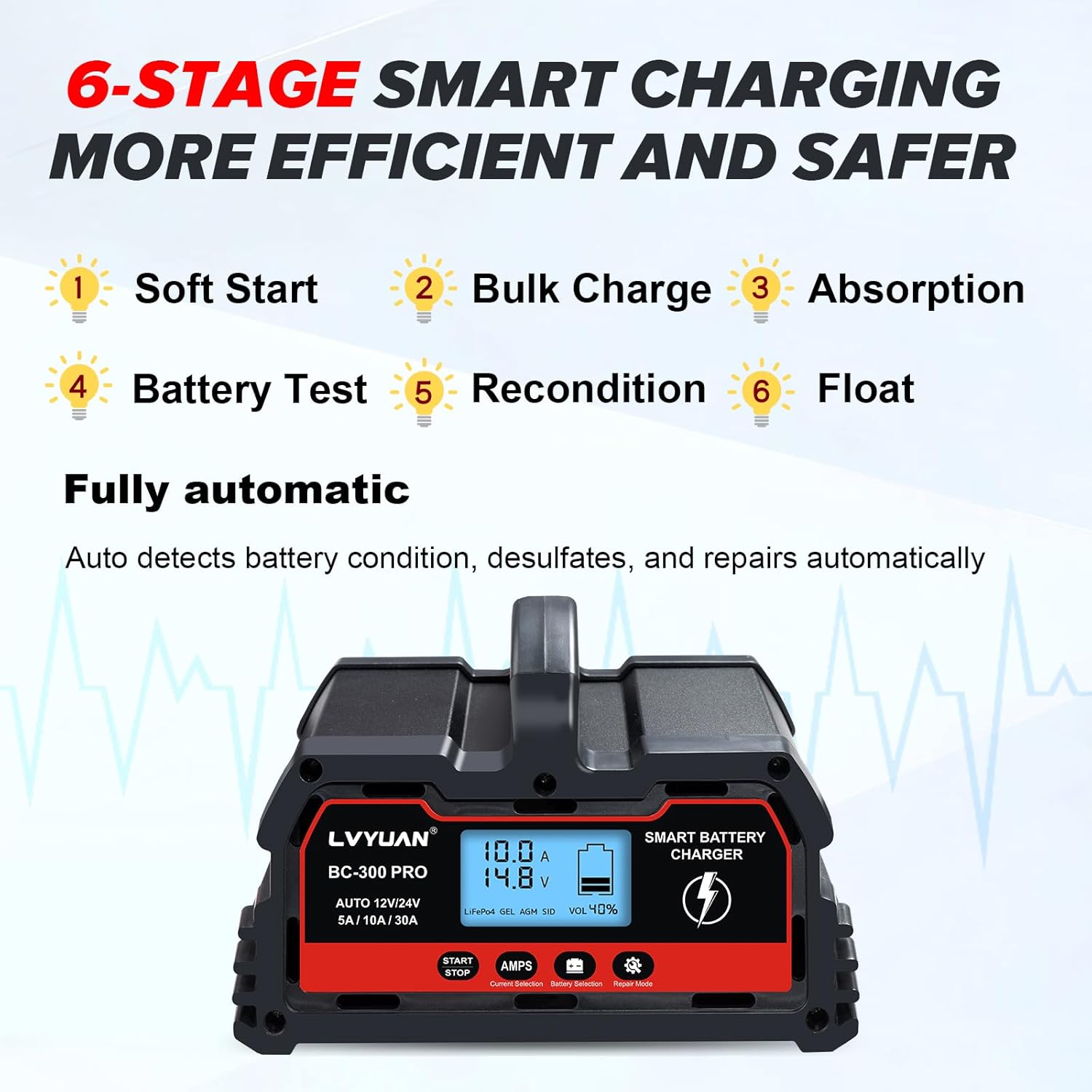
Figure 2.2: Control panel with Start/Stop button, Current Selection, Battery Selection, and Repair Mode button.

Figure 2.3: Rear view showing the Power Switch and Cooling Fan.
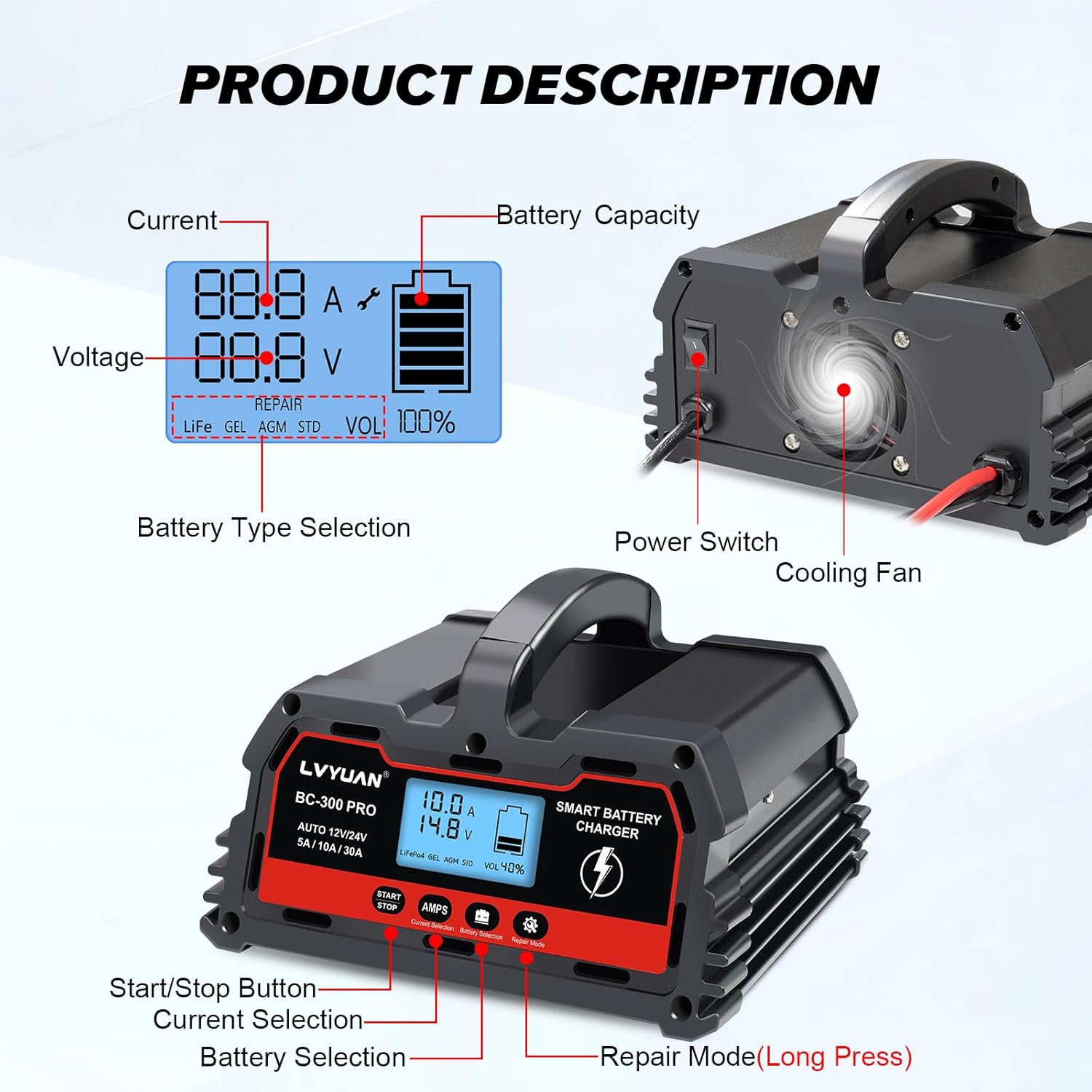
Figure 2.4: Charger dimensions and cable lengths. Input power cord length: 52 inches (103 cm), Output clip cord length: 33 inches (83 cm).
3. Setup and Connection
Follow these steps to safely set up and connect your LVYUAN 30A-PRO battery charger.
- Connect Power: Plug the charger's power cord into a suitable 110V AC outlet.
- Power On: Locate the power switch on the rear of the charger and turn it ON. The digital display will illuminate.
- Connect to Battery:
- Connect the RED positive (+) clamp to the positive (+) terminal of the battery.
- Connect the BLACK negative (-) clamp to the negative (-) terminal of the battery.
- Ensure connections are secure.
- Select Battery Type and Current: Use the "AMPS" button to cycle through available charging currents (5A, 10A, 30A) and the "Battery Selection" button to choose the correct battery type (LiFePO4, GEL, AGM, STD).
- Start Charging: Press the "START/STOP" button to begin the charging process. The display will show charging status.
Visual Guide for Setup:
Video 3.1: This video demonstrates the step-by-step process of connecting and starting the LVYUAN BC Series Battery Charger. It shows plugging in the power, turning on the unit, connecting the battery clamps, selecting charging parameters, and initiating the charge cycle.
4. Operating Instructions
Charging Process:
The charger utilizes a 6-stage smart charging process to optimize battery health and charging efficiency:
- Soft Start: Gently introduces current to the battery.
- Bulk Charge: Charges the battery at its maximum rate.
- Absorption: Gradually reduces current as the battery approaches full charge.
- Battery Test: Checks battery condition.
- Recondition: Addresses sulfation and stratification.
- Float: Maintains the battery at full charge without overcharging.

Figure 4.1: Diagram illustrating the 6-stage smart charging process for efficient and safe battery charging.
Digital Display Information:
The LED screen provides real-time data:
- Current (A): Displays the charging amperage.
- Voltage (V): Shows the battery voltage.
- Battery Capacity (%): Indicates the estimated remaining battery capacity.
- Ambient Temperature: Displays the surrounding temperature.
- Battery Type: Shows the selected battery type (LiFe, GEL, AGM, STD).
- Repair Mode Indicator: Illuminates when repair mode is active.

Figure 4.2: The intelligent digital LED display showing real-time charging information.
Repair Mode:
To activate the repair function for deeply discharged or sulfated batteries, press and hold the "Repair Mode" button for 5 seconds. This mode can help restore batteries that have not been used for a long time or cannot be charged normally. The 0V start feature allows the charger to attempt repair on batteries with extremely low voltage.
Battery Compatibility:
The charger is compatible with a wide range of 12V/24V batteries from 4Ah to 300Ah, including:
- Lead-Acid Batteries (AGM, GEL, SLA, VRLA, Calcium, Wet)
- 12V LiFePO4 Batteries
Important: This charger is not compatible with 24V LiFePO4 batteries.

Figure 4.3: The charger supports various battery types, including Lead-Acid and 12V LiFePO4.
5. Maintenance
- Cleaning: Disconnect the charger from power and battery before cleaning. Use a dry cloth to wipe the exterior. Do not use solvents or abrasive cleaners.
- Cooling Fan: The charger features an intelligent cooling fan that activates when the internal temperature exceeds 114°F/45°C to dissipate heat. Ensure the fan vents are not obstructed.
- Storage: Store the charger in a cool, dry place when not in use.

Figure 5.1: The cooling fan automatically activates to maintain optimal operating temperature.
6. Troubleshooting
| Problem | Possible Cause | Solution |
|---|---|---|
| Charger not turning on. | No power to the unit; power switch off. | Check power outlet, ensure power switch is ON. |
| Charger not charging. | Incorrect battery connection; battery too damaged; incorrect mode selected. | Verify positive/negative connections; try Repair Mode for damaged batteries; ensure correct battery type and current are selected. |
| Display shows error/protection mode. | Short circuit, overcurrent, reverse polarity, over-voltage, low-voltage, or over-temperature. | Disconnect charger, inspect connections and battery for faults, allow to cool if overheating, then reconnect. |
| Charging current fluctuates. | Normal operation for smart chargers. | This is normal. The charger adjusts current based on battery stage and power level to maintain battery life. |
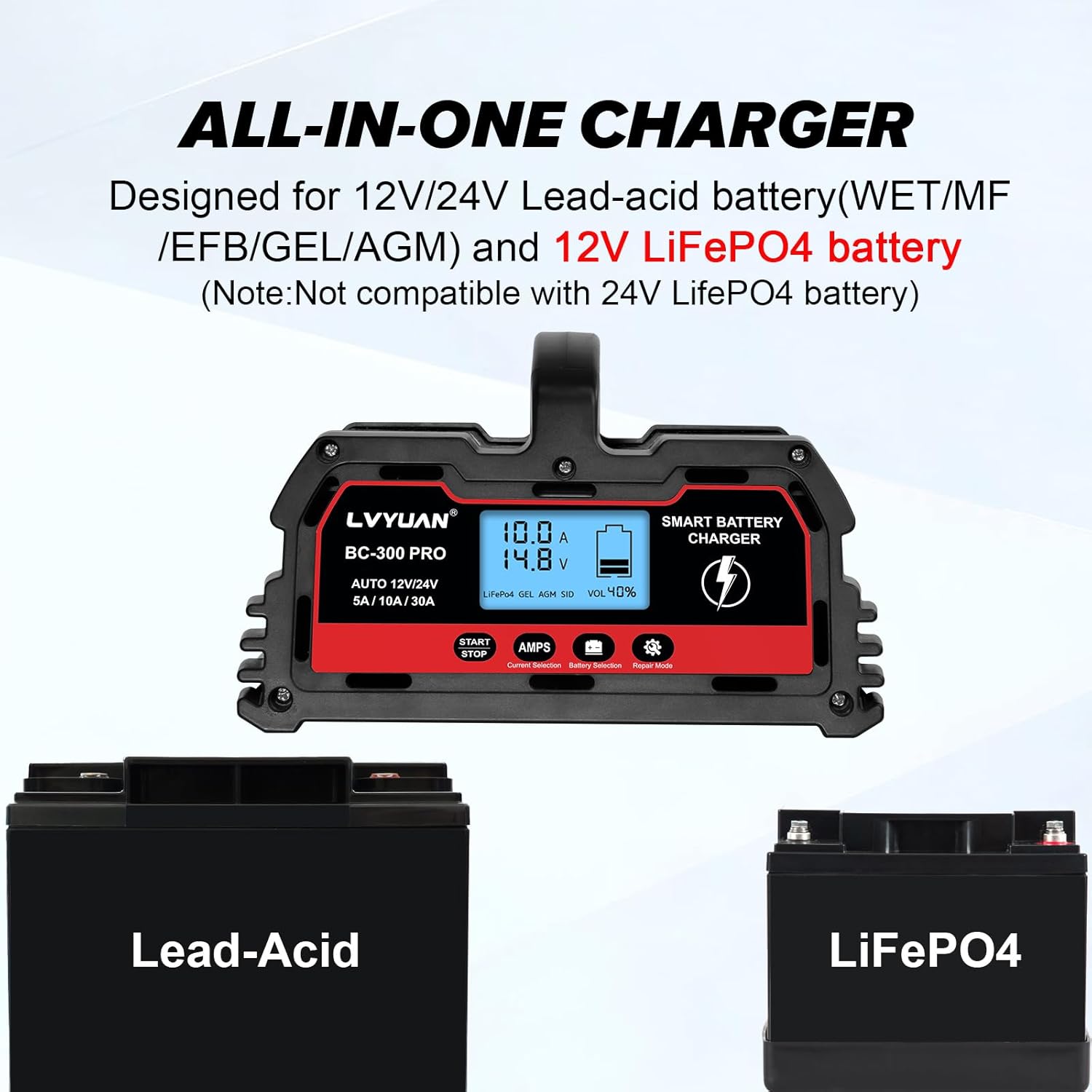
Figure 6.1: Icons representing the multiple protection features of the charger, including short-circuit, reverse-polarity, over-voltage, over-charge, low-voltage, and over-temperature protection.
7. Specifications
| Feature | Detail |
|---|---|
| Model | 30A-PRO |
| Input Voltage | 110V AC (Standard) |
| Output Voltage | 12 Volts (DC) / 24 Volts (DC) |
| Charging Current | 5A / 10A / 30A (for 12V), 5A / 10A / 15A (for 24V) |
| Battery Capacity Range | 4Ah - 300Ah |
| Compatible Battery Types | Lead-Acid (AGM, GEL, SLA, VRLA, Calcium, Wet), 12V LiFePO4 |
| Product Dimensions | 6.88 x 7.87 x 4.5 inches |
| Item Weight | 3.7 pounds |
| Cooling System | Intelligent Cooling Fan |
| Protection Features | Short circuit, overcurrent, reverse polarity, over-voltage, low-voltage, over-temperature, over-charge. |
8. Warranty and Support
For warranty information or technical support, please refer to the contact details provided with your purchase or visit the official LVYUAN website. Keep your purchase receipt as proof of purchase for warranty claims.
Manufacturer: Guangzhou LVYUAN Technology Co., Ltd.


