
1. Introduction
Welcome to the instruction manual for your new AIWA AWS-EB-04-W Earbuds. This guide provides essential information on how to set up, operate, maintain, and troubleshoot your earbuds to ensure optimal performance and longevity. Please read this manual thoroughly before using the product.
2. Product Overview
2.1 Components Included
- 1 Pair of AIWA AWS-EB-04-W Earbuds
- 1 Charging Case
- 1 USB-C Charging Cable
- 2 Pairs of Replacement Ear Tips (Small and Large)
2.2 Key Features
- High-Definition Sound: Equipped with a composite diaphragm and neodymium drivers for rich bass and clear mids and highs.
- Active Noise Cancellation (ANC): Reduces ambient noise by up to -23 dB for an immersive audio experience.
- Ambient Mode: Allows you to hear your surroundings without removing the earbuds.
- Enhanced Voice for Calls (ENC): Features 4 integrated microphones for clear voice capture during calls and video conferences.
- Extended Battery Life: Up to 26 hours of total playback (6 hours from earbuds + 20 hours from charging case).
- Low Latency: Provides near-instantaneous audio with only 47ms latency, ideal for gaming and video.
- IPX4 Protection: Resistant to sweat and splashes, suitable for workouts and outdoor activities.
- Bluetooth 5.4: Ensures a fast, stable, and energy-efficient wireless connection.
- Voice Assistant Integration: Compatible with popular voice assistants like Siri, Alexa, and Google Assistant.
2.3 Product Visuals
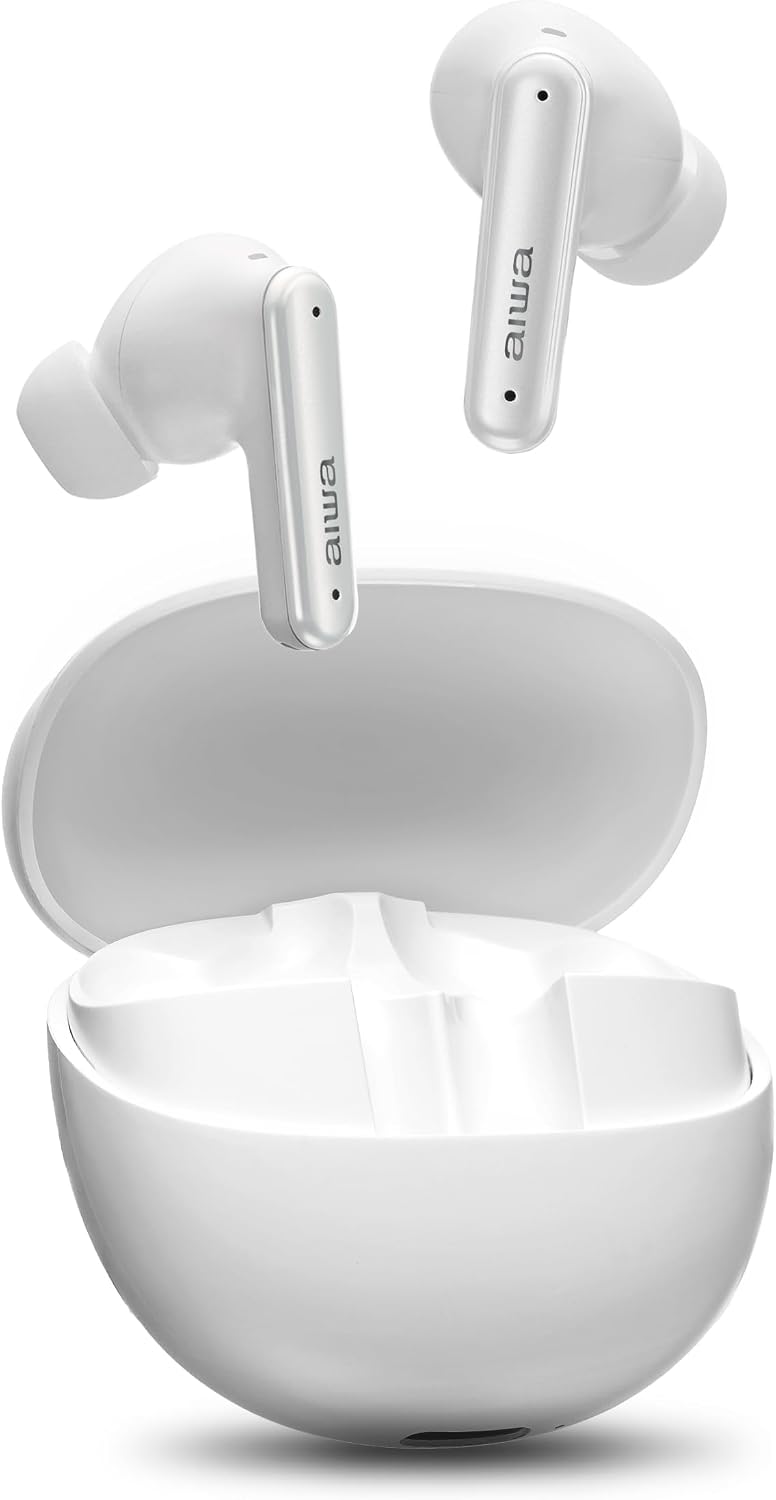
Figure 2.3.1: AIWA AWS-EB-04-W Earbuds and Charging Case in White.

Figure 2.3.2: Internal components illustrating high-definition sound technology.
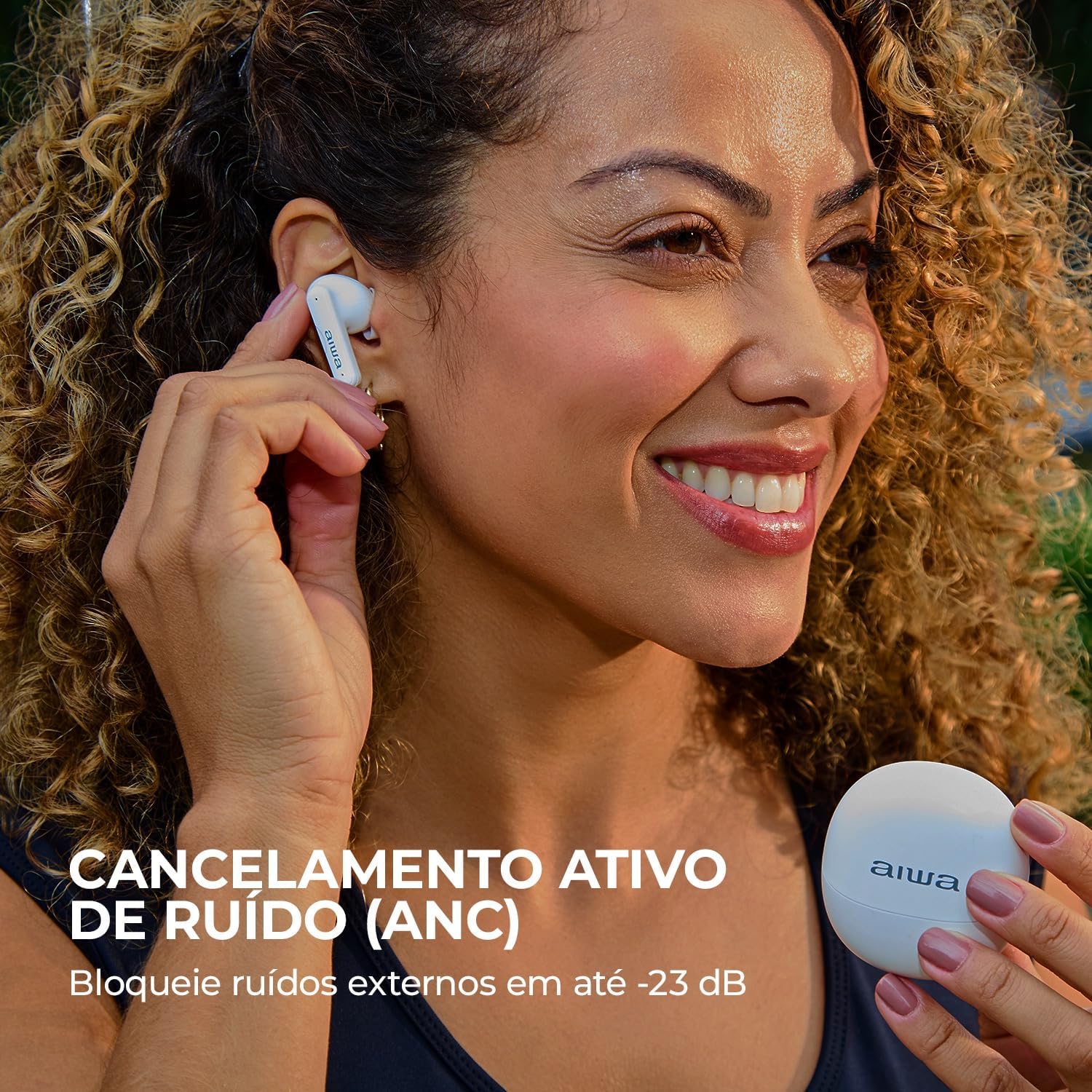
Figure 2.3.3: Active Noise Cancellation (ANC) in action, blocking external sounds.

Figure 2.3.4: Ambient Mode allows hearing surroundings without removing earbuds.

Figure 2.3.5: Up to 26 hours of battery life with the charging case.

Figure 2.3.6: Low Latency mode for synchronized audio and video, ideal for gaming.

Figure 2.3.7: IPX4 water resistance, protecting against sweat and splashes.

Figure 2.3.8: Bluetooth 5.4 for stable connection and voice assistant integration.

Figure 2.3.9: Physical dimensions and weight of the earbuds and charging case.
3. Setup
3.1 Charging the Earbuds and Case
- Place the earbuds into the charging case. Ensure they are correctly seated.
- Connect the USB-C charging cable to the charging port on the case and plug the other end into a compatible USB power source (e.g., wall adapter, computer USB port).
- The indicator lights on the case will show the charging status. A full charge typically takes approximately 1.5 to 2 hours for the case and earbuds.
3.2 Pairing with a Device
- Ensure the earbuds are charged and inside the charging case.
- Open the charging case lid. The earbuds will automatically enter pairing mode, indicated by a flashing LED light on the earbuds.
- On your device (smartphone, tablet, computer), enable Bluetooth.
- Search for available Bluetooth devices and select "AIWA AWS-EB-04-W" from the list.
- Once connected, the LED indicator on the earbuds will stop flashing, and your device will confirm the connection.
- If pairing fails, close the case, wait a few seconds, and repeat the steps.
3.3 Fitting the Earbuds
For optimal sound quality and comfort, choose the ear tips that best fit your ears. The earbuds come with small, medium (pre-installed), and large ear tips. Gently insert the earbuds into your ear canal and twist slightly to secure them.
4. Operating Instructions
The AIWA AWS-EB-04-W Earbuds feature touch controls on each earbud. The following table outlines common operations:
| Function | Action (Left Earbud) | Action (Right Earbud) |
|---|---|---|
| Power On | Open charging case lid (auto-on) or long press touch area for 3 seconds. | |
| Power Off | Place earbuds back into charging case and close lid (auto-off) or long press touch area for 5 seconds. | |
| Play/Pause Music | Single tap | Single tap |
| Next Track | Double tap | Double tap |
| Previous Track | Triple tap | Triple tap |
| Volume Up | N/A | Long press |
| Volume Down | Long press | N/A |
| Answer/End Call | Single tap | Single tap |
| Reject Call | Long press | Long press |
| Switch ANC/Ambient Mode | Press and hold for 2 seconds | Press and hold for 2 seconds |
| Activate Voice Assistant | Quadruple tap | Quadruple tap |
5. Maintenance
5.1 Cleaning
- Regularly clean the earbuds and charging case with a soft, dry, lint-free cloth.
- Use a cotton swab to gently clean the ear tips and mesh grilles to remove earwax or debris.
- Do not use abrasive cleaners, alcohol, or chemical solvents.
- Ensure the charging contacts on both the earbuds and the case are clean and dry.
5.2 Storage
- When not in use, always store the earbuds in their charging case to protect them and keep them charged.
- Store the product in a cool, dry place, away from direct sunlight and extreme temperatures.
5.3 Battery Care
- To preserve battery life, charge the earbuds and case regularly, even if not used frequently.
- Avoid fully discharging the battery for extended periods.
6. Troubleshooting
If you encounter issues with your AIWA AWS-EB-04-W Earbuds, please refer to the following common solutions:
| Problem | Possible Cause | Solution |
|---|---|---|
| Earbuds not pairing | Bluetooth off on device, earbuds not in pairing mode, interference. | Ensure Bluetooth is on. Place earbuds in case, close, then reopen. Try pairing again. Move closer to device. |
| No sound from one earbud | Low battery, earbud not connected, debris blocking speaker. | Charge both earbuds. Re-pair. Clean earbud speaker mesh. |
| Sound cutting out/poor connection | Distance from device, interference, obstacles, low battery. | Reduce distance to device. Avoid physical barriers. Charge earbuds. Reset earbuds. |
| Earbuds not charging | Improper placement, dirty contacts, faulty cable/charger. | Ensure earbuds are correctly seated. Clean charging contacts. Try a different USB-C cable and power source. |
| Touch controls unresponsive | Temporary software glitch, dirty touch sensor. | Clean the touch sensor area. Place earbuds in case, close, then reopen to reset. |
6.1 Factory Reset
If issues persist, a factory reset may resolve them. The exact reset procedure may vary, but a common method involves:
- Place both earbuds into the charging case.
- Keep the lid open.
- Press and hold the function button on the charging case (if available) or the touch areas on both earbuds simultaneously for approximately 10-15 seconds until the indicator lights flash rapidly, then turn off.
- Close the case, then reopen it. The earbuds should now be reset and ready for a new pairing.
7. Specifications
| Feature | Specification |
|---|---|
| Model | AWS-EB-04-W |
| Connectivity Technology | Wireless (Bluetooth 5.4) |
| Manufacturer | AIWA |
| Battery Life (Earbuds) | Up to 6 hours |
| Battery Life (Total with Case) | Up to 26 hours |
| Water Resistance Rating | IPX4 (Sweat and Splash Resistant) |
| Microphones | 4 (for ENC) |
| Low Latency Mode | 47ms |
| Audio Codecs | AAC, SBC |
| Earbud Weight | 9g (each) |
| Case Weight | 41g |
| Earbud Dimensions (approx.) | 2.3 cm x 2.4 cm x 3.3 cm |
| Case Dimensions (approx.) | 5.5 cm x 2.6 cm x 5.8 cm |
8. Warranty and Support
8.1 Manufacturer's Warranty
The AIWA AWS-EB-04-W Earbuds come with a 12-month manufacturer's warranty from the date of purchase. This warranty covers defects in materials and workmanship under normal use. Please retain your proof of purchase for warranty claims.
8.2 Customer Support
For further assistance, technical support, or warranty inquiries, please visit the official Aiwa store or contact their customer service through the details provided on their website.
You can find more information and support at the Official Aiwa Store on Amazon.


