
1. Introduction
Thank you for choosing the Muluflower Floating Bed Frame King Size. This bed frame features a modern design with hidden support legs, integrated LED lighting, and a convenient charging station. This manual provides detailed instructions for assembly, operation, maintenance, and troubleshooting to ensure safe and optimal use of your new bed frame.
2. Safety Information
- Pinch Points: Exercise caution during assembly to avoid pinch points.
- Hidden Legs: Be aware of the hidden support legs to prevent tripping hazards.
- Sharp Edges: Handle all components with care to avoid injury from sharp edges.
- LED Lights and Charging Station: Follow all instructions for the safe installation and use of the LED lighting system and integrated charging station. Ensure proper power connections.
- Weight Capacity: Do not exceed the recommended weight capacity of 800 lbs for the King size bed frame.
- Assembly: Ensure all bolts and fasteners are securely tightened before use. Periodically check and re-tighten as necessary.
3. Package Contents
Please verify that all components are present before beginning assembly. If any parts are missing or damaged, contact customer support.
- Bed Frame Components (Side rails, support beams, center support)
- Metal Slats
- Hardware Kit (Screws, bolts, washers, Allen wrench)
- LED Light Strips
- LED Remote Control
- Charging Station Unit (with 1 USB-A port and 1 USB-C port)
- Mattress Slide Stoppers
- Instruction Manual
4. Setup and Assembly
Assembly of the Muluflower Floating Bed Frame is designed to be straightforward. Follow the steps below and refer to the included diagrams for visual guidance. It is recommended to assemble the bed frame with two people.
4.1 Assembly Overview
The bed frame consists of a sturdy metal structure with integrated features. The assembly process involves connecting the frame components, installing the slats, attaching the LED light strips, and securing the charging station.
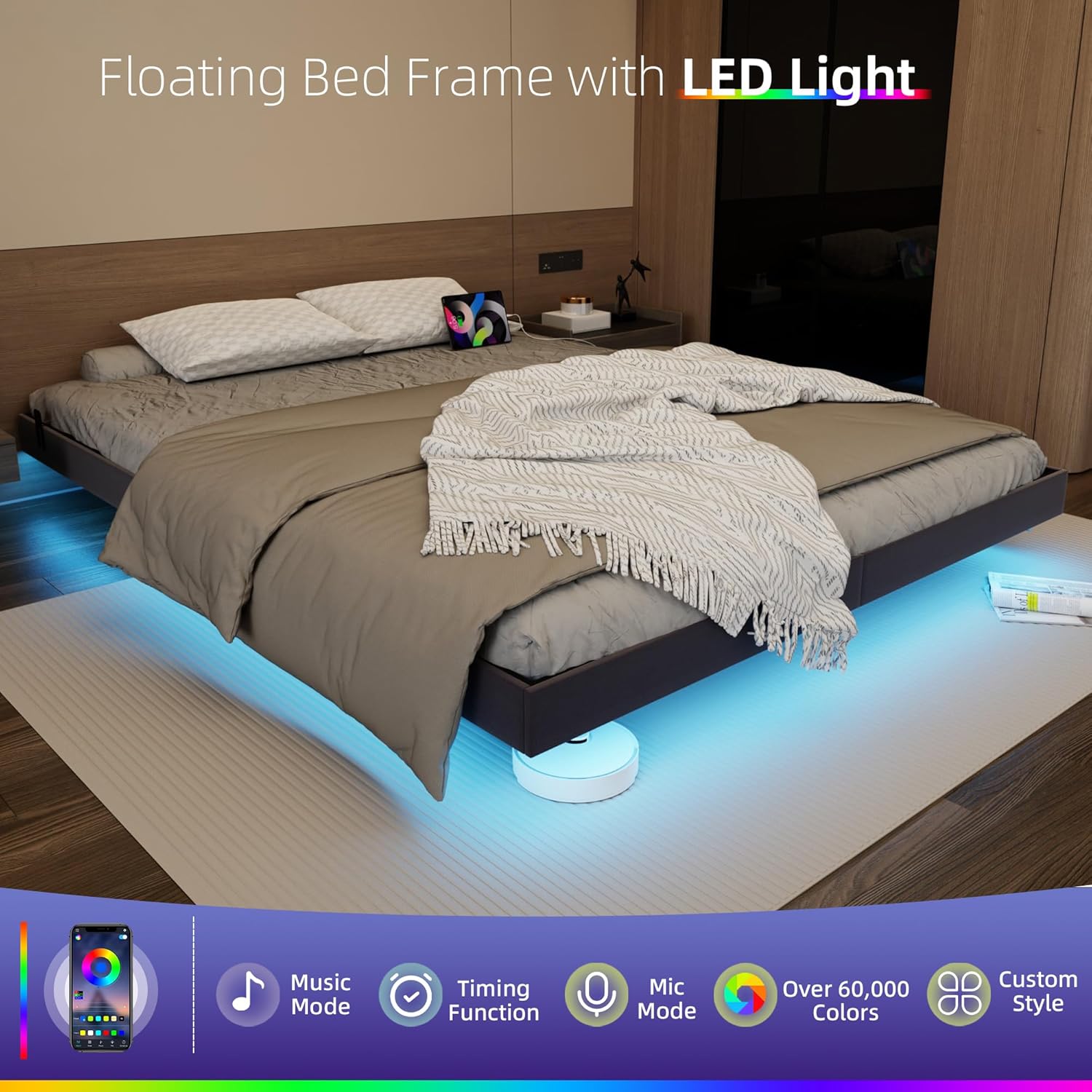
Figure 1: Product details highlighting key features like the charging outlet and mattress stopper.
4.2 Step-by-Step Assembly
- Unpack Components: Carefully unpack all parts and lay them out on a clean, soft surface to prevent scratches.
- Assemble Frame: Connect the side rails and support beams using the provided hardware. Ensure all connections are tight.
- Install Slats: Place the metal slats across the frame. Secure them according to the instructions to ensure a stable mattress foundation.
- Attach Mattress Stoppers: Install the mattress slide stoppers to prevent your mattress from shifting.

Figure 2: Detail of the built-in mattress slide stopper, designed to keep your mattress securely in place.
- Install Charging Station: Secure the charging station unit into its designated slot on the bed frame. Connect the power cable.

Figure 3: The integrated charging station, featuring USB-A and Type-C ports for convenient device charging.
- Attach LED Lights: Adhere the LED light strips to the underside of the bed frame as indicated in the instructions. Ensure the strips are evenly spaced and securely attached. Connect the LED power cable.
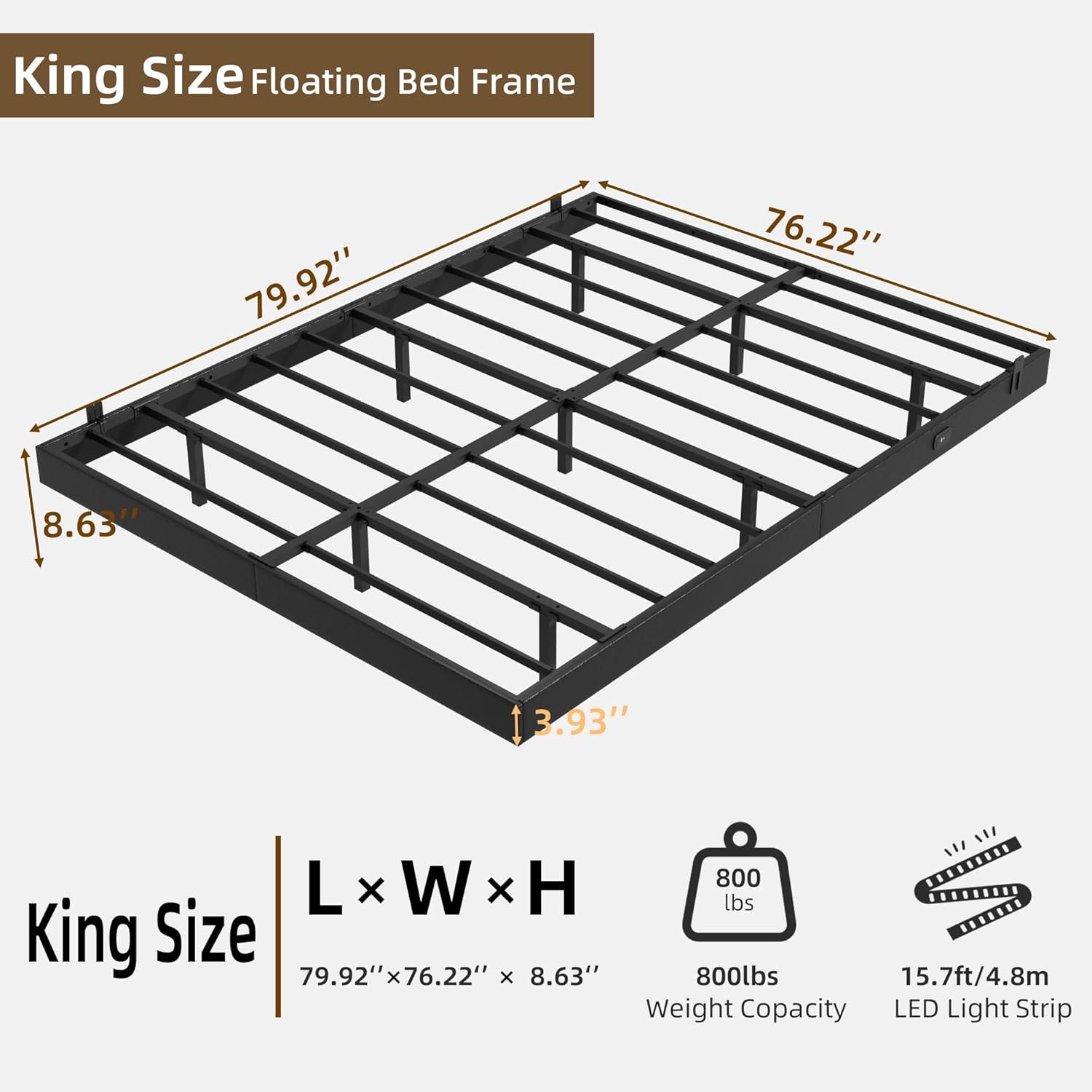
Figure 4: The floating bed frame illuminated by LED lights, showcasing various lighting modes and control options.
For a visual guide to the assembly process, please watch the official product video:
Video 1: Muluflower Floating Bed Frame Assembly and Features. This video demonstrates the assembly process and highlights key features of the bed frame, including the LED lights and charging station.
5. Operating Instructions
5.1 LED Lighting System
The bed frame is equipped with three side hidden LED light strips. These lights can be controlled via a dedicated remote control or a smartphone application.
- Power On/Off: Use the power button on the remote or in the app to turn the lights on or off.
- Color Selection: Choose from a variety of colors and patterns to customize your ambiance.
- Brightness Adjustment: Adjust the brightness level to your preference.
- Modes: Explore different modes such as music sync, timing functions, and dynamic color changes.

Figure 5: The bed frame with LED lights, illustrating the difference between daytime and nighttime illumination.
5.2 Charging Station
The integrated charging station provides convenient power access for your electronic devices.
- USB-A Port: Connect devices requiring a standard USB-A connection for charging.
- USB-C Port: Connect devices compatible with USB-C for charging.
- Power Supply: Ensure the bed frame's main power cable is connected to a wall outlet for the charging station to function.
6. Maintenance
- Cleaning: Wipe the bed frame with a soft, damp cloth. Avoid harsh chemicals or abrasive cleaners that may damage the finish.
- Fastener Check: Periodically check all bolts and screws to ensure they remain tight. Re-tighten if necessary to maintain stability.
- LED Lights: If LED strips become loose, re-secure them with appropriate adhesive.
- Charging Ports: Keep charging ports free of dust and debris.
7. Troubleshooting
If you encounter any issues with your Muluflower Floating Bed Frame, refer to the following troubleshooting guide:
| Problem | Possible Cause | Solution |
|---|---|---|
| LED lights not working or dim | Loose connection, power issue, faulty remote/app. | Check all power connections for the LED strips. Ensure the remote has fresh batteries or the app is correctly paired. If issues persist, contact customer support. |
| Charging station not working | Bed frame not plugged in, loose connection, device incompatibility. | Verify the bed frame's main power cable is securely plugged into a working wall outlet. Check the connection of the charging station unit. Test with a different device and cable. |
| Bed frame is wobbly or squeaks | Loose fasteners, uneven assembly. | Inspect all bolts and screws and tighten them securely. Ensure the bed frame is on a level surface. Re-check assembly steps to confirm correct installation. |
| Mattress slides off the frame | Mattress stoppers not installed or incorrectly positioned. | Ensure the mattress slide stoppers are correctly installed and securely attached to the bed frame. |
8. Specifications
- Size: King
- Material: Polyurethane (PU) and Metal
- Product Dimensions (L x W x H): 79.9" x 76" x 8.6"
- Item Weight: 22.52 Kilograms
- Weight Capacity: 800 lbs
- Special Features: Charging Station (1 USB-A, 1 USB-C), LED Lighting, No Box Spring Needed, Remote Control, Squeak Resistant, Hidden Support Legs
- Included Components: Slat system
- Color: Black Pu
- Form Factor: Floating
- Required Assembly: Yes
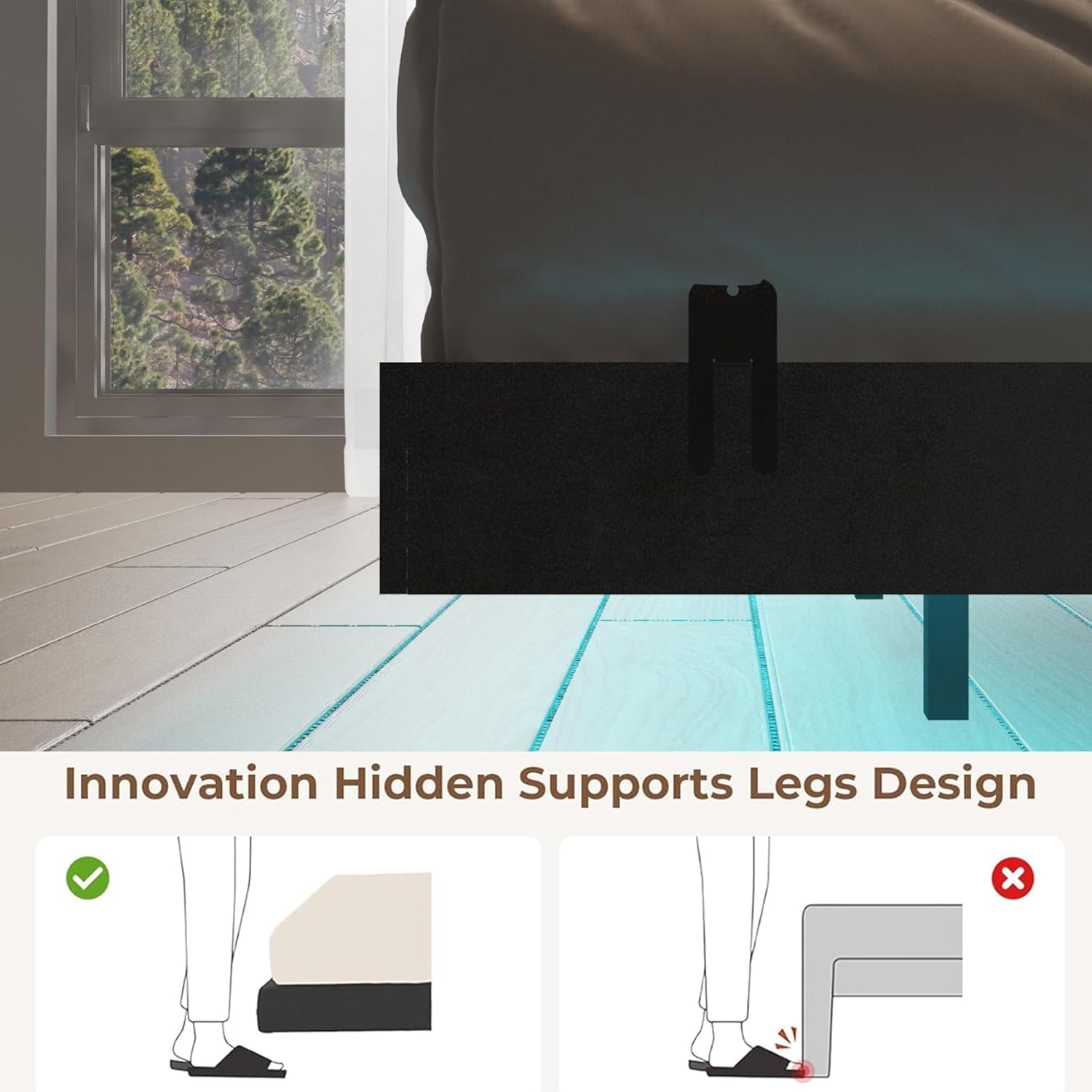
Figure 6: Detailed dimensions and specifications for the King Size Floating Bed Frame.
9. Warranty and Support
Muluflower products are designed for quality and durability. For any questions regarding your bed frame, including warranty information, missing parts, or technical support, please contact Muluflower customer service. Refer to your purchase documentation for specific contact details.
We are committed to providing satisfactory service and support for your product.