
1. Introduction
This manual provides comprehensive instructions for the safe and efficient use of your Heemol DC-DC Buck Converter module. Please read this manual thoroughly before installation and operation to ensure proper functionality and to prevent damage.
2. Safety Information
- Always ensure the power source is disconnected before making any electrical connections to the module.
- Do not exceed the specified input voltage (9V-36V DC) or output current (5A) and power (25W) ratings to prevent damage to the module or connected devices.
- Keep the module away from moisture, water, and extreme temperatures. Operate within a dry, well-ventilated environment.
- Handle the module with care to avoid physical damage to its electronic components.
- This product is intended for use by individuals familiar with basic electronics and electrical safety procedures.
3. Product Overview
The Heemol DC-DC Buck Converter is a synchronous rectification step-down power module designed to convert a higher DC input voltage (9V-36V) to a stable 5.2V DC output at up to 5A. It features a convenient USB port with fast charge identification, making it suitable for various applications requiring a regulated 5V power supply.

Figure 3.1: Top view of the Heemol DC-DC Buck Converter module, showing the USB port, DC jack, and screw terminals.

Figure 3.2: Top and bottom view of the buck converter module, illustrating component placement and connection points.
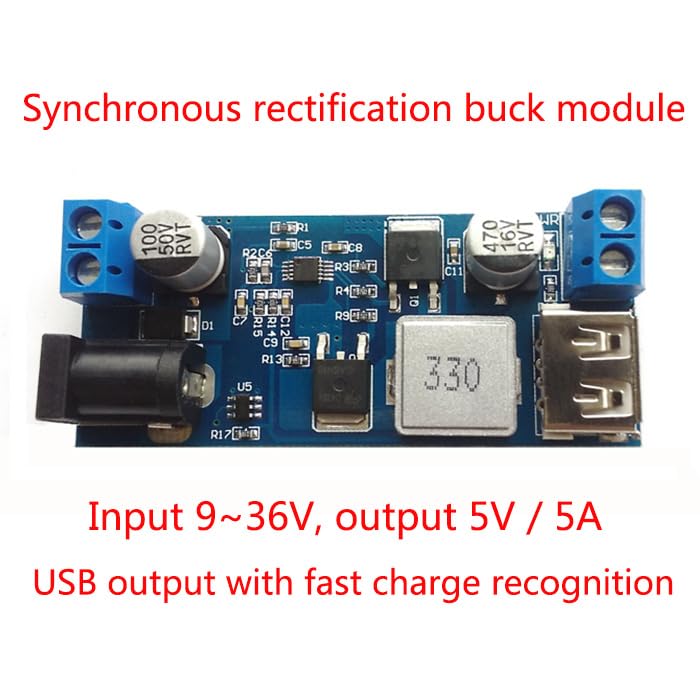
Figure 3.3: The buck converter module highlighting its synchronous rectification, input voltage range (9-36V), output (5V/5A), and USB fast charge recognition feature.
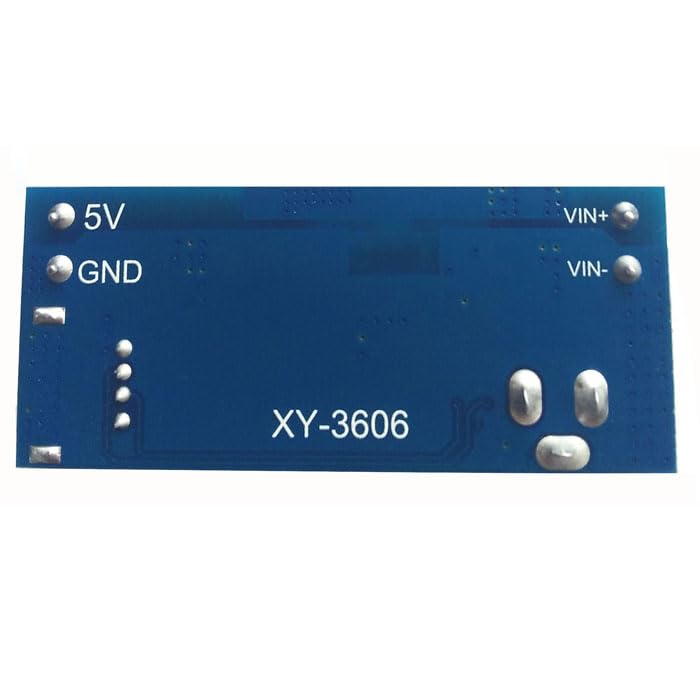
Figure 3.4: Bottom view of the buck converter module, displaying the model identifier XY-3606.
4. Specifications
| Feature | Specification |
|---|---|
| Input Voltage | DC 9V - 36V |
| Output Voltage | 5.2V |
| Output Current | 5A (Maximum) |
| Output Power | 25W (Maximum) |
| Conversion Efficiency | High efficiency (Synchronous rectification) |
| Output Ports | USB port with fast charge identification, DC jack, Screw terminals |
| Dimensions (L x W x H) | 6.3 x 2.7 x 1.2 cm |
| Weight | 40 grams |
| Model Number | Heemol-HP-GXJA0003-001-FBA (Module: XY-3606) |
5. Setup and Installation
- Identify Terminals: Locate the input terminals (VIN+ for positive, VIN- for negative) and output terminals (5V for positive, GND for negative) on the module. The module also features a DC input jack and a USB output port.
- Connect Input Power: Connect your DC power source (9V-36V) to the VIN+ and VIN- screw terminals. Alternatively, you can use a compatible DC power adapter with the DC input jack. Ensure correct polarity.
- Connect Load: Connect your 5V device or load to the 5V and GND screw terminals. For charging USB devices, use the integrated USB port.
- Verify Connections: Double-check all connections to ensure they are secure and correctly polarized before applying power.
- Apply Power: Once all connections are verified, apply power to the input of the buck converter module.
6. Operating Instructions
After successful installation and power application, the module will automatically convert the input voltage to a stable 5.2V output. The USB port is equipped with fast charge identification, allowing it to charge compatible devices efficiently. Ensure that the total current drawn by your connected devices does not exceed 5A and the total power does not exceed 25W to maintain stable operation and prevent damage.
7. Maintenance
- Keep the module clean and free from dust and debris. Use a soft, dry cloth for cleaning.
- Ensure adequate ventilation around the module, especially during prolonged operation at high loads, to prevent overheating.
- Periodically inspect all electrical connections for tightness and signs of wear or corrosion.
- Store the module in a dry, cool environment when not in use.
8. Troubleshooting
- No Output Voltage:
- Check if the input power source is connected and supplying voltage within the 9V-36V range.
- Verify all input and output connections for correct polarity and secure contact.
- Ensure there are no short circuits on the output.
- Low Output Voltage or Unstable Output:
- The load connected might be exceeding the module's maximum output current (5A) or power (25W). Reduce the load.
- Check for poor connections or damaged wiring.
- Module Overheating:
- Ensure sufficient ventilation around the module.
- Reduce the load if it is operating near its maximum capacity for extended periods.
9. Warranty and Support
For warranty information, technical assistance, or any product-related inquiries, please contact your retailer or the manufacturer, Heemol. Please have your product model number (Heemol-HP-GXJA0003-001-FBA) available when seeking support.


