
Infinix X6720
Infinix Hot 50 5G User Manual
Model: X6720
Introduction
This manual provides essential information for the proper use and maintenance of your Infinix Hot 50 5G smartphone. Please read this manual carefully before using the device to ensure optimal performance and longevity.
The Infinix Hot 50 5G is a smartphone designed for high-speed performance and seamless multitasking. It features a premium and ultra-slim 7.8 mm design, an IMX582 clear camera with dual flash, a Dimensity 6300 5G processor, and a long-lasting 5000 mAh battery with fast charge support. Security features include fingerprint and face unlock. The device operates on XOS 14.5, based on Android 14.
Package Contents (What's in the Box)
Upon opening your Infinix Hot 50 5G package, please verify that all the following items are included:
- Handset
- Adaptor
- USB Type-C Cable
- TPU Case
- Sim Ejector Pin
- Quick Start Guide
- Warranty Card
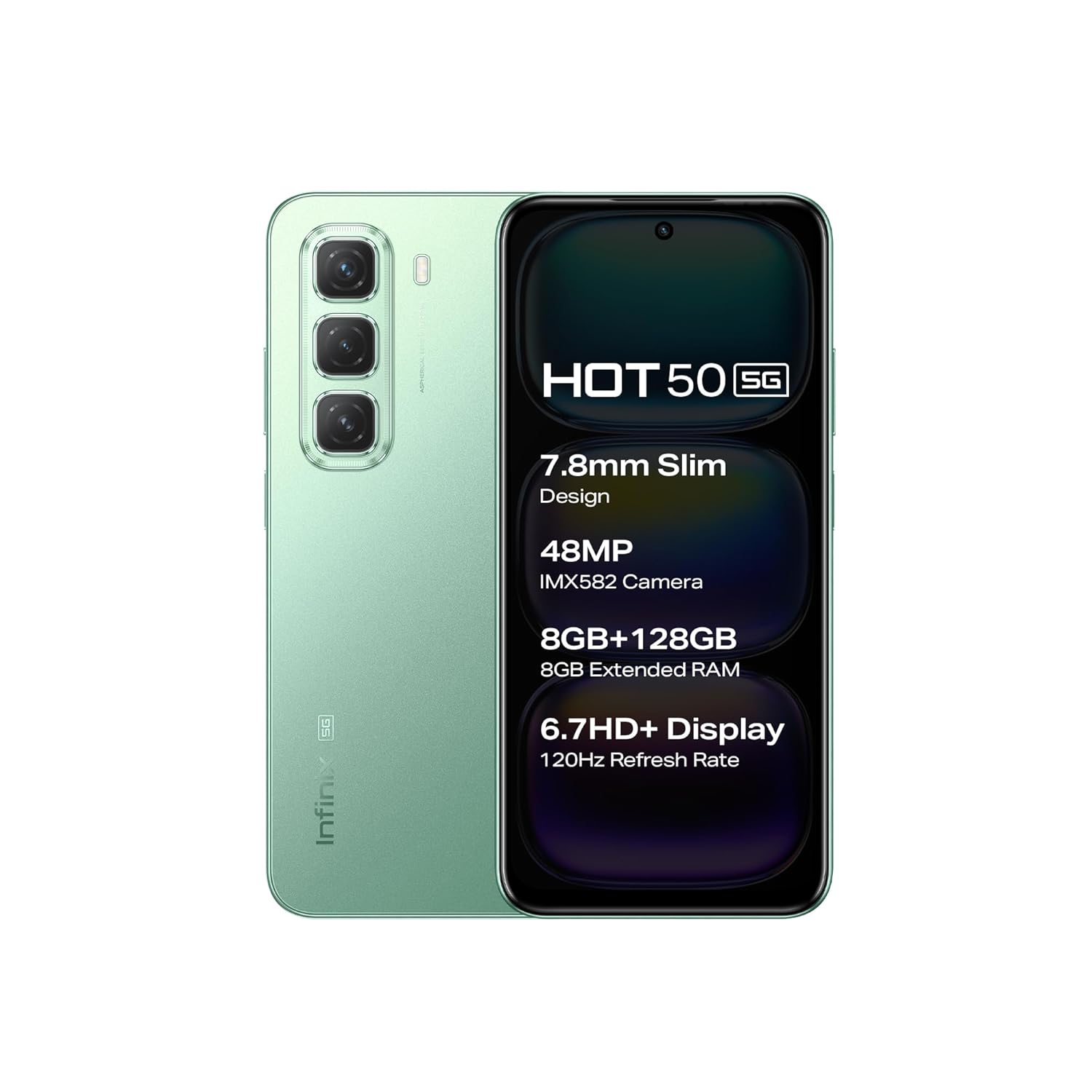
Figure 1: Infinix Hot 50 5G smartphone in Sage Green. This image shows the front display with key features listed and the rear camera setup, illustrating the device's overall design.
Setup
1. Inserting the SIM Card and microSD Card
- Locate the SIM card tray on the side of your device.
- Insert the provided Sim Ejector Pin into the small hole on the tray to eject it.
- Place your Nano-SIM card(s) and/or microSD card into the designated slots on the tray. Ensure the gold contacts are facing down.
- Carefully push the tray back into the device until it clicks into place.
2. Initial Power On and Setup Wizard
- Press and hold the Power Button (located on the side) until the Infinix logo appears.
- Follow the on-screen instructions to complete the initial setup, which includes selecting your language, connecting to Wi-Fi, setting up your Google account, and configuring security features like fingerprint and face unlock.
3. Charging the Battery
Before first use, it is recommended to fully charge the device battery.
- Connect the USB Type-C Cable to the charging port at the bottom of your phone.
- Connect the other end of the cable to the Adaptor.
- Plug the adaptor into a power outlet.
- The charging indicator will appear on the screen. The device supports fast charging.

Figure 2: Front view of the Infinix Hot 50 5G. This image highlights the display and front camera, crucial for initial setup and daily interaction.
Operating Your Device
Basic Navigation
- Power Button: Press to turn the screen on/off. Press and hold to power on/off or restart.
- Volume Buttons: Adjust media volume, call volume, or notification volume.
- Touchscreen: Navigate through menus, open apps, and interact with content using taps, swipes, and pinches.
Camera Usage
The Infinix Hot 50 5G features a 48MP IMX582 clear camera with dual flash and an 8MP front camera.
- Open the Camera application from your home screen or app drawer.
- Select your desired mode (Photo, Video, Portrait, etc.).
- Tap the Shutter Button to capture a photo or start/stop video recording.
- Use the zoom controls on the screen to adjust magnification.
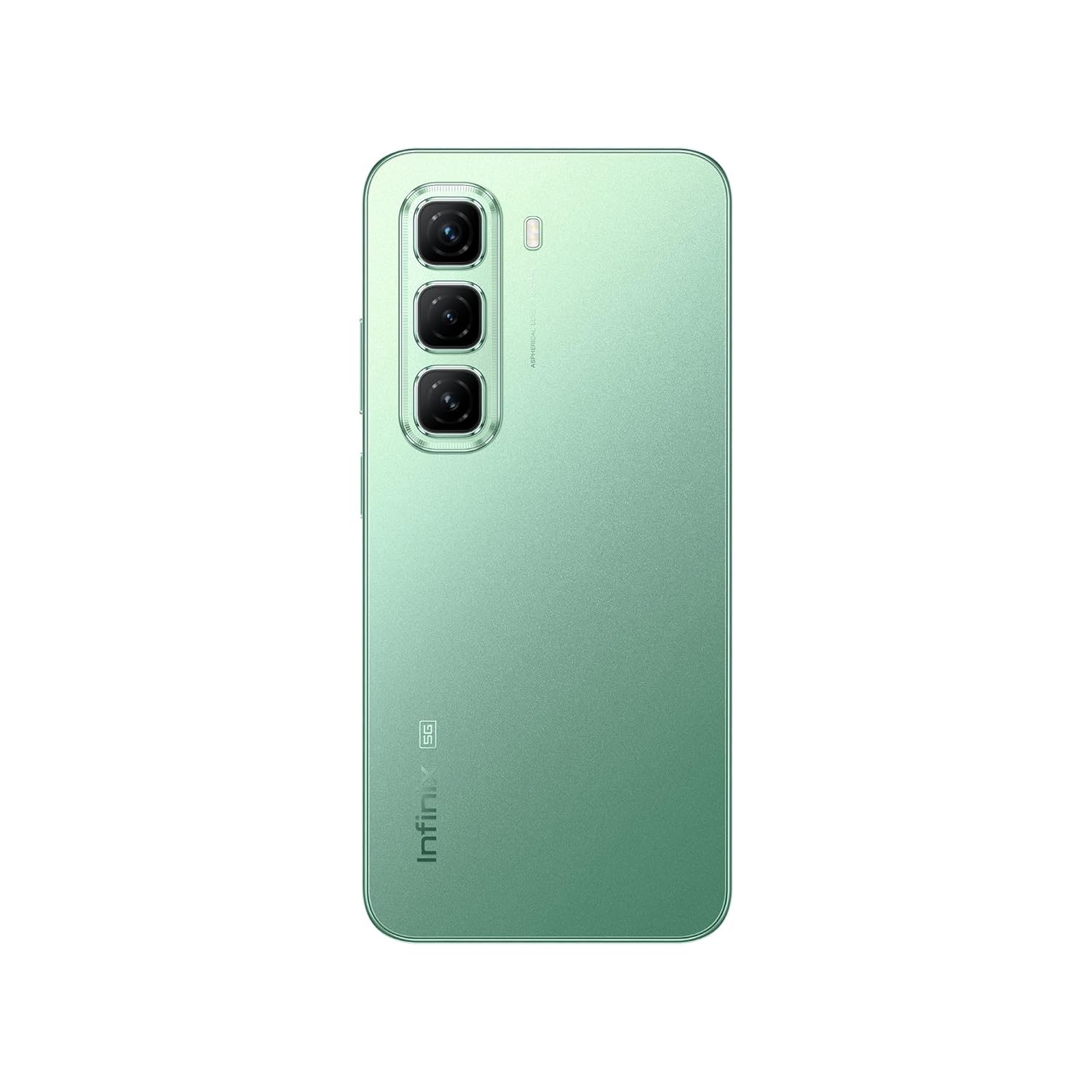
Figure 3: Rear view of the Infinix Hot 50 5G. This image displays the triple camera setup and the Infinix branding, highlighting the device's aesthetic and camera capabilities.
Security Features
- Fingerprint Unlock: Register your fingerprints in Settings > Security > Fingerprint. Use your registered fingerprint to unlock the device quickly and securely.
- Face Unlock: Set up face recognition in Settings > Security > Face Unlock. Your device can be unlocked by simply looking at the front camera.
Connectivity
- Wi-Fi: Connect to wireless networks via Settings > Network & internet > Wi-Fi.
- Bluetooth: Pair with other Bluetooth devices (headphones, speakers) via Settings > Connected devices > Bluetooth.
- 5G Network: The device supports 5G connectivity for high-speed mobile data. Ensure your SIM card and plan support 5G.
Maintenance
Battery Care
- Avoid extreme temperatures (hot or cold) as they can degrade battery life.
- Use only the original charger and cable provided with the device.
- Do not let the battery completely drain frequently.
Software Updates
Regularly check for and install software updates to ensure your device has the latest features, security patches, and performance improvements. Go to Settings > System > System update.
Cleaning Your Device
- Use a soft, lint-free cloth to clean the screen and body of the phone.
- Avoid using harsh chemicals or abrasive materials.
- Do not spray cleaners directly onto the device.
Troubleshooting
Common Issues and Solutions
| Problem | Possible Solution |
|---|---|
| Device not turning on | Ensure the battery is charged. Press and hold the Power button for at least 10 seconds. |
| Apps crashing or freezing | Clear app cache (Settings > Apps > [App Name] > Storage & cache > Clear cache). Restart the device. |
| Poor network signal | Check SIM card insertion. Try restarting the device. Ensure you are in an area with network coverage. |
| Battery draining quickly | Reduce screen brightness. Close unused apps. Disable unnecessary features like GPS or Bluetooth when not in use. |
| Fingerprint scanner not working | Ensure your finger is clean and dry. Re-register your fingerprint in settings if the issue persists. |
If problems persist, consider performing a factory reset (backup your data first) or contacting customer support.
Specifications
Key technical specifications for the Infinix Hot 50 5G (Model: X6720):
| Feature | Detail |
|---|---|
| Operating System | Android 14 (XOS 14.5) |
| Processor | Dimensity 6300 5G Processor |
| RAM | 8 GB (Expandable with 8GB Extended RAM) |
| Internal Storage | 128 GB (Expandable Upto 1 TB) |
| Display | 17.02 cm (6.7 inch) HD+ Display, 120Hz Refresh Rate |
| Rear Camera | 48MP + Depth Sensor (IMX582) with Dual Flash |
| Front Camera | 8MP |
| Battery | 5000 mAh Lithium-ion Polymer Battery with Fast Charge Support |
| Connectivity | Bluetooth, USB Type-C, Wi-Fi, 5G |
| Security | Fingerprint, Face Unlock |
| Dimensions | 18 x 8 x 6 cm (Product), 7.8 mm (Slim Design) |
| Weight | 250 g |
| Color | Sage Green |

Figure 4: Overview of Infinix Hot 50 5G key features. This composite image highlights the phone's slim profile, camera specifications, memory configuration, display details, processor type, and battery capacity.
Warranty and Support
Your Infinix Hot 50 5G comes with a manufacturer's warranty. Please refer to the Warranty Card included in your package for detailed terms and conditions, including warranty period and coverage.
For technical support, service, or warranty claims, please contact Infinix customer service. Contact details can typically be found on the Warranty Card or the official Infinix website.
Keep your purchase receipt as proof of purchase for warranty purposes.
Related Documents - X6720
 |
Infinix HOT 50 5G X6720 User Manual User manual for the Infinix HOT 50 5G smartphone (model X6720), covering exploded diagram specifications, phone components, SIM/SD card installation, charging, and FCC compliance information. |
 |
Infinix HOT 50 Exploded Diagram and User Guide Detailed exploded diagram and essential user information for the Infinix HOT 50 smartphone, covering component identification, SIM/SD card installation, charging, and FCC compliance. |
 |
Infinix X6720 RF Performance Test Report: Occupied Bandwidth and Power Statistics This document presents RF performance test results for the Infinix X6720, focusing on occupied bandwidth and power statistics for 5G NR n78 band configurations, as measured by Keysight equipment. |
 |
Infinix GT 30 5G (8GB+256GB) - Key Specifications and Pricing Discover the Infinix GT 30 5G smartphone with 8GB RAM and 256GB storage. Featuring a MediaTek Dimensity 7400 processor, 5500mAh battery, 6.78" AMOLED display, and a 64MP main camera. Available at EMAX NETWORK. |
 |
Infinix GT 30 5G Specifications and Pricing Overview of the Infinix GT 30 5G smartphone, featuring MediaTek Dimensity 7400, 6.78-inch AMOLED display, and installment plan details. |
 |
Infinix GT 20 Pro 5G - Specifications and Pricing Discover the Infinix GT 20 Pro 5G smartphone featuring a MediaTek Dimensity 8200 Ultimate processor, 108MP main camera, 5000mAh battery, and a 6.78" AMOLED display. Available in multiple colors with 0% credit card installment plans. |
Ask a question about this manual
Ask about setup, troubleshooting, compatibility, parts, safety, or missing instructions. Manuals+ will review the question and use this page’s manual context to help answer it.