
1. Introduction
Thank you for choosing the vamout S54 Smart Watch. This device is designed to enhance your daily life with its comprehensive features, including communication, fitness tracking, and health monitoring. This manual will guide you through the setup, operation, and maintenance of your new smartwatch to ensure optimal performance. The S54 Smart Watch is compatible with both Android and iOS smartphones.
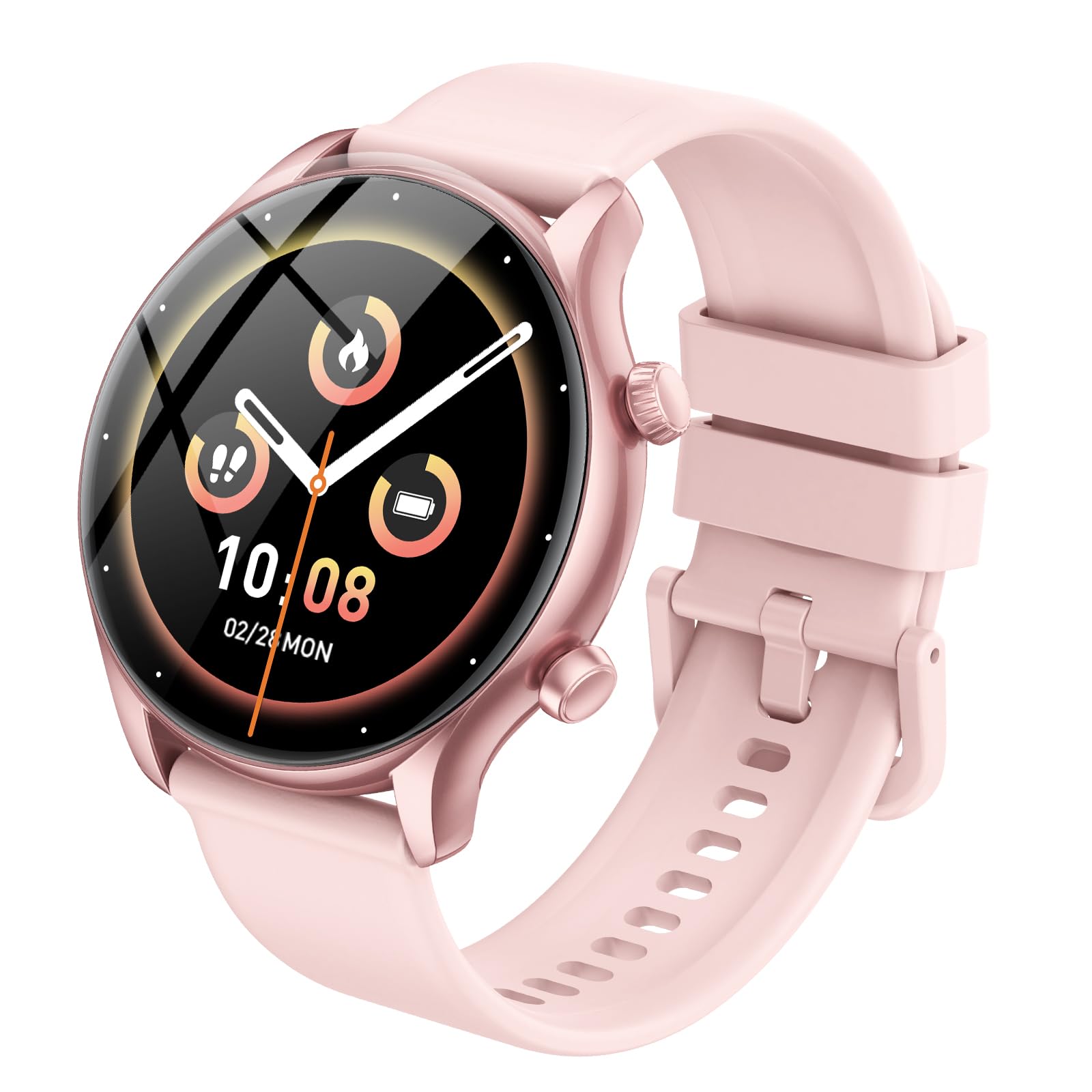
Image: The vamout S54 Smart Watch with its 1.39-inch display and pink strap.
2. What's in the Box
Please check the contents of your package. If any items are missing or damaged, please contact customer support.
- 1 x vamout S54 Smart Watch
- 1 x Charging Cable
- 1 x User Manual
- 1 x Retail Box
3. Setup Guide
3.1 Initial Charging
Before first use, fully charge your smartwatch. Connect the magnetic charging cable to the charging contacts on the back of the watch and plug the USB end into a standard USB power adapter (not included) or a computer's USB port. The watch display will indicate charging status.
3.2 App Installation
To unlock the full functionality of your S54 Smart Watch, you need to install the companion application on your smartphone. The recommended app is Gloryfit.
- Scan the QR code provided in the manual or on the watch (usually found in the watch's settings under 'Download App') using your smartphone's camera.
- Alternatively, search for "Gloryfit" in your smartphone's app store (Google Play Store for Android or Apple App Store for iOS).
- Download and install the "Gloryfit" application.
- Follow the on-screen instructions to create an account and set up your profile.
3.3 Device Pairing
After installing the app, pair your smartwatch with your smartphone via Bluetooth.
- Ensure Bluetooth is enabled on your smartphone.
- Open the "Gloryfit" app on your smartphone.
- Navigate to the 'Device' or 'Add Device' section within the app.
- The app will search for available devices. Select "S54" or the corresponding device name from the list.
- Confirm the pairing request on both your smartphone and the smartwatch if prompted.
- Once paired, the watch will synchronize data with the app.
4. Operating Instructions
4.1 Basic Navigation
- Touch Screen: Swipe left/right to navigate between main functions, swipe up/down for quick settings or notifications. Tap to select.
- Side Button: Press to wake up the screen, return to the main dial, or access the app menu. Long press for power options.
4.2 Bluetooth Calls & Smart Notifications
The S54 Smart Watch features Bluetooth 5.3 for stable connectivity, allowing you to manage calls and notifications directly from your wrist.
- Making Calls: Ensure the watch is connected to your phone. Access the 'Call' function on the watch, select a contact from your synchronized list, or dial a number.
- Receiving Calls: When a call comes in, the watch will display the caller ID. You can answer or reject the call directly from the watch.
- Notifications: Receive SMS, social media, and other app notifications. Swipe down from the main screen to view your notification history. Configure which app notifications to receive via the "Gloryfit" app.
4.3 Personalized Dials
Customize your watch face to match your style.
- On Watch: Long press the main dial screen to access pre-installed watch faces. Swipe left/right to browse and tap to select.
- Via App: Open the "Gloryfit" app, navigate to the 'Dial Market' or 'Watch Face' section. Choose from over 200 personalized dial wallpapers or upload your own photos to create a custom watch face.
4.4 100+ Sports Modes & Activity Tracking
Track your fitness activities with precision.
- Accessing Sports Modes: From the app menu on the watch, select 'Workout' or 'Sports' to view the list of available activities (e.g., running, cycling, swimming, yoga, soccer).
- Starting a Workout: Select your desired sport and tap to begin. The watch will record duration, calories burned, distance, and heart rate.
- Activity Tracking: The watch continuously tracks your daily steps, distance, and calories burned. View detailed statistics and trends in the "Gloryfit" app.
4.5 Health Monitoring
The S54 Smart Watch provides continuous health monitoring features. Note: The data provided by this device is for reference only and should not be used for medical diagnosis or treatment.
- Heart Rate Monitoring: The watch continuously monitors your heart rate. Access the 'Heart Rate' function on the watch or view real-time and historical data in the app.
- Blood Oxygen (SpO2) Monitoring: Measure your blood oxygen levels. Access the 'SpO2' function on the watch and follow the instructions for an accurate reading.
- Sleep Tracking: The watch automatically monitors your sleep patterns, including deep sleep, light sleep, and awake times. Review your sleep quality analysis in the "Gloryfit" app to help adjust your lifestyle.
4.6 Voice Assistant & Other Practical Features
Utilize the built-in voice assistant and other convenient functions.
- Voice Assistant: Activate the voice assistant (e.g., by swiping right or a dedicated button press) to control your watch or phone hands-free.
- Alarm Clock: Set alarms directly on the watch or through the app.
- Stopwatch & Timer: Access these tools for timing activities.
- Camera Control: Use your watch as a remote shutter for your phone's camera.
- Find Phone: Trigger your phone to ring if you misplace it (within Bluetooth range).
- Music Control: Play, pause, skip tracks, and adjust volume for music playing on your phone.
- Weather Forecast: View current weather conditions and forecasts.
- Sedentary Reminder: Get alerts to move if you've been inactive for too long.
- Calendar: Access your schedule.
- Brightness Adjustments: Adjust screen brightness in quick settings.
- Women's Menstrual Cycle Tracking: Track and predict menstrual cycles via the app.
- Respiratory Training: Guided breathing exercises for relaxation.
5. Maintenance
5.1 Charging
Charge the watch regularly to maintain optimal battery life. A full charge typically provides several days of use, depending on feature usage. Use only the provided charging cable.
5.2 Cleaning
Keep your watch clean to prevent skin irritation and ensure proper sensor function.
- Wipe the watch screen and body with a soft, damp, lint-free cloth.
- Clean the charging contacts periodically to ensure good connection.
- Rinse the strap with clean water after workouts or if it gets dirty, then dry thoroughly.
- Do not use harsh chemicals or abrasive materials.
5.3 Water Resistance (IP68)
The S54 Smart Watch has an IP68 water resistance rating, meaning it is protected against dust ingress and can withstand immersion in water up to 1.5 meters for up to 30 minutes. This makes it suitable for daily use, hand washing, and light rain. However, it is not recommended for hot showers, saunas, diving, or high-pressure water activities, as steam and high water pressure can compromise the seals.
6. Troubleshooting
- Watch not turning on: Ensure the watch is fully charged. Connect it to the charger for at least 30 minutes.
- Unable to pair with smartphone:
- Ensure Bluetooth is enabled on your phone.
- Make sure the watch is within Bluetooth range of your phone.
- Restart both your phone and the watch.
- Try unpairing and re-pairing the device through the "Gloryfit" app.
- Notifications not received:
- Check notification permissions for the "Gloryfit" app in your phone's settings.
- Ensure the app is running in the background.
- Verify that notification settings are enabled within the "Gloryfit" app for specific applications.
- Inaccurate health data:
- Ensure the watch is worn snugly on your wrist, about one finger's width above the wrist bone.
- Keep the sensor area clean.
- Remember that data is for reference and not medical use.
- Short battery life:
- Reduce screen brightness.
- Disable continuous heart rate monitoring if not needed 24/7.
- Limit the number of apps sending notifications to the watch.
7. Specifications
| Feature | Specification |
|---|---|
| Model Number | S54 |
| Screen Size | 1.39 Inches TFT-LCD |
| Resolution | 360*360 |
| Connectivity | Bluetooth 5.3 |
| Battery Capacity | 350 mAh Lithium Ion |
| Water Resistance | IP68 |
| Operating System | Wear OS 1.0 (Customized) |
| Compatibility | Android, iOS |
| Item Weight | 1.44 ounces |
| Memory Storage Capacity | 1 GB |
8. Warranty and Support
Your vamout S54 Smart Watch comes with a standard manufacturer's warranty. Please refer to the warranty card included in your package or contact your retailer for specific warranty terms and conditions. For technical support, troubleshooting assistance, or any inquiries, please contact vamout customer service through the contact information provided on the product packaging or the official vamout website.