
1. Product Overview
This manual provides instructions for the LRFDRESS HEPA and Activated Carbon composite filter replacement, designed for use with Samsung AX90T7080, AX90T7080WD, and AX90T7080WD/SA air purifiers. This filter combines a True H13 HEPA filter with an activated carbon filter to capture particles and odors, ensuring cleaner air.

Image 1.1: The LRFDRESS composite filter, featuring both the HEPA and activated carbon layers.
Key Features:
- True H13 HEPA Filtration: Captures 99.97% of airborne particles as small as 0.3 microns, including dust, pollen, pet dander, and smoke.
- Activated Carbon Layer: Effectively absorbs odors from cooking, pets, smoke, and volatile organic compounds (VOCs).
- Composite Design: Combines both filtration stages into a single, easy-to-install unit.
- Compatibility: Specifically designed for Samsung Air Purifier models AX90T7080, AX90T7080WD, and AX90T7080WD/SA.
2. Installation Instructions
Follow these steps to correctly install your new LRFDRESS replacement filter into your Samsung air purifier.
- Power Off and Unplug: Before beginning, ensure your Samsung air purifier is turned off and unplugged from the power outlet to prevent electrical hazards.
- Access Filter Compartment: Refer to your Samsung air purifier's original manual for specific instructions on how to open the filter compartment. Typically, this involves removing the back or front cover.
- Remove Old Filter: Carefully remove the used filter. It may be dusty, so handle it over a waste bin. Dispose of the old filter according to local regulations.
- Unpack New Filter: Remove the new LRFDRESS filter from its protective packaging. Ensure all plastic wrapping is removed before installation.
- Insert New Filter: Insert the new composite filter into the air purifier's filter slot. Ensure it is oriented correctly, usually indicated by arrows or a specific fit. The HEPA side (white pleated material) and activated carbon side (black honeycomb structure) should face the appropriate directions as per your air purifier's design.
- Close Compartment: Securely close the filter compartment cover.
- Restore Power: Plug the air purifier back into the power outlet and turn it on.
- Reset Filter Indicator (if applicable): If your air purifier has a filter replacement indicator, follow the manufacturer's instructions to reset it. This usually involves pressing and holding a specific button for a few seconds.
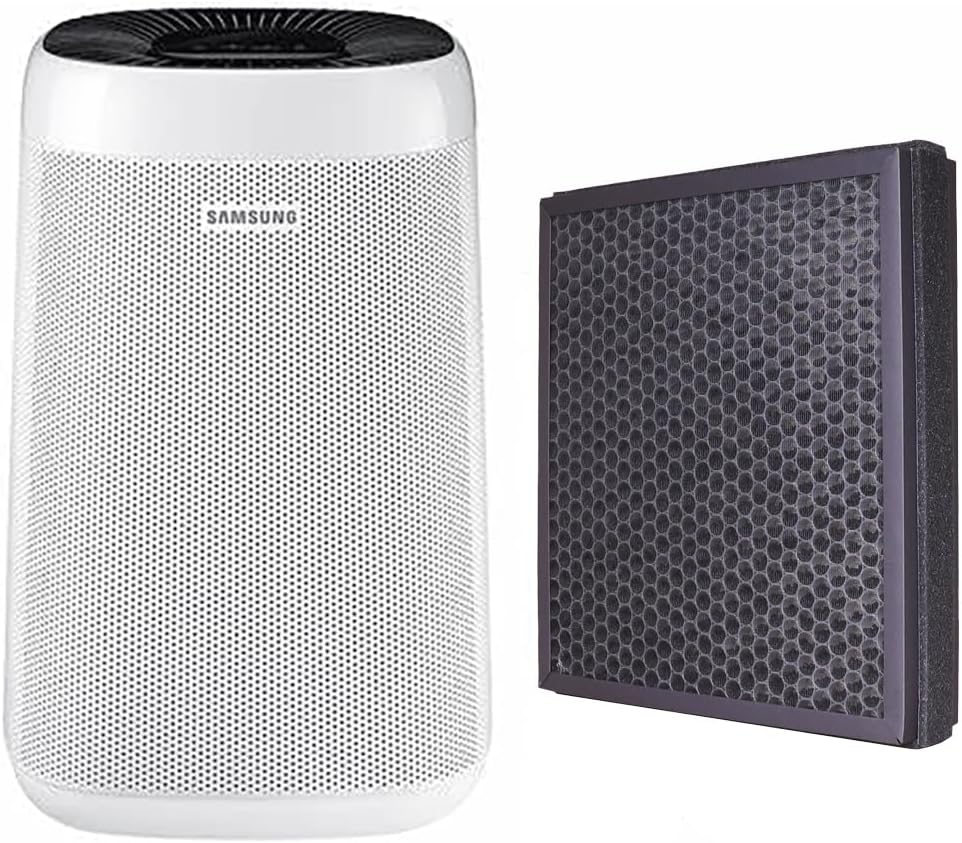
Image 2.1: A Samsung air purifier shown alongside the LRFDRESS replacement filter, illustrating compatibility.


Image 2.2: The HEPA (left) and Activated Carbon (right) sides of the LRFDRESS filter, showing their distinct appearances.
3. Operating Instructions
Once the LRFDRESS replacement filter is installed, your Samsung air purifier will operate as usual. The filter functions automatically to clean the air as the purifier runs.
- Ensure the air purifier is placed in an area with good air circulation.
- Avoid blocking the air intake or output vents of the purifier.
- For optimal performance, operate your air purifier regularly, especially in areas with higher pollution or odors.
4. Maintenance and Filter Replacement Schedule
Regular maintenance ensures the longevity and efficiency of your air purifier and its filters.
Filter Cleaning:
For best results and to extend the life of your filter, it is recommended to clean the filter once a month. This involves:
- Turning off and unplugging the air purifier.
- Carefully removing the composite filter.
- Gently cleaning the exterior of the filter with a soft brush or using a vacuum cleaner with a brush attachment to remove accumulated dust and debris. Do not wash the filter with water.
- Reinstalling the filter and restoring power.
Filter Replacement:
The LRFDRESS composite filter should be replaced regularly to maintain optimal air purification performance. The exact replacement interval depends on usage frequency and air quality in your environment, but a general guideline is every 6-12 months. Your air purifier's filter indicator light will also signal when a replacement is due.
Always replace with genuine LRFDRESS replacement filters to ensure compatibility and performance.
5. Troubleshooting
If you encounter issues after replacing your filter, refer to the following common problems and solutions.
| Problem | Possible Cause | Solution |
|---|---|---|
| Air purifier not turning on after filter replacement. | Not properly plugged in; filter compartment not closed securely. | Ensure the power cord is fully inserted. Check that the filter compartment cover is correctly latched. |
| Filter indicator light remains on after replacement. | Filter reset function not performed. | Refer to your air purifier's original manual for instructions on how to reset the filter life indicator. This usually involves pressing and holding a specific button. |
| Reduced air purification performance or unusual odors. | Filter installed incorrectly; filter is dirty or expired. | Verify the filter is installed with the correct orientation. If the filter has been in use for an extended period, it may need replacement. Ensure all plastic packaging was removed from the new filter. |
6. Product Specifications
| Feature | Detail |
|---|---|
| Brand | LRFDRESS |
| Model Compatibility | Samsung AX90T7080, AX90T7080WD, AX90T7080WD/SA Air Purifiers |
| Filter Type | Composite (True H13 HEPA and Activated Carbon) |
| HEPA Material | Antibacterial layer and meltblown non-woven fabric |
| Dimensions | Approximately 1"L x 1"W x 1"Th (Note: These dimensions seem generic, actual filter size will match the air purifier model) |
| Item Weight | Approximately 2.89 pounds |
| Package Contents | 2 x Combined Filters |
7. Warranty and Support
For specific warranty information regarding your LRFDRESS replacement filter, please refer to the product packaging or contact the seller directly. As a third-party replacement part, warranty terms may differ from the original air purifier manufacturer.
Customer Support:
If you have any questions or require assistance with your LRFDRESS filter, please contact the seller or manufacturer through the platform where the purchase was made. Provide your order details for faster service.
For issues related to your Samsung air purifier itself, please refer to the original Samsung user manual or contact Samsung customer support.