
Introduction
The FRYLINE ATM-1 Under Desk Elliptical Machine is designed to provide a convenient and effective way to exercise your legs while seated. This portable electric pedal exerciser is ideal for use at home or in the office, allowing you to maintain leg flexibility and promote circulation during periods of sitting. Its quiet operation and remote control functionality ensure a comfortable and user-friendly experience.
Package Contents
- Under Desk Elliptical Machine
- Remote Control
- Power Adapter
- Instruction Manual
Setup
The FRYLINE ATM-1 Under Desk Elliptical Machine comes fully assembled, requiring no complex installation. Simply remove it from its packaging and place it on a flat, stable surface where you intend to use it. Ensure there is enough space for your legs to move freely without obstruction.

Image: The FRYLINE ATM-1 elliptical machine is ready to use right out of the box, with no assembly steps required.
Power Connection
- Locate the power input port on the elliptical machine.
- Connect the power adapter to the machine.
- Plug the power adapter into a standard electrical outlet. The display will illuminate, indicating the machine is ready for use.
Operating Instructions
Familiarize yourself with the control panel and remote control for optimal use of your elliptical machine.
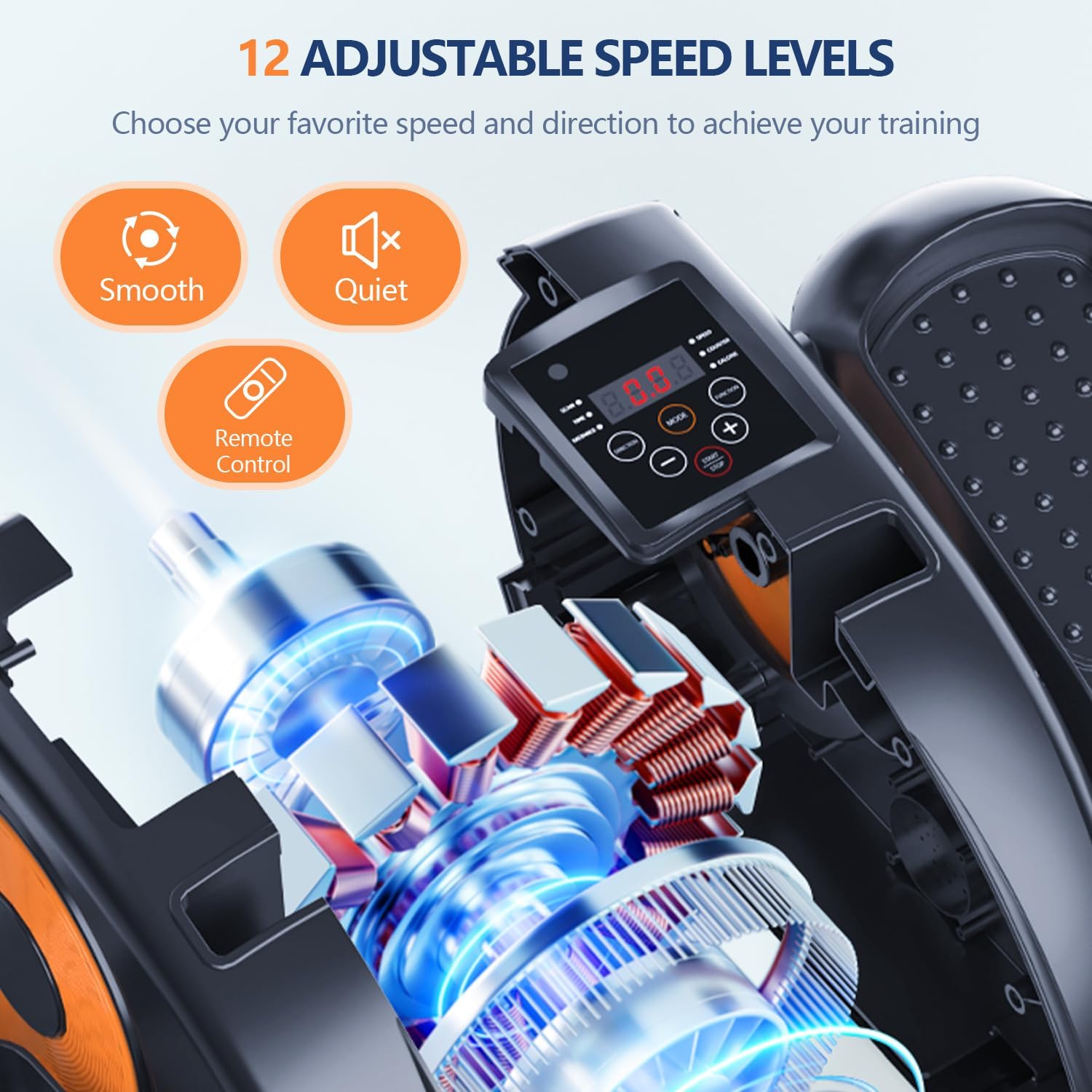
Image: The elliptical's control panel features buttons for power, speed adjustment, direction, mode selection, and data display.
Getting Started
- Sit comfortably in a chair with the elliptical machine placed in front of you.
- Place your feet securely on the pedals. The pedals are designed to accommodate various foot sizes.
- Press the 'ON/OFF' button on the control panel or remote control to power on the machine.
Adjusting Speed and Direction
- Speed: Use the '+' and '-' buttons on the control panel or remote to increase or decrease the speed. The machine offers 12 adjustable speed levels.
- Direction: Press the 'DIRECTION' button to switch between clockwise and counter-clockwise pedal motion.
Pre-programmed Modes
- The machine includes pre-programmed modes (P1, P2, P3) that automatically vary speed and direction for a diverse workout. Press the 'MODE' button to cycle through these programs.
- You can also select a manual mode for full control over speed and direction.

Image: The remote control allows for convenient adjustment of settings without bending over.
Tracking Your Progress
The easy-to-read LCD screen displays important workout data:

Image: The LCD screen displays various metrics to help track your exercise session.
- Time: Duration of your exercise session.
- Speed: Current operating speed.
- Scan: Cycles through all data metrics.
- Counter: Number of pedal rotations.
- Calories: Estimated calories burned.
- Distance: Estimated distance covered.
Use the 'DATA' button to view specific metrics or the 'SCAN' function to automatically cycle through them.
Video: This video demonstrates the FRYLINE ATM-1 Under Desk Elliptical Machine in use, showcasing its features and how to operate it.
Safety Guidelines
To ensure safe and effective use of your FRYLINE ATM-1 elliptical machine, please observe the following guidelines:
- Always use the machine while seated. Do not attempt to stand on the pedals.
- Ensure the machine is placed on a stable, level surface to prevent tipping.
- Keep children and pets away from the machine during operation.
- Consult a physician before starting any new exercise program, especially if you have pre-existing health conditions or limited mobility.
- Stop exercising immediately if you feel pain, dizziness, or discomfort.
- Keep hands and loose clothing away from moving parts.

Image: The elliptical is designed for seated use, promoting safe and stress-free exercise for various users.
Maintenance
Regular maintenance helps prolong the life of your elliptical machine.
- Cleaning: Wipe down the machine with a soft, damp cloth after each use. Avoid using abrasive cleaners or solvents.
- Storage: Store the machine in a cool, dry place away from direct sunlight and extreme temperatures.
- Inspection: Periodically check all parts for wear and tear. If any components are damaged, contact customer support for assistance.
Troubleshooting
If you encounter any issues with your FRYLINE ATM-1 elliptical machine, refer to the following table:
| Problem | Possible Cause | Solution |
|---|---|---|
| Machine does not power on. | Power adapter not connected or faulty outlet. | Ensure power adapter is securely plugged into the machine and a working electrical outlet. Try a different outlet. |
| Pedals are not moving smoothly. | Obstruction or internal issue. | Check for any obstructions around the pedals. If the issue persists, contact customer support. |
| Remote control is not working. | Dead batteries or signal interference. | Replace remote control batteries. Ensure there are no obstructions between the remote and the machine's sensor. |
| Unusual noise during operation. | Loose parts or internal component issue. | Check for any loose screws or parts. If the noise continues, discontinue use and contact customer support. |
Specifications
| Feature | Detail |
|---|---|
| Model Name | ATM-1 |
| Brand | FRYLINE |
| Product Dimensions | 17"D x 15"W x 10"H |
| Material | Acrylonitrile Butadiene Styrene (ABS) |
| Resistance Mechanism | Magnetic |
| Maximum Weight Recommendation | 300 Pounds |
| Number of Resistance Levels | 12 |
| Item Weight | 10 Pounds |
| Screen Size | 3.14 Inches |
Warranty and Support
The FRYLINE ATM-1 Under Desk Elliptical Machine comes with a 12-month warranty from the date of purchase, covering manufacturing defects. Please retain your proof of purchase for warranty claims.
For technical assistance, troubleshooting, or warranty inquiries, please contact FRYLINE customer support through the retailer where the product was purchased or refer to the contact information provided in your product packaging.