
1. Introduction
Thank you for choosing the WOLTU Gaming Chair. This manual provides essential information for the safe and efficient assembly, operation, and maintenance of your new chair. Please read these instructions carefully before use and retain them for future reference.
The WOLTU Gaming Chair is designed for comfort and support during long periods of use, featuring a massaging lumbar cushion, breathable mesh fabric, and an ergonomic design to adapt to various body types and activities.
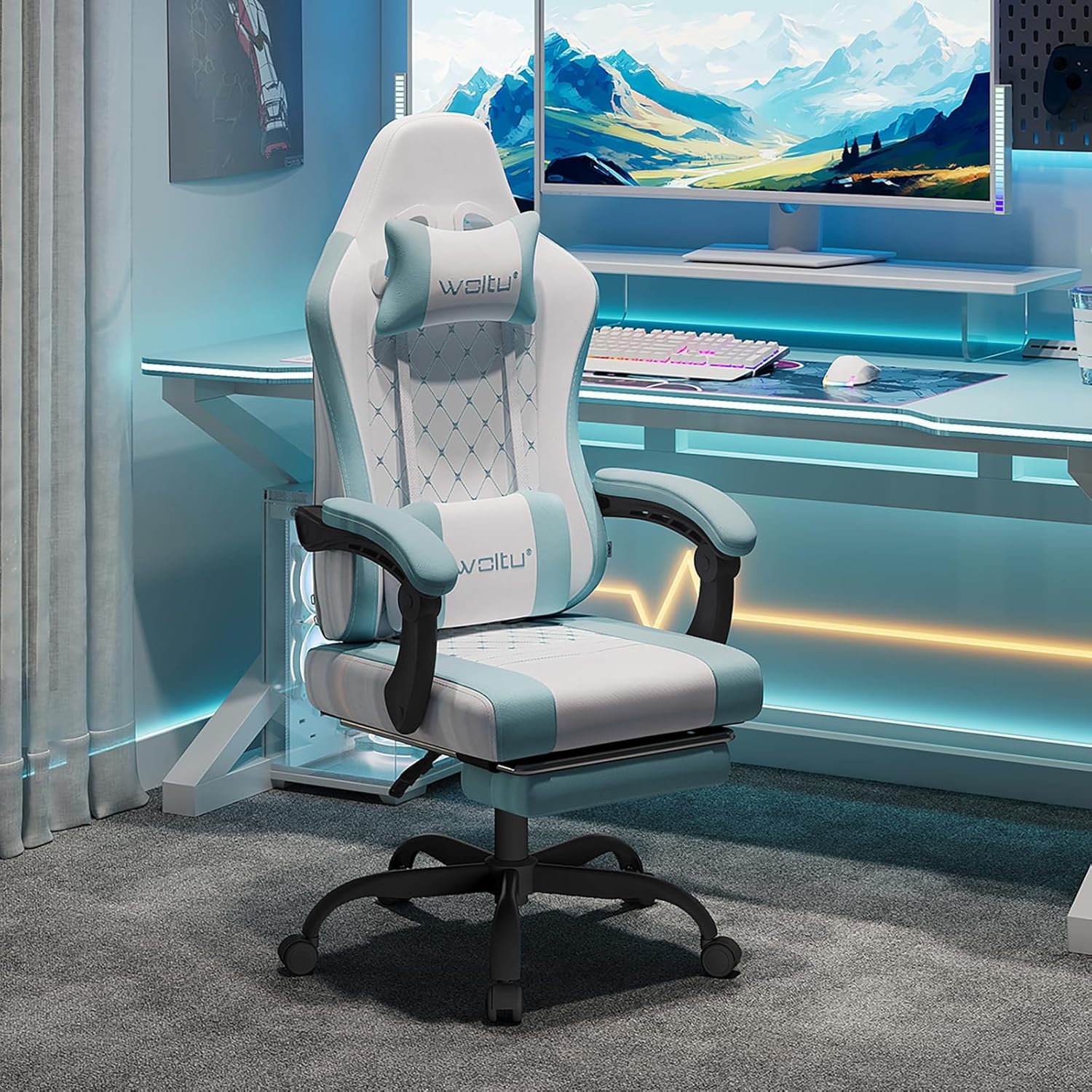
Image 1.1: WOLTU Gaming Chair in a typical gaming environment.
2. Key Features
- Massaging Lumbar Support: Equipped with a lumbar cushion featuring a massage function, powered via USB, to relieve back fatigue.
- Breathable Mesh Fabric: The chair is covered with a durable and breathable mesh fabric, ensuring air circulation and temperature regulation for comfortable seating, especially in warm weather.
- Ergonomic Design: Features adjustable head and lumbar cushions, a high backrest that mimics the human spine's curvature, 360° swivel, height adjustment, and a recline function from 90° to 145°.
- Linked Armrests: Armrests move in conjunction with the backrest recline, providing continuous arm and elbow support.
- Retractable Footrest: Integrated footrest for enhanced relaxation.
- Robust and Stable Structure: Constructed with an internal metal frame, gas lift, and a wide metal base, supporting up to 150 kg (330 lbs).

Image 2.1: Overview of the chair's key features.
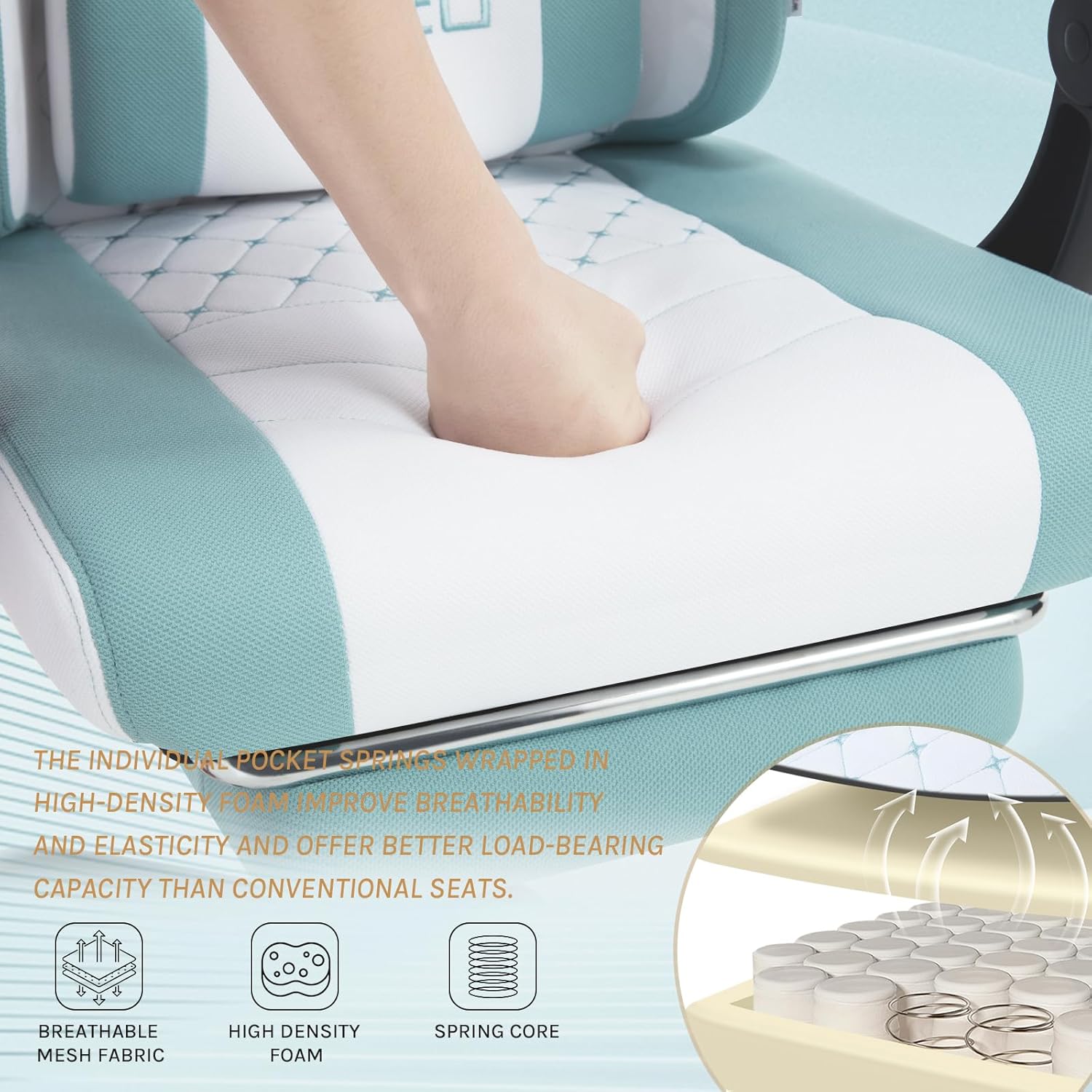
Image 2.2: Detail of the highly elasticated seat with pocket springs and high-density foam.
3. Setup and Assembly
The WOLTU Gaming Chair is designed for easy and quick assembly. All necessary accessories and tools are included, along with illustrated instructions.
3.1 Before You Begin
- Unpack all components and verify against the parts list in your included assembly guide.
- Ensure you have enough clear space for assembly.
- Important: Remove the protective cap from the gas lift before assembly. This is a small plastic cap on the top of the gas lift cylinder.
3.2 Assembly Steps
Follow the step-by-step illustrated instructions provided in the box. Generally, assembly involves:
- Attaching the castors to the base.
- Inserting the gas lift into the base.
- Assembling the seat and backrest components.
- Attaching the assembled seat/backrest to the gas lift.
- Attaching the headrest and lumbar cushions.

Image 3.1: Chair dimensions, useful for planning your space during assembly.
4. Operating Instructions
Your WOLTU Gaming Chair offers several adjustment options for personalized comfort.
4.1 Height Adjustment
- To raise the seat: Lift the lever located under the right side of the seat while taking your weight off the chair.
- To lower the seat: Lift the lever while seated on the chair.
4.2 Backrest Recline
- Pull the recline lever (typically on the right side, below the seat) to adjust the backrest angle between 90° (upright) and 145° (reclined).
- Release the lever to lock the backrest in your desired position.

Image 4.1: Chair recline function and footrest.
4.3 Massaging Lumbar Support
- Connect the USB cable from the lumbar cushion to a USB power source (e.g., computer, power bank, USB wall adapter).
- The massage function will activate upon connection. Disconnect to turn off.
4.4 Retractable Footrest
- Pull the footrest out from under the seat when desired.
- Push it back in when not in use.
4.5 Swivel Function
The chair features a 360° swivel function, allowing for easy rotation without moving the base.
5. Maintenance
Proper care will extend the life and appearance of your WOLTU Gaming Chair.
5.1 Cleaning
- For general cleaning, wipe the chair with a soft, damp cloth.
- For stubborn stains on the mesh fabric, use a mild soap solution and a soft brush, then wipe clean with a damp cloth and allow to air dry.
- Avoid using harsh chemicals, abrasive cleaners, or solvents, as these can damage the fabric and frame.
5.2 General Care
- Periodically check all screws and bolts to ensure they are tight. Re-tighten if necessary to maintain stability.
- Avoid exposing the chair to direct sunlight for prolonged periods, as this may cause fading.
- Do not stand on the chair or use it as a step stool.
6. Troubleshooting
If you encounter any issues with your chair, refer to the following common problems and solutions:
| Problem | Possible Cause | Solution |
|---|---|---|
| Chair does not adjust height | Gas lift protective cap not removed or gas lift faulty. | Ensure the protective cap is removed. If the issue persists, contact customer support. |
| Armrests feel loose or wobbly | Mounting screws are loose. | Tighten the screws securing the armrests to the chair frame. |
| Seat creaks or makes noise | Loose connections or components. | Check and tighten all assembly bolts, especially those connecting the seat to the mechanism and the mechanism to the gas lift. |
| Lumbar massage not working | USB cable not connected or power source issue. | Ensure the USB cable is securely connected to a working power source. Try a different USB port or adapter. |
If you experience problems not listed here, or if the suggested solutions do not resolve the issue, please contact WOLTU customer support.
7. Specifications
| Attribute | Value |
|---|---|
| Brand | WOLTU |
| Model Number | GS15bws |
| Color | White + Blue |
| Material | Mesh fabric |
| Product Dimensions (L x W x H) | 70 x 70 x 127 cm (27.6 x 27.6 x 50 inches) |
| Item Weight | 16.5 Kilograms (36.4 lbs) |
| Maximum Load Capacity | 150 kg (330 lbs) |
| Special Features | Massaging Lumbar Cushion, Ergonomic Design, Retractable Footrest |
| Back Style | High Back |
| Frame Material | Metal |
8. Warranty and Support
WOLTU is committed to providing high-quality products and customer satisfaction. For any questions, concerns, or support needs regarding your WOLTU Gaming Chair, please refer to your purchase documentation for specific warranty details or contact WOLTU customer service directly.
You can typically find contact information on the WOLTU official website or through the retailer where you purchased the product.