
1. Introduction
This manual provides comprehensive instructions for the safe and effective operation, maintenance, and troubleshooting of the FORENSICS DETECTORS FD-600M-H2S Hydrogen Sulfide (H2S) Data Logger Analyzer. This device is designed for accurate measurement and data logging of H2S concentrations in various environments.
2. Package Contents
Verify that all items listed below are present in your package:
- FD-600M-H2S Data Logger Analyzer
- Protective Carrying Case
- USB Charging Cable
- Power Adapter
- Telescopic Probe
- User Manual (this document)
- NIST Traceable Calibration Certificate

Image 2.1: The FD-600M-H2S Data Logger Analyzer shown within its protective carrying case, alongside its accessories including the charging cable and telescopic probe.
3. Setup
3.1. Charging the Device
Before initial use, fully charge the device. Connect the provided USB charging cable to the device's USB port and the power adapter. Plug the adapter into a standard electrical outlet. The charging indicator on the device display will show charging status. A full charge typically takes several hours.
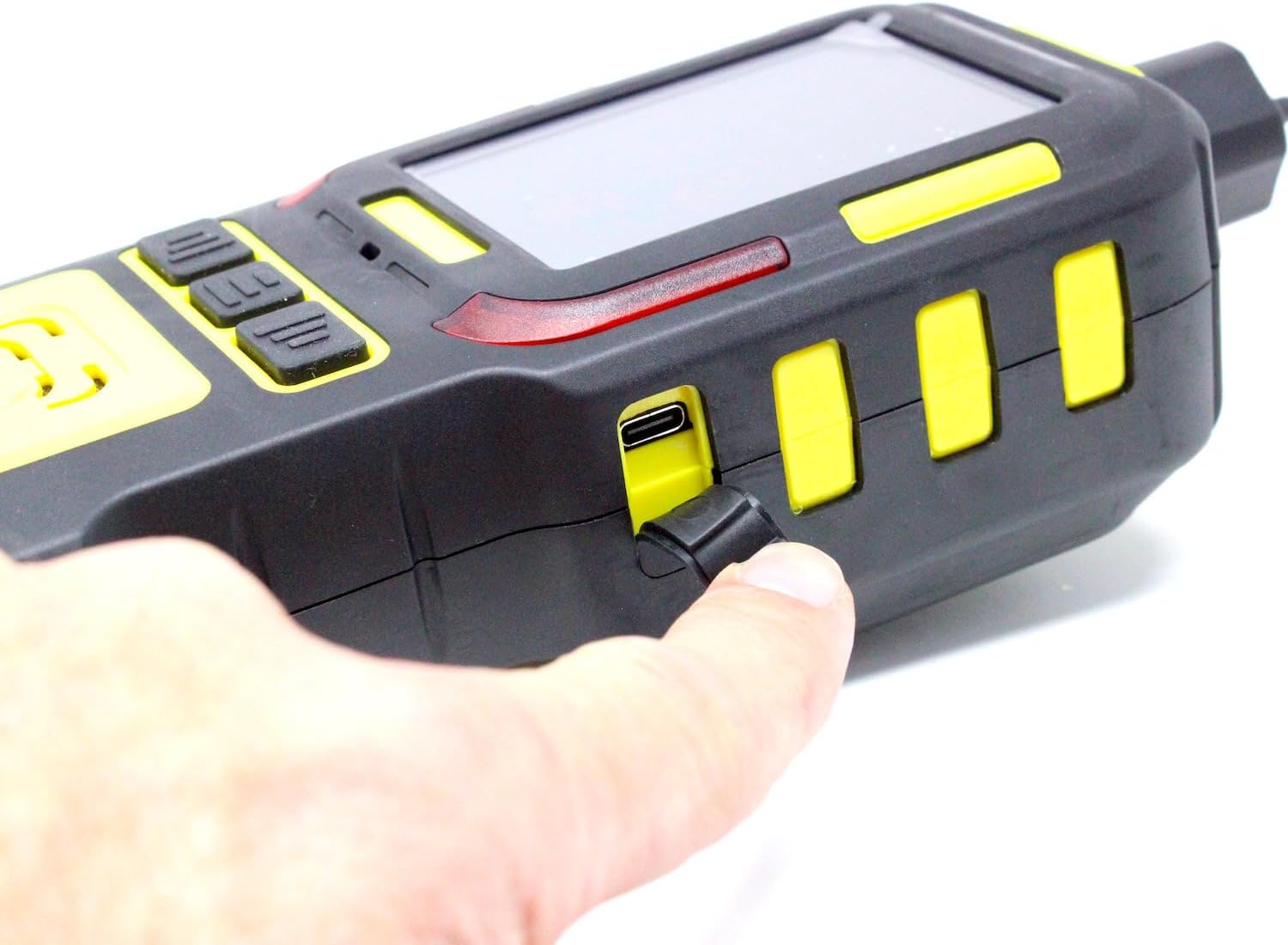
Image 3.1: A close-up view of the USB-C charging port on the side of the device, protected by a rubber cover. This port is used for charging the internal lithium polymer battery.
3.2. Initial Power On
Press and hold the power button (usually located on the front or side of the device) for approximately 3 seconds until the display illuminates. The device will perform a self-test and then enter the measurement interface.
3.3. Inserting the TF Memory Card
The device comes with a built-in 512MB TF memory card for data logging. Ensure it is securely inserted in its designated slot. Refer to the device diagram for the exact location of the TF card slot, typically under a protective cover.
4. Operating Instructions
4.1. Device Overview and Display
The FD-600M-H2S features a color screen and graphical functions for intuitive operation. The display shows real-time H2S concentration in parts per million (ppm), temperature, humidity, battery status, and signal strength. Navigation buttons below the screen allow access to various functions such as 'Func', 'Menu', and 'Graph'.

Image 4.1: A detailed view of the device's color display, indicating a current H2S reading of 0.0 PPM, ambient temperature, relative humidity, and battery level. Function buttons are visible below the screen.
4.2. H2S Measurement
Once powered on, the device automatically begins measuring H2S concentrations in the range of 0-100 ppm with a resolution of 0.1 ppm. Position the device in the area where H2S measurement is required. Ensure the sensor inlet is unobstructed.

Image 4.2: An individual wearing a lab coat is shown holding the FD-600M-H2S device, illustrating its ergonomic design for handheld operation in a professional environment.
4.3. Data Logging Function
The device is equipped with data logging capabilities, storing up to 1,000,000 logs on its 512MB TF memory card. This is equivalent to approximately 277 hours of continuous logging at a 1 sample/second rate. To initiate or manage data logging, navigate to the 'Func' or 'Menu' options on the device display and follow the on-screen prompts. Logged data can be retrieved by connecting the device to a computer via USB.
4.4. Alarm Settings
The FD-600M-H2S features adjustable low and high alarms. These alarms provide audible and visual alerts when H2S concentrations exceed predefined thresholds. To set or modify alarm levels, access the 'Menu' settings and locate the 'Alarm' configuration. Adjust the low and high alarm set points according to safety requirements.
4.5. Using the Telescopic Probe
For sampling H2S in hard-to-reach areas, attach the provided 4-foot telescopic probe to the device's air inlet. Ensure a secure connection to prevent leaks. Extend the probe to the desired length and position its tip in the area to be sampled. The device will draw air through the probe for analysis.
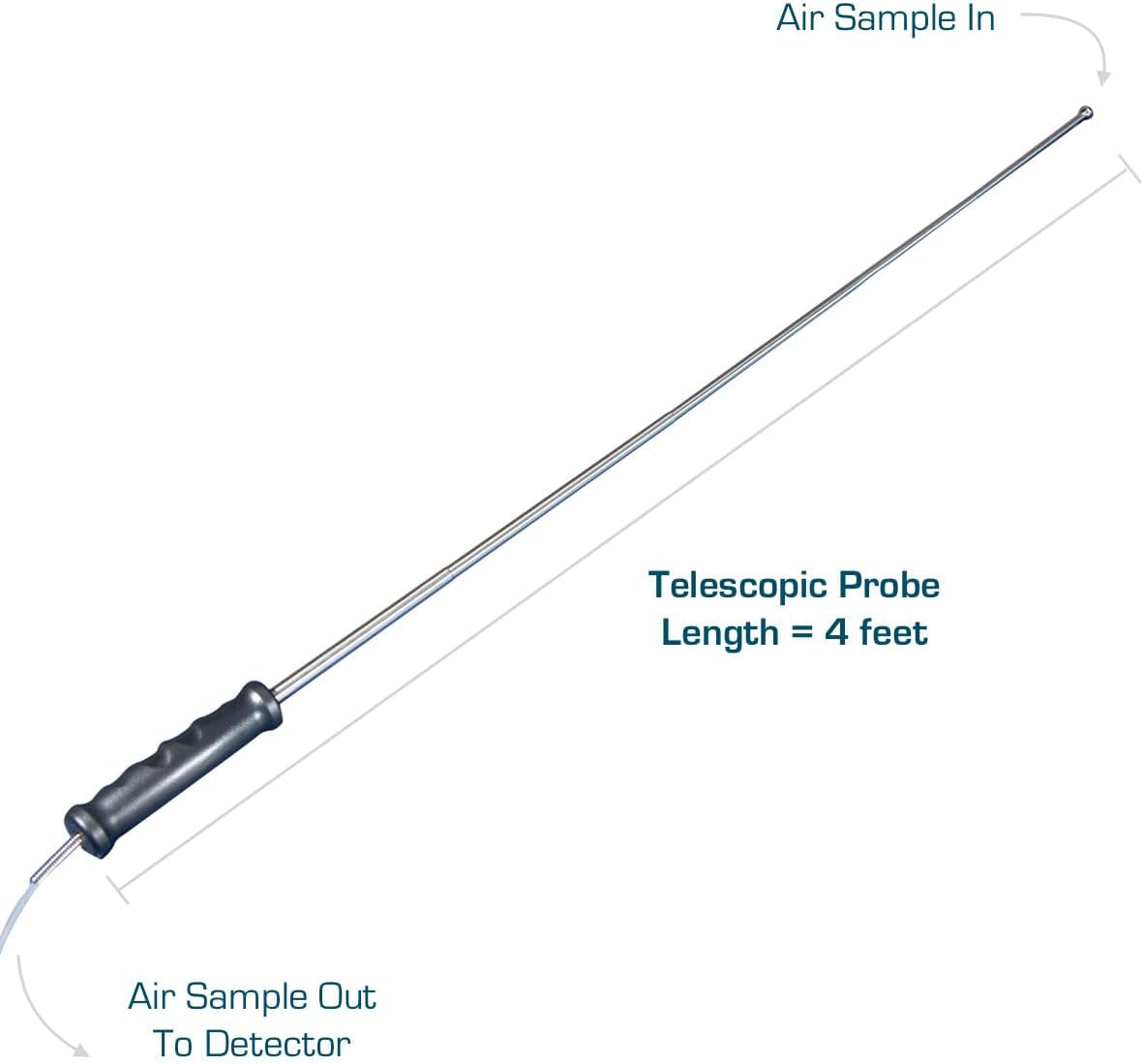
Image 4.3: A diagram depicting the 4-foot telescopic probe, highlighting its function in drawing an air sample from a remote location and directing it to the detector for analysis.
5. Maintenance
5.1. Cleaning
Regularly clean the exterior of the device with a soft, damp cloth. Do not use abrasive cleaners or solvents, as these can damage the casing or display. Ensure the sensor inlet is free from dust and debris.
5.2. Calibration
The FD-600M-H2S is supplied with USA NIST traceable calibration from Los Angeles, CA. To maintain accuracy and compliance, periodic re-calibration is recommended. Refer to the calibration certificate for recommended intervals. Contact FORENSICS DETECTORS FD for re-calibration services.
5.3. Battery Care
The device uses a Lithium Polymer battery. To prolong battery life, avoid fully discharging the battery frequently. Store the device in a cool, dry place when not in use for extended periods. If the device will not be used for a long time, charge it to approximately 50% before storage.
6. Troubleshooting
- Device does not power on: Ensure the battery is charged. Connect the device to the charger and attempt to power on after a few minutes. If the issue persists, contact support.
- Inaccurate readings: Verify the sensor inlet is clear. Ensure the device has been recently calibrated. Environmental factors like extreme temperature or humidity can affect readings; allow the device to stabilize in the measurement environment.
- Data logging not working: Check if the TF memory card is properly inserted. Ensure there is sufficient space on the card. Follow the data logging activation steps in the operating instructions.
- Alarms not sounding: Check alarm settings in the menu to ensure they are enabled and set to appropriate thresholds. Verify the device's speaker is not obstructed.
7. Specifications
| Feature | Specification |
|---|---|
| Model Number | FD-600M-H2S |
| Gas Detected | Hydrogen Sulfide (H2S) |
| Measurement Range | 0-100 ppm |
| Resolution | 0.1 ppm |
| Data Logging | Built-in TF Memory Card (512MB), up to 1,000,000 logs |
| Display | Color Screen with Graph Functions |
| Alarms | Adjustable Low and High Alarms |
| Calibration | USA NIST Traceable Calibrated |
| Power Source | Battery Powered (1 Lithium Polymer battery included) |
| Item Weight | 3.1 pounds |
| Product Dimensions | 9 x 7 x 9 inches |
| UPC | 636676500089 |
8. Warranty and Support
The FORENSICS DETECTORS FD-600M-H2S Data Logger Analyzer comes with a 1-year limited warranty. This warranty covers defects in materials and workmanship under normal use. For warranty claims, technical support, or re-calibration services, please contact FORENSICS DETECTORS FD directly. Product testing and verification are performed in the USA.
For further assistance, please visit the official FORENSICS DETECTORS FD website or refer to the contact information provided with your purchase.