1. Introduction
Thank you for choosing the Yoobure L-Shaped Gaming Desk. This manual provides detailed instructions for the assembly, operation, and maintenance of your new desk. Please read all instructions carefully before assembly and use to ensure safe and proper functionality.

Figure 1: Yoobure L-Shaped Gaming Desk Overview
2. Safety Information
Always assemble the desk on a stable, level surface. Use the adjustable foot pads to ensure the desk is level. This desk is heavy and large; consider anchoring it to the wall or floor to prevent tipping, especially if using it for gaming or other activities that may cause sudden movements. Do not place heavy objects on the desk that could cause it to tip over. Always follow the assembly instructions carefully to ensure the desk is stable and secure.
3. Package Contents
Before beginning assembly, please ensure all components are included and intact. Refer to the detailed parts list and diagrams provided in the assembly video for identification. All necessary assembly tools are included.
Key components include:
- Desk panels (L-shaped sections)
- Metal frame components
- Pegboard with bins and hooks
- Fabric drawers
- Removable monitor stand
- CPU stand
- LED light strip with remote
- Power outlet strip (4 AC, 2 USB)
- Assembly hardware and tools
4. Assembly Instructions
This desk features a reversible design, allowing you to configure the L-shape with the storage unit on either the left or right side. Follow the instructions carefully for your desired orientation. Do not fully tighten screws until the entire desk frame is assembled to allow for adjustments.
Assembly Video Guide
For a visual step-by-step guide, please refer to the official assembly video:
Video 1: Yoobure L Shaped Desk with Pegboard Assembly Video. This video provides a comprehensive visual guide for assembling your desk.
General Assembly Steps (Refer to video for details):
- Unpack all components and verify against the parts list.
- Assemble the fabric drawers (Step 1 in video).
- Construct the monitor stand (Step 2 in video).
- Assemble the main desk frames, including the CPU stand and cross-braces (Steps 3-7 in video).
- Attach the pegboard and shelves to the frame (Step 4 in video).
- Secure the desk panels to the assembled frames, ensuring the power outlet panel is correctly positioned (Steps 11-12 in video).
- Install the LED light strip. Confirm placement before permanent adhesion to avoid damage (Step 13 in video).
- Place the fabric drawers and monitor stand in their desired locations (Step 14 in video).
- Once all parts are in place and aligned, tighten all screws securely.

Figure 2: Detailed view of storage and features including pegboard, drawers, CPU stand, and monitor stand.
5. Operating Instructions
LED Lights
The integrated LED light strip can be controlled via a dedicated remote control or a smartphone application. It offers 22 dynamic modes and various color adjustments. You can also sync the lights to music or set a timer for automatic operation. Ensure the plastic tab is removed from the remote's battery compartment before first use.
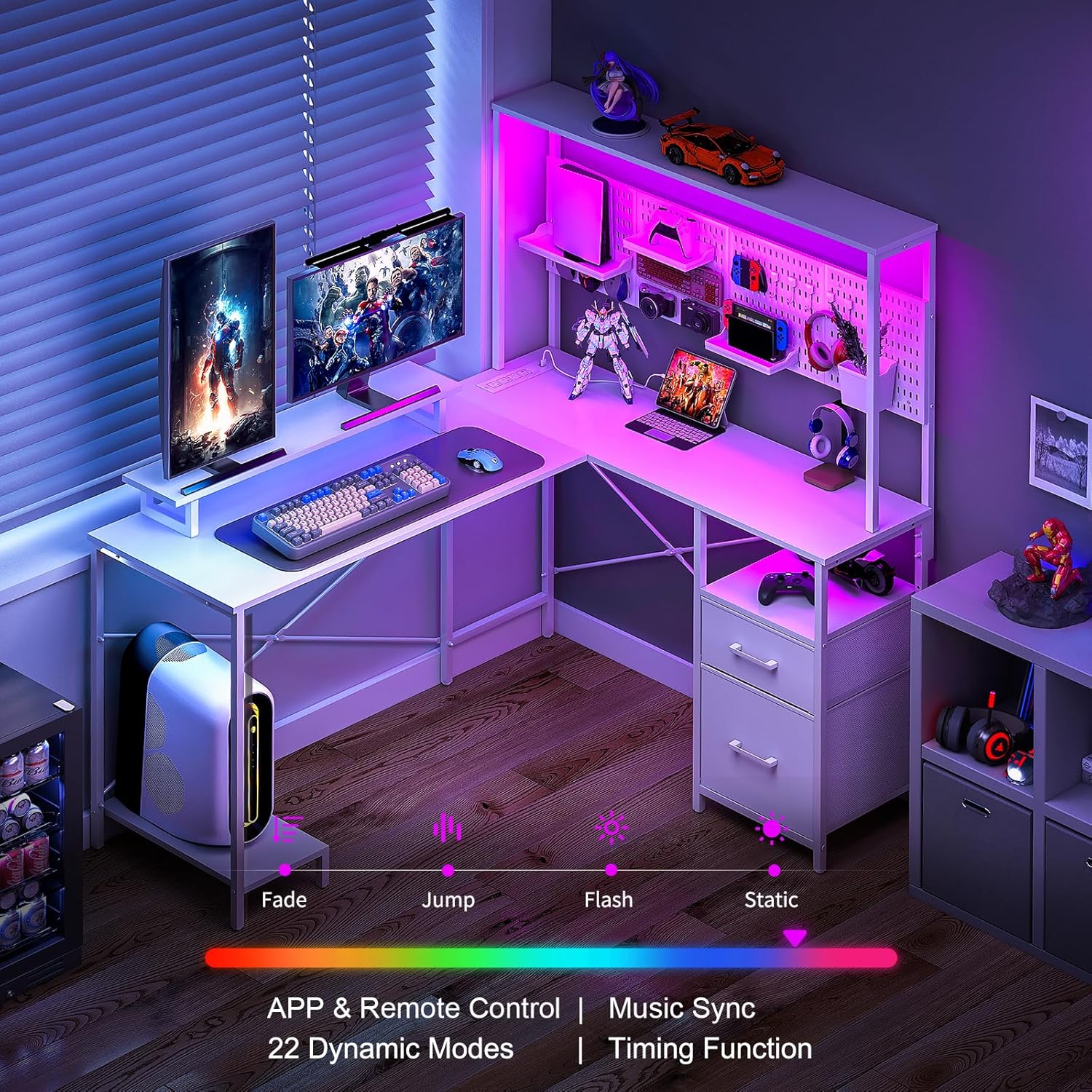
Figure 3: Gaming setup with LED lights activated.
Power Outlets
The desk includes a built-in power strip with 4 AC outlets and 2 USB ports, connected by a 6.56ft power cord. This allows for convenient charging and powering of your electronic devices directly on the desktop.
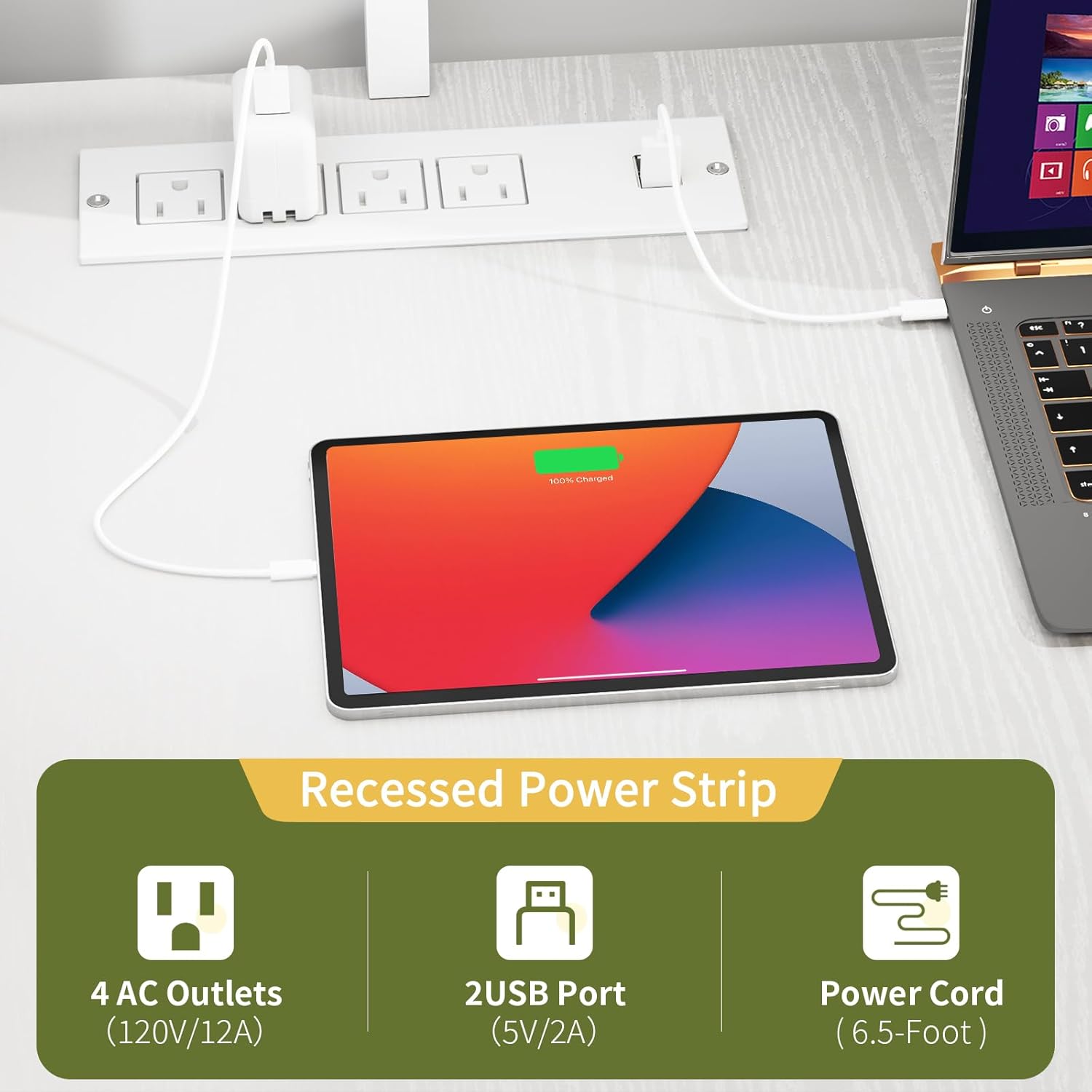
Figure 4: Integrated power outlets for convenient charging.
6. Maintenance
To maintain the appearance and longevity of your desk, follow these guidelines:
- Wipe surfaces regularly with a soft, damp cloth. Avoid abrasive cleaners.
- Immediately clean up spills to prevent damage to the engineered wood finish.
- Periodically check all screws and connections to ensure they remain tight. Retighten if necessary.
- Avoid exposing the desk to direct sunlight or extreme temperature changes.
7. Troubleshooting
If you encounter any issues during assembly or use, please review the assembly video and instructions. For persistent problems, contact customer support.
Common Issues:
- Wobbly Desk: Ensure all screws are fully tightened. Adjust the foot pads to stabilize the desk on uneven floors.
- LED Lights Not Working: Check the power connection and ensure the remote's battery tab is removed. Try replacing the remote battery if needed.
- Power Outlets Not Functioning: Verify the desk's power cord is securely plugged into a working wall outlet.
8. Specifications
| Feature | Detail |
|---|---|
| Brand | Yoobure |
| Model | B0DM68K261 |
| Shape | L-Shaped (Rectangular sections) |
| Product Dimensions (D x W x H) | 47.2"D x 55.1"W x 57.1"H |
| Color | White |
| Style | Rustic |
| Top Material Type | Engineered Wood |
| Frame Material Type | Steel |
| Special Features | Pegboard, LED Lights, Power Outlets, Reversible Design, Removable Monitor Stand, CPU Stand |
| Number of Drawers | 2 (Fabric) |
| Number of Shelves | 3 (including hutch and CPU stand) |
| Required Assembly | Yes |
| Recommended People for Assembly | 2 (can be done by 1 person) |
| Includes All Assembly Tools | Yes |

Figure 5: Desk dimensions and reversible configuration options.
9. Warranty and Support
The Yoobure L-Shaped Gaming Desk comes with a 1-Year Warranty. For any questions, concerns, or support needs, please contact Yoobure customer service. We aim to provide a quick 12-hour customer response service.
Contact Information: Please refer to your purchase platform or the Yoobure official website for the most up-to-date contact details.