
Introduction
Thank you for choosing the TIQLAB Electric Standing Desk. This manual provides essential information for the safe assembly, operation, and maintenance of your new desk. Please read all instructions carefully before use and retain this manual for future reference.
Safety Information
WARNING:
Always follow the assembly instructions carefully. Do not attempt to lift or move the desk when it is in motion. Keep the work area clear of obstructions. Do not exceed the weight limit of 220 lbs. Always ensure the desk is properly anchored to the floor to prevent tipping.
Package Contents
Before beginning assembly, verify that all parts listed below are present. If any parts are missing or damaged, please contact customer support.
- Desk tabletop (55x24 inch, Black)
- Desk frame components (legs, crossbar)
- Two drawers with storage shelf
- Electric motor and control panel
- Power adapter
- Assembly hardware (screws, bolts, specialized L-shaped allen wrench)
- Adjustable foot pads (x4)
- Desk hooks (x2)
- Instruction manual

Image: All components of the TIQLAB Standing Desk laid out before assembly, including the tabletop, frame parts, drawers, and hardware.
Setup and Assembly
Assembly is designed to be straightforward, typically taking approximately 45 minutes. A step-by-step instruction manual and all necessary tools are included.
- Unpack Components: Carefully remove all parts from the packaging. Place them on a clean, flat surface to ensure easy access and prevent damage.
- Assemble Desk Frame: Follow the detailed diagrams in the included instruction manual to connect the desk legs and crossbar using the provided hardware. Ensure all connections are secure.
- Attach Tabletop: Secure the tabletop to the assembled frame.
- Install Drawers and Shelf: Mount the two drawers and the integrated storage shelf according to the instructions.
- Connect Electrical Components: Attach the electric motor and control panel. Connect the power adapter.
- Attach Accessories: Install the adjustable foot pads and desk hooks as desired.

Image: An exploded diagram illustrating the quick installation process of the desk components.
Operating Instructions
Your TIQLAB Electric Standing Desk features an intuitive control panel for height adjustment and memory settings.
Height Adjustment
- Raise Desk: Press the "Up" arrow button on the control panel to raise the desk.
- Lower Desk: Press the "Down" arrow button to lower the desk.
- The desk adjusts smoothly and quickly between 28.3 inches and 47.2 inches.
Memory Presets
The multifunctional controller allows you to save preferred sitting and standing heights.
- Set a Preset: Adjust the desk to your desired height. Press the "M" button, then press one of the numbered preset buttons (e.g., "1", "2", "3") to save the current height.
- Recall a Preset: Simply press the corresponding numbered preset button to automatically move the desk to your saved height.
Anti-Collision Technology
The desk is equipped with anti-collision technology to prevent damage. If the desk encounters an obstruction during adjustment, it will automatically stop and reverse slightly.

Image: Close-up of the desk's control panel, highlighting buttons for up/down movement, memory presets, and anti-collision technology.
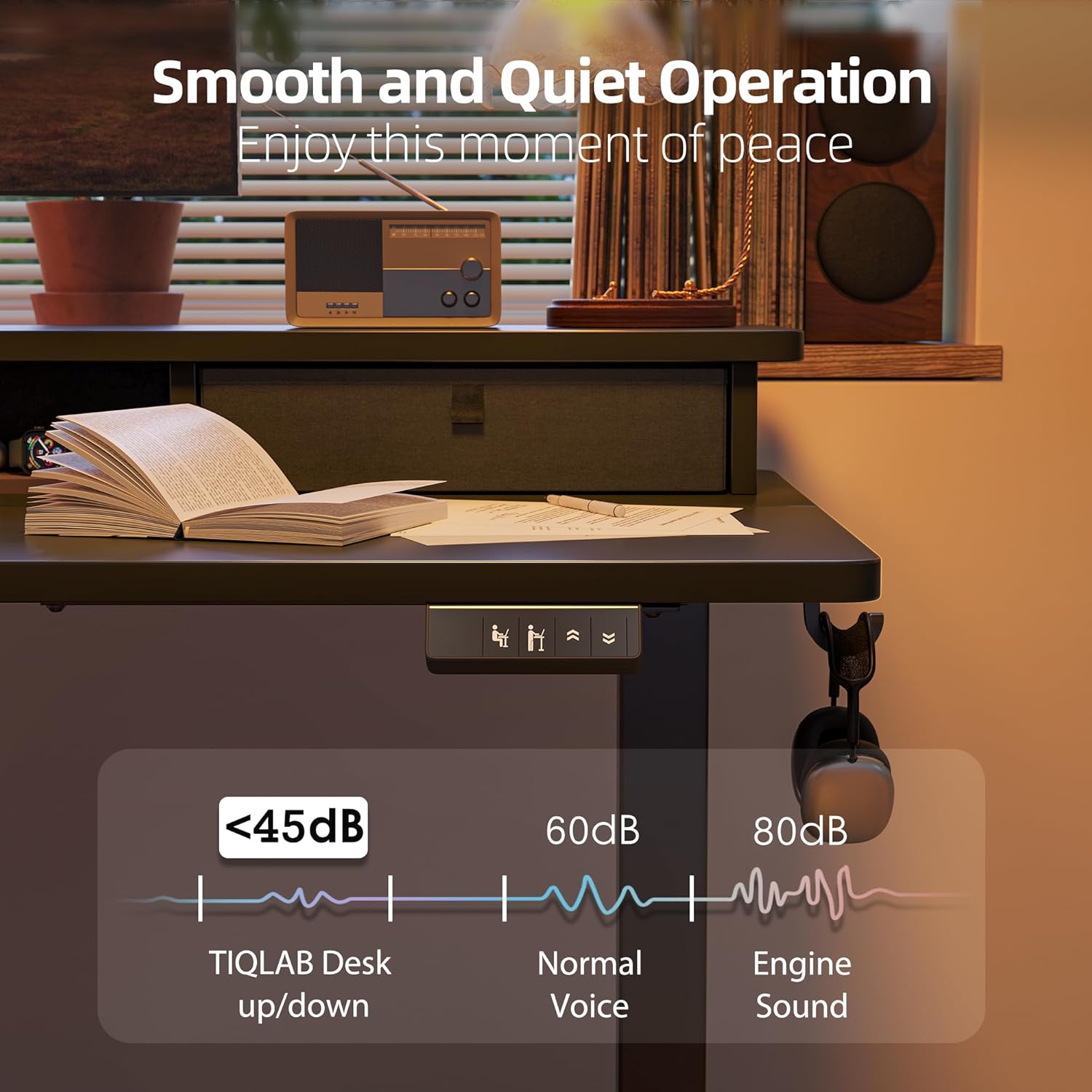
Image: The desk operating smoothly and quietly, demonstrating its low noise level during height adjustments.
Maintenance
To ensure the longevity and optimal performance of your TIQLAB Standing Desk, follow these maintenance guidelines:
- Regular Cleaning: Wipe the desk surface and frame with a soft, damp cloth. Avoid abrasive cleaners or harsh chemicals.
- Check Connections: Periodically inspect all screws and bolts to ensure they are tight. Retighten if necessary.
- Cable Management: Keep cables organized and free from entanglement to prevent damage to the motor or power supply.
- Weight Limit: Do not exceed the maximum weight capacity of 220 lbs to prevent strain on the motor and frame.
Troubleshooting
If you encounter any issues with your desk, refer to the following common solutions:
| Problem | Possible Cause | Solution |
|---|---|---|
| Desk not moving | Power cable disconnected; Overload; Motor error | Check power connections; Reduce weight on desk; Reset the system (refer to manual for specific steps). |
| Uneven movement | Uneven load; Loose connections | Distribute weight evenly; Tighten all assembly screws. |
| Noise during operation | Normal operation; Loose components | A slight motor sound is normal (below 50dB). Check for any loose parts and tighten them. |
| Anti-collision activated frequently | Obstructions in path | Ensure clear path for desk movement. |
If the problem persists, please contact TIQLAB customer support.
Specifications
- Brand: TIQLAB
- Model: B0F1N1P7KX
- Desk Design: Credenza Desk
- Product Dimensions: 24"D x 55"W x 29"H (adjustable height)
- Adjustable Height Range: 28.3" to 47.2"
- Color: Black
- Style: Modern
- Top Material Type: Engineered Wood
- Base Material: Engineered Wood
- Finish Type: Metal
- Special Feature: Electric height adjustment
- Recommended Uses: Office, Gaming
- Maximum Load Capacity: 220 lbs
- Lift Speed: 25mm/s
- Noise Level: Less than 50dB
- Storage Options: Two Drawers
- Assembly Required: Yes

Image: Diagram showing the dimensions and maximum static load capacity of the TIQLAB Standing Desk.

Image: Illustration highlighting the rock-solid stability and multi-layer steel construction of the desk frame.
Warranty & Support
Your TIQLAB Electric Standing Desk comes with a limited warranty. For specific details regarding warranty coverage, please refer to the product documentation or contact customer support.
Customer Support
For any questions, assistance, or to report missing/damaged parts, please contact TIQLAB customer support. You can typically find contact information on the product packaging or the official TIQLAB website.
- Protection Plans: Optional 2-Year and 3-Year protection plans are available for purchase.
- Returns: This product is eligible for 30-day easy returns.