
1. Introduction
This manual provides comprehensive instructions for the installation, operation, and maintenance of your MELUCEE RGB Outdoor Wall Light. Please read this manual thoroughly before installation and use to ensure proper function and safety. This product is designed for both indoor and outdoor use, featuring RGB color options, dimmability, and IP65 waterproof rating.
2. Product Features
- RGB Wall Light: Capable of producing warm light, warm white light, and over 16 million RGB colors. Features 238 different light color combinations, allowing for static colors and dynamic color-changing scenes.
- Dimmable and Speed Adjustable: Includes remote control (requires 3x AAA batteries, not included) for turning on/off, dimming, and adjusting changing speed. RGB changing modes can loop automatically or remain in a fixed mode.
- IP65 Waterproof Rating: Constructed from durable aluminum with an anti-rust coating, ensuring protection against rain, snow, and various weather conditions.
- Wide Application: Suitable for creating personalized atmospheres with multiple RGB chasing effect modes. Brightness is adjustable from 0% to 100%. Ideal for front porches, backyard patios, entryways, garages, courtyards, corridors, and more.
- Easy Installation: All necessary mounting parts are included. Designed for hardwired wall mount to a US standard junction box, offering flexible vertical and horizontal mounting options.

Image: MELUCEE RGB Outdoor Wall Light installed on a modern house exterior, showcasing its sleek design and vibrant lighting capabilities.
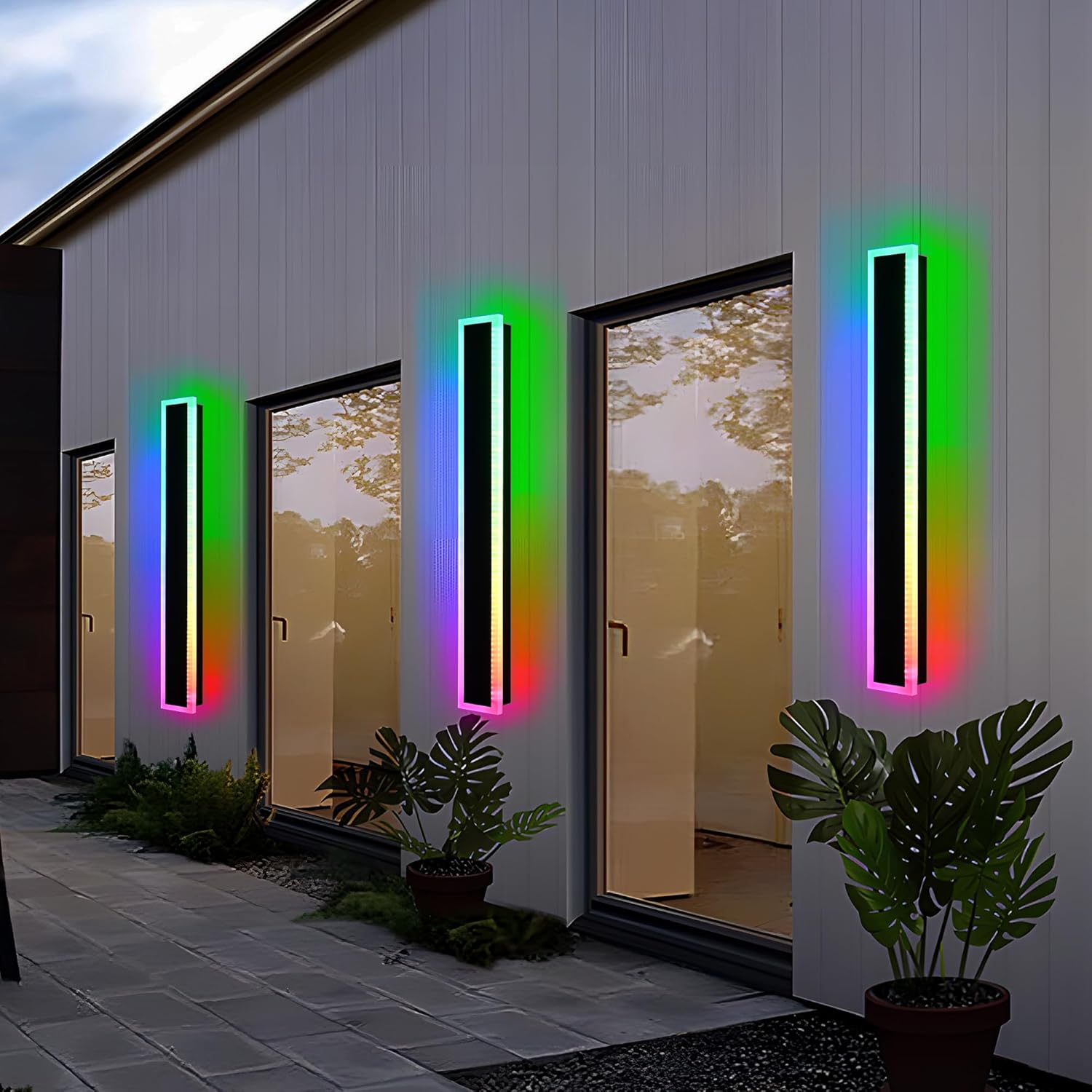
Image: Multiple MELUCEE RGB Outdoor Wall Lights illuminating a house exterior at dusk, demonstrating their aesthetic appeal and broad coverage.

Image: MELUCEE RGB Outdoor Wall Light displaying various fixed RGB colors and adjustable brightness, illustrating the range of color options.

Image: MELUCEE RGB Outdoor Wall Light highlighting its IP65 waterproof, sun-proof, snow-proof, and anti-corrosion features, emphasizing its durability.
3. What's in the Box
Upon opening the package, please ensure all components are present and undamaged:
- LED Strip Light (2 units for 2-pack)
- Mounting Hardware
- Remote Control
4. Installation Guide
Follow these steps for safe and proper installation of your MELUCEE RGB Outdoor Wall Light. Professional installation is recommended if you are unfamiliar with electrical wiring.
- Unscrew and Remove Mounting Plate: Unscrew the screws on both sides of the lamp body and carefully remove the mounting plate.
- Attach Mounting Plate: Attach the mounting plate to the outlet box (not included) and mark the locations for drilling holes if necessary.
- Make Wire Connections: Connect the electrical wires from the fixture to your household wiring according to local electrical codes. Ensure power is off at the circuit breaker before making any connections.
- Fix the Lamp Body: Secure the lamp body onto the mounting plate using the screws previously removed.

Image: A visual guide detailing the four-step installation process for the MELUCEE RGB Outdoor Wall Light, from unscrewing to final fixture attachment.
5. Operating Instructions
5.1 Remote Control Operation
The included remote control allows for easy adjustment of your wall light's settings. Ensure 3x AAA batteries are installed (not included).
- ON/OFF: Press the 'ON' or 'OFF' buttons to power the light.
- Brightness Adjustment: Use 'Bri+' and 'Bri-' buttons to increase or decrease brightness (0% to 100%).
- Color Temperature (K+/-): Adjust the white light color temperature from warm to cool.
- RGB Color Selection: Use the 'RGB' button to cycle through various RGB colors or dynamic modes.
- Matching Remote: To match the remote with the light bar, turn on the power and press the 'ON' key for 5 seconds. If the light source flashes twice, the match is successful.
Video: Demonstrates the functionality of the remote control, including color changes and brightness adjustments for the MELUCEE wall light.
5.2 Smart App Control
For enhanced control, download the 'Smart lamp PRO' app on your smartphone. The app allows for more precise color selection, dynamic modes, and timing functions.
- Download App: Search for 'Smart lamp PRO' in your device's app store and install it.
- Connect Device: Follow the in-app instructions to connect your wall light.
- Color & Mode Selection: Use the app's interface to select from millions of RGB colors, adjust brightness, and choose dynamic lighting effects.
- Timing Function: Set schedules for the light to turn on or off automatically.
Video: Illustrates the features and usage of the 'Smart lamp PRO' app for controlling the RGB wall light, including color changes and timing functions.
6. Maintenance
To ensure the longevity and optimal performance of your MELUCEE RGB Outdoor Wall Light, follow these maintenance guidelines:
- Cleaning: Regularly wipe the fixture with a soft, damp cloth. Avoid abrasive cleaners or solvents that could damage the finish or acrylic.
- Inspection: Periodically check for any loose connections, damaged wiring, or signs of wear. If any issues are found, consult a qualified electrician.
- Environmental Protection: Despite its IP65 rating, extreme weather conditions can still impact the product. Ensure proper drainage around the installation area.
Video: Demonstrates the waterproof capabilities of the MELUCEE wall light, showing water being applied to the fixture without affecting its operation.
7. Troubleshooting
If you encounter issues with your wall light, refer to the following common problems and solutions:
| Problem | Possible Cause | Solution |
|---|---|---|
| Light does not turn on. | No power supply; loose wiring; faulty remote/app. | Check circuit breaker. Ensure all wire connections are secure. Verify remote batteries or app connection. |
| Remote/App not controlling light. | Remote not paired; app not connected; interference. | Re-pair the remote (see 5.1). Reconnect the app. Reduce potential interference sources. |
| Inconsistent color display. | Software glitch; power fluctuation. | Restart the light by turning off and on at the power source. Check for app updates. |
8. Specifications
| Attribute | Detail |
|---|---|
| Brand | MELUCEE |
| Model Number | 4-SZ-9970-RGBCW-18W-32in |
| Color | RGB-2 pack |
| Material | Acrylic, Metal |
| Style | Modern |
| Light Fixture Form | Wall |
| Product Dimensions | 5.1"L x 1.8"W x 32"H |
| Specific Uses | Outdoor/Indoor |
| Power Source | AC |
| Installation Type | Semi Flush Mount |
| Special Feature | Dimmable, LED outdoor lights, Long LED lights RGB wall lights, Set of two |
| Control Method | Remote, App |
| Light Source Type | LED |
| Voltage | 120 Volts (AC) |
| Item Weight | 8.05 Pounds |
9. Warranty and Support
This MELUCEE product comes with a Limited Warranty. For specific details regarding warranty coverage and duration, please refer to the product packaging or contact MELUCEE customer support.
For technical assistance, troubleshooting, or warranty claims, please contact MELUCEE customer support through their official website or the contact information provided with your purchase.