
SSYA Z071
SSYA Dementia Clock User Manual
Model: Z071
Brand: SSYA
1. Introduction and Overview
The SSYA Dementia Clock is designed to provide clear and easy-to-read time and date information, specifically beneficial for seniors, individuals with memory impairment, or those with vision challenges. Its large, non-abbreviated display helps users maintain a sense of time and day, reducing confusion and promoting independence.
Key features include:
- Ultra-large 11.5-inch (10-inch screen) 1280x800 HD display.
- Clearly spells out full DAY of the WEEK, MONTH, and DATE without abbreviations.
- Displays time of day (MORNING, AFTERNOON, EVENING, NIGHT, PREDAWN) with Sun & Moon icons.
- Supports 7 different display modes to suit various preferences.
- Features 12 customizable alarms for reminders like medication or appointments.
- Automatic Daylight Saving Time (DST) adjustment.
- Automatic dimming function for comfortable viewing at night.
- Supports 8 languages.
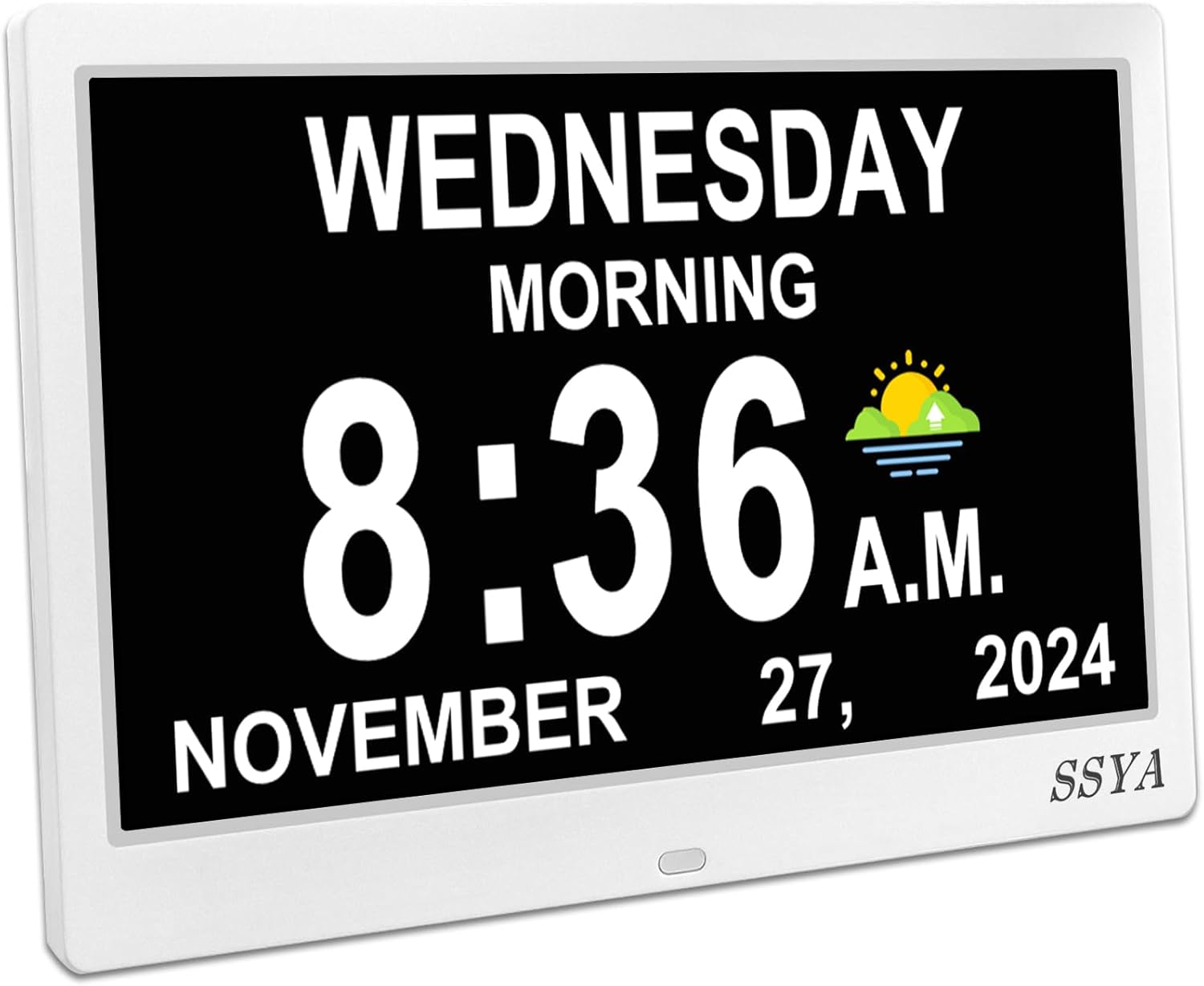
Figure 1: Front view of the SSYA Dementia Clock displaying the current time and date.
2. Package Contents
Please check the package contents upon unboxing to ensure all items are present:
- SSYA Dementia Clock Unit (1)
- Power Adapter (1)
- User Manual (1)
3. Setup
- Unpacking: Carefully remove the clock unit and all accessories from the packaging.
- Power Connection: Connect the power adapter to the DC IN port on the back of the clock. Plug the adapter into a standard electrical outlet. The clock is designed for plug-and-play operation and should power on automatically.
- Initial Display: Upon first power-on, the clock will display the default time and date.
- Automatic Time Synchronization: The clock is equipped with an automatic Daylight Saving Time (DST) adjustment feature. Ensure this setting is enabled if your region observes DST. The clock will automatically adjust for Summer/Winter time changes in March and November.

Figure 2: Overview of clock dimensions and available display modes.
4. Operating Instructions
4.1. Setting Time and Date
The clock typically sets its time automatically. If manual adjustment is needed, refer to the buttons on the back of the unit. Use the navigation buttons to select and adjust the hour, minute, year, month, and day. Confirm selections to save changes.
4.2. Display Modes
The clock offers 7 distinct display modes to cater to different visual preferences. These modes can be cycled through using the dedicated button on the back of the clock. Options include various color schemes and layouts, such as analog and digital combinations.

Figure 3: Examples of the clock's extra-large display in various modes and times of day.
4.3. Setting Alarms
The clock supports up to 12 customizable alarms. These can be set for various reminders such as medication times, appointments, or daily routines. Navigate to the alarm settings menu using the control buttons on the back. Set the desired time and frequency for each alarm. Alarm icons and text are used to help users understand the purpose of each alarm.

Figure 4: The clock's alarm interface, showing a "Medication time" reminder.
4.4. Language and Time Format
The clock supports 8 different languages. You can select your preferred language through the settings menu. Additionally, you can switch between 12-hour (AM/PM) and 24-hour time formats, and choose between DAY-MONTH-YEAR or MONTH-DAY-YEAR date formats.
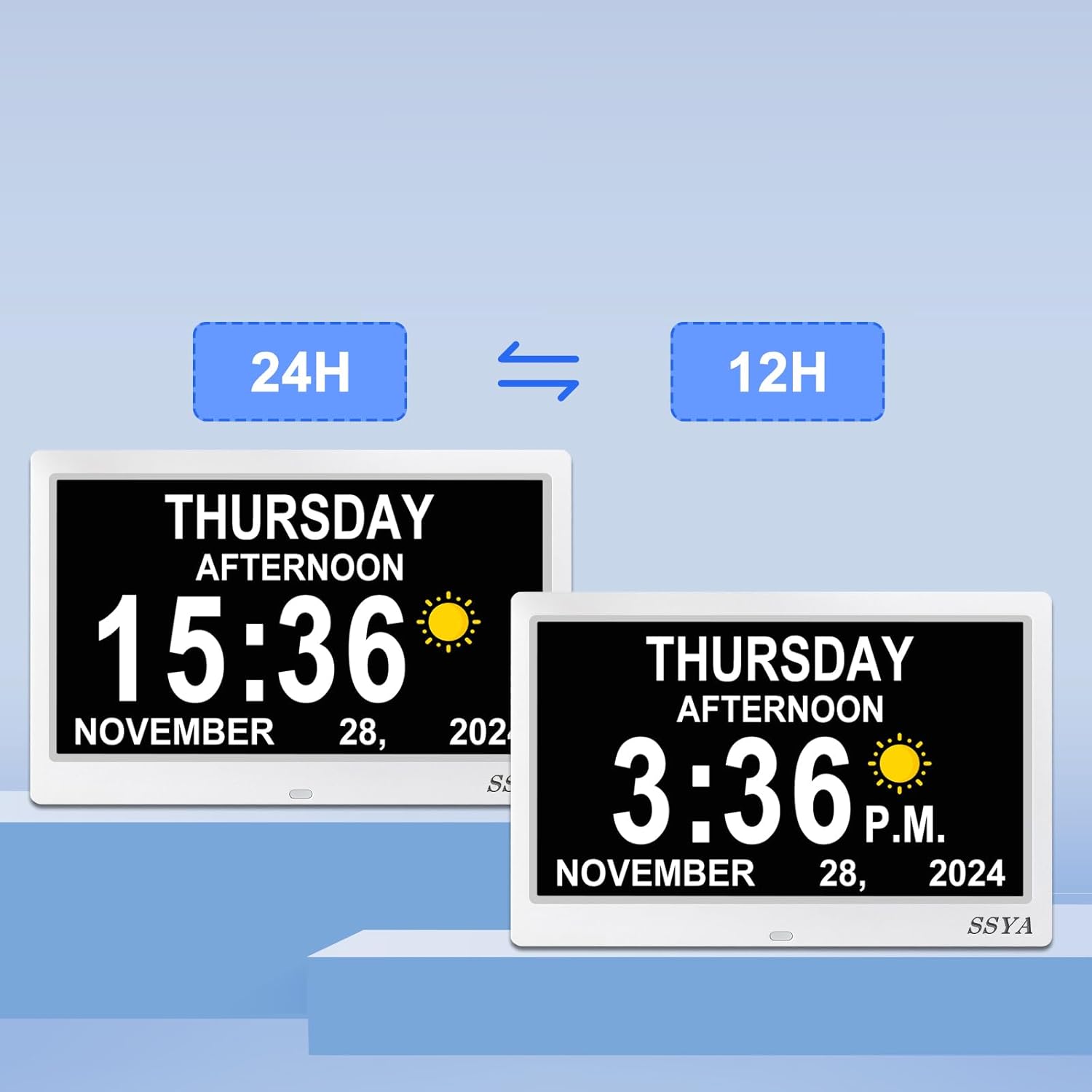
Figure 5: Illustration of 24-hour versus 12-hour time display options.
4.5. Automatic Dimming and Time Cycles
The clock features an automatic dimming function that adjusts screen brightness for optimal viewing during different times of the day, ensuring it's not too bright at night. It also categorizes the day into 5 distinct cycles:
- MORNING: 5:00 am - 11:59 am
- AFTERNOON: 12:00 pm - 5:59 pm
- EVENING: 6:00 pm - 8:59 pm
- NIGHT: 9:00 pm - 11:59 pm
- PREDAWN: 12:00 am - 4:59 am
These cycles are indicated by corresponding Sun & Moon icons on the display.
5. Maintenance
To ensure the longevity and optimal performance of your SSYA Dementia Clock, please follow these maintenance guidelines:
- Cleaning: Use a soft, dry, lint-free cloth to gently wipe the screen and frame. Avoid using abrasive cleaners, solvents, or spray directly onto the screen.
- Placement: Place the clock on a stable, flat surface or mount it securely on a wall. Avoid areas with extreme temperatures, direct sunlight, or high humidity.
- Power: Always use the provided power adapter. Disconnect the power adapter from the outlet if the clock will not be used for an extended period.
6. Troubleshooting
| Problem | Possible Cause | Solution |
|---|---|---|
| Clock does not power on. | Power adapter not connected or outlet is not functioning. | Ensure the power adapter is securely plugged into the clock and a working electrical outlet. Try a different outlet. |
| Incorrect time or date displayed. | Manual settings are incorrect or DST setting is off. | Access the settings menu to manually adjust the time and date. Verify the Automatic DST setting is enabled if applicable. The clock retains settings after a power outage. |
| Display is too bright or too dim. | Automatic dimming feature is not set correctly or preference. | Check the automatic dimming settings in the menu. Adjust brightness levels if manual control is preferred. |
| Alarms are not sounding. | Alarm is not activated or volume is too low. | Ensure the alarm is set to ON and the volume is audible in the alarm settings. |
7. Specifications
| Feature | Detail |
|---|---|
| Brand | SSYA |
| Model Number | Z071 |
| Color | 11.5" White |
| Display Type | Digital |
| Style | Modern |
| Special Features | Daylight Saving, Corded, LED Display, Automatic Dimming, Multiple Display Modes, Customizable Alarms |
| Product Dimensions | 9.72"W x 6.36"H |
| Power Source | Corded Electric |
| Age Range (Description) | Adult |
| Room Type | Bedroom, Living Room, Home Office |
| Shape | Rectangular |
| Indoor/Outdoor Usage | Indoor |
| Material | Plastic |
| Frame Material | Plastic |
| Batteries Included | Yes (for memory retention, not primary power) |
| Mounting Type | Tabletop |
| Alarm Clock | Yes |
| Warranty Type | Limited |
| Number of Items | 1 |
| Operation Mode | Electrical |
| Item Weight | 1.34 pounds |
| Country of Origin | China |
8. Warranty and Support
The SSYA Dementia Clock comes with a 360-day warranty covering various situations. For warranty claims, technical support, or any inquiries regarding your product, please contact SSYA customer service through the retailer's platform or the contact information provided in your product packaging.
Please retain your purchase receipt as proof of purchase for warranty purposes.
Ask a question about this manual
Ask about setup, troubleshooting, compatibility, parts, safety, or missing instructions. Manuals+ will review the question and use this page’s manual context to help answer it.