1. Introduction
Thank you for choosing the SHUAIGUO Smart Door Lock. This advanced keyless entry system offers multiple unlocking methods including biometric fingerprint recognition, virtual passwords, IC cards, and traditional mechanical keys, alongside smart control via a mobile application. Designed for doors with a thickness of 40-120mm, it provides enhanced security and convenience for your home or office.

Figure 1.1: SHUAIGUO Smart Door Lock, showing the exterior panel with keypad and handle, and the interior panel.
2. Safety Information
- Do not expose the lock to direct water or excessive humidity.
- Use only specified AA batteries. Do not mix old and new batteries or different battery types.
- Avoid using abrasive cleaners or solvents on the lock's surface.
- Ensure proper installation to prevent damage or malfunction. If unsure, consult a professional.
- Keep mechanical keys in a secure location outside the property.
3. Package Contents
Please verify that all components are present in the package:
- 1 x Outer Panel
- 1 x Inner Panel
- 1 x Door Buckle
- 1 x Lock Body
- 2 x IC Card
- 1 x Installation Accessory Package (screws, etc.)
- 2 x C-level Mechanical Key
- 1 x User Quick Guide (this manual)
4. Specifications
| Feature | Detail |
|---|---|
| Power Supply | 4 AA batteries (not included) |
| Fingerprint Capacity | Up to 50 sets |
| Card/Password Capacity | Up to 100 sets (total) |
| Network | TT lock BT (Bluetooth) |
| Power Supply Port | Type-C (for emergency power) |
| Door Thickness Compatibility | 40-120mm |
| Panel Size | 30 * 6.8cm (11.8 * 2.7inch) |
| Product Dimensions | 11.81 x 7.09 x 3.94 inches |
5. Setup and Installation
Before installation, ensure your door thickness is between 40mm and 120mm. The lock requires 4 AA batteries (not included) for operation.
5.1 Pre-Installation Check
- Verify all package contents are present.
- Confirm door thickness is within the specified range.
- Prepare necessary tools (screwdriver, drill if new holes are needed).
5.2 Installation Steps (General)
While detailed step-by-step instructions are typically provided in a separate quick guide, the general process involves:
- Prepare the Door: Ensure existing holes match the lock body or drill new ones according to the template (if provided). The lock features an Adjusted Fixed Plate to accommodate various door hole configurations, potentially reducing the need for new drilling.
- Install Lock Body: Insert the lock body into the door edge.
- Install Outer Panel: Secure the outer panel to the door, ensuring cables are routed correctly.
- Install Inner Panel: Connect the cables from the outer panel to the inner panel and secure the inner panel to the door.
- Insert Batteries: Open the battery compartment on the inner panel and insert 4 AA batteries, observing polarity.
- Test Operation: Perform initial tests with mechanical keys and follow instructions for initial setup of administrator password/fingerprint.

Figure 5.1: The Adjusted Fixed Plate design, allowing for easier installation by suiting existing door holes.
6. Operating the Smart Lock
The SHUAIGUO Smart Door Lock offers multiple convenient and secure ways to unlock your door.

Figure 6.1: Overview of the various unlocking methods and smart features.
6.1 Fingerprint Unlocking
The lock features a semiconductor fingerprint sensor for quick and accurate identification (less than 0.5 seconds). It can store up to 50 unique fingerprints.
- Enrollment: Follow the instructions in the quick guide or app to enroll new fingerprints.
- Unlocking: Place your registered finger on the fingerprint sensor. The lock will unlock if the fingerprint is recognized.

Figure 6.2: Semiconductor Fingerprint recognition, offering high capacity and fast unlocking speed.
6.2 Virtual Password (Anti-Peeping)
This feature enhances security by allowing you to input random digits before or after your actual password, preventing others from guessing your code by observing your input pattern. The password can be up to 24 digits long, with only 6-11 correct digits needed to unlock.
- Setting: Set your primary password via the lock's interface or the mobile app.
- Unlocking: On the keypad, enter any random digits, then your correct 6-11 digit password, followed by more random digits (e.g., XXX + 123456 + XXX). Press '#' to confirm.

Figure 6.3: Phantom Password (Virtual Password) for enhanced security against observation.
6.3 IC Card Unlocking
The lock comes with encrypted IC cards, providing an alternative secure access method, especially useful for individuals whose fingerprints may be difficult to read (e.g., elderly, children).
- Enrollment: Register the IC cards with the lock via the quick guide instructions or the mobile app.
- Unlocking: Present the registered IC card to the card reader area on the lock's outer panel. The lock will unlock upon successful recognition.
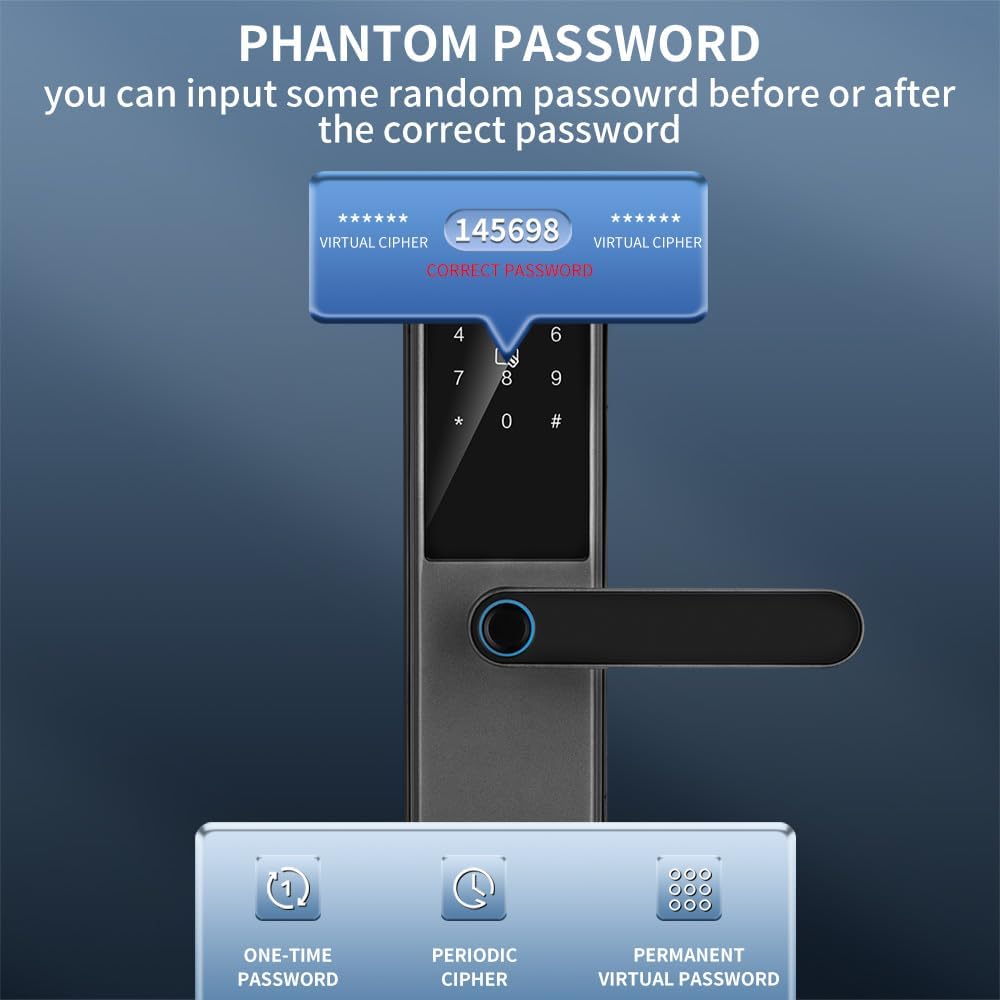
Figure 6.4: IC Card Unlocking method.
6.4 Mechanical Key Unlocking
Two C-level mechanical keys are provided for emergency access or traditional unlocking. Insert the key into the hidden keyhole and turn to unlock.
6.5 Mobile App Control (Tuya App)
The lock integrates with the Tuya App (TT lock BT network) for remote management and smart features.
- Remote Password Generation: Generate temporary, one-time, or periodic passwords for guests or service providers from anywhere.
- Access Logs: View entry and exit records.
- Homecoming Reminders: Receive notifications when family members unlock the door.
- Alarm Push Notifications: Get alerts for suspicious activities or low battery.
- Hijack Alarms: Enhanced security alerts.
- User Management: Assign different permission levels (Administrator, Family, Tenant) for various users.

Figure 6.5: Multilevel Permission structure for app users.

Figure 6.6: Passwords can be set to automatically invalidate after expiration, with renewal options.
6.6 Lift-to-Lock Mechanism
The lock features an easy-to-use lift-to-lock mechanism. Simply lift the handle upwards from the outside to engage all bolts and secure the door without needing a key.
6.7 Emergency Power Supply
In case of complete battery depletion, the lock can be temporarily powered via a Type-C USB port for emergency unlocking.
7. Maintenance
- Battery Replacement: Replace all 4 AA batteries when the low battery warning is issued. Do not wait for complete depletion to ensure continuous operation.
- Cleaning: Wipe the lock's surface with a soft, dry cloth. Avoid using harsh chemicals or abrasive materials that could damage the finish or electronic components.
- Sensor Care: Keep the fingerprint sensor and keypad clean and free of dirt or moisture for optimal performance.
8. Troubleshooting
| Problem | Possible Cause | Solution |
|---|---|---|
| Lock does not respond. | Dead batteries. | Replace all 4 AA batteries. Use Type-C USB for emergency power. |
| Fingerprint not recognized. | Finger dirty/wet, sensor dirty, unregistered fingerprint. | Clean finger and sensor. Re-enroll fingerprint if necessary. Try another registered finger or unlocking method. |
| Password not working. | Incorrect password, virtual password format error, password expired. | Ensure correct password and virtual password format. Check app for password expiration/renewal. |
| IC card not unlocking. | Unregistered card, card damaged. | Ensure card is registered. Try another registered card. |
| Lock is loose after installation. | Screws not tightened properly. | Re-tighten all installation screws. |
| Concerns about |