
HONITURE S13 Pro NEW
HONITURE S13 Pro Cordless Vacuum Cleaner User Manual
Model: S13 Pro NEW | Brand: HONITURE
Introduction
Thank you for choosing the HONITURE S13 Pro Cordless Vacuum Cleaner. This manual provides essential information for the safe and efficient operation, maintenance, and troubleshooting of your new vacuum cleaner. Please read this manual thoroughly before first use and keep it for future reference.

Image: The HONITURE S13 Pro Cordless Vacuum Cleaner, showcasing its main body, extension tube, floor brush, and various accessories like the crevice tool and 2-in-1 brush, along with the digital display.
What's Included
Your HONITURE S13 Pro package includes the following components:
- Main Motor (Handheld Unit)
- Floor Brush with Roller
- Telescopic Tube
- Detachable Battery
- Dust Cup
- HEPA Filter (pre-installed)
- Sponge Filter
- Charger Adapter
- Wall Mount Bracket
- 2-in-1 Brush
- Long Crevice Tool
- Mini Cleaning Brush
- Stainless Steel Filter
- Quick User Guide

Image: A visual representation of all components included in the HONITURE S13 Pro package, laid out neatly on a surface.
Setup
Assembly
- Attach the Dust Cup: Align the dust cup with the main motor unit and push until it clicks securely into place.
- Install the Battery: Slide the detachable battery into the slot on the main motor until it locks.
- Connect the Telescopic Tube: Insert one end of the telescopic tube into the main motor unit and the other end into the floor brush. Ensure both connections are secure.
- Attach Accessories: For specific cleaning tasks, attach the desired accessory (e.g., 2-in-1 brush, long crevice tool) directly to the main motor or the end of the telescopic tube.
Initial Charging
Before first use, fully charge the battery. Connect the charger adapter to the battery or the main motor unit while the battery is installed. A full charge takes approximately 4-5 hours. The LED screen will indicate charging status.

Image: A close-up view of the detachable battery being inserted into the main body of the vacuum cleaner, highlighting its easy-to-use design.
Operating Instructions
Power On/Off and Suction Modes
Press the power button to turn the vacuum on or off. Use the suction adjustment button on the LED smart touch screen to cycle through the three available suction modes: ECO, MID, and MAX. The screen will display the current suction status and remaining battery life.

Image: A detailed view of the vacuum cleaner's LED Smart Touch Screen, showing battery indicator, suction mode, and other alerts.
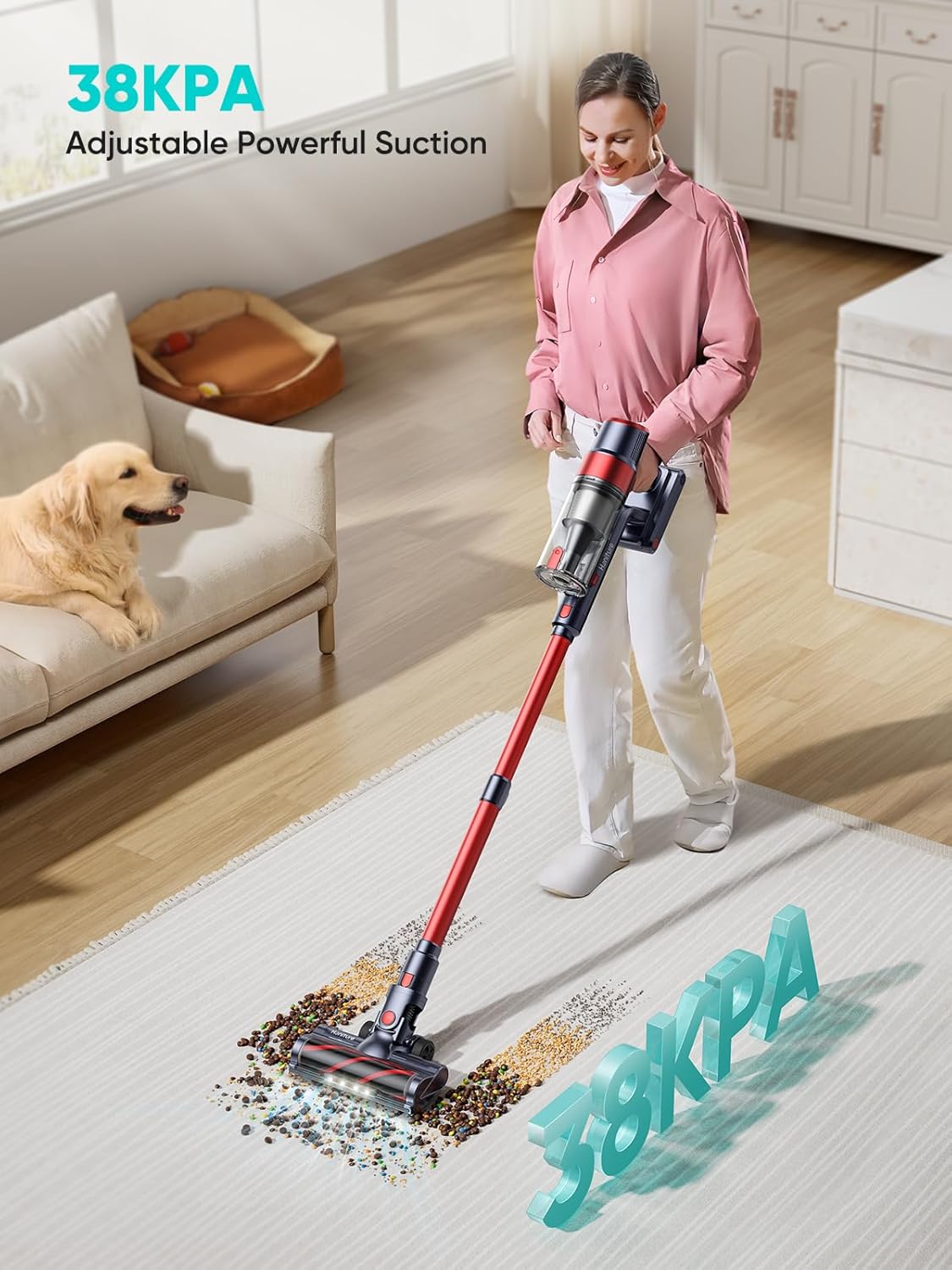
Image: A woman using the HONITURE S13 Pro vacuum cleaner on a rug, with a visual representation of its 38KPA powerful suction.
Cleaning Tips
- All Floor Types: The main floor brush is designed for effective cleaning on both hard floors and carpets. Its large wheels help it glide over obstacles.
- Edge Cleaning: The specialized edge cleaning design allows the vacuum to effectively pick up dirt and dust along walls and in corners.
- Versatile Attachments:
- The 2-in-1 brush is ideal for cleaning upholstery, curtains, and car interiors.
- The long crevice tool is perfect for reaching tight spaces, corners, and gaps.
- The telescopic tube can be adjusted for comfortable use and to reach high areas.

Image: Four different configurations of the vacuum cleaner demonstrating its versatility: as a floor brush, with the 2-in-1 brush, with the crevice brush, and with the telescopic tube for high reach.
Maintenance
Regular maintenance ensures optimal performance and extends the lifespan of your vacuum cleaner.
Emptying the Dust Cup
The 1.5L dust cup features a one-touch dust removal system. Press the release button to open the bottom flap and empty debris directly into a trash bin. It is recommended to empty the dust cup after each use or when the MAX line is reached.

Image: A hand demonstrating the one-touch dust removal feature, emptying collected debris from the 1.5L dust cup into a waste bin.
Cleaning Filters
The vacuum is equipped with HEPA and sponge filters. Regularly check and clean these filters to maintain suction power. Twist to detach the dust cup from the main motor, then remove the filters. Tap them to remove loose dust or rinse with water if heavily soiled. Ensure filters are completely dry before re-installing.
Cleaning the Brush Roller
Periodically check the brush roller in the floor head for tangled hair or debris. Use the provided mini cleaning brush or scissors to cut and remove any obstructions. This ensures efficient cleaning and prevents damage to the motor.
Troubleshooting
| Problem | Possible Cause | Solution |
|---|---|---|
| Vacuum not turning on | Battery not charged or not properly installed. | Ensure battery is fully charged and securely clicked into place. |
| Loss of suction power | Dust cup full, filters clogged, or brush roller obstructed. | Empty dust cup, clean filters, remove any tangles from brush roller. The LED screen may show a red reminder if clogged. |
| Short battery runtime | Using MAX mode frequently, or battery needs replacement. | Use lower suction modes for lighter cleaning. Ensure battery is fully charged before use. Consider battery replacement if runtime significantly decreases over time. |
| Unusual noise | Obstruction in the brush roller or air ducts. | Check and clear any blockages in the brush roller, telescopic tube, or dust cup inlet. |
Specifications
| Feature | Detail |
|---|---|
| Brand | HONITURE |
| Model Name | S13 Pro NEW (CJD234US) |
| Motor | 450W Brushless DC Motor |
| Suction Power | Up to 38KPA |
| Suction Modes | 3 (ECO/MID/MAX) |
| Battery Type | Lithium-Ion (7 x 2500 mAh cells) |
| Runtime | Up to 55 minutes (ECO mode), 15 minutes (MAX mode) |
| Charging Time | 4-5 Hours |
| Dust Cup Capacity | 1.5 Liters |
| Filtration System | HEPA |
| Special Features | LED Smart Touch Screen, Edge Cleaning Design, Detachable Battery |
| Item Weight | 5.5 pounds |
| Product Dimensions | 13"L x 8"W x 17"H |
Warranty and Support
HONITURE products are manufactured to the highest quality standards. For warranty information, technical support, or any questions regarding your product, please refer to the warranty card included in your package or visit the official HONITURE website. You can also contact customer service through the retailer where you purchased the product.
For further assistance, please visit the HONITURE Store on Amazon.