
Introduction
This manual provides comprehensive instructions for the operation and maintenance of your Generic XOTODREM-M66 Global Walkie Talkie. This device is a versatile two-way radio designed for reliable, long-distance communication, featuring an integrated FM radio and emergency functions. Please read this manual thoroughly to ensure proper use and to maximize the performance and longevity of your device.
What's in the Box
Upon unpacking, please verify that all the following items are included:
- Walkie talkies/batteries
- Signal Antenna/FM Radio Antenna
- Charger/Charging Cable
- Back clips/screws/screwdrivers
- User's manual/gift box
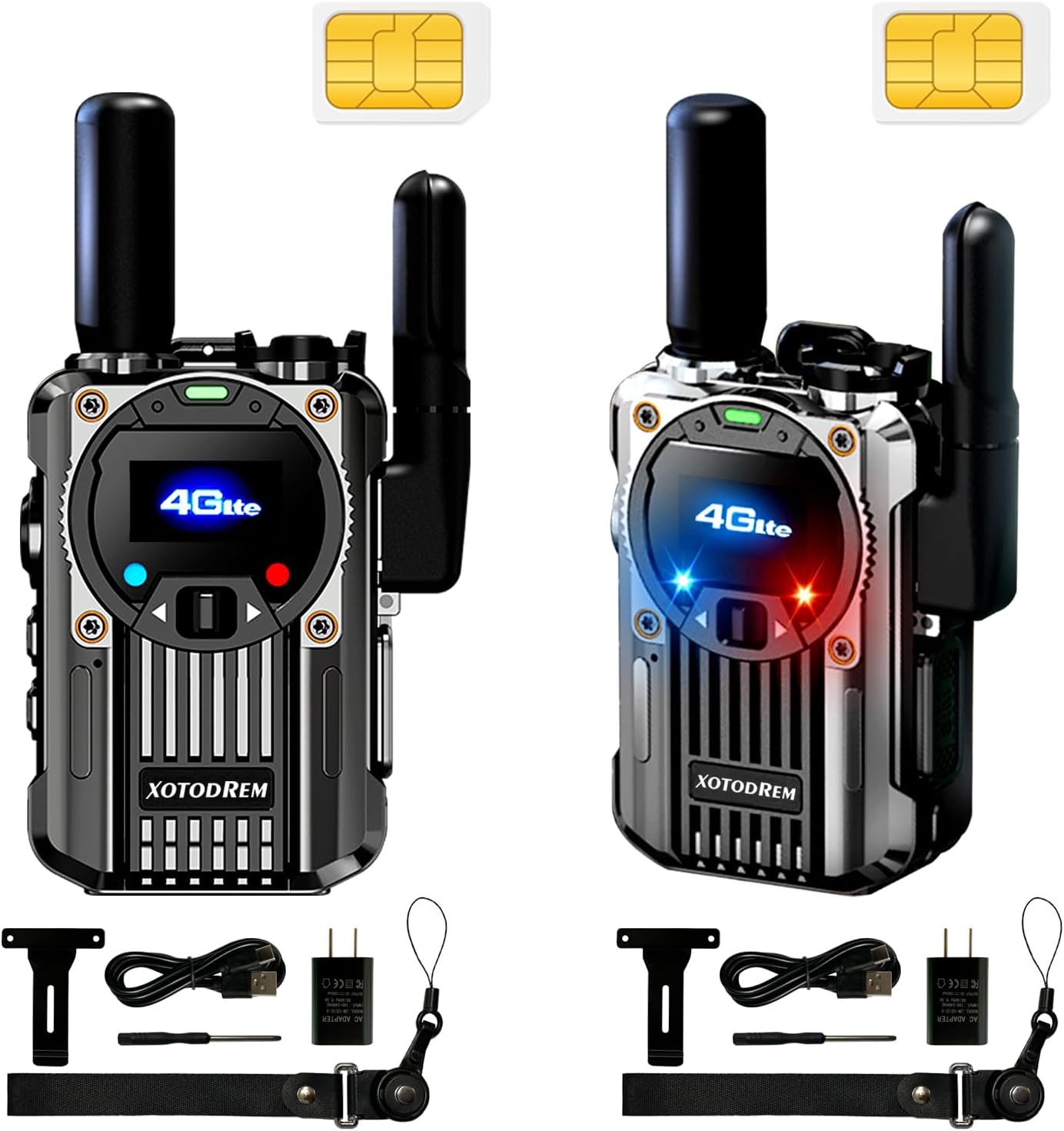
Image: The XOTODREM-M66 Global Walkie Talkie package contents, including two walkie talkies, antennas, charging cables, and mounting accessories.
Product Overview
The XOTODREM-M66 is a compact and robust communication device. It features a clear display, intuitive controls, and a durable design suitable for various environments.
Key Components and Features
- PTT (Push-to-Talk) Button: For initiating voice communication.
- Display Screen: Shows status, group selection, and settings.
- Navigation Buttons: For menu navigation and adjustments.
- Detachable Antennas: For signal reception and FM radio.
- Type-C Charging Port: For convenient and fast charging.
- SIM Card Slot: Enables cellular network connectivity for unlimited distance communication.
- Speakers and Microphone: For clear audio transmission and reception.
- Flashlight: Integrated LED light with multiple modes.
- SOS Siren: Emergency alarm with flashing red, green, and blue lights.
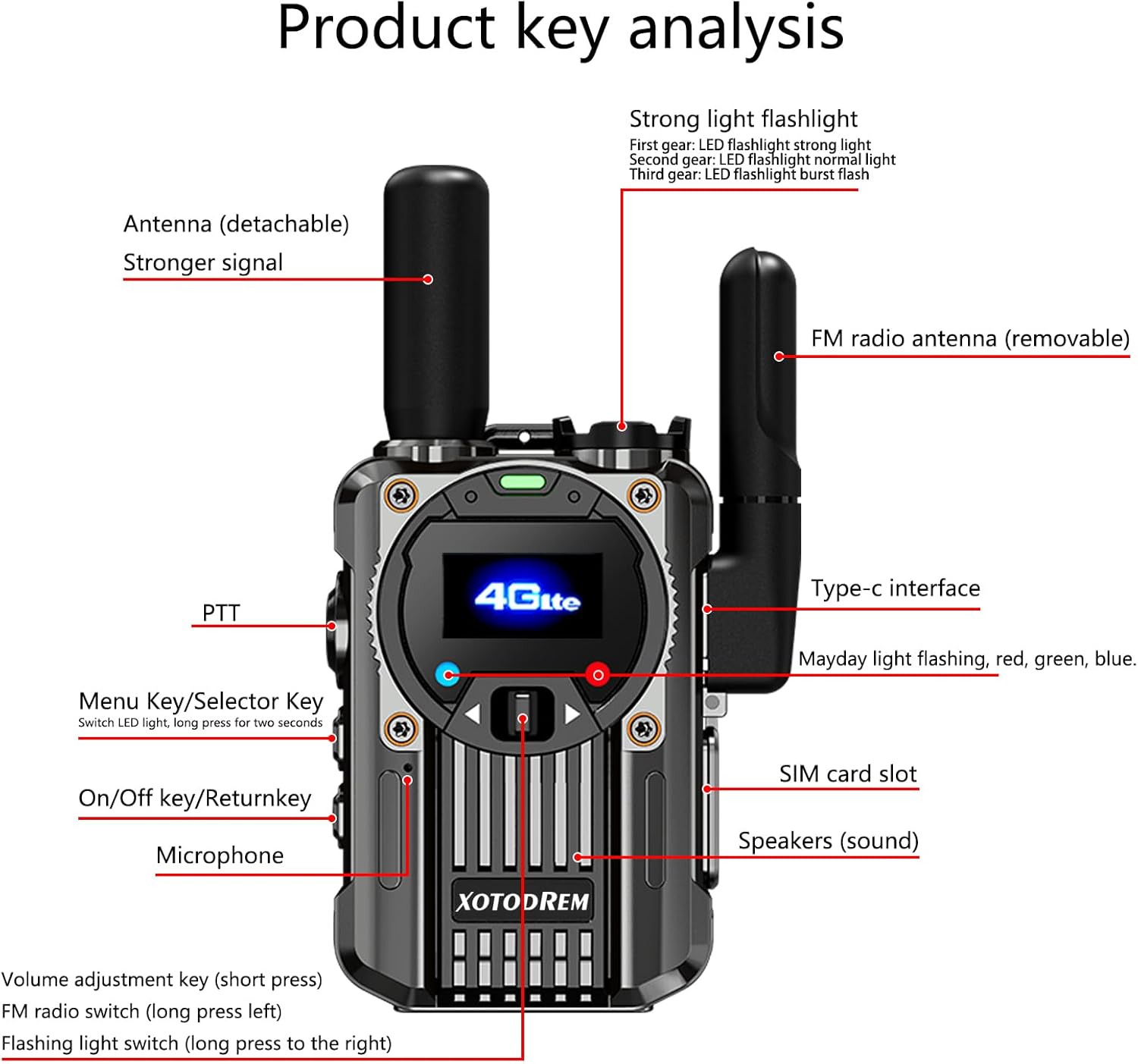
Image: Detailed diagram illustrating the key components and their functions on the XOTODREM-M66 walkie talkie.

Image: Visual representation of the XOTODREM-M66 walkie talkie's dimensions and a table of its product parameters.

Image: Overview of the XOTODREM Global Walkie-Talkie-FM Radio features, including global intercom, dual-purpose functionality, SOS signal light, and flashlight.
Setup
1. SIM Card Installation
Your Global Walkie Talkie comes with a pre-installed SIM card for cellular network access. Ensure it is properly seated in the designated SIM card slot. This SIM card provides one year of free usage with unlimited traffic for unobstructed calls.
2. Charging the Device
Before first use, fully charge the walkie talkie. Connect the provided Type-C charging cable to the device and a compatible power source. The 3000mAh battery ensures extended operation.
3. Attaching Antennas
Attach the signal antenna and, if desired, the FM radio antenna to their respective ports on the device. The detachable antennas are designed for stronger and more stable signal reception.
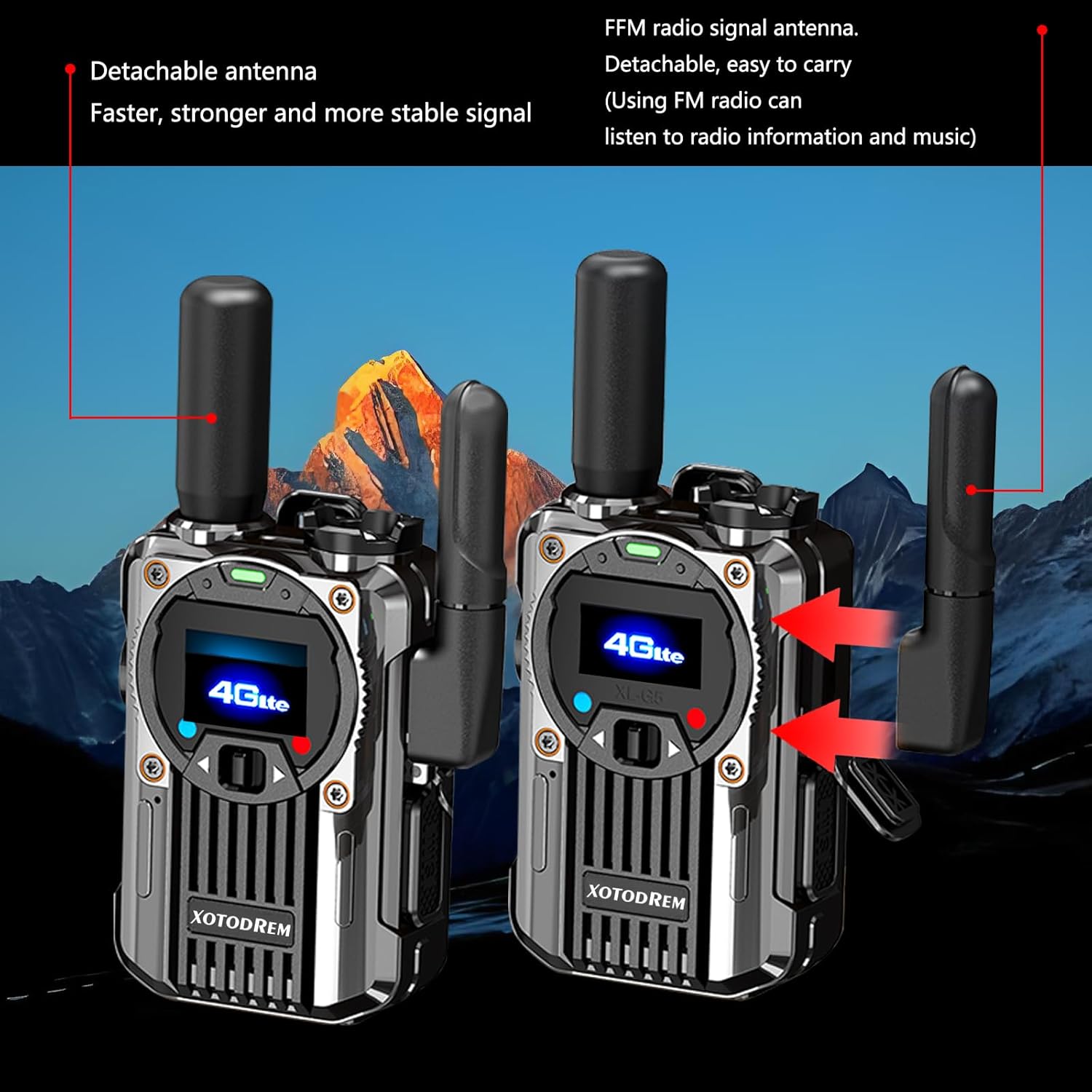
Image: Two XOTODREM walkie talkies showcasing their detachable antennas for improved signal and FM radio functionality.
4. Pairing Additional Walkie Talkies
The default setting before shipment connects two walkie-talkies. If you purchase additional units and wish to create more groups, please provide the identification number on the SIM card to the manufacturer or seller. They will assist in configuring new groups upon request.
Video: A seller-provided video demonstrating the features of the walkie talkie, including its nationwide coverage and ease of communication, highlighting the benefit of no monthly fees for one year with AT&T data service.
Video: A seller-provided video showcasing the unlimited global range of the walkie talkie, emphasizing its 4G LTE connectivity for communication anywhere.
Operating Instructions
1. Power On/Off
To power on or off the device, locate the On/Off/Return key and press it for a few seconds until the screen activates or deactivates.
2. Push-to-Talk (PTT) Communication
The PTT function allows for instant group communication. To transmit your voice, press and hold the PTT button for approximately 3 seconds before speaking. Continue holding the button while speaking. Once you have finished speaking, release the PTT button and hold it for about 3 seconds before fully releasing to ensure your entire message is transmitted.
3. Using the FM Radio
Your walkie talkie can also function as an FM radio. To activate the FM radio, long press the left button on the side of the device. To adjust the FM channel, long press the right button. This feature is useful for listening to news, music, or weather reports, especially during outdoor activities or emergencies.
Image: The XOTODREM-M66 walkie talkie with a detailed FM radio shortcut key chart, indicating how to turn on/off the FM radio and adjust channels.
4. Flashlight Function
The device includes a high-brightness LED flashlight with three modes:
- First Gear: Strong light
- Second Gear: Constant light
- Third Gear: Burst flash
This flashlight can be used for illumination in dark environments or as an emergency light during power outages.
5. SOS Siren and Flashing Lights
In emergency situations, activate the loud SOS siren. This feature also triggers flashing red, green, and blue lights to attract attention. This is a crucial safety tool for alerting others to your location or need for assistance.

Image: The XOTODREM-M66 walkie talkie demonstrating its SOS flashing light and multi-mode flashlight features in a dark, outdoor setting.
6. Advanced Audio Features
The XOTODREM-M66 incorporates advanced wind and background noise suppression, along with an integrated high-performance digital microphone and audio signal processing algorithms. This ensures crystal-clear speech, even in noisy environments, allowing all group members to hear each other clearly.

Image: An exploded view of the XOTODREM-M66 walkie talkie's internal components, emphasizing its advanced acoustic architecture for clear and loud sound.
Maintenance
To ensure optimal performance and extend the lifespan of your walkie talkie, follow these maintenance guidelines:
- Cleaning: Use a soft, dry cloth to clean the device. Avoid using harsh chemicals or abrasive materials.
- Battery Care: Charge the battery regularly. Avoid fully discharging the battery frequently, as this can reduce its overall lifespan. Store the device in a cool, dry place when not in use for extended periods.
- Water Resistance: The device is water-resistant. However, avoid submerging it in water or exposing it to heavy rain for prolonged periods. Ensure all port covers are securely closed.
- Antenna Care: Handle detachable antennas with care to prevent damage. Ensure they are securely attached during use.
Troubleshooting
If you encounter issues with your XOTODREM-M66 walkie talkie, refer to the following common problems and solutions:
| Problem | Possible Cause | Solution |
|---|---|---|
| No communication/Poor signal | Out of cellular service range; SIM card issue; antenna not properly attached. | Move to an area with better cellular coverage. Ensure the SIM card is correctly installed. Check that antennas are securely attached. |
| Cannot transmit/receive messages | PTT button not held long enough; incorrect group selection. | Ensure you press and hold the PTT button for 3 seconds before speaking and hold for 3 seconds after speaking. Verify you are on the correct communication group. |
| Battery not charging | Charging cable or adapter faulty; dirty charging port. | Try a different Type-C cable and adapter. Clean the charging port gently. |
| FM radio not working | FM radio antenna not attached; poor reception area. | Attach the FM radio antenna. Move to an area with better FM signal reception. |
Specifications
| Feature | Detail |
|---|---|
| Model Number | XOTODREM-66 |
| Dimensions | 1.22 x 2.08 x 2.83 inches (3.1 x 5.3 x 7.2 cm) |
| Weight | 2 pounds (approx. 0.9 kg) |
| Battery | 2 Lithium Polymer batteries required (3000mAh capacity) |
| Charging Port | Type-C |
| Number of Channels | 200 |
| Frequency Range | 450-470 MHz |
| Talking Range Maximum | Unlimited (via cellular network) |
| Special Features | Emergency Alarm, Long Range, Noise Reduction, Shockproof, Weather Resistant, FM Radio |
| Water Resistance Level | Water Resistant |
| Color | Carbon Fiber Gray |
Warranty and Support
Warranty Information
The XOTODREM-M66 Global Walkie Talkie comes with a one-year quality guarantee from the date of purchase. This warranty covers manufacturing defects under normal use. Please retain your proof of purchase for warranty claims.
Customer Support
For technical assistance, troubleshooting not covered in this manual, or warranty inquiries, please contact the seller or manufacturer directly through the platform where the product was purchased. When contacting support, please provide your product model number (XOTODREM-66) and a detailed description of the issue.