
Introduction
This manual provides comprehensive instructions for the setup, operation, maintenance, and troubleshooting of your Magic Sing 2025 ATK1000 All-in-One Karaoke System. Please read this manual thoroughly before using your device to ensure optimal performance and longevity.
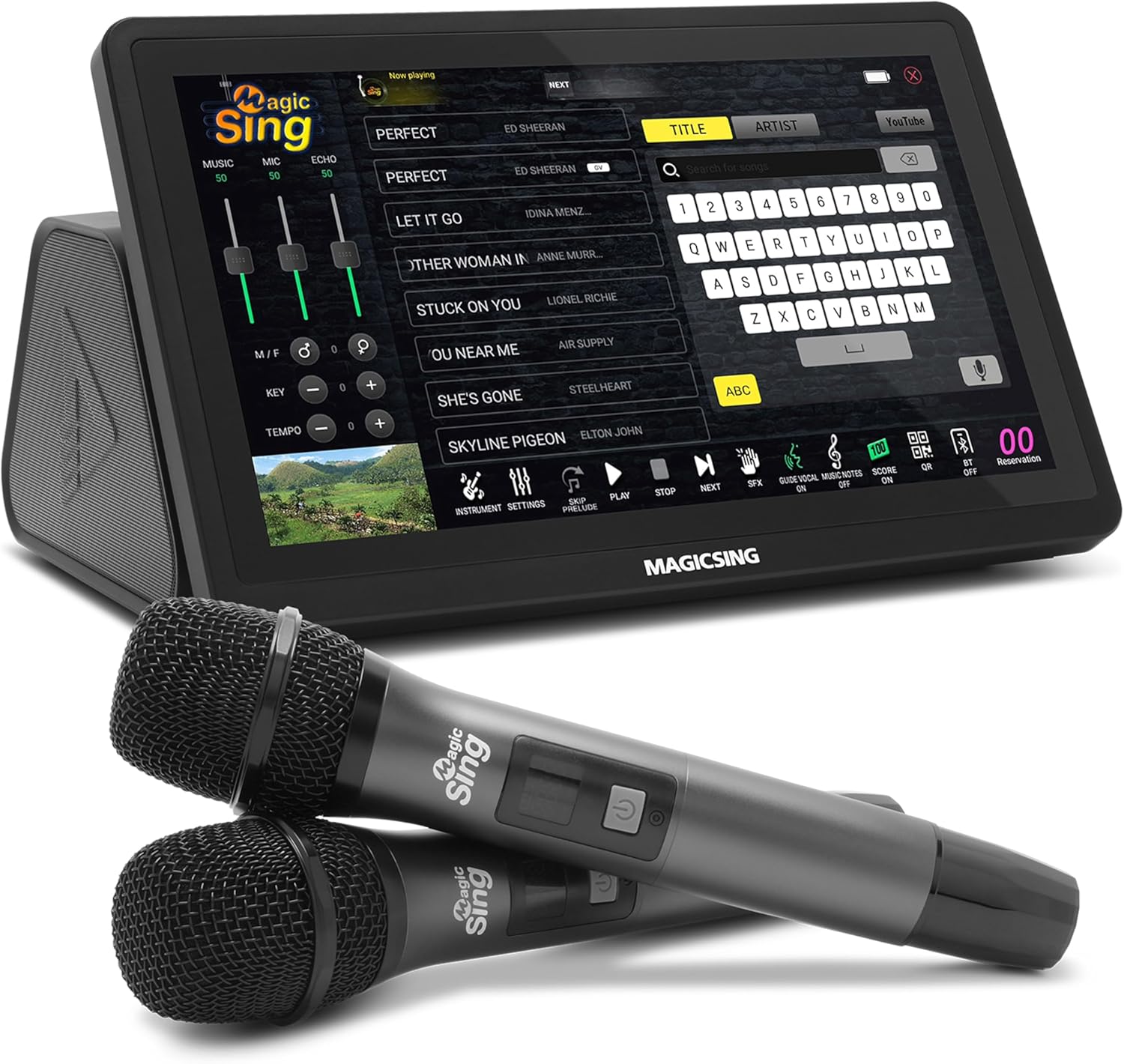
Image: The Magic Sing 2025 ATK1000 All-in-One Karaoke System, featuring its 11.5-inch touchscreen display and two wireless microphones.
Package Contents
Upon unboxing, please verify that all the following items are included:
- Magic Sing ATK1000 Karaoke System Unit
- Two Wireless Microphones
- HDMI Cable
- RCA Cable
- Power Adapter
- User Manual (this document)
- Premium Carry Case

Image: The Magic Sing karaoke system, two microphones, and its premium carry bag, illustrating the complete package contents.
Setup Guide
1. Powering On
- Connect the power adapter to the DC IN port on the back of the karaoke system.
- Plug the power adapter into a standard electrical outlet (110 Volts).
- Press the power button located on the unit to turn it on.
2. Connecting to a Display (HDTV)
The Magic Sing ATK1000 supports both HDMI and RCA connections for video and audio output to your television or monitor.
- HDMI Connection (Recommended for HD Quality):
- Connect one end of the HDMI cable to the HDMI OUT port on the karaoke system.
- Connect the other end of the HDMI cable to an available HDMI input port on your HDTV.
- Select the corresponding HDMI input on your HDTV using its remote control.
- RCA Connection (Standard Definition):
- Connect the RCA cable (red, white, yellow) to the RCA OUT ports on the karaoke system, matching colors.
- Connect the other end of the RCA cable to the corresponding RCA input ports on your TV.
- Select the corresponding AV input on your TV.

Image: An illustration highlighting the dimensions (11.5" touchscreen) and various features of the Magic Sing system, including connectivity options.

Image: The Magic Sing karaoke system connected to an HDTV, demonstrating the visual output and various ports on the back panel.
3. Wireless Microphone Setup
The system comes with two high-quality wireless microphones.
- Ensure the microphones have fresh batteries installed.
- Turn on each microphone using its power switch.
- The microphones should automatically pair with the karaoke system. If not, refer to the troubleshooting section.

Image: Close-up of the Magic Sing system's 11.5-inch touchscreen and the two accompanying high-quality wireless microphones.
4. Wi-Fi Connection
A Wi-Fi connection is required for song updates and certain online features.
- On the touchscreen, navigate to the "Settings" menu.
- Select "Network" or "Wi-Fi settings".
- Choose your desired Wi-Fi network from the list.
- Enter the password if prompted and connect.
Operating Instructions
1. Touchscreen Interface
The 11.5-inch touchscreen allows for intuitive navigation and control of the system.
- Tap icons to select functions (e.g., Search, Settings, Play).
- Swipe to scroll through lists or adjust sliders.
- Use the on-screen keyboard for text input (e.g., song titles, artist names).
2. Song Selection
- From the main screen, tap the "Search" icon or navigate to the song library.
- You can search by Title, Artist, or browse categories.
- Tap on a song to select it. You can queue multiple songs.

Image: The Magic Sing system's touchscreen displaying the song selection interface with search options and a list of songs.
3. Customizable Settings
Adjust various parameters to personalize your karaoke experience:
- Volume: Control music and microphone volume independently.
- Pitch/Key: Adjust the song's key to match your vocal range.
- Echo: Add reverb to your vocals for a richer sound.
- Tempo: Speed up or slow down the song.
- Instrument Volume: Individually adjust the volume of different instruments within a song (e.g., bass, piano, guitar).

Image: The Magic Sing system's touchscreen displaying the detailed instrument volume adjustment interface.
4. Sheet Music Display
For learning or practicing, the system can display sheet music for songs.
- Access this feature from the on-screen controls during a song.
- You can toggle the display of melody and instruments.

Image: The Magic Sing system's screen displaying sheet music and lyrics for a song, with a user singing along.
5. Real-Time Scoring
Engage in a fun, competitive experience with real-time scoring.
- Activate the scoring system from the on-screen options.
- Receive a score at the end of each song based on your vocal performance.
6. Custom Backgrounds
Personalize your karaoke session by using your own videos or photos as background visuals.
- Navigate to the background settings in the menu.
- Select from pre-loaded options or upload your own media via USB.
7. Song Updates
The Magic Sing system provides free and automatic song updates.
- Ensure your device is connected to Wi-Fi.
- When new songs are available, the system will automatically update the next time it is powered on.
- No subscription fees or additional song chips are required.

Image: An advertisement highlighting the free and automatic song updates for the Magic Sing system, along with available language versions.
Maintenance
1. Cleaning
- Use a soft, dry cloth to clean the touchscreen and exterior of the unit.
- For stubborn marks, slightly dampen the cloth with water; avoid harsh chemicals.
- Clean microphone grilles gently with a soft brush to remove dust.
2. Storage
When not in use, store the karaoke system and its accessories in the provided premium carry case to protect them from dust and damage.

Image: The Magic Sing karaoke system and its two wireless microphones neatly packed inside the premium carry bag.
3. Battery Information
The system is battery-powered for portability. Ensure batteries are charged or replaced as needed for the microphones and the main unit if it has an internal rechargeable battery (refer to product specifications for details).
Troubleshooting
| Problem | Possible Cause | Solution |
|---|---|---|
| No Power | Power adapter not connected or faulty outlet. | Ensure power adapter is securely connected and the outlet is functional. |
| No Sound/Video on TV | Incorrect TV input selected or loose HDMI/RCA cables. | Verify TV input matches the connected port. Check cable connections. |
| Microphones Not Working | Microphones off, low batteries, or not paired. | Turn on microphones, replace batteries, or refer to pairing instructions in the setup guide. |
| No Wi-Fi Connection | Incorrect password, out of range, or router issue. | Re-enter password, move closer to router, or restart router. |
| Song Updates Not Occurring | No internet connection or system not restarted. | Ensure stable Wi-Fi connection. Power cycle the device. |
Specifications
| Feature | Detail |
|---|---|
| Model Number | POP (English) |
| Dimensions (L x W x H) | 8.26 x 11.66 x 6.79 inches |
| Item Weight | 14.1 pounds |
| Display | 11.5-inch Touchscreen |
| Microphones | 2 Wireless Microphones |
| Audio Output | Built-in Hi-Fi Stereo Speakers |
| Connectivity | HDMI, RCA, Wi-Fi, USB |
| Power Source | Battery Powered, 110 Volts AC Adapter |
| Special Features | Built-In Amplifier, Portable, Rechargeable, Real-Time Scoring, Sheet Music Display, Custom Backgrounds |
| Included Components | Karaoke Unit, 2 Microphones, Carry Case, HDMI Cable, RCA Cable, User Manual |
Warranty and Support
Warranty Information
For detailed warranty information, please refer to the warranty card included with your product or visit the official Magic Sing website. Keep your proof of purchase for warranty claims.
Customer Support
If you encounter any issues not covered in this manual or require further assistance, please contact Magic Sing customer support. Contact details can typically be found on the manufacturer's website or on the product packaging.
You can also visit the Magic Sing Store on Amazon for additional product information and resources.
Note: No official product videos were embedded as relevant video data (e.g., creator type, preview status) was not available in the provided product information.


