
Introduction
This manual provides detailed instructions for the safe and efficient operation of your Smiandi 30 Pint Dehumidifier. Please read this manual thoroughly before use and retain it for future reference. This dehumidifier is designed to remove up to 30 pints of moisture per day, maintaining optimal indoor humidity levels between 40% and 60% in areas up to 600 sq. ft.

Image: The Smiandi 30 Pint Dehumidifier, a white rectangular unit with a clear drain hose coiled beside it.
Important Safety Information
Always follow basic safety precautions when using electrical appliances to reduce the risk of fire, electric shock, and injury.
- Ensure the unit is placed on a flat, level surface, at least 30cm (12 inches) away from walls or furniture.
- Do not place the unit upside down or on its side during transport or operation.
- Keep windows and doors closed while the unit is running to maximize efficiency.
- The dehumidifier operates best between 20-30°C (68-86°F) and 60-80% humidity.
- This appliance includes a child lock feature for family safety.
- Features overflow protection and a full-tank alert to prevent water spillage.
- Automatic defrost function prevents frost buildup on internal coils.
- The unit has power failure protection, ensuring safe operation.

Image: Diagram illustrating the dehumidifier's safety features, including power failure protection, full water indicator, and full water sensor.
Product Features
The Smiandi 30 Pint Dehumidifier is equipped with several features designed for effective and convenient moisture control:
- Powerful Moisture Removal: Extracts up to 30 pints (approximately 14.2 liters) of moisture per day.
- Energy Efficient: Utilizes a high-efficiency, low-noise compressor with auto shut-off and a 24-hour timer.
- Smart Humidity Control: Digital LED display allows setting desired humidity between 30%–80%. Automatically adjusts operation based on current humidity.
- Humidity Indicator Lights: Built-in color indicator provides instant feedback on ambient humidity: Blue (<45%), Green (45–65%), Red (>65%).
- Multiple Operating Modes: Auto Mode, Continuous Mode, and Sleep Mode.
- Quiet Operation: Operates at under 36 dB in Sleep Mode, comparable to a whisper.
- Two Fan Speeds: Adjustable fan speeds (Low/High) for balancing performance and noise.
- Child Lock: Prevents accidental changes to settings.
- Two Drainage Options: Manual drainage with a 2L (0.53 Gal) water tank or continuous drainage via an included 3.28 ft drain hose.
- Portable Design: Compact with 360° swivel wheels for easy movement.
- Washable Filter: Detachable and washable filter for easy maintenance and optimal air quality.
- Automatic Defrost: Protects the unit from frost buildup.

Image: An overview of the dehumidifier's key features, including humidity reduction, automatic control, timer, modes, fan speeds, water tank, continuous drainage, and child safety lock.
Setup and Initial Use
- Unboxing: Carefully remove the dehumidifier from its packaging.
- Standing Upright: After unboxing, allow the dehumidifier to stand upright for 6–24 hours before plugging it in. This allows internal components to stabilize and helps reduce operational noise.
- Placement: Place the unit on a firm, level surface in the desired location. Ensure there is at least 30cm (12 inches) of clear space around all sides for proper airflow.
- Power Connection: Plug the power cord into a grounded electrical outlet.
- Initial Operation: Press the Power button to turn on the unit. The display will show the current ambient humidity.

Image: The dehumidifier with its water tank partially removed, illustrating its internal structure and capacity for moisture removal.
Operating Modes and Controls
The control panel features a digital LED display and several buttons for easy operation.
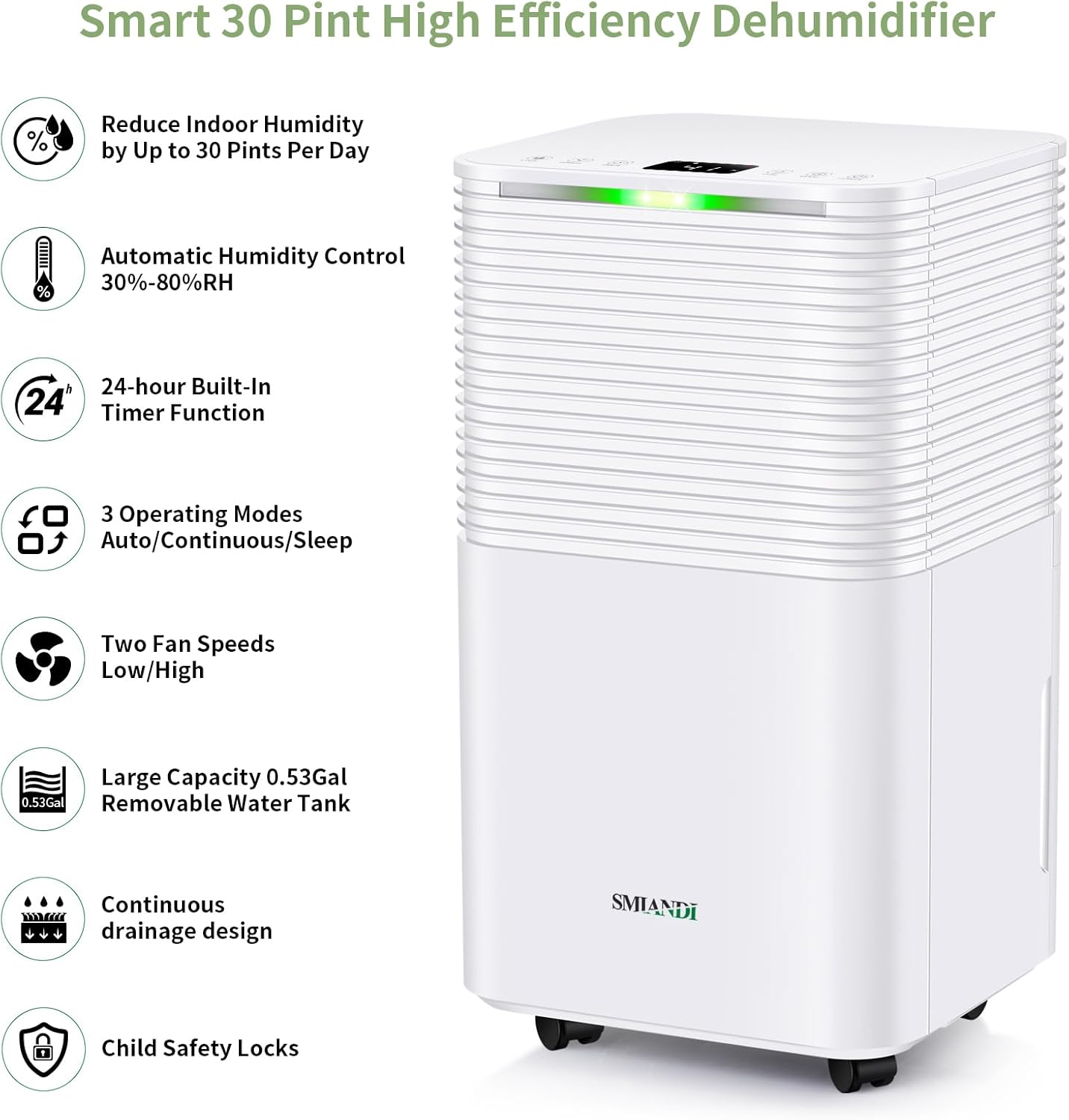
Image: A close-up view of the dehumidifier's top control panel, showing buttons for Child Lock, Speed, Timer, Humidity Target, Mode, and Power, along with the digital display.
Control Panel Functions:
- Power Button: Turns the unit on or off.
- Mode Button: Cycles through Auto, Continuous, and Sleep modes.
- Humidity (HUM) Button: Adjusts the desired humidity level (30%-80%).
- Speed Button: Selects between Low and High fan speeds.
- Timer Button: Sets the 24-hour timer for delayed start or stop.
- Child Lock Button: Activates or deactivates the child lock.
Operating Modes:
- Auto Mode: The unit automatically maintains your set humidity level. It will turn on or off as needed based on the ambient humidity.
- Continuous Mode: The unit operates continuously, ideal for drying laundry or in situations with persistent high moisture.
- Sleep Mode: Operates at a reduced fan speed and lower noise level (under 36 dB) for a quiet environment.

Image: Visual representation of the three operating modes: Auto Mode (starts/stops based on humidity), Continuous Drying Mode (for quick drying), and Sleep Mode (for quiet operation).
Humidity Indicator Lights:
The LED indicator on the unit provides a quick visual reference for current humidity levels:
- Blue Light: Ambient Humidity < 45%
- Green Light: Ambient Humidity 45% – 65%
- Red Light: Ambient Humidity > 65%

Image: The dehumidifier displaying its 3-color humidity indicator lights, showing blue for low humidity, green for optimal, and red for high humidity.
Drainage Options
Your Smiandi dehumidifier offers two convenient methods for water removal:
1. Manual Drainage (Water Tank)
- The unit is equipped with a 2-liter (0.53 Gallon) removable water tank.
- When the tank is full, the dehumidifier will automatically shut off, and an indicator light/alert will notify you.
- Carefully pull out the water tank, empty the collected water, and reinsert it securely. The unit will resume operation.
2. Continuous Drainage (Drain Hose)
- For continuous, hands-free operation, connect the included 3.28 ft (1 meter) drain hose to the continuous drainage outlet on the back of the unit.
- Ensure the hose is sloped downwards to allow gravity to drain the water into a suitable floor drain or large container.
- Do not allow the hose to be kinked or blocked, as this will prevent proper drainage.

Image: A side-by-side comparison showing the dehumidifier with its removable 0.53-gallon water tank for manual drainage and the continuous drainage setup with a hose connected.
Maintenance
Regular maintenance ensures optimal performance and longevity of your dehumidifier.
Cleaning the Air Filter:
- The dehumidifier features a detachable and washable air filter.
- It is recommended to clean the filter every two weeks, or more frequently depending on usage and air quality.
- To clean, gently remove the filter. Wash it with mild soap and warm water.
- Rinse thoroughly and allow it to air dry completely before reinserting. Do not use a dishwasher or harsh chemicals.
Cleaning the Unit Exterior:
- Wipe the exterior with a soft, damp cloth.
- Do not use abrasive cleaners or solvents.
Storage:
- If storing the unit for an extended period, ensure the water tank is empty and clean.
- Clean the air filter.
- Store in a cool, dry place, preferably in its original packaging.

Image: A detailed view highlighting the dehumidifier's user-friendly design, including the detachable and washable filter, 360° swivel wheels, and automatic defrost function.
Troubleshooting
Before contacting customer support, please refer to the following common issues and solutions:
| Problem | Possible Cause | Solution |
|---|---|---|
| Dehumidifier does not turn on. | No power; power cord not securely plugged in; power outage. | Ensure the unit is plugged into a working outlet. Check circuit breaker. |
| Unit is running but not collecting water. | Ambient humidity is lower than the set target; room temperature is too low; air filter is clogged. | Increase the target humidity setting. Ensure room temperature is above 5°C (41°F). Clean the air filter. |
| Water is leaking. | Water tank not properly seated; continuous drain hose is kinked or disconnected. | Reinsert the water tank correctly. Check the drain hose for kinks or blockages and ensure it's securely connected. |
| Unit is noisy. | Unit not on a level surface; air filter is dirty; internal components not stabilized after transport. | Place on a level surface. Clean the air filter. If recently moved, allow to stand upright for 6-24 hours. |
| Humidity indicator light is red, but humidity feels normal. | Sensor reading may be affected by local conditions or temporary fluctuations. | Monitor the digital display for the exact humidity percentage. Ensure proper airflow around the unit. |
Specifications
| Feature | Detail |
|---|---|
| Brand | Smiandi |
| Model | 30 Pint Dehumidifier |
| Moisture Removal Capacity | 30 Pints/Day (approx. 14.2 Liters/Day) |
| Coverage Area | Optimal for 300-600 sq. ft. (approx. 28-55 ㎡) |
| Water Tank Capacity | 2 Liters (0.53 Gallons) |
| Humidity Setting Range | 30% - 80% Relative Humidity |
| Operating Modes | Auto, Continuous, Sleep |
| Fan Speeds | 2 (Low, High) |
| Noise Level (Sleep Mode) | Under 36 dB |
| Timer | 24-Hour Programmable |
| Drainage Options | Manual (tank) or Continuous (hose) |
| Continuous Drain Hose Length | 3.28 ft (1 meter) |
| Special Features | Child Lock, Auto Shut-off, Auto Defrost, LED Display, 3-Color Humidity Indicator, 360° Swivel Wheels, Washable Filter |
| Product Dimensions | 22 x 25 x 44.5 cm (8.7 x 9.8 x 17.5 inches) |
| Item Weight | 10 kg (22 lbs) |
| Material | Acrylonitrile Butadiene Styrene (ABS) |
Warranty and Customer Support
Smiandi stands behind its products with a commitment to quality and customer satisfaction.
- Return Policy: A 30-day hassle-free return policy is offered.
- Technical Support: The product is backed by 2 years of technical support.
- Customer Service: For any questions, concerns, or assistance, please contact our customer service team. They are available 24/7 to ensure your satisfaction.
Please refer to your purchase documentation or the Smiandi website for specific contact details.