1. Introduction
The Numoya Go Brush Pro is a cordless, portable hair straightener brush designed for convenient hair styling. This manual provides essential information for safe operation, maintenance, and troubleshooting to ensure optimal performance of your device.
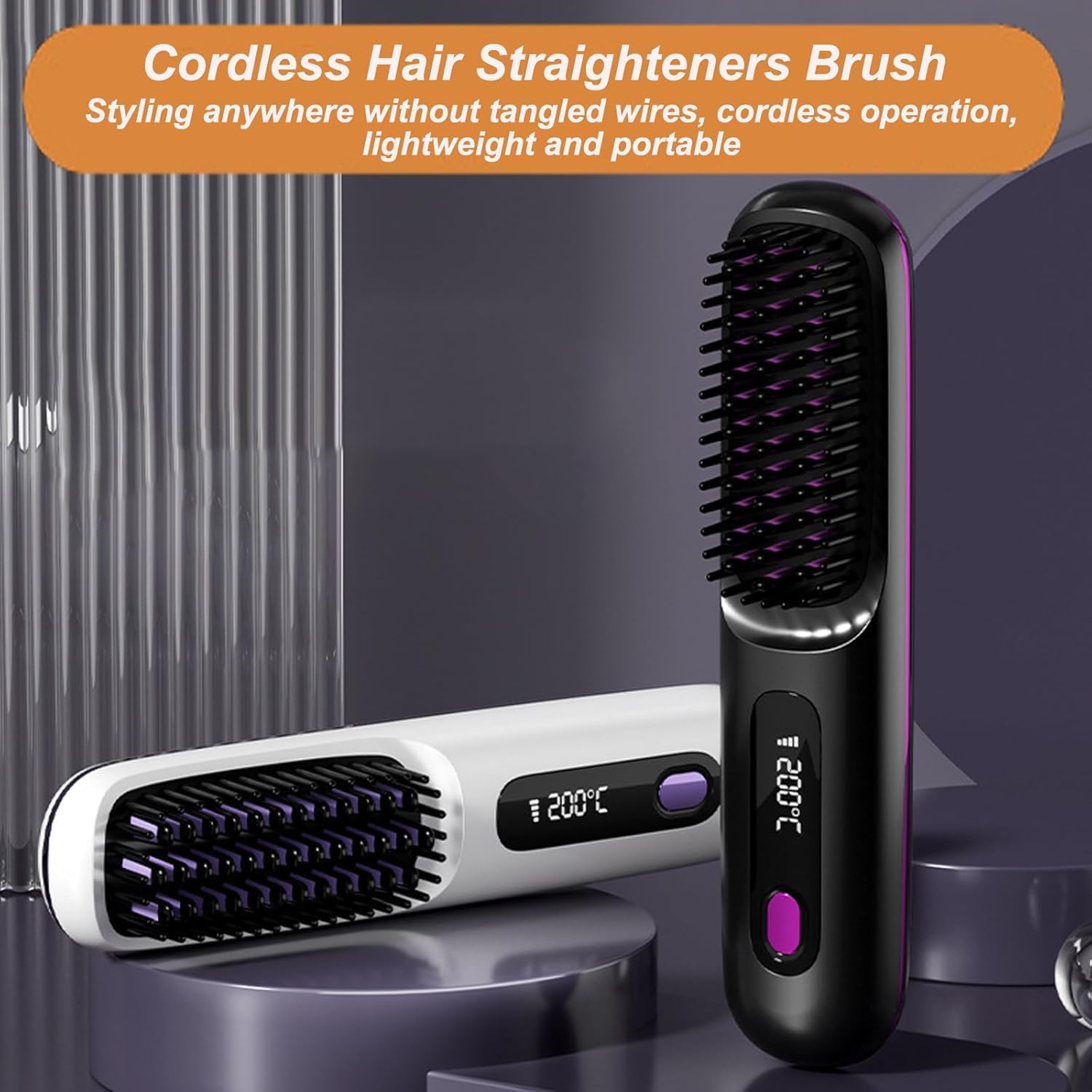
Image 1.1: The Numoya Go Brush Pro in black and white variants, highlighting its cordless design.
2. Safety Information
Please read all safety instructions before using the Numoya Go Brush Pro to prevent injury or damage to the device.
- Do not use this appliance near water, in a bathroom, or near a shower.
- Do not immerse the appliance in water or any other liquid.
- Keep the appliance away from children.
- Always unplug the appliance when not in use and before cleaning.
- Ensure the charging cable is not damaged. If damaged, discontinue use and contact support.
- Do not touch the heated bristles directly during operation to avoid burns.
- Allow the appliance to cool completely before storing.
- Use only the provided charging cable or a compatible 5V, 2A USB charger.

Image 2.1: Anti-scalding design of the brush, featuring an inner anti-scald comb and an outer enriched tooth comb.
3. Package Contents
Verify that all items are present in the package:
- 1 x Numoya Go Brush Pro Hair Straightener Brush
- 1 x USB Charging Cable
- 1 x User Manual (this document)
4. Product Features
The Numoya Go Brush Pro incorporates several features for effective and convenient hair styling:
- Cordless and Portable Design: Allows for styling without tangled wires, offering flexibility for travel or quick touch-ups.
- Adjustable 3-Temperature Settings: Provides heat options for various hair types.
- Fast Heating: Reaches desired temperature in approximately 2 minutes.
- LED Display: Shows current temperature and battery level.
- Long-Lasting Battery: Integrated 4000mAh rechargeable battery provides up to 30 minutes of styling time on the highest setting.
- Negative Ion Technology: Releases 199 million ions to reduce frizz and minimize hair damage.
- 3D Tooth Comb Design: Glides smoothly through hair, preventing snagging and promoting sleek results.

Image 4.1: The brush's LED display indicating temperature and battery, with the temperature adjustment button.
5. Setup
Before first use, fully charge the device.
- Unpack all components from the box.
- Inspect the device and charging cable for any visible damage.
- Connect the USB charging cable to the brush's charging port and to a compatible USB power source (e.g., wall adapter, computer USB port).
- Allow the device to charge until the battery indicator shows a full charge.
6. Charging
The Numoya Go Brush Pro is equipped with a rechargeable battery. To charge the device:
- Locate the USB charging port on the device.
- Connect the provided USB charging cable to the device and to a 5V, 2A USB power adapter or a computer's USB port.
- The LED display will indicate the charging status. A full charge typically provides up to 30 minutes of use on the highest setting.
- Disconnect the charger once the battery is fully charged.
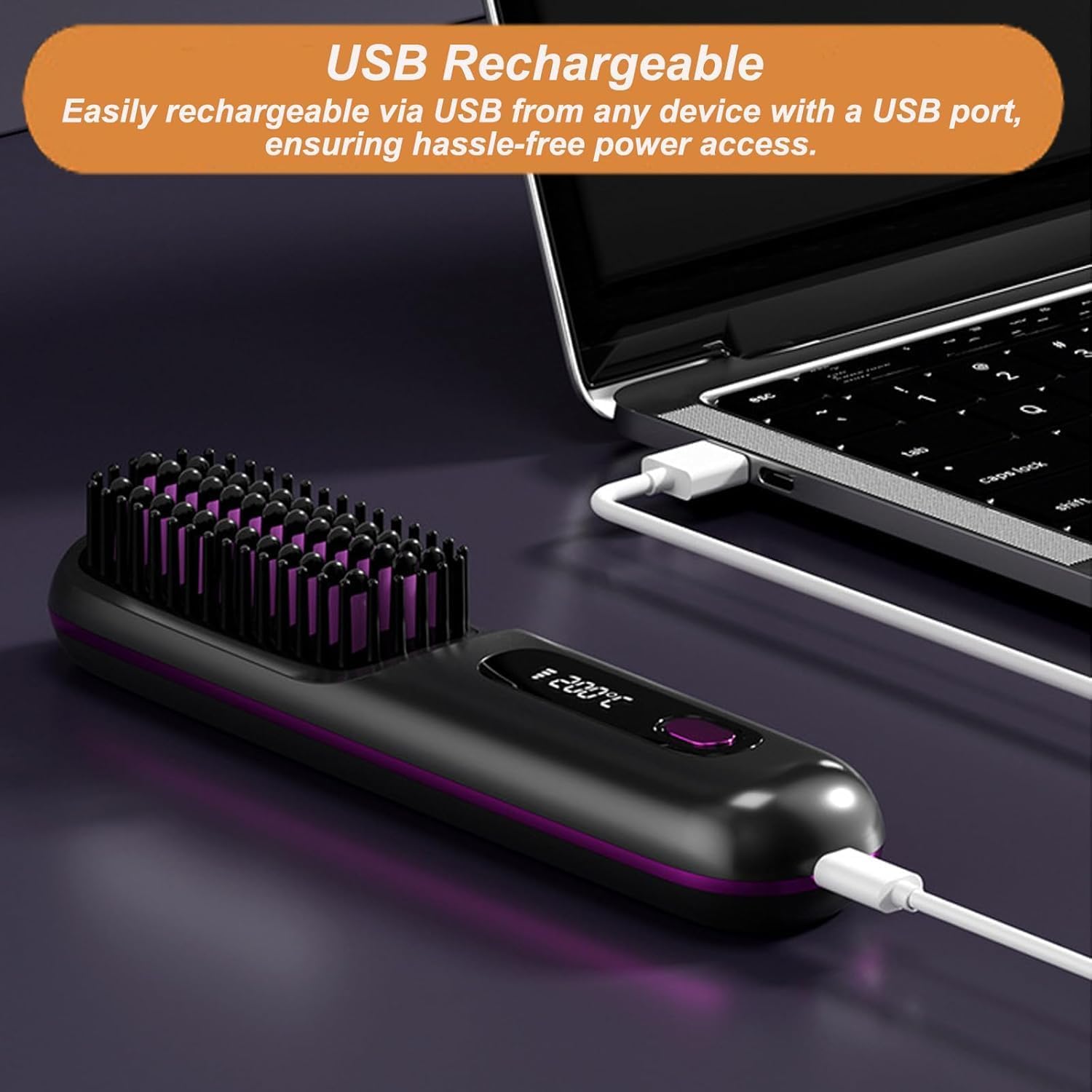
Image 6.1: The Numoya Go Brush Pro being charged via a USB connection to a laptop.
7. Operating Instructions
Follow these steps to use your Numoya Go Brush Pro:
- Power On: Press and hold the power button for a few seconds until the LED display illuminates.
- Select Temperature: Press the power button repeatedly to cycle through the three temperature settings:
- 160°C: Suitable for fine and soft hair.
- 180°C: Suitable for normal hair.
- 200°C: Suitable for coarse and hard hair.
- Heat Up: Allow approximately 2 minutes for the brush to reach the desired temperature.
- Styling: Ensure hair is dry and detangled. Take a section of hair and slowly brush through it from root to tip. Repeat as necessary until desired straightness is achieved.
- Power Off: After use, press and hold the power button until the display turns off.
8. Maintenance and Care
Proper care ensures the longevity and performance of your device:
- Cleaning: Ensure the device is turned off and completely cool before cleaning. Use a soft, damp cloth to wipe the exterior. For the bristles, use a small brush (e.g., an old toothbrush) to gently remove any hair or product residue. Do not use harsh chemicals or abrasive cleaners.
- Storage: Store the brush in a cool, dry place, away from direct sunlight and moisture. Ensure it is fully charged before long-term storage to maintain battery health.
- Battery Care: To prolong battery life, avoid fully discharging the battery frequently. Charge the device regularly, even if not in use for extended periods.
9. Troubleshooting
If you encounter issues with your Numoya Go Brush Pro, refer to the following table:
| Problem | Possible Cause | Solution |
|---|---|---|
| Device does not turn on. | Battery is depleted. | Charge the device fully. |
| Device does not heat up. | Device not powered on correctly or low battery. | Ensure the device is turned on and fully charged. If problem persists, contact support. |
| Battery life is shorter than expected. | Using highest temperature setting or aging battery. | Battery life varies with temperature setting. Ensure full charge. If significantly reduced, contact support. |
| Hair is not straightening effectively. | Incorrect temperature setting or hair not dry/detangled. | Ensure hair is completely dry and detangled. Use an appropriate temperature setting for your hair type. Brush slowly through small sections of hair. |
10. Specifications
Technical details for the Numoya Go Brush Pro:
- Product Name: Numoya Go Brush Pro
- Model: Go Brush Pro
- Material: ABS, Nylon (brush), Acrylonitrile Butadiene Styrene
- Charging Interface: USB
- Input Power: 5V, 2A
- Battery Capacity: 4000mAh
- Battery Life: Up to 30 minutes (on highest setting)
- Temperature Settings: 160°C, 180°C, 200°C
- Wattage: 35 watts
- Product Dimensions: 21.59 x 8.89 x 8.89 cm
11. Warranty and Support
For warranty information or technical support, please refer to the retailer's policy or contact the manufacturer directly. Keep your proof of purchase for any warranty claims.


