
1. Introduction
The LIBODD ET11S/ET12S is a versatile 2-in-1 device combining a digital multimeter with a thermal imager. This handheld instrument is designed for various testing and debugging applications in electronics, communications, and computer fields. It features a high thermal imaging pixel count, a 6000-count digital multimeter, and a responsive touchscreen interface.

Image 1.1: The ET12S model demonstrating its dual functionality with both thermal imaging and digital multimeter displays.
Key Features:
- 2-in-1 Design: Integrates a thermal imager and a digital multimeter for comprehensive diagnostics.
- Multimeter Functions: Measures AC/DC voltage, resistance, capacitance, and diode, with circuit on-off testing.
- Thermal Imaging: High thermal imaging pixel count (24*32 for ET11S, 90*120 for ET12S) for temperature visualization.
- Touchscreen Display: 2.8-inch 320*480 resistive touchscreen for intuitive operation.
- Battery Management: Built-in 850mAh lithium battery with USB charging, automatic screen off, and automatic power off functions.
- PC Connection: Allows transfer of thermal images and multimeter data to a computer for analysis.
- Language Support: Supports both English and Chinese display options.
2. Setup
2.1 Initial Charging
Before first use, fully charge the device using the provided USB Type-C cable. Connect the cable to the device's Type-C USB interface and a standard USB power adapter (not included). The charging indicator will show the charging status.
2.2 Powering On/Off
- To Power On: Press and hold the power button (usually marked with a power symbol) until the screen illuminates.
- To Power Off: Press and hold the power button until the device shuts down. The device also features an automatic power-off function to conserve battery.
2.3 Language Settings
The device supports both English and Chinese display languages. To change the language:
- From the main screen, tap the 'Menu' icon or navigate to 'System Settings'.
- Locate the 'Language' option.
- Select your preferred language (English or Chinese).

Image 2.1: The touchscreen interface displaying system settings, including options for language selection and automatic power-off duration.
3. Operating Instructions
3.1 Device Overview and Controls
Familiarize yourself with the device's layout and controls for efficient operation.

Image 3.1: Front view of the ET12S, highlighting the power button, IR Camera/Multimeter switch, menu, data chart recording, system settings, sampling settings, hold/range button, and multimeter frequency/duty cycle switch.
3.2 Switching Between Modes
The device can operate in either Thermal Imager mode or Multimeter mode. Use the dedicated IR Camera / Multimeter Switch Button to toggle between these two modes.
3.3 Thermal Imager Mode
In Thermal Imager mode, the device captures and displays thermal images, allowing for temperature visualization.
- Image Capture Frequency: 16Hz (ET11S) / 20Hz (ET12S).
- Thermal Imaging Pixel: 24*32 (ET11S) / 90*120 (ET12S).
- Field of View (FOV): 55°(H) x 35°(V).
- Emissivity: Adjustable from 0.1 to 0.99 (0.95 is default).
- Measuring Ranges: -40°C to +300°C (ET11S) / -20°C to +400°C (ET12S).
- Mode: Automatic gain for optimal image display.
3.4 Multimeter Mode
In Multimeter mode, the device performs various electrical measurements.
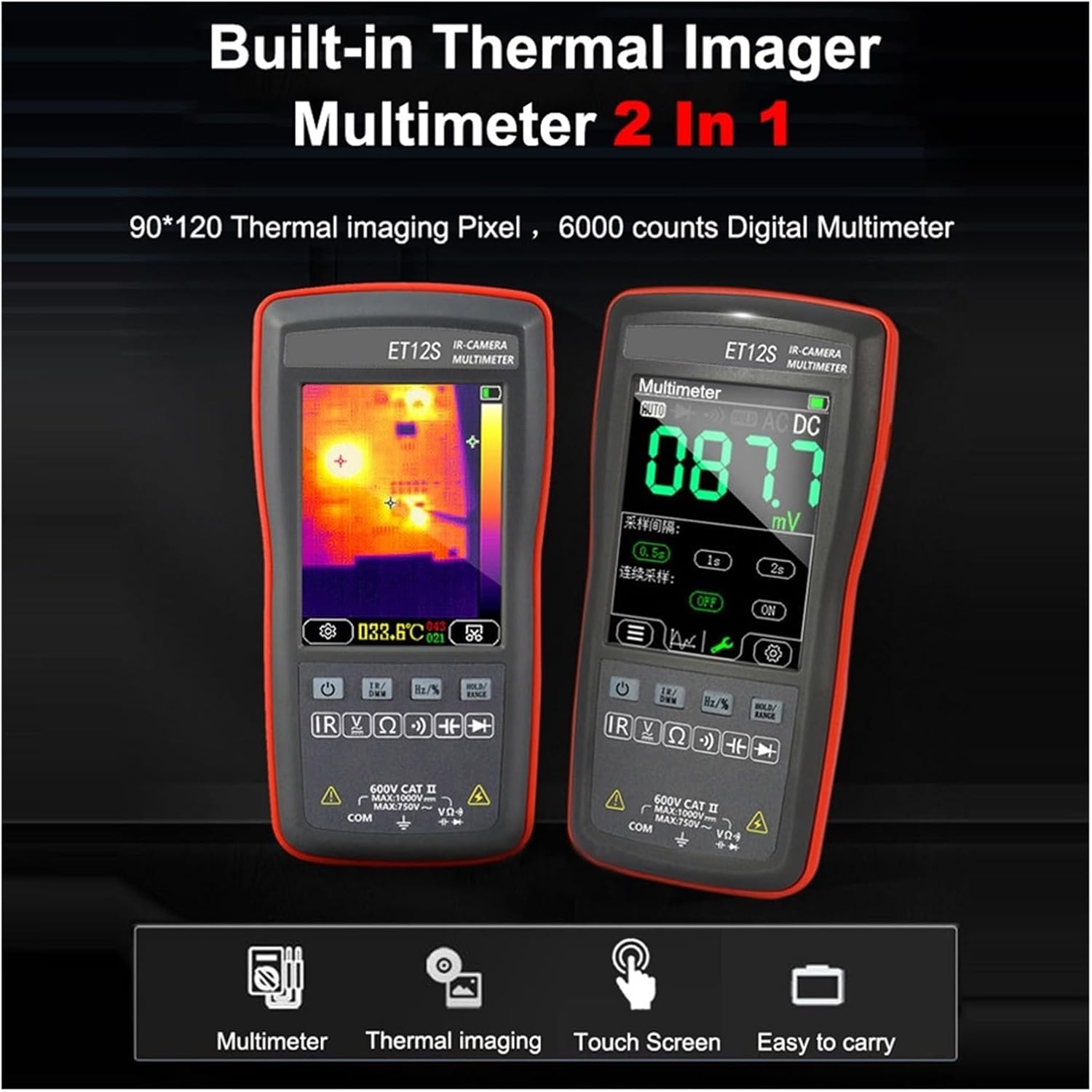
Image 3.2: The ET12S multimeter display showing a voltage measurement of 087.7 mV.
- Maximum Input Voltage: 1000VDC.
- Maximum AC Input Voltage: 750V.
- Maximum Measured Resistance: 40MΩ.
- Maximum Capacitance Measurement: 100uF.
- Duty Cycle Measurement Ranges: 0.1% - 99.9%.
- Diode Measuring Ranges: 0V - 1.5V.
- On-off Detection: Maximum resistance of 30Ω.
- Counts: 4000 counts, refreshes 3 times/second (ET11S) or 6 times/second (ET12S).
3.5 PC Connection
The device can connect to a computer via its Type-C USB interface. In USB mode, you can transfer saved thermal imaging images and multimeter measurement data. This data can then be viewed and analyzed using PC software (not included, typically available from the manufacturer's website).
4. Maintenance
4.1 Battery Care
- Regularly charge the built-in 850mAh lithium battery to maintain its lifespan.
- Avoid fully discharging the battery frequently.
- Store the device in a cool, dry place if not used for extended periods, with the battery partially charged.
- The automatic screen turn-off and power-off functions help conserve battery life.
4.2 Cleaning
- Clean the device's exterior with a soft, damp cloth. Do not use abrasive cleaners or solvents.
- Ensure the touchscreen is clean for optimal responsiveness.
4.3 Thermal Imaging Camera Protection
The thermal imaging camera lens is a sensitive component. Avoid touching it with sharp objects or exposing it to harsh conditions to prevent damage.

Image 4.1: Rear view of the device, indicating the location of the thermal imaging camera (for ET11S and ET12S) and the latch for the battery back cover.
5. Troubleshooting
This section provides solutions to common issues you might encounter.
- Device does not power on:
- Ensure the battery is sufficiently charged. Connect the device to a charger and try again.
- Press and hold the power button for several seconds.
- Screen is unresponsive or frozen:
- Perform a soft reset by pressing and holding the power button until the device powers off, then power it back on.
- Ensure the screen is clean and free from debris.
- Inaccurate multimeter readings:
- Check that the test leads are properly connected and not damaged.
- Ensure the correct measurement mode is selected for the parameter being measured.
- Verify the device's battery level; low battery can affect accuracy.
- Thermal image is unclear or distorted:
- Ensure the thermal imaging camera lens is clean and unobstructed.
- Adjust the emissivity setting if measuring surfaces with varying emissivities.
- Ensure the target is within the device's specified temperature measurement range.
- Cannot connect to PC or transfer data:
- Ensure the USB Type-C cable is securely connected to both the device and the computer.
- Try a different USB port on your computer.
- Verify that the necessary PC software or drivers are installed (refer to manufacturer's support for software).
6. Specifications
Detailed technical specifications for the LIBODD ET11S and ET12S models.

Image 6.1: A detailed table comparing the specifications of the ET11S and ET12S models, including thermal imaging and multimeter parameters.
| Parameter | ET11S | ET12S |
|---|---|---|
| Thermal Imager Parameters | ||
| Sensor | Uncooled focal plane | |
| Image capture frequency | 16Hz | 20Hz |
| Thermal imaging pixel | 24*32 | 90*120 |
| FOV | 55°(H)*35°(V) | |
| Emissivity | 0.1-0.99 adjustable | |
| Measuring ranges | -40°C ~ +300°C | -20°C ~ +400°C |
| Mode | Automatic gain | |
| Temperature measurement error | >0°C: ±2°C/±2%; ≤0°C: ±5°C/±5% | |
| Display temperature accuracy | 0.1°C/0.1°F | |
| Multimeter Parameters | ||
| Maximum input voltage (DC) | 1000VDC | |
| Maximum AC input voltage | 750V | |
| Maximum measured resistance | 40MΩ | |
| Maximum capacitance measurement | 100uF | |
| Duty cycle measurement ranges | 0.1% - 99.9% | |
| Diode measuring ranges | 0V - 1.5V | |
| Maximum resistance of on-off detection | 30Ω | |
| Counts | 4000 counts | 4000 counts |
| Refreshes | 3 times/second | 6 times/second |
| Other Parameters | ||
| Display screen | 2.8 inches 320*480 | |
| Touchscreen | Resistive touchscreen | |
| USB interface | TYPE-C | |
| Storage Capacity | 3.5MB | |
| Imaging Format | BMP | |
| Battery | Built-in 850mAh lithium battery | |
| Storage temperature | -20°C ~ 60°C (-4°F ~ 140°F) | |
| Working temperature | 0°C ~ 50°C (32°F ~ 122°F) | |
| Working humidity | <85%RH (non-condensing) | |
| Item size | 134 * 69 * 25mm | |
| Item weight | 125g | |
7. Warranty and Support
7.1 Warranty Information
This product is covered by a standard manufacturer's warranty. Please refer to the warranty card included in your product packaging or contact the seller for specific details regarding warranty duration and terms. Keep your proof of purchase for warranty claims.
7.2 Customer Support
For technical assistance, troubleshooting beyond this manual, or inquiries about your device, please contact LIBODD customer support. Contact information can typically be found on the manufacturer's official website or through your purchase platform.