
1. Safety Information
Please read all instructions carefully before assembly and use. Keep this manual for future reference.
- Weight Limit: This chair is designed to support a maximum weight of 300 lbs (136.08 kg). Do not exceed this limit.
- Assembly: Ensure all components are securely fastened before use. Refer to the assembly instructions provided with the product.
- Movement: Use caution when moving the chair, especially on uneven surfaces.
- Children: Keep children away from moving parts during adjustment.
- Maintenance: Regularly check all bolts and screws to ensure they are tight. Retighten as necessary.
2. Product Overview
The Marsail Ergonomic Office Chair MSOC9B is designed for comfort and support during extended periods of sitting, ideal for home office and gaming use. It features multiple adjustment options to customize your seating experience.
Key Features:
- Ergonomic Design: Supports proper spinal alignment to reduce back strain.
- Breathable Mesh Back: Provides ventilation to prevent heat buildup.
- 4-Way Adjustable Lumbar Support: Customizable support for the lower back, adjustable in height and depth.
- 3-Way PU Armrests: Adjustable in depth, swivel up to 15°, and flip up 90° for space-saving.
- Thick Cushioned Seat: Soft and supportive for prolonged use.
- Reclining and Height Adjustment: Allows for personalized seating positions.
Product Dimensions:
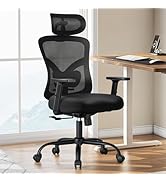
Image: Marsail Ergonomic Office Chair with detailed dimensions, including seat height, back height, and overall width/depth.
The chair measures approximately 19.5"D x 19.7"W x 41.7"H. The seat height is adjustable up to 21.6 inches.
3. Setup and Assembly
The Marsail Ergonomic Office Chair is designed for straightforward assembly. An instruction manual and necessary tools are included with your purchase.
Assembly Steps:
- Unpack all components and verify against the parts list in the included manual.
- Attach the casters to the chair base.
- Insert the gas lift into the center of the chair base.
- Attach the seat mechanism to the underside of the seat cushion.
- Connect the backrest to the seat assembly.
- Attach the armrests to the seat assembly.
- Place the assembled seat onto the gas lift.
- Attach the headrest to the top of the backrest (if applicable to your model).

Image: All individual components of the Marsail Ergonomic Office Chair laid out for assembly.
4. Operating Instructions
Customize your Marsail Ergonomic Office Chair for optimal comfort and support using the following adjustments:
4.1. Seat Height Adjustment
- Locate the lever on the right side, under the seat.
- To raise the seat: Lift the lever while taking your weight off the seat.
- To lower the seat: Lift the lever while remaining seated.
4.2. Lumbar Support Adjustment
The chair features 4-way adjustable lumbar support to conform to your lower back curve.
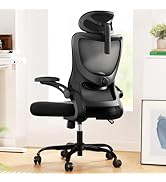
Image: Detailed view of the lumbar support mechanism, showing the knob for depth adjustment and the vertical slide for height.
- Height Adjustment: Gently push the lumbar support up or down to your desired position.
- Depth Adjustment: Rotate the knob located on the back of the chair to increase or decrease the lumbar curve.
4.3. Armrest Adjustments
The 3-way PU armrests offer versatile positioning.
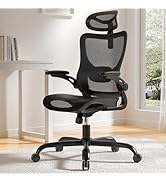
Image: The chair with armrests in different configurations, demonstrating the flip-up feature.
- Depth Adjustment: Slide the armrest pads forward or backward to adjust their depth.
- Swivel Adjustment: Swivel the armrest pads up to 15° left or right.
- Flip-Up Function: To move armrests completely out of the way, lift them upwards until they lock into a vertical position. This is useful for fitting the chair under desks or saving space.
4.4. Reclining and Tilt Lock
Adjust the backrest recline and tension for personalized comfort.
- Recline Function: Pull the lever on the left side, under the seat, outwards to unlock the recline function. Lean back to your desired angle (90°-120°).
- Tilt Lock: Push the lever inwards to lock the backrest in your preferred reclined position.
- Tilt Tension: Rotate the round knob located under the seat to adjust the tension of the recline. Turn clockwise for more resistance, counter-clockwise for less.
5. Maintenance
Proper maintenance will extend the life and performance of your Marsail Ergonomic Office Chair.
- Cleaning: Use a soft, damp cloth to wipe down the mesh and pleather surfaces. Avoid harsh chemicals or abrasive cleaners.
- Inspection: Periodically check all screws, bolts, and connections to ensure they are tight. Retighten any loose fasteners.
- Casters: Keep the casters free of debris (hair, dust, etc.) to ensure smooth movement.
- Gas Lift: Avoid sudden impacts or excessive force on the gas lift mechanism.
6. Troubleshooting
If you encounter any issues with your chair, refer to the following common troubleshooting tips:
- Chair Sinks or Won't Stay Up: The gas lift may be faulty. Contact customer support for a replacement.
- Chair Wobbles: Check all assembly screws and bolts. Ensure they are fully tightened. Make sure the chair is on a flat, even surface.
- Casters Not Rolling Smoothly: Inspect casters for trapped debris (hair, lint) and clean them thoroughly.
- Backrest Won't Recline or Lock: Check the recline and tilt lock levers. Ensure they are engaged or disengaged correctly. Adjust the tilt tension knob.
- Armrests Are Loose: Check the screws securing the armrests and tighten them if necessary.
7. Specifications
| Feature | Detail |
|---|---|
| Brand | Marsail |
| Model Name | Office chair |
| Item Model Number | MSOC9B |
| Color | Dark Black |
| Product Dimensions | 19.5"D x 19.7"W x 41.7"H |
| Maximum Weight Recommendation | 136.08 Kilograms (300 lbs) |
| Material | Mesh, Nylon, Foam |
| Special Features | Adjustable Height, Adjustable Lumbar, Ergonomic, Reclining, Space Saving (Flip-up Armrests) |
| UPC | 810174345742 |
8. Warranty and Support
For warranty information and customer support, please refer to the documentation included with your product or visit the official Marsail website. Keep your proof of purchase for any warranty claims.