
Introduction
This manual provides comprehensive instructions for the setup, operation, and maintenance of your ZWP RF258C Replacement Remote Control, designed for compatibility with Sealy Ease Okin V1.0 adjustable beds. Please read these instructions carefully before use to ensure proper functionality and to maximize the lifespan of your remote control.
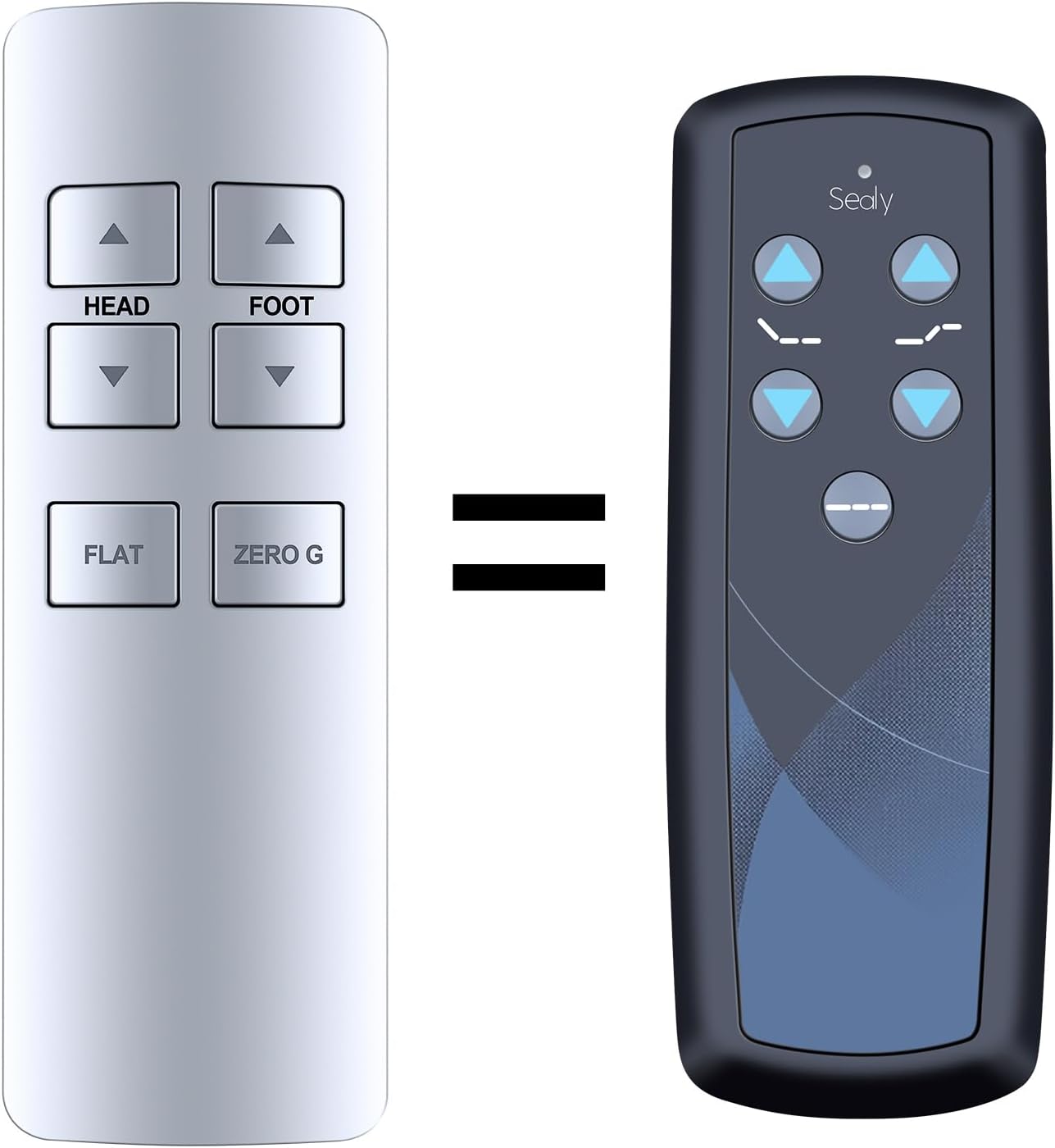
Image: Comparison showing the original Sealy remote control and the ZWP replacement remote control, indicating functional equivalence.

Image: Visual representation distinguishing the ZWP replacement remote from the original Sealy remote, confirming the replacement's design.
Setup
Battery Installation
The remote control requires three AAA batteries (not included). Ensure correct polarity when inserting the batteries.

Image: Illustration of the remote control's battery compartment, indicating the placement for three AAA batteries.
Pairing Instructions
To establish communication between the remote control and your adjustable bed, follow these steps:
- Step 1: First, start the massage bed. Then, locate the control box of the massage bed. Locate the Battery Backup Box and press the button TWICE. A light on the Battery Backup Box will illuminate (sometimes found on the power cord).
- Step 2: Point the remote control at the control box. Open the remote control battery cover and locate the Pair/Paire button inside.
- Step 3: Press and hold the Pair/Paire button for 30 seconds to complete the pairing process.
Note:
- After pairing, test all remote functions. If the remote buttons do not impact the adjustable base movements, please repeat the pairing process or try the steps to disable the Child Lock, as the remote may be locked.

Image: Detailed guide on how to pair the remote control, highlighting the internal pairing button and the steps involved.
Operating Instructions
Basic Functions
The remote control features dedicated buttons for adjusting your bed's position:
- HEAD UP / HEAD DOWN: Adjusts the head section of the bed.
- FOOT UP / FOOT DOWN: Adjusts the foot section of the bed.
- FLAT: Returns the bed to a completely flat position.
- ZERO G: Activates the 'Zero Gravity' preset position.

Image: Visual guide to various adjustable bed positions, including Zero Gravity (40°/15°), Elevision (45°/15°), Pregnancy Relaxation (15°/20°), Sleeping (0°/0°), Prevent Snoring (15°/0°), and Nursing Mode (50°/15°).
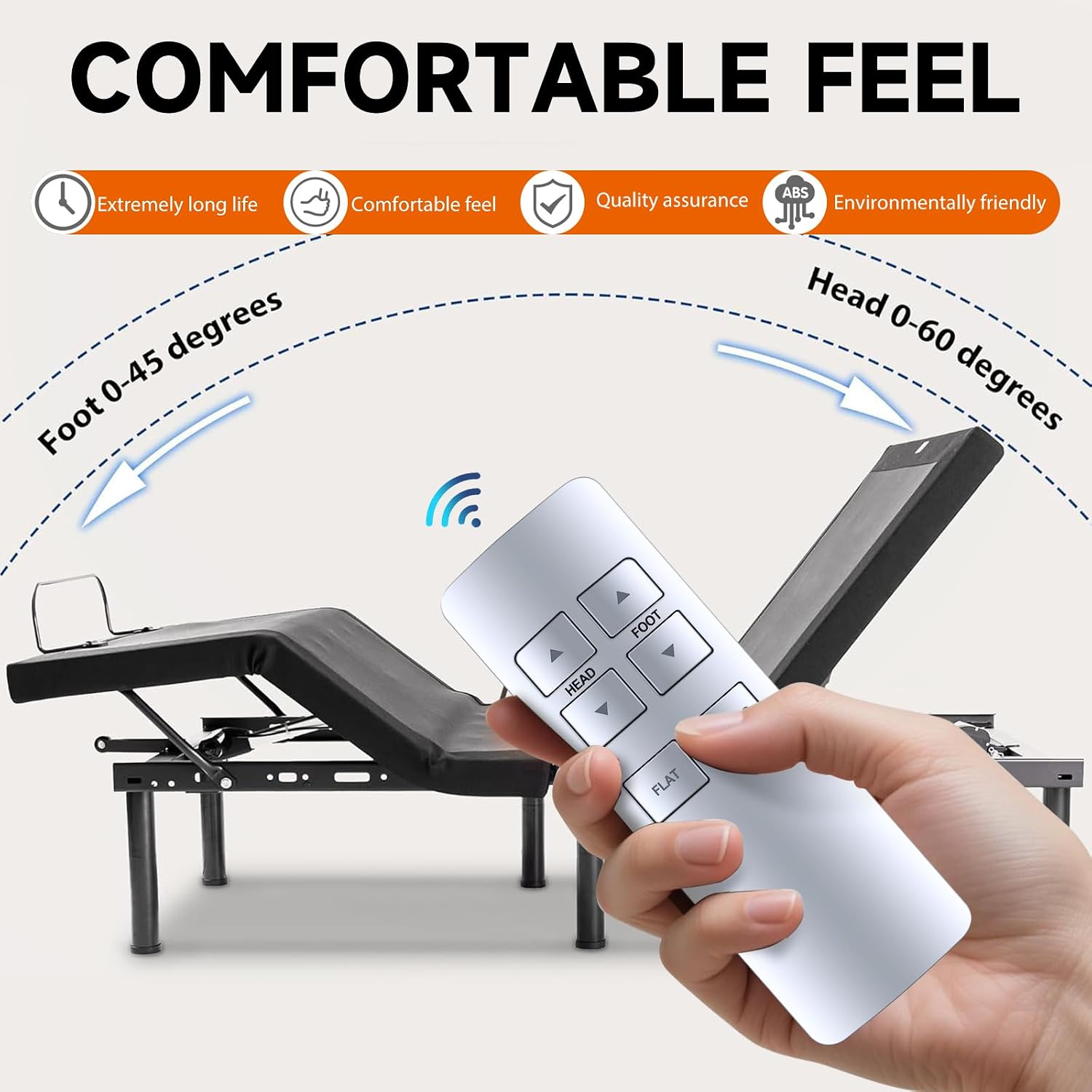
Image: Depiction of the remote control being used to adjust an adjustable bed, highlighting head movement from 0-60 degrees and foot movement from 0-45 degrees.
LED Indicator
- Unlocked State: The LED will illuminate when any button is pressed, indicating normal operation.
- Locked State: The LED will flash when any button is pressed, indicating that the remote is in child lock mode.
Child Lock Function
The child lock feature prevents unintended adjustments to the bed.
- To Activate Child Lock: Press and hold both the HEAD UP and HEAD DOWN buttons simultaneously. The LED will flash at 1Hz. After 5 flashes, the LED will turn off, and the remote will enter locked mode.
- To Deactivate Child Lock: Press and hold both the FOOT UP and FOOT DOWN buttons simultaneously. The LED will flash at 1Hz. After 5 flashes, the LED will turn off, and the remote will return to normal operating mode.

Image: Highlights the remote's features such as stable link, quick response, smart chip technology, and power-saving capabilities, with an adjustable bed in the background.

Image: Illustrates the quick response capability of the remote and bed system, indicating enhanced signal stability and extended service life.
Maintenance
To ensure optimal performance and longevity of your remote control:
- Battery Replacement: Replace batteries promptly when the remote's response becomes sluggish or the LED indicator behaves erratically. Always use fresh AAA batteries.
- Cleaning: Wipe the remote control with a soft, dry cloth. Avoid using liquid cleaners or abrasive materials, as these can damage the surface or internal components.
- Storage: Store the remote in a dry place, away from extreme temperatures and direct sunlight.
Troubleshooting
- Remote Not Responding:
- Check if the batteries are correctly installed and have sufficient charge. Replace if necessary.
- Ensure the remote is not in Child Lock mode. Refer to the 'Child Lock Function' section to deactivate it.
- Verify that there are no obstructions between the remote and the bed's control box.
- Remote Not Pairing:
- Carefully re-follow the 'Pairing Instructions' steps, ensuring each step is performed correctly and within the specified timeframes.
- Ensure the bed's power is on and the control box is accessible.
- Intermittent Functionality:
- This could indicate low battery power. Replace the batteries.
- Ensure the remote is within effective range of the bed's control box.
Specifications
| Brand | ZWP |
| Model Number | RF258C |
| Compatible Devices | Adjustable Bed (Sealy Ease Okin V1.0) |
| Max Number of Supported Devices | 1 |
| Color | Black |
| Item Weight | 2.11 ounces |
| Package Dimensions | 5.98 x 2.76 x 0.83 inches |
Warranty Information
Specific warranty details for this ZWP replacement remote control are typically provided at the point of purchase or by the manufacturer. Please refer to your purchase documentation or contact ZWP customer support for detailed warranty terms and conditions.
Support
For further assistance, technical support, or inquiries regarding your ZWP Replacement Remote Control, please contact the manufacturer directly. Contact information can usually be found on the product packaging or the seller's website.