
1. Introduction
The Niuvith G05A GPS Tracker is a versatile device designed for real-time tracking of vehicles, assets, and individuals. It features a strong magnetic attachment, long battery life, and comprehensive tracking functionalities including geo-fencing and various alerts. This manual provides detailed instructions for setting up, operating, and maintaining your G05A GPS Tracker.

Image 1.1: Niuvith G05A GPS Tracker, showing the device, a vehicle, and the tracking application interface on a smartphone.
2. What's in the Box
Upon unpacking your Niuvith G05A GPS Tracker, please ensure all the following items are present:
- Niuvith G05A GPS Tracker with Built-in Magnets
- Pre-installed SIM Card (with 3 months of data for U.S. use)
- User Manual (this document)
- USB Charging Cable (not explicitly listed but implied for 'USB Charging' feature)
3. Product Features
The Niuvith G05A GPS Tracker offers a robust set of features for reliable tracking and monitoring:
- Real-Time Tracking: Provides location updates every 10 seconds.
- Global Coverage: Operates across various regions (requires local SIM outside U.S.).
- Geo-Fencing: Define custom safe zones and receive alerts when the tracker enters or exits these areas.
- Strong Magnetic Attachment: Built-in magnets allow for secure and concealed installation on metal surfaces.
- Long Battery Life: 6000mAh battery provides up to 90 days of standby time on a full charge.
- Multi-Function Alerts: Includes speeding, low battery, vibration, displacement, and SOS alarms.
- S-make Application: Proprietary Android and iOS app for easy management and monitoring.
- Multi-Device Management: Monitor multiple trackers from a single account.
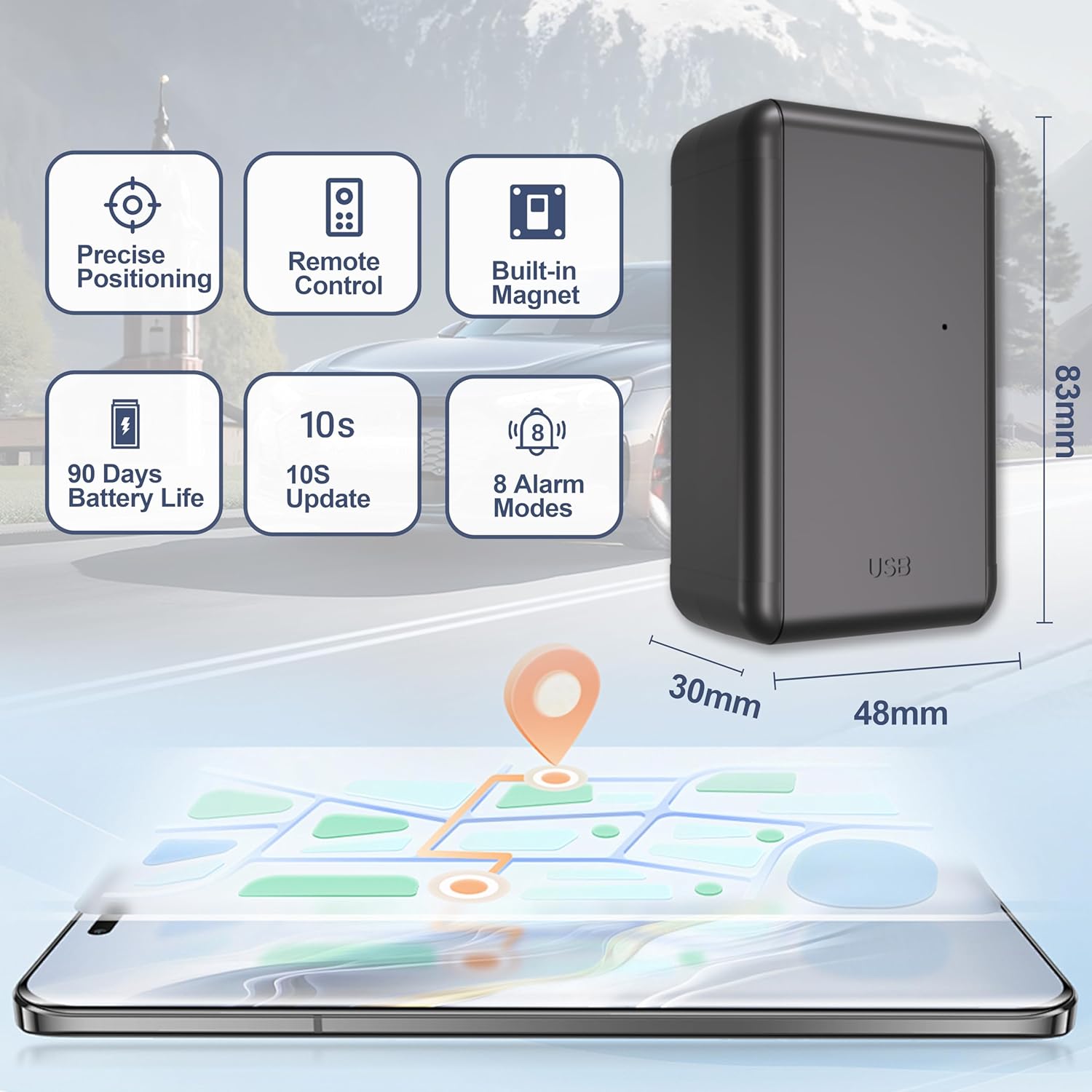
Image 3.1: Overview of the G05A tracker's dimensions and core features like 90-day battery life and 10-second updates.

Image 3.2: Visual representation of the tracker's comprehensive features, including trail history, geo-fencing, and real-time tracking.
4. Setup Guide
4.1 SIM Card Activation and Data Plan
Your G05A GPS Tracker comes with a pre-installed SIM card and a 3-month data package for use within the U.S. No activation fees or monthly subscriptions are required for the initial 3 months.
- Ensure the device is charged (refer to Section 6.1 for charging instructions).
- The SIM card is already inserted and ready for use.
- Download the 'S-make' app (see Section 4.2) or visit the website to log in and activate your device.
- After 3 months, you can renew your data service via the 'S-make' app or by contacting customer support. No automatic charges will apply.
Note:
- The included SIM card is for U.S. use only. For locations outside the U.S., you will need to insert a local SIM card.
- SIM service is optional. You can use your own compatible SIM card if preferred.

Image 4.1: Information regarding the pre-installed SIM card and data plan options.
4.2 App Download and Login
The Niuvith G05A GPS Tracker uses the proprietary 'S-make' application for monitoring and control. The app is available for both Android and iOS devices.
- Download the App: Scan the QR code below or click the links to download the 'S-make' app from your device's app store.
- Login: Open the 'S-make' app. Enter the device's IMEI number as your username. The initial password is "123456".
- Change Password: For security, it is highly recommended to change your password immediately after your first login.

Image 4.2: QR codes for downloading the 'S-make' app and instructions for initial login.
5. Operating Instructions
5.1 Real-Time Tracking
Once activated, the G05A tracker provides continuous real-time location updates, typically every 10 seconds. You can view the current location and movement history through the 'S-make' app or web platform.

Image 5.1: Real-time tracking interface on the 'S-make' application.
5.2 Geo-Fencing
Geo-fencing allows you to define virtual boundaries on the map. You will receive alerts when the tracker enters or exits these predefined areas.
- Default Circle: Set a circular safe zone around a specific point.
- Custom Polygon: Create a custom-shaped boundary by selecting multiple points on the map.
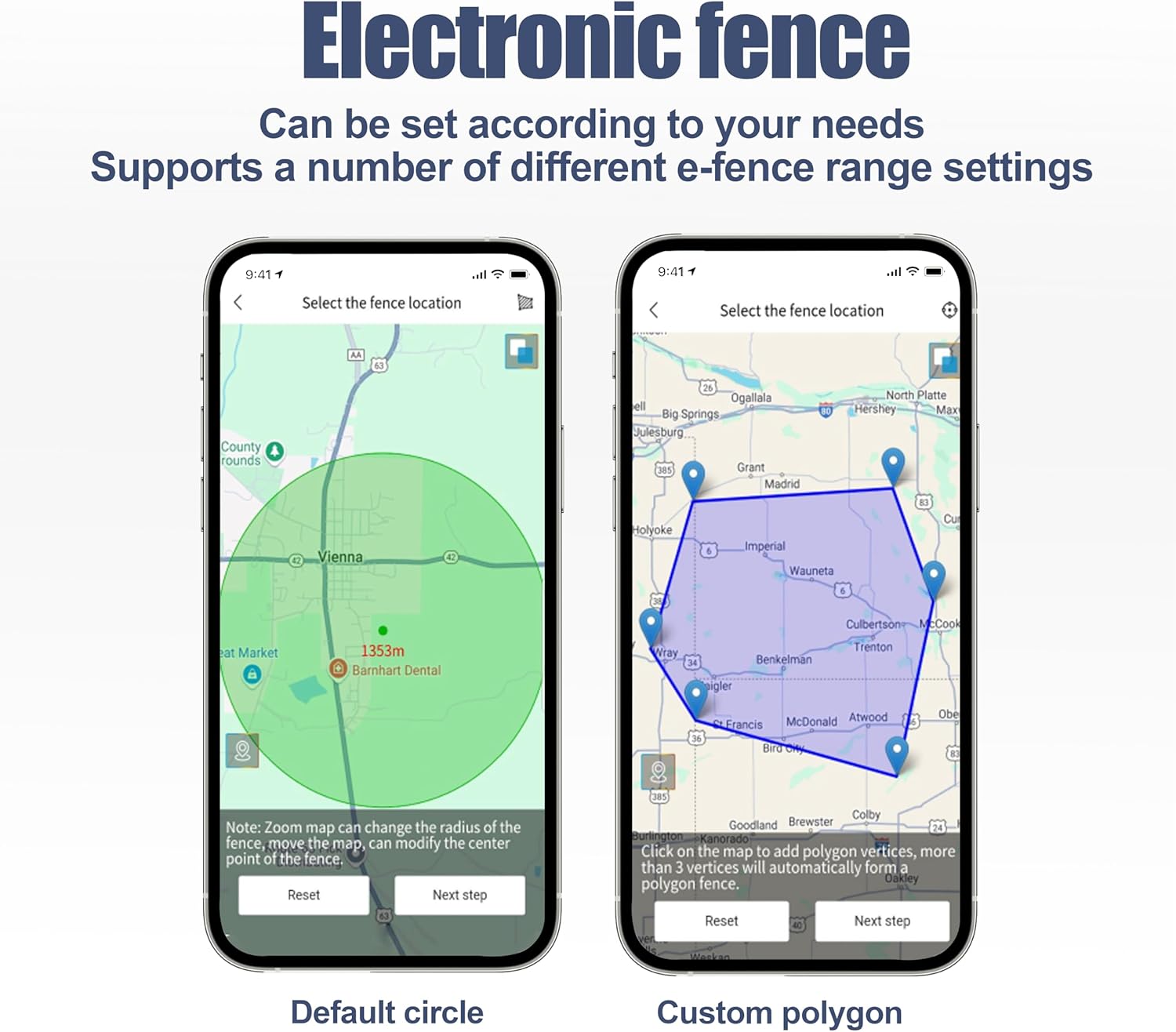
Image 5.2: Examples of default circle and custom polygon geo-fence configurations.
5.3 Alerts and Notifications
The G05A tracker supports various alert types to keep you informed:
- Fortify / Withdraw: Security status changes.
- Geofence: Entry or exit from a defined geo-fence.
- Equipment Dismantled: Alert if the device is removed or tampered with.
- Displacement: Notification if the device moves unexpectedly.
- Overspeed: Alert if a set speed limit is exceeded.
- Low Battery: Notification when the battery level is critical.
- Vehicle Vibration: Alert for unusual vibrations detected.
- SOS: Emergency alert (can add up to 3 SOS numbers).
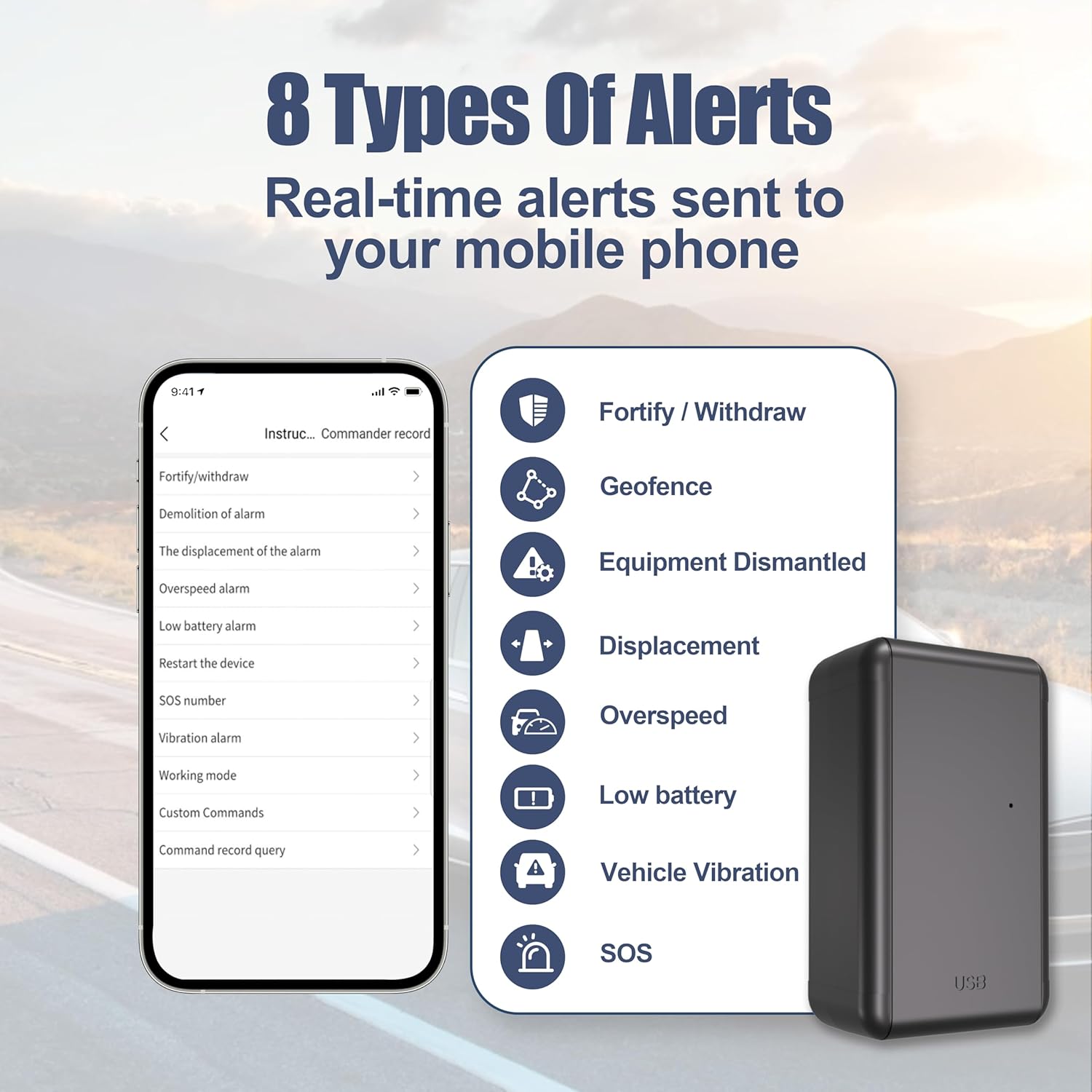
Image 5.3: List of 8 types of real-time alerts available through the 'S-make' app.
5.4 Multi-Device Management
You can manage multiple G05A trackers under a single 'S-make' account. This is ideal for fleet management or monitoring several vehicles/assets.
- To add additional devices, provide all IMEI numbers to customer support for processing.
- All linked devices will be visible on the same map interface within the app or web platform.
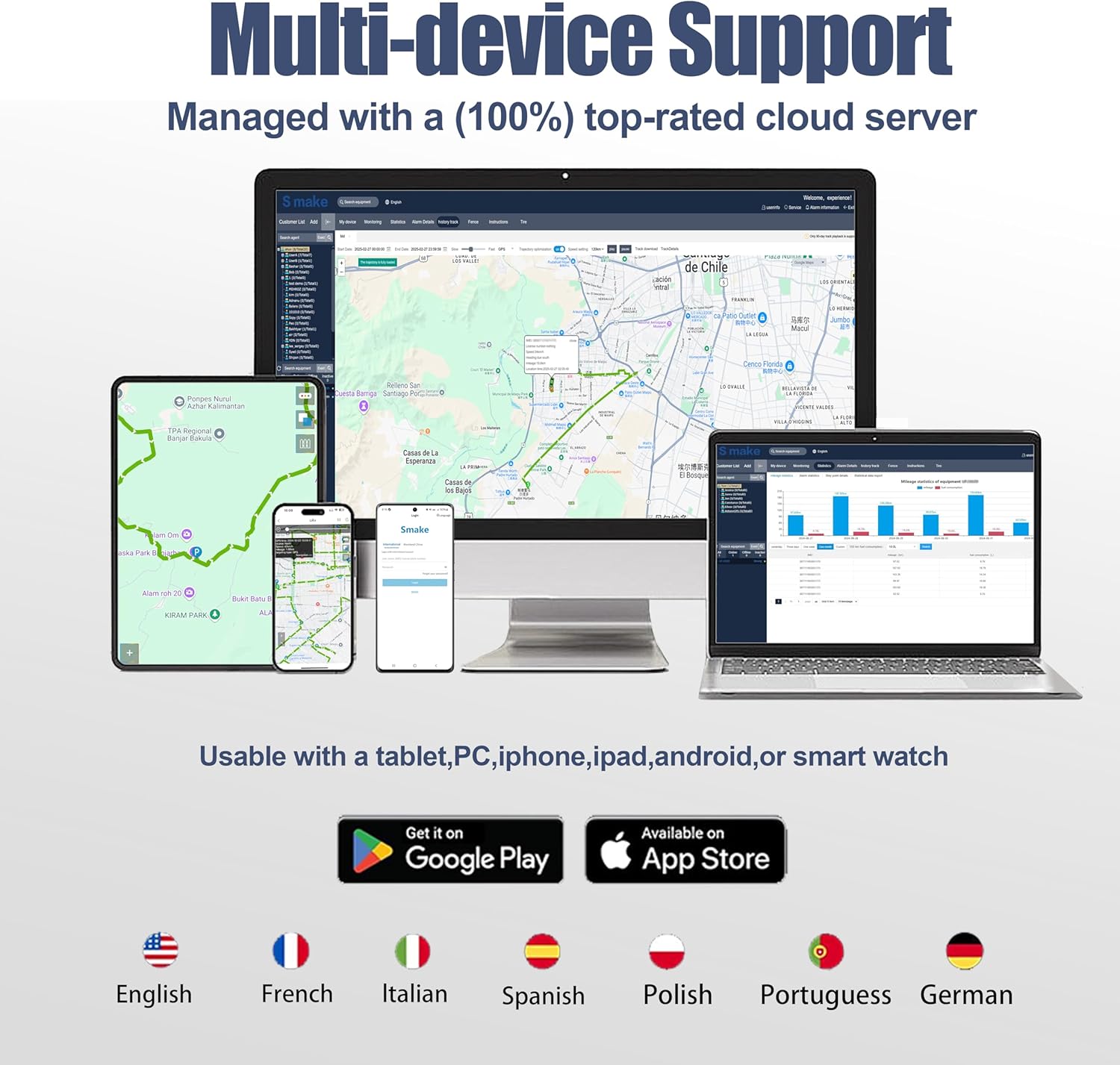
Image 5.4: The 'S-make' platform demonstrating multi-device support across various screens.
6. Maintenance
6.1 Battery Charging
The G05A tracker is equipped with a 6000mAh battery, offering extended usage. To charge the device:
- Connect the provided USB charging cable to the tracker's USB port.
- Plug the other end into a standard USB power adapter (not included) or a computer's USB port.
- Allow sufficient time for a full charge to ensure maximum battery life (up to 90 days standby).

Image 6.1: Visual emphasizing the high-capacity battery for extended performance.
7. Troubleshooting
If you encounter issues with your Niuvith G05A GPS Tracker, please refer to the following common solutions:
- Device Offline: Ensure the device is fully charged. Check for network coverage in the device's location. If using your own SIM, verify it is active and has data.
- Inaccurate Location: Ensure the device has a clear view of the sky for optimal GPS signal reception. Avoid placing it in enclosed metal containers.
- No Alerts: Verify alert settings within the 'S-make' app. Check app notification permissions on your smartphone.
- Battery Drains Quickly: Ensure the device is fully charged. Frequent movement or poor signal areas can increase battery consumption.
- Cannot Log In: Double-check the IMEI number and password. Remember the initial password is "123456" and should be changed after the first login.
For further assistance, please contact our dedicated support team.
8. Specifications
| Feature | Detail |
|---|---|
| Model | G05A |
| Dimensions | 4.8 x 3.43 x 1.57 inches (approx. 122 x 87 x 40 mm) |
| Item Weight | 7.4 ounces (approx. 210 grams) |
| Battery | 6000mAh Lithium Ion (2 required, included) |
| Battery Life | Up to 90 days (standby) |
| Connectivity Technology | Cellular (4G) |
| Special Features | Real-Time Tracking, Geo-Fence, Magnetic Attachment, Location History, SOS, USB Charging, Alert Notification, Light Sensor (disassembly alarm) |
| Supported Application | S-make GPS Tracker App (Android, iOS) |
| Specific Uses | Vehicle Tracking, Fleet Management, Asset Tracking |
9. Warranty and Support
Niuvith is committed to providing reliable products and excellent customer service.
9.1 Support
If you have any questions, require technical assistance, or need help with multi-device management, our dedicated support team is available 24/7. You can contact us via Amazon or through the 'S-make' application.
9.2 Multi-Device Management Assistance
To link multiple devices to a single account, please share all IMEI numbers with us via Amazon. We will process your request within 1 business day.