
Introduction
This manual provides essential information for the safe and efficient operation of your White Westinghouse 6 Cubic Feet Refrigerator with Water Dispenser, model WWCR0629183. Please read these instructions thoroughly before installation and use, and keep them for future reference.
Your new refrigerator is designed to offer maximum convenience and efficiency for food preservation. It features a practical water dispenser for instant access to fresh, cold water without opening the door. The tempered glass shelves are durable and easy to clean, providing a secure space for your food items. An internal freezer compartment allows for safe storage of frozen goods.

Figure 1: Front view of the White Westinghouse Refrigerator WWCR0629183.
Setup and Installation
1. Unpacking
Carefully remove all packaging materials, including foam, tape, and protective films. Inspect the refrigerator for any damage during transit. Keep packaging materials out of reach of children.
2. Placement
Choose a location with a firm, level floor that can support the weight of the refrigerator when fully loaded. Ensure adequate ventilation around the unit. Allow at least 10 cm (4 inches) of space at the back and sides for proper air circulation and heat dissipation.

Figure 2: Side view of the refrigerator, illustrating space requirements.

Figure 3: Back view of the refrigerator, highlighting ventilation area.
3. Leveling
Adjust the leveling feet at the bottom of the refrigerator to ensure it is stable and level. This prevents vibrations and ensures proper door sealing.
4. Power Connection
Connect the refrigerator to a dedicated 115V electrical outlet. Do not use extension cords or multi-sockets. Allow the refrigerator to stand upright for at least 2-4 hours before plugging it in to allow refrigerants to settle.
5. Initial Cleaning
Before first use, clean the interior of the refrigerator with a soft cloth and a mild detergent solution. Rinse with clean water and dry thoroughly.
Operating Instructions
1. Temperature Control
The refrigerator features an adjustable thermostat. Turn the knob to set the desired cooling level. Higher numbers typically indicate colder temperatures. Start with a medium setting and adjust as needed based on ambient temperature and food load.
2. Water Dispenser
To use the water dispenser, fill the internal water tank with potable water. Ensure the tank is properly seated. Place a glass under the dispenser nozzle and press the lever to dispense water.
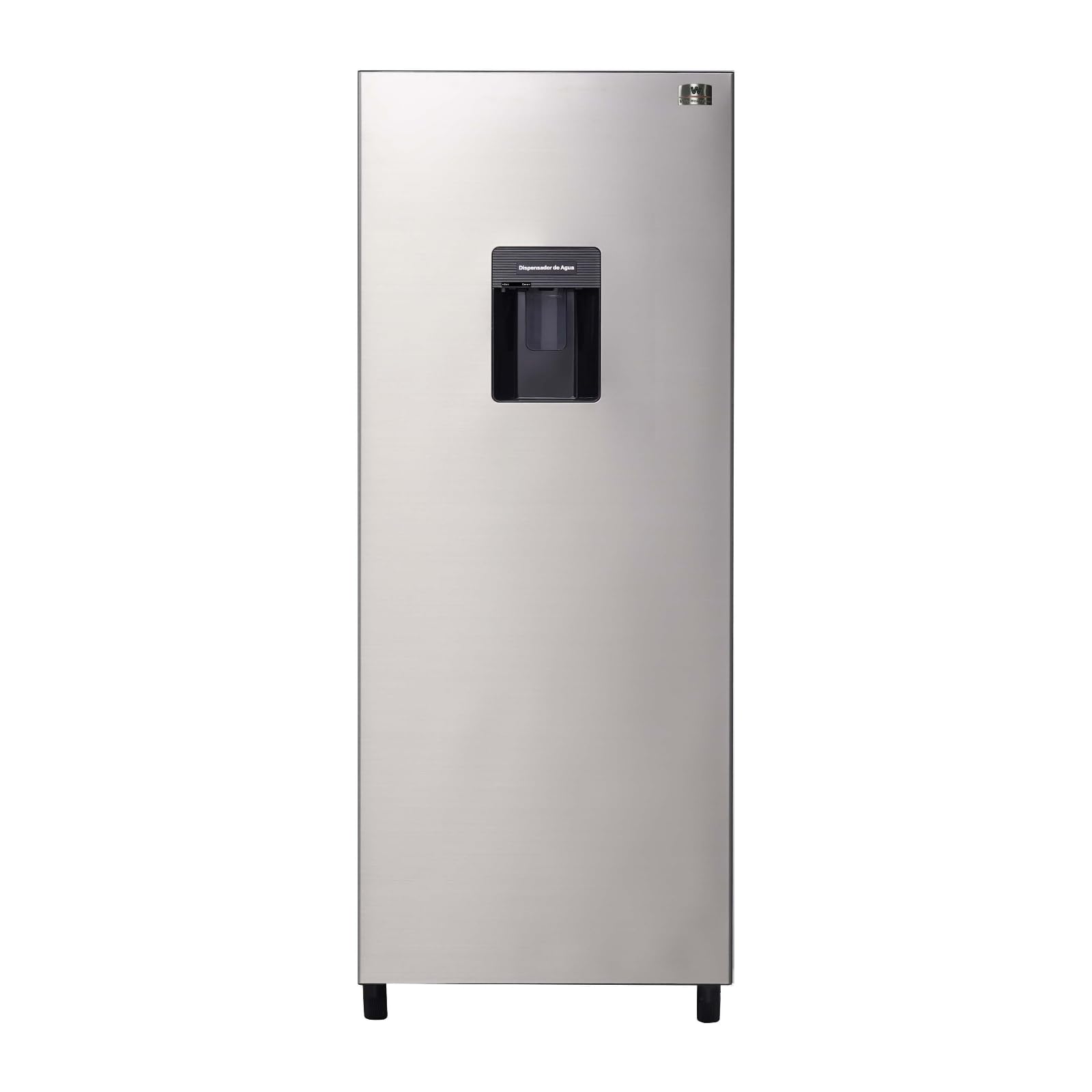
Figure 4: Detail of the integrated water dispenser.
3. Shelves and Drawers
The refrigerator is equipped with tempered glass shelves and drawers for organized storage. Shelves can be adjusted to different heights to accommodate various food items. The crisper drawer is ideal for keeping fruits and vegetables fresh.
4. Freezer Compartment
The internal freezer compartment is suitable for storing frozen foods. Ensure packages are sealed to prevent freezer burn. Avoid overloading the freezer to maintain efficient cooling.
Maintenance and Care
1. Cleaning
Regularly clean the interior and exterior of your refrigerator. Unplug the unit before cleaning. Use a soft cloth with a mild detergent and warm water. Do not use abrasive cleaners, harsh chemicals, or sharp objects. Clean door seals regularly to ensure a tight seal.
2. Defrosting
This refrigerator features an automatic defrosting system, minimizing the need for manual defrosting. If excessive ice buildup occurs in the freezer, manually defrost by unplugging the unit and allowing the ice to melt naturally. Remove food items before defrosting.
3. Power Outage
In case of a power outage, keep the refrigerator door closed to maintain the internal temperature for as long as possible. Avoid opening the door unnecessarily.
Troubleshooting
- Refrigerator is not cooling: Check if the power cord is securely plugged in. Ensure the temperature control is not set to 'Off' or a warm setting. Verify that the circuit breaker has not tripped.
- Unusual noises: Slight humming or gurgling sounds are normal as the refrigerant circulates. Ensure the refrigerator is level to prevent rattling.
- Water dispenser not working: Check if the water tank is filled and properly installed. Ensure the dispenser lever is pressed correctly.
- Door not closing properly: Check for obstructions, ensure shelves are correctly placed, and clean door gaskets if they are sticky.
If problems persist after checking these points, please contact customer support.
Specifications
| Feature | Specification |
|---|---|
| Brand | WHITE WESTING HOUSE |
| Model Number | WWCR0629183 |
| Capacity (Total) | 6 Cubic Feet (183 Liters) |
| Fresh Food Capacity | 4 Cubic Feet |
| Freezer Capacity | 2 Cubic Feet |
| Color | Silver (Plata) |
| Dimensions (D x W x H) | 54cm x 61cm x 133cm |
| Weight | 37 Kilograms |
| Special Feature | Water Dispenser |
| Installation Type | Freestanding |
| Number of Doors | 1 |
| Defrost System | Automatic |
| Voltage | 115V |
| Cooling Method | Compressor |
| Annual Energy Consumption | 273 Kilowatt Hours |
| BEE Rating | 4 Star |
| UPC | 841848102729 |

Figure 5: Refrigerator dimensions.
Warranty Information
This White Westinghouse refrigerator comes with a 1-year warranty directly from the manufacturer. Please retain your proof of purchase for any warranty claims. The warranty covers manufacturing defects under normal use. For specific terms and conditions, refer to the warranty card included with your product or contact the manufacturer directly.
Customer Support
For technical assistance, spare parts, or warranty service, please contact White Westinghouse customer support. Have your model number (WWCR0629183) and serial number ready when contacting support.
You may also refer to the official White Westinghouse website for additional resources and contact information.