1. Introduction
The AOSU Outdoor Solar Security Camera is a high-performance surveillance solution designed for outdoor use, offering advanced features for home and property security. This camera provides 5-megapixel resolution for clear imaging, 360-degree pan-tilt-zoom (PTZ) functionality for comprehensive coverage, and is powered by an efficient solar panel with a large 9200mAh built-in battery, ensuring continuous operation without the need for constant recharging. It supports human/motion detection with auto-tracking, two-way audio communication, and integrates with smart home systems like Alexa. This manual provides detailed instructions for setup, operation, and maintenance to ensure optimal performance of your security camera.
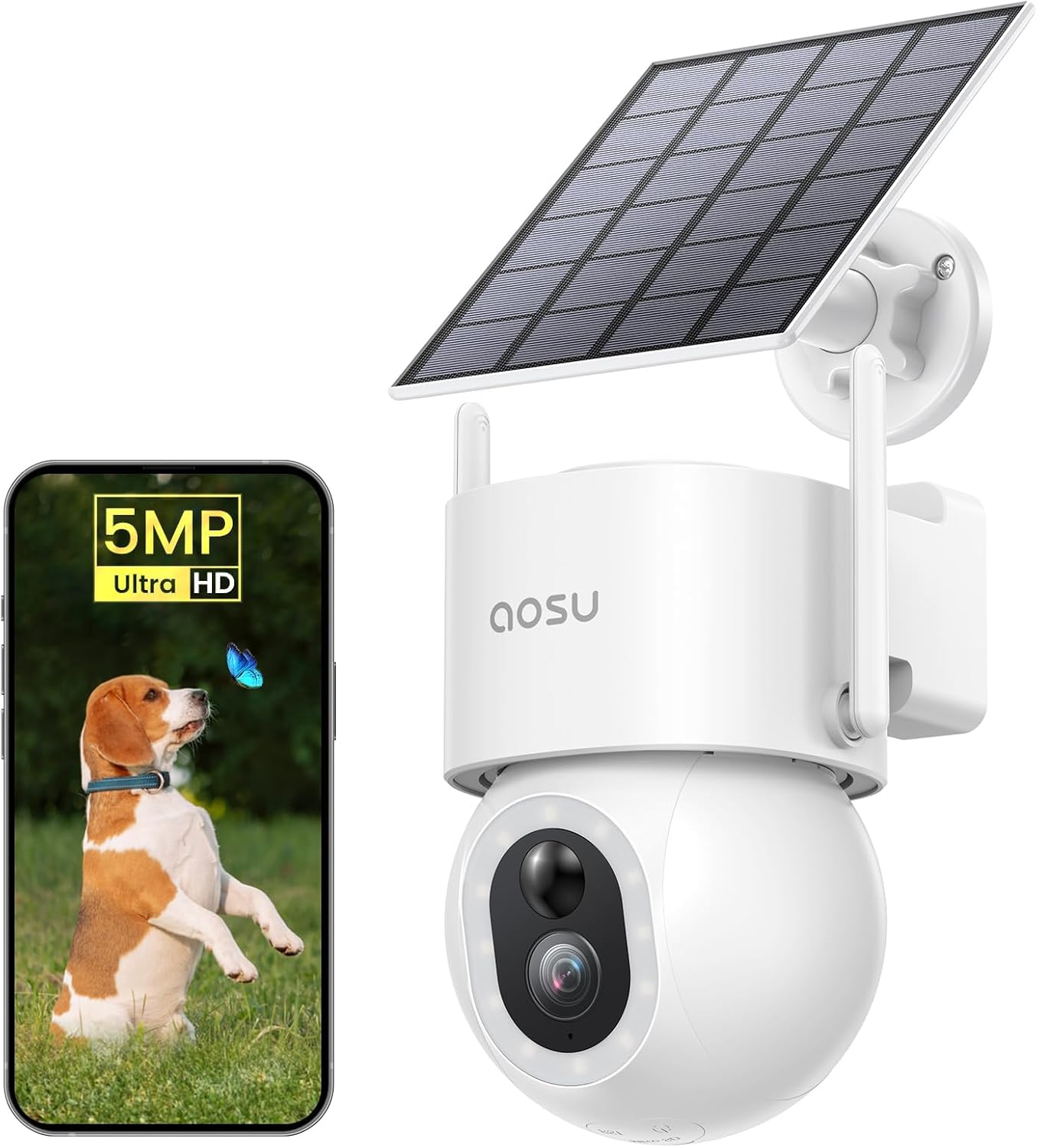
Figure 1.1: AOSU Outdoor Solar Security Camera with its solar panel and a smartphone displaying its live feed.
2. Package Contents
Please check the package contents upon unboxing to ensure all items are present:
- Security Camera Body x 1
- USB-C Charging Cable (for camera) x 1
- Solar Panel x 1
- USB-C Extension Cable 3m (for solar panel) x 1
- Positioning Sticker (for camera) x 1
- Mounting Bracket (for camera) x 1
- Mounting Bracket (for solar panel) x 1
- Mounting Screw Pack x 2
- Japanese Instruction Manual x 1 (Note: This digital manual is in English)
3. Product Overview
Familiarize yourself with the main components of your AOSU security camera:
Figure 3.1: Main unit of the AOSU Outdoor Solar Security Camera, showing the camera lens, LED lights, and solar panel connection.
3.1 Camera Components
- Lens: Captures video footage.
- LED Lights: 15 high-brightness LEDs for enhanced night vision and deterrence.
- PIR Sensor: Passive Infrared sensor for motion detection.
- Microphone: For two-way audio communication.
- Speaker: For two-way audio communication and alarm sounds.
- MicroSD Card Slot: Located at the bottom, supports up to 128GB (sold separately) for local storage.
- USB-C Port: For charging and connecting the solar panel.
- Reset Button: Used to reset the camera to factory settings.
3.2 Solar Panel
The included solar panel provides continuous power to the camera, reducing the need for manual recharging. It connects to the camera via a 3m USB-C cable, allowing flexible placement for optimal sunlight exposure.

Figure 3.2: The camera powered by its solar panel, illustrating flexible placement without power wiring.
4. Setup
Follow these steps to set up your AOSU Outdoor Solar Security Camera:
4.1 Initial Charging
Before first use, fully charge the camera body using the included USB-C cable and a standard USB power adapter (not included). This ensures the internal 9200mAh battery is ready for operation.
4.2 App Installation and Account Creation
- Download the "AOSU" app from your smartphone's app store (iOS App Store or Google Play Store).
- Open the app and create a new account, or log in if you already have one.
4.3 Camera Pairing
The camera supports 2.4GHz WiFi and Bluetooth for quick pairing:
- In the AOSU app, tap the "+" icon to add a new device.
- Select your camera model from the list.
- Follow the on-screen instructions. The app will guide you through connecting the camera to your 2.4GHz WiFi network using Bluetooth for a faster pairing process.
- Once connected, you can name your camera and configure initial settings.

Figure 4.1: Installation of the AOSU security camera on a wall, demonstrating the ease of setup.
4.4 Mounting the Camera and Solar Panel
Choose a location with good sunlight exposure for the solar panel and a clear view for the camera. Use the provided mounting brackets and screws for secure installation.
- Mount the camera at an optimal height for surveillance, typically 2-3 meters (6.5-10 feet) above the ground.
- Mount the solar panel in a location that receives direct sunlight for most of the day. Adjust its angle for maximum efficiency.
- Connect the solar panel to the camera using the provided USB-C extension cable. Ensure the connection is secure and the waterproof rubber cover is properly sealed.
5. Operating Instructions
Once set up, you can control and monitor your camera using the AOSU app.
5.1 Live View and PTZ Control
- Open the AOSU app and select your camera to view the live feed.
- Use the on-screen joystick or swipe gestures to control the camera's horizontal (360°) and vertical (90°) movement.
- The app also supports a 360° panorama mode. After capturing a panoramic image, you can tap on any area to automatically view the live feed of that specific spot.
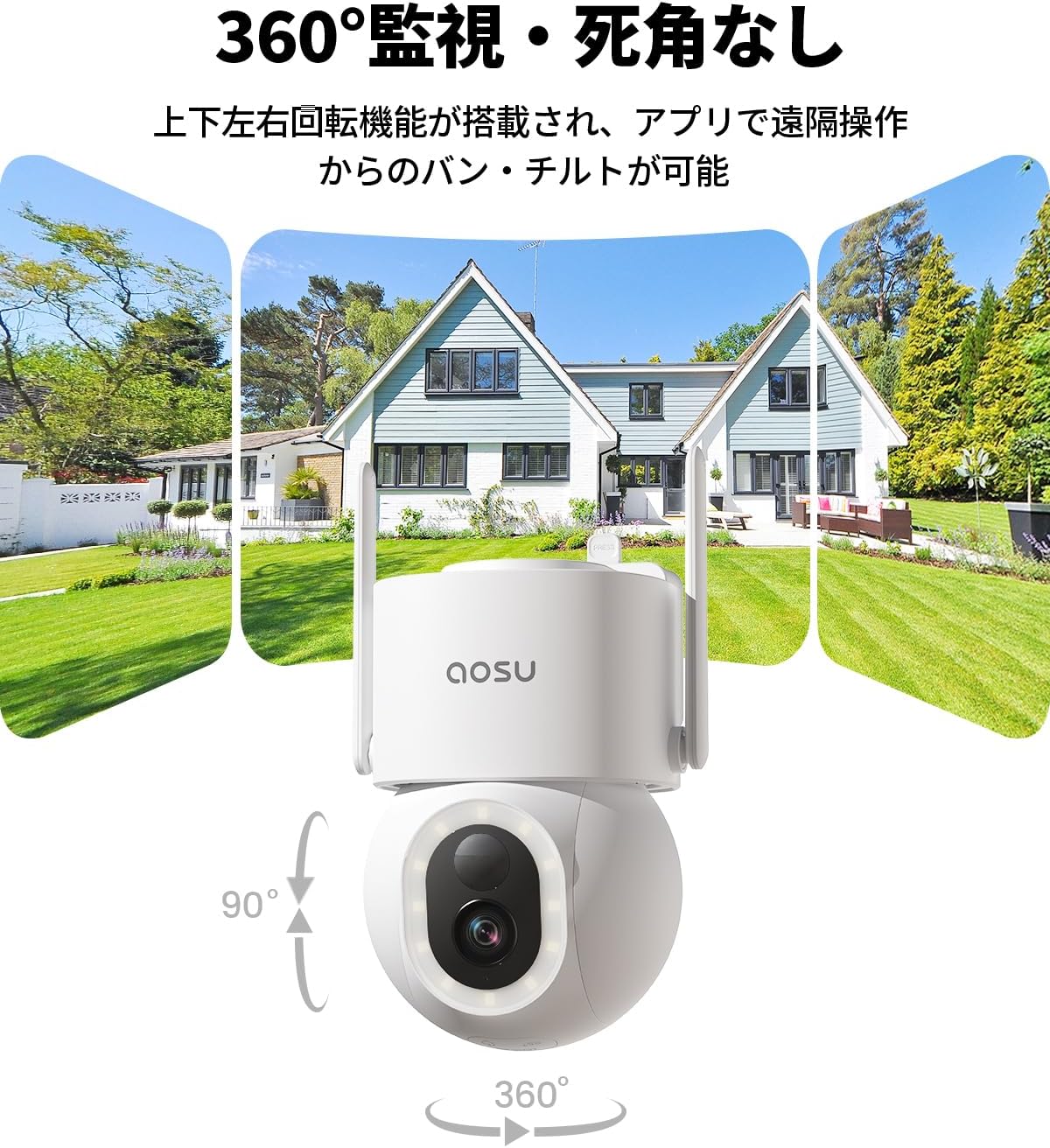
Figure 5.1: The camera's 360° horizontal and 90° vertical rotation capabilities for comprehensive surveillance.
5.2 Two-Way Audio
The camera features a built-in microphone and speaker for two-way communication.
- While in live view, tap the microphone icon to speak through the camera's speaker.
- You can hear audio from the camera's location through your smartphone.
5.3 Motion Detection and Alerts
- Enable "Tracking" in the app settings to allow the camera to automatically track human or animal movement horizontally and vertically.
- Set up protection areas within the app. When an intruder enters a defined area, the camera will activate light and sound alarms and send push notifications to your smartphone.
- Adjust the detection sensitivity (7 levels available) to minimize false alarms.

Figure 5.2: The camera's motion detection and auto-tracking feature following a person in the garden.

Figure 5.3: The camera's deterrence features, including light and sound alarms, activated upon detecting an intruder.
5.4 Alexa Integration
The camera is compatible with Alexa-enabled devices with screens.
- Link your AOSU account with your Alexa account through the Alexa app.
- Use voice commands such as "Alexa, show me the garden" to view the camera's live feed on your Alexa device.
5.5 Family Sharing
You can easily share camera access with family members without needing to rescan QR codes.
- The camera manager can share access via Bluetooth through the AOSU app.
- Family members simply download the AOSU app and connect via Bluetooth to gain access.
6. Features Overview
6.1 High Resolution and Night Vision
Equipped with a high-performance CMOS sensor, the camera delivers 5-megapixel (2880x1620) resolution, providing significantly more detailed images compared to 1080P cameras. It also features 6x digital zoom to inspect fine details.
- 15 High-Brightness LED Lights: Greatly enhances brightness for night vision.
- Full-Color Night Vision: Excellent performance in low light conditions, with a surveillance range of 8 meters.
- Automatic Mode Switching: Switches to color imaging in bright conditions and monochrome in dark conditions.

Figure 6.1: Visual comparison demonstrating the superior clarity of 5MP resolution over 1080P.

Figure 6.2: The camera's night vision capability, showing how its 15 LED lights illuminate the surveillance area.
6.2 Solar Power and Battery
The camera comes with a solar panel (3m USB-C connection cable included) that can be adjusted for optimal sunlight exposure. This allows for continuous charging and operation 365 days a year.
- 9200mAh Battery: Large capacity internal battery for extended operation.
- Wire-Free Installation: No power connection needed, allowing flexible placement anywhere.
- Cost Savings: Eliminates installation costs for power outlets and reduces electricity bills.

Figure 6.3: Illustration of the high-efficiency solar panel, showing how it converts sunlight into power for the camera.
6.3 AI Detection and False Alarm Prevention
The camera features advanced AI detection capabilities to distinguish between different types of movement, significantly reducing false alarms.
- Human/Vehicle/Pet Recognition: The camera can identify and track specific subjects.
- Adjustable Sensitivity: 7 levels of detection sensitivity to fine-tune performance and achieve 99% false alarm avoidance.
- Detection Range: Up to 15 meters for motion detection.

Figure 6.4: AI detection capabilities, showing the camera's ability to differentiate between vehicles, humans, and pets.
6.4 Storage Options
The camera offers flexible storage solutions for your recorded footage:
- MicroSD Card: Supports up to 128GB (sold separately) for local storage.
- Cloud Storage: Paid cloud storage options are available. The camera also provides 24-hour motion event recording (approx. 10 seconds per event) that overwrites automatically, even without an SD card or cloud subscription. These events can be viewed and downloaded from the app.

Figure 6.5: Storage methods for the camera, including MicroSD card and cloud storage options.
6.5 IP65 Waterproof Rating
The camera body is IP65 rated for dust and water resistance, making it suitable for outdoor environments. The memory card slot and USB port are designed at the bottom and covered with waterproof rubber for added protection.

Figure 6.6: The camera's IP65 waterproof and dustproof design, ensuring durability in various weather conditions.
7. Maintenance
Regular maintenance helps ensure the longevity and optimal performance of your camera.
- Cleaning the Lens: Gently wipe the camera lens with a soft, clean cloth to remove dust or smudges that may affect image quality.
- Cleaning the Solar Panel: Periodically clean the surface of the solar panel to ensure maximum sunlight absorption and charging efficiency.
- Firmware Updates: Check the AOSU app regularly for firmware updates. Keeping your camera's firmware up-to-date ensures you have the latest features and security enhancements.
- Battery Health: While the solar panel provides continuous power, ensure the camera is placed in a location with sufficient sunlight to maintain battery health.
8. Troubleshooting
If you encounter issues with your camera, refer to the following common troubleshooting steps:
| Problem | Possible Cause | Solution |
|---|---|---|
| Camera not connecting to Wi-Fi | Incorrect Wi-Fi password; Camera too far from router; Only 2.4GHz Wi-Fi supported. | Ensure correct password. Move camera closer to router. Confirm your Wi-Fi is 2.4GHz. Try resetting the camera. |
| Battery not charging via solar panel | Insufficient sunlight; Solar panel dirty or obstructed; Cable connection issue. | Relocate solar panel to a sunnier spot. Clean the solar panel surface. Check USB-C cable connection and ensure it's secure. |
| Frequent false alarms | Detection sensitivity too high; Environmental factors (e.g., moving branches, shadows). | Adjust detection sensitivity in the app to a lower level. Define specific protection areas to exclude irrelevant zones. |
| No two-way audio | Microphone/speaker disabled in app; Network connectivity issues. | Check audio settings in the AOSU app. Ensure stable internet connection. |
| Poor image quality at night | Lens dirty; Insufficient ambient light for color night vision. | Clean the camera lens. Ensure there are no obstructions blocking the LED lights. |
9. Specifications
| Feature | Detail |
|---|---|
| Mounting Type | Wall Mount |
| Video Capture Resolution | 5 Megapixels (2880x1620) |
| Number of Items | 1 |
| Wireless Communication Technology | 2.4GHz WiFi only |
| Installation Type | Screw-in |
| Night Vision Range | 10 meters |
| Product Dimensions (LxWxH) | 21.3 x 14.5 x 17.8 cm |
| Product Model Number | C9S2CH11 |
| Product Weight | 1.16 kg |
| Battery Included | Yes |
| Battery Type | Lithium Ion |
| Recommended Uses | Outdoor Security, Shop Security, Garden Monitoring, Entrance Monitoring, Parking Lot Monitoring |
| Connectivity Technology | 2.4GHz WiFi + Bluetooth Connection |
| Features | 2.4GHz WiFi+Bluetooth, Alexa Compatible, IP65 Waterproof, 360° PTZ Rotation, Human/Motion Detection, Auto Tracking, 5MP High Resolution, 15 LED Lights, Night Color Shooting, Sound & Light Alarm, Two-Way Talk, Family Sharing, High Efficiency Solar Charging, 9200mAh Battery |
| Indoor/Outdoor Use | Outdoor |
| Compatible Devices | Smartphone |
| Power Source | Solar + Battery |
| Controller Type | Amazon Alexa |
10. Warranty and Support
AOSU provides comprehensive support for its products.
- Warranty Period: Your AOSU security camera comes with a one-year warranty from the date of purchase.
- Data Security: The camera utilizes encryption technology to ensure secure data transfer, protecting your privacy. Recorded videos are accessible only by you.
- Customer Support: For any questions or issues before or during use, please contact customer support through Amazon:
- Go to "Order History"
- Select your "Purchase History"
- Click on "Ask a Question"
- Support Hours: Weekdays from 10:30 AM to 7:30 PM (JST). Responses are typically provided within 1 business day.