Introduction
Product Overview
The REDTIGER Golf Rangefinder Set is designed to enhance your golf experience with precise distance measurements and essential accessories. This comprehensive kit includes a high-performance rangefinder, a versatile divot repair tool, and a set of vibrant ball markers, all engineered for durability and ease of use on the course.
Included Components
Your REDTIGER Golf Rangefinder Set includes the following items:
- Laser Rangefinder
- Portable Soft Case
- Divot Tool
- Golf Ball Markers (4 unique designs)
- User Manual
- Hand Rope
- Lens Cleaning Cloth
- Magnetic Belt Clip
- USB-C Charging Cable
- Mountaineering Buckle

Image: All components included in the REDTIGER Golf Rangefinder Set.
Product Features
REDTIGER Golf Rangefinder
The rangefinder offers high-precision measurement up to 1200 yards with 7x magnification. It features a transflective LCD display for clear readings, slope switching for accurate compensated distances, and a flag lock function with vibration to confirm target acquisition. The device is rechargeable via USB-C.
- Measurement Range: Up to 1200 yards
- Magnification: 7X
- Accuracy: ±0.5 yards/meter
- Display: Transflective LCD
- Functions: Slope Switching, Flag Lock, Vibration
- Power: Rechargeable via USB-C
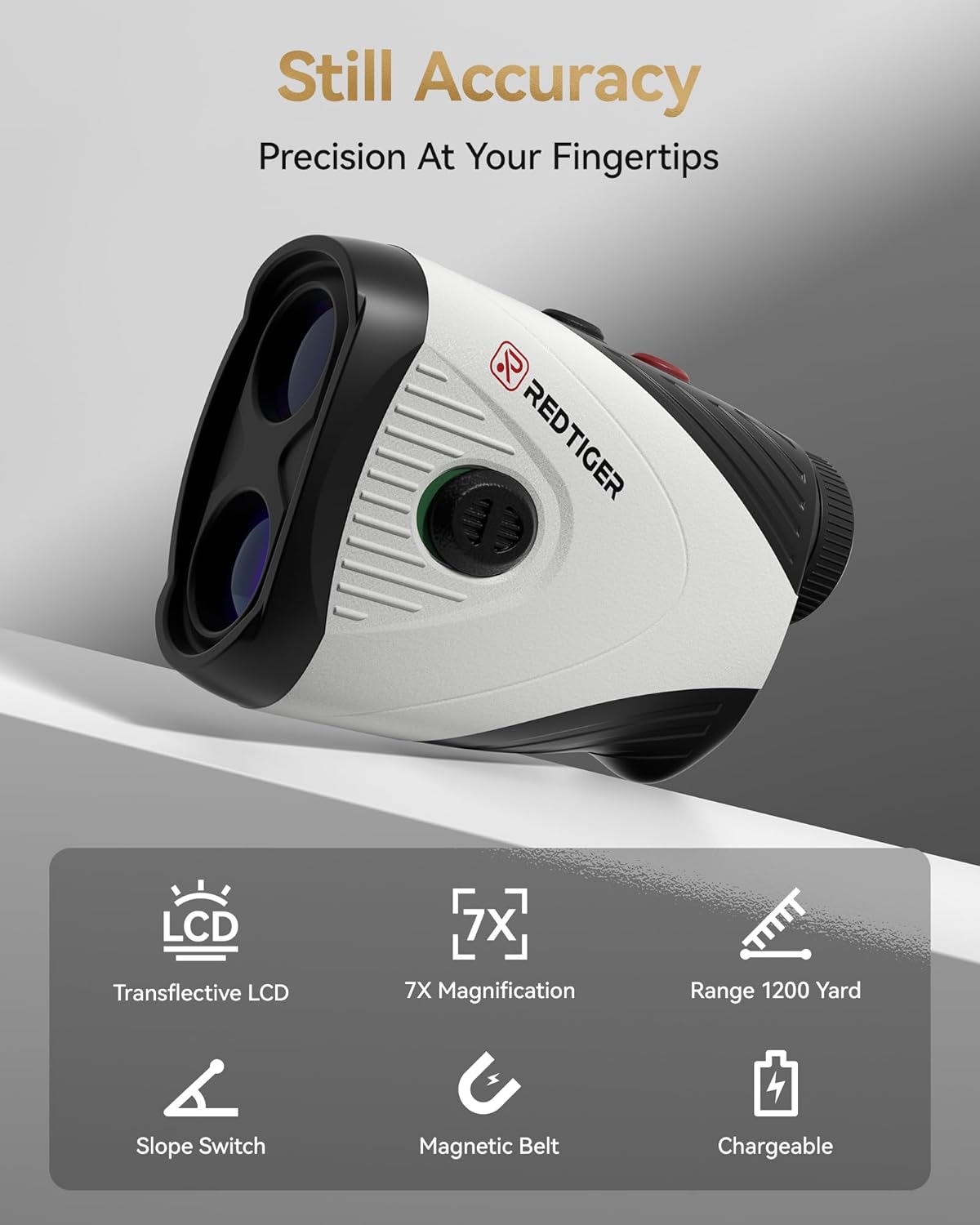
Image: Key features of the REDTIGER Golf Rangefinder.
Versatile Divot Repair Tool
This multi-functional tool is designed to meet various golfing needs. It integrates a divot repair fork, a magnetic ball marker holder, a bottle opener, a groove cleaner, and a belt clip for convenient access. Constructed from sturdy metal, it ensures durability and effective performance.
- Functions: Divot Repair, Groove Cleaner, Bottle Opener, Belt Clip
- Material: High-quality metal
- Additional: Integrated magnetic ball marker holder

Image: Functions of the REDTIGER Divot Repair Tool.
Vibrant Ball Markers
The set includes four uniquely designed and colorful ball markers. Made of high-quality metal with a smooth finish, these markers are durable and feature clear details. They are designed to be lightweight and highly magnetic, allowing for easy attachment to the divot tool or the included metal hat clip.
- Quantity: 4 unique designs
- Material: High-quality metal
- Features: Vivid color, high magnetic strength, lightweight, compatible with hat clip

Image: The four unique REDTIGER Golf Ball Markers.
Magnetic Attachment for Portability
Both the rangefinder and the ball markers are designed with magnetic capabilities for enhanced portability. The rangefinder can be securely attached to metal surfaces, such as a golf cart frame, using its integrated magnet. The ball markers can be conveniently fixed to your cap, visor, or belt via the included metal hat clip, ensuring quick access during play.

Image: Demonstrating the magnetic attachment features of the rangefinder and ball markers.
Setup Guide
Charging the Rangefinder
- Locate the USB-C charging port on the rangefinder.
- Connect the provided USB-C charging cable to the rangefinder and a compatible USB power source (e.g., computer USB port, wall adapter).
- The charging indicator light will illuminate during charging and change color or turn off when fully charged. A full charge supports up to 30,000 measurements.
Initial Power On
- Press the Power/Measurement button (usually located on top) to turn on the device.
- The display will activate, showing the reticle and measurement indicators.
Adjusting Focus
To ensure a clear view through the eyepiece, rotate the diopter adjustment ring (typically located near the eyepiece) until the display and target appear sharp and in focus.
Operating Instructions
Measuring Distance
- Look through the eyepiece and aim the reticle at your desired target.
- Press the Power/Measurement button once. The distance to the target will be displayed instantly on the LCD.
Flag Lock and Vibration
To use the Flag Lock feature:
- Aim the rangefinder at the flagstick.
- Press and hold the Power/Measurement button while slowly scanning across the flagstick.
- The rangefinder will lock onto the flag, and the device will vibrate to confirm the measurement, displaying the distance to the flag.
Slope Compensation
The rangefinder includes a slope compensation feature that calculates the adjusted distance based on elevation changes. To switch between modes (slope ON/OFF), refer to the specific button on your device (often a dedicated mode button or a long press of the power button). Ensure slope mode is off for competitive play if rules require it.
Using the Divot Tool
- Divot Repair: Insert the prongs into the turf at the outer edge of the divot and gently push the turf towards the center. Repeat around the divot until the surface is level.
- Groove Cleaner: Use the pointed end to clear debris from your club grooves.
- Bottle Opener: Utilize the designated opening for opening bottles.
- Belt Clip: Attach the tool to your belt or pocket for easy access.
Using the Ball Markers
Place a ball marker directly behind your golf ball on the green to mark its position. The magnetic design allows it to attach securely to the divot tool or the included hat clip for convenient storage and quick retrieval.
Maintenance
Cleaning the Device
- Use the provided lens cleaning cloth to gently wipe the lenses of the rangefinder. Avoid using abrasive materials or harsh chemicals.
- For the body of the rangefinder and accessories, wipe with a soft, damp cloth.
- Ensure the device is dry before storing.
Battery Care
- Charge the rangefinder regularly, even if not in frequent use, to maintain battery health.
- Avoid fully discharging the battery for extended periods.
- Store the device in a cool, dry place when not in use.
Storage
When not in use, store the rangefinder and its accessories in the portable soft case to protect them from dust, moisture, and physical damage. Keep the set away from extreme temperatures.
Troubleshooting
| Problem | Possible Cause | Solution |
|---|---|---|
| Device does not power on. | Low battery. | Charge the rangefinder using the provided USB-C cable. |
| Inaccurate distance readings. | Lens is dirty; target is too small or reflective; unstable hand. | Clean the lenses with the provided cloth. Ensure a steady aim. Try measuring to a larger, less reflective target. |
| Display is unclear or blurry. | Diopter not adjusted; dirty lens. | Rotate the diopter adjustment ring until the display is clear. Clean the lenses. |
| Flag Lock not working. | Not scanning correctly; flag too far or obscured. | Ensure you are slowly scanning across the flagstick. Try again from a closer distance or ensure no obstacles are in the way. |
Specifications
| Feature | Detail |
|---|---|
| Brand | REDTIGER |
| Model Name | US-C001-KIT |
| Measuring Range | 1200 yards |
| Magnification | 7X |
| Accuracy | ±0.5 yards/meter |
| Battery Type | Rechargeable Lithium-Ion Polymer, 3.7V |
| Color | White |
| Material | Plastic |
| Item Weight | 0.35 Pounds |
| Product Dimensions (LxWxH) | 1.61"L x 0.35"W x 2.36"H |
| International Protection Rating | IP56 |
| Water Resistance Level | Not Water Resistant |
Warranty and Support
Warranty Information
The REDTIGER Golf Rangefinder Set comes with a 2-year manufacturer's warranty from the date of purchase. This warranty covers defects in materials and workmanship under normal use.
Technical Support
REDTIGER provides lifetime technical support for this product. If you encounter any issues or have questions regarding the operation, maintenance, or troubleshooting of your rangefinder set, please visit the official REDTIGER website or contact their customer service for assistance. You can typically find contact information on the product packaging or the official brand website.
Official Product Videos
No official product videos from the seller were found to be included in this manual.


