
1. Introduction
Thank you for choosing the PUSOKEI Mini Thumb Camera. This compact device is designed for capturing 1080P HD video and high-resolution images, making it ideal for travel photography and recording. This manual provides detailed instructions on how to set up, operate, and maintain your camera to ensure optimal performance.
2. Product Overview
Key Features
- 1080P HD Video: Equipped with a high-performance COMS sensor and intelligent picture quality optimization system for clear, detailed video capture.
- Simple One-Click Operation: Designed for ease of use, allowing quick capture of photos and videos.
- Long-Lasting Battery: Built-in 180mAh rechargeable battery provides up to 100 minutes of continuous recording.
- 0.96-inch HD Screen: Allows for real-time observation of the recording process and quick object capture.
- Large Capacity Expansion: Supports 8GB to 128GB high-speed TF (MicroSD) cards (not included) for extensive storage.
Camera Components

Figure 2.1: Front view of the camera, highlighting the lens and compact body.
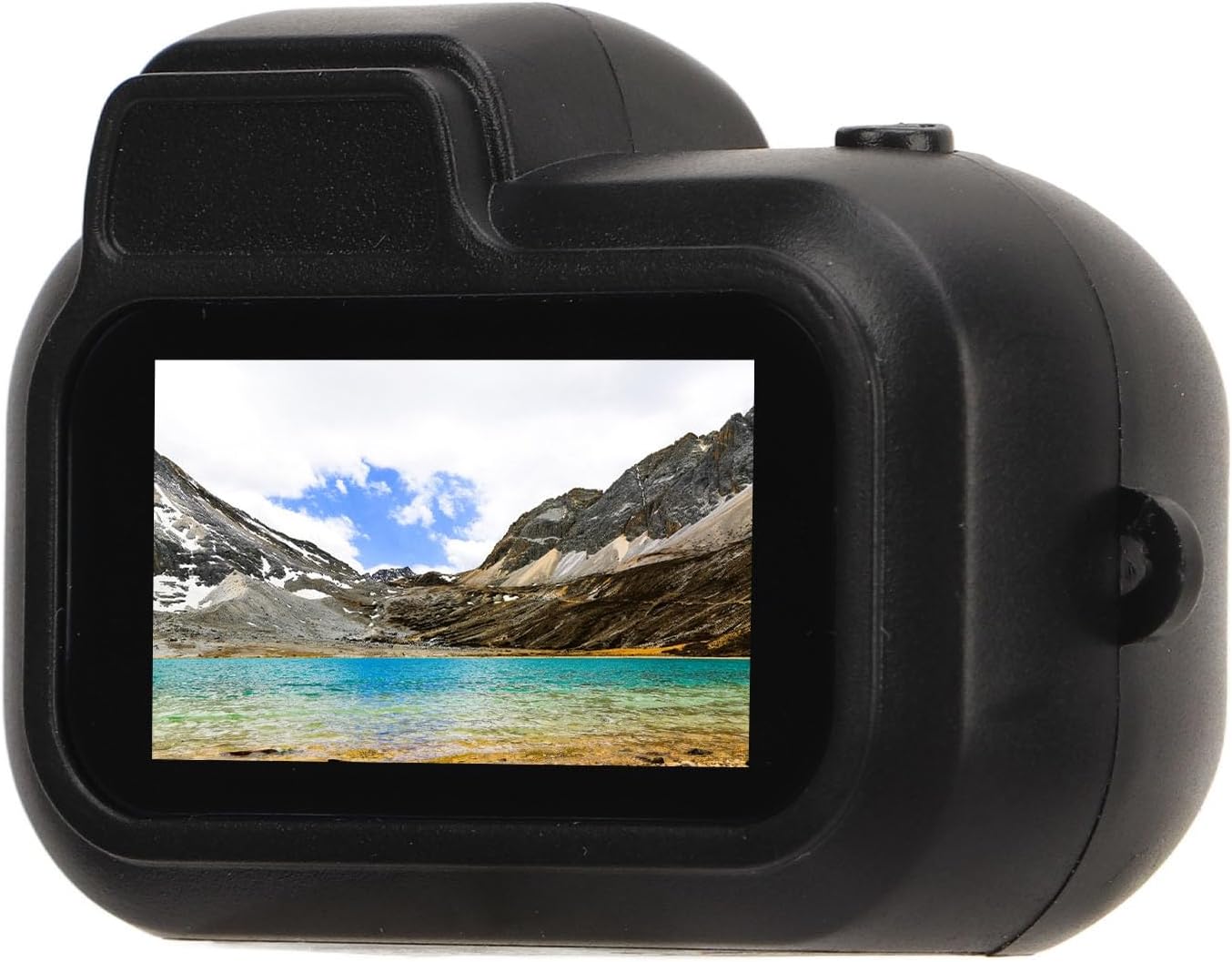
Figure 2.2: Back view of the camera, showing the 0.96-inch HD display screen.

Figure 2.3: Side view of the camera, illustrating the USB charging port and the MicroSD card slot.
3. Setup
3.1 Charging the Battery
Before first use, fully charge the camera's built-in 180mAh polymer battery. Connect the camera to a USB power source using the provided USB cable. The charging indicator light will typically show the charging status and turn off or change color when fully charged.
3.2 Inserting a Memory Card
The camera supports MicroSD (TF) cards from 8GB up to 128GB (not included). Ensure the camera is powered off before inserting or removing the memory card. Locate the MicroSD card slot on the side of the camera (refer to Figure 2.3). Gently insert the card with the gold contacts facing down until it clicks into place.
3.3 Powering On/Off
To power on the camera, press and hold the power button (usually located near the lens or on top) for a few seconds until the screen illuminates. To power off, press and hold the power button again until the screen turns off.
4. Operating Instructions
The PUSOKEI Mini Thumb Camera features a simplified one-click operation for capturing moments.
4.1 Taking Photos
With the camera powered on, press the designated photo/video button once briefly to take a still photograph. The camera screen will briefly indicate that a photo has been captured.
4.2 Recording Videos
To start recording a video, press and hold the photo/video button for a few seconds. The screen will display a recording indicator (e.g., a red dot or timer) to confirm that video recording has begun. To stop recording, press the same button once briefly. The video file will be saved to the inserted MicroSD card.
4.3 Viewing Playback
The 0.96-inch HD screen allows for immediate playback. Navigate through your captured photos and videos using the camera's control buttons (if available, typically up/down or mode buttons). Refer to the on-screen interface for specific playback controls.
4.4 Connecting to a Computer
To transfer files, connect the camera to your computer using the provided USB cable. The camera should appear as a removable disk drive. You can then access and copy your photos and videos from the MicroSD card.
5. Maintenance
5.1 Cleaning
- Use a soft, dry cloth to clean the camera body.
- For the lens and screen, use a specialized lens cleaning cloth and solution to avoid scratches.
- Do not use harsh chemicals or abrasive materials.
5.2 Storage
Store the camera in a cool, dry place away from direct sunlight, extreme temperatures, and high humidity. When storing for extended periods, ensure the battery is partially charged (around 50%) to prolong its lifespan.
5.3 Battery Care
Avoid fully discharging the battery frequently. Recharge the battery regularly, even if the camera is not in use, to maintain battery health.
6. Troubleshooting
- Camera not turning on: Ensure the battery is charged. Connect to a power source and try again.
- Cannot record/take photos: Check if a MicroSD card is properly inserted and has sufficient free space. The card might be full or corrupted.
- Poor image/video quality: Ensure the lens is clean. Check lighting conditions.
- Camera freezes: Try powering off and on again. If unresponsive, allow the battery to drain completely and then recharge.
- Computer does not recognize camera: Ensure the USB cable is securely connected. Try a different USB port or cable.
7. Specifications
| Feature | Specification |
|---|---|
| Item Type | Digital Kids Camera |
| Material | ABS |
| Display Screen | 0.96 Inch HD Screen |
| Video Resolution | 1920 x 1080p |
| Image Resolution | 3760 x 2128 |
| Frame Rate | 30fps |
| Video Format | AVI |
| Viewing Angle | 90 degree |
| Battery Capacity | 180mAh Polymer Battery (Built-in) |
| Working Time | Up to 100 minutes |
| Storage Support | Up to 128GB Memory Card (Not Included) |
| Optical Zoom | 1x |
| Connectivity Technology | Ethernet (Note: This may refer to internal chip connectivity, not external network access) |
8. Package Contents
The following items are included in your product package:
- 1 x PUSOKEI Mini Thumb Camera (Host)
- 1 x Anti-lost Rope
- 1 x Hook Clasp
- 1 x USB Cable
- 1 x Instructions Manual (this document)
9. Warranty and Support
For warranty information and technical support, please refer to the documentation provided at the time of purchase or contact your retailer. You may also visit the official PUSOKEI brand store for additional resources and contact details.
PUSOKEI Store Link: Visit the PUSOKEI Store on Amazon