
1. Introduction
The Retrosnap Mini Camera is a compact, portable digital camera designed for capturing photos and videos in 1080p HD. Featuring a nostalgic design, LED flash, and a 1.44-inch HD screen, it offers a user-friendly experience for recording travel, daily life, and special moments. This manual provides detailed instructions for the proper setup, operation, and maintenance of your device.
2. Package Contents
Please verify that all items listed below are included in your package:
- 1 x Small Digital Camera
- 1 x Charging Base
- 1 x USB Cable
- 1 x Lanyard
- 1 x Hook
- 1 x User Manual
3. Product Overview
The Retrosnap Mini Camera combines a classic aesthetic with modern functionality. It features a 1.44-inch HD screen for real-time preview and playback, a 90° flip flash for various lighting conditions, and supports 1080p HD video recording.

Image: The Retrosnap Mini Camera in white, shown with its charging base, USB cable, lanyard, and hook. A user is also depicted holding the camera.

Image: A black Retrosnap Mini Camera highlighting features such as 'Digital Camera', 'Own Power Bank', 'One Week of Battery Life', '6 Filter Modes', and 'Reversible Flash Lamp'.

Image: A close-up of the Retrosnap Mini Camera's 1.44-inch screen displaying a real-time preview, emphasizing its brightness and clarity for taking photos.
4. Setup
4.1 Inserting the Memory Card
The camera requires a Small Memory Card (16G/32G) for storing photos and videos. Locate the memory card slot, typically on the side or bottom of the camera, and gently insert the card until it clicks into place.
4.2 Powering On the Camera
After inserting the memory card, press and hold the photo button to turn on the camera.
4.3 Charging the Camera
The camera is equipped with a built-in 180mAh battery and comes with a 480mAh charging base. To charge, connect the camera to the charging base and then connect the base to a power source using the provided USB cable. A full charge supports up to 600 minutes of shooting time.

Image: A black Retrosnap Mini Camera being charged via its dedicated charging base, illustrating the connection with a USB cable and indicating power flow.
5. Operating Instructions
5.1 Taking Photos and Recording Videos
The camera can easily switch between photo and video modes. A short press of the "+" button typically toggles between these modes. Once in the desired mode, press the dedicated photo/record button to capture your content.

Image: A black Retrosnap Mini Camera displaying a video recording interface on its screen, indicating 1080p resolution and a timer, emphasizing its video creation capabilities.
5.2 Using the LED Flash
The camera features a 90° flip flash to assist in low-light conditions and night scenery. Activate the flash as needed to illuminate your subjects and ensure clear images.
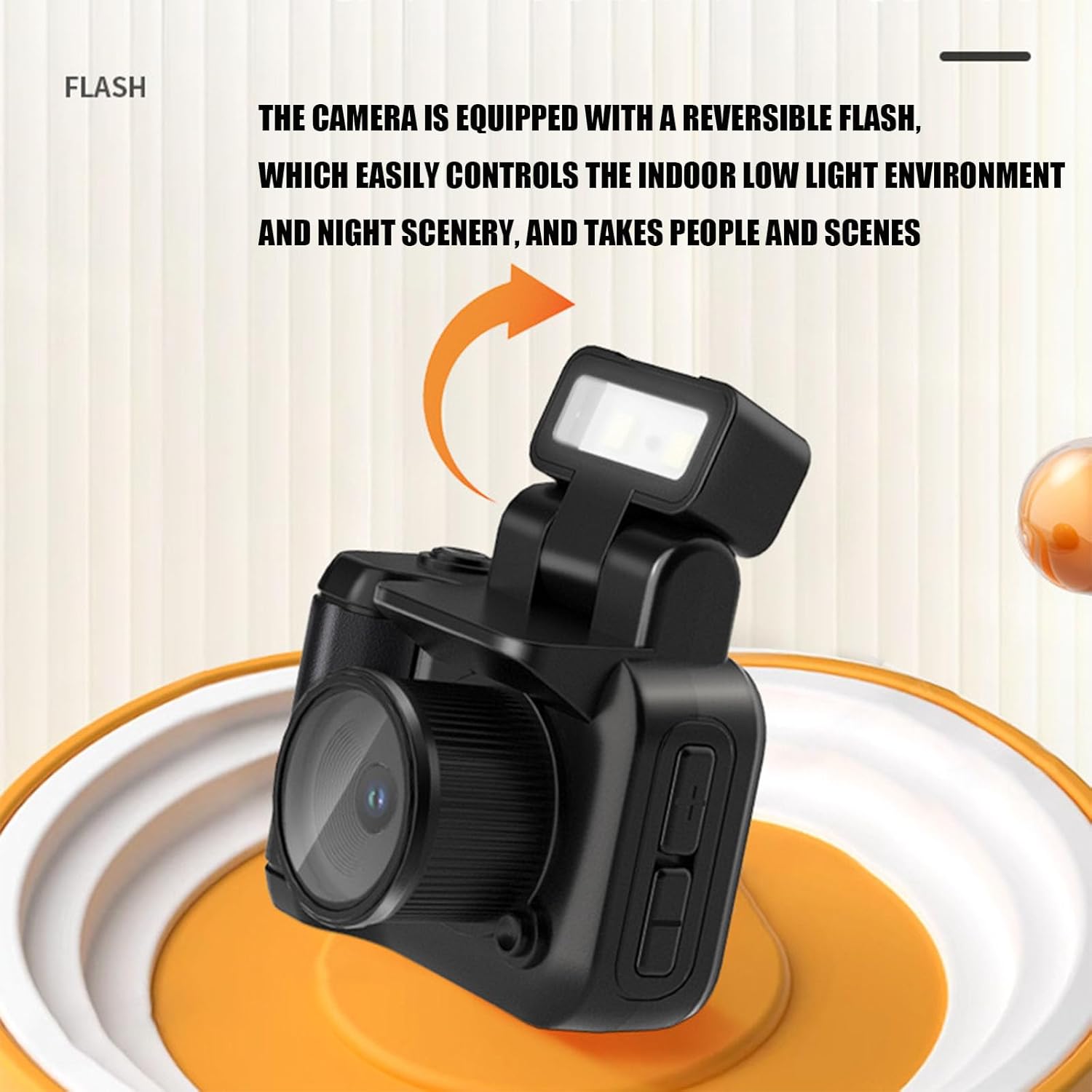
Image: A black Retrosnap Mini Camera with its reversible flash unit flipped up and illuminated, demonstrating its functionality for controlling indoor low-light environments and night photography.
5.3 Applying Filters
Enhance your photos and videos with six built-in filters: Original, Cold, Warm, Black and White, Yellow, and Fresh. These can be selected through the camera's menu options to achieve different visual effects.

Image: A grid displaying six different photographic filters applied to the same image of a person, labeled 'Original Picture', 'Cool Color', 'Warm Color', 'Black', 'Retro', and 'Fresh', showcasing the camera's filter options.
5.4 Uploading to Mobile Phone
All photos and videos taken with the Retrosnap Mini Camera can be uploaded to a mobile phone. Refer to the camera's on-screen menu or connect the camera to your phone via a compatible cable or wireless method (if supported) to transfer files.
6. Maintenance
To ensure the longevity and optimal performance of your Retrosnap Mini Camera, follow these maintenance guidelines:
- Cleaning: Use a soft, dry cloth to clean the camera body. For the lens and screen, use a specialized lens cleaning cloth and solution to avoid scratches.
- Storage: Store the camera in a cool, dry place away from direct sunlight, extreme temperatures, and high humidity.
- Battery Care: Avoid fully discharging the battery frequently. Charge the camera regularly, even if not in use, to maintain battery health.
- Memory Card: Periodically back up your data from the memory card to prevent loss. Format the memory card in the camera if you experience performance issues.
7. Troubleshooting
If you encounter issues with your Retrosnap Mini Camera, please refer to the following common solutions:
- Camera Not Turning On: Ensure the battery is charged. Connect the camera to the charging base and a power source. Verify the memory card is correctly inserted.
- Cannot Take Photos/Videos: Check if the memory card has sufficient free space. Ensure the memory card is properly inserted and recognized by the camera.
- Poor Image Quality: Clean the camera lens. Ensure adequate lighting for your shots, utilizing the flash if necessary.
- Screen Not Displaying: Check battery level. If the screen is unresponsive, try restarting the camera by holding down the power button.
- Files Not Transferring: Ensure the USB cable is securely connected to both the camera/charging base and your mobile phone/computer. Check for any prompts on your mobile device to allow file transfer.
If the problem persists, please contact customer support.
8. Specifications
| Feature | Detail |
|---|---|
| Product Type | Small Digital Camera |
| Material | ABS |
| Video Resolution | 1080P |
| LED Flash | Supported, 90° Flip Flash |
| Camera Battery Information | Lithium Battery 180mAh (Built-in) |
| Base Battery Information | Lithium Battery 480mAh (Built-in) |
| Small Memory Card | 16G/32G (User-provided) |
| Screen Size | 1.44in HD Screen |
| Image Resolution | 3760 x 2128 Pixels |
| Photo Sensor Technology | CCD |
| Supported File Format | DNG |
| Image Stabilization | Digital |
| Optical Zoom | 3 x |
| Metering Description | Evaluative |
| Maximum Webcam Image Resolution | 5 MP |
| Photo Sensor Size | 1.5-inch |
| Manufacturer | remred |
| Item Model Number | asdfodohi9485490 |
| First Available | November 4, 2024 |
9. Warranty and Support
For warranty information and customer support, please refer to the documentation provided at the time of purchase or contact the manufacturer, remred, directly. Keep your proof of purchase for any warranty claims.