
1. Important Safety Information
Please read and understand all instructions before assembling and using this product. Failure to follow these instructions may result in injury or product damage.
- Always follow assembly instructions carefully.
- Keep electrical components away from water.
- Do not operate if damaged or modified.
- Do not use if you are unfamiliar with electrical components.
- Ensure all connections are secure before use.
- Keep children and pets away from the moving parts of the recliner.
- Do not stand on the footrest or armrests.
2. Package Contents
Verify that all components are present before beginning assembly. If any parts are missing or damaged, please contact SINCRUMI customer support.
- Chair Base (with swivel and rocking mechanism)
- Backrest
- Left Armrest
- Right Armrest
- Remote Control for Massage and Heat
- Power Adapter(s)
- User Manual (this document)
3. Setup and Assembly Instructions
The SINCRUMI Power Swivel Rocker Recliner Chair is designed for easy assembly, typically taking only a few steps without the need for additional tools. The chair comes in one box.
3.1 Unpacking
Carefully open the box and remove all components. Place them on a soft, clean surface to prevent scratches or damage.

3.2 Connecting the Backrest
Align the rails on the backrest with the corresponding slots on the chair base. Slide the backrest down firmly until it locks into place. Ensure it is securely attached.

3.3 Attaching Armrests
Slide each armrest onto the designated slots on either side of the chair. Ensure they are fully seated and stable.
3.4 Electrical Connections
Locate the electrical cables extending from the backrest and chair base. Connect the cables by matching the colors (e.g., red to red, white to white). Then, connect the power cord(s) to the corresponding holes and plug the adapter into a wall outlet.
4. Operating Instructions
Your SINCRUMI recliner offers multiple functions for enhanced comfort and convenience.
4.1 Reclining Function
Use the built-in recline buttons located on the side of the chair to adjust the backrest and footrest simultaneously. The chair offers an infinite position recline up to 160 degrees, allowing you to find your preferred angle for reading, relaxing, or napping.

4.2 Swivel and Rocking Functions
The chair features a 270-degree swivel capability and a 30-degree rocking motion. These functions operate manually, allowing you to gently rock or turn the chair as desired.

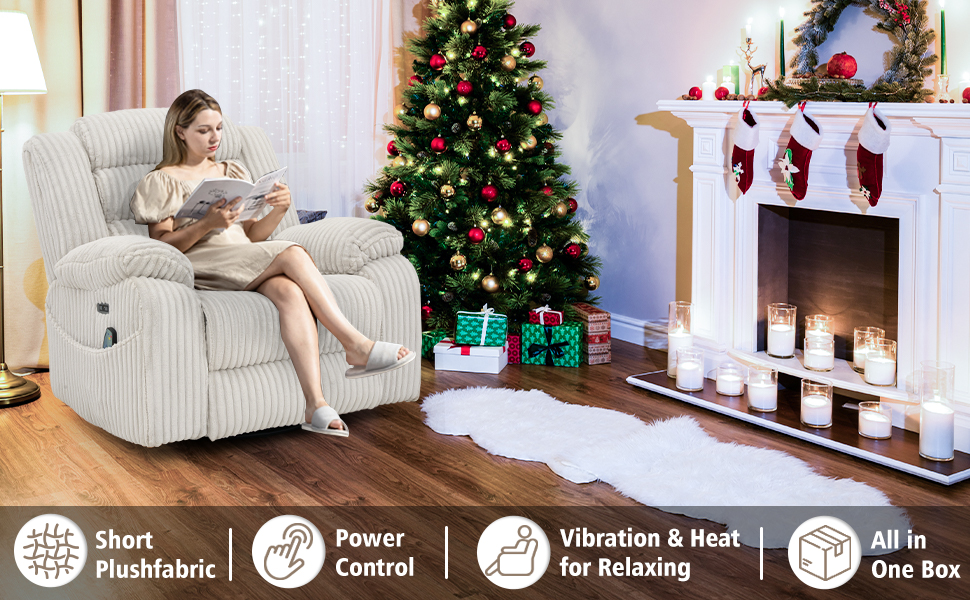
4.3 Massage and Heat Functions
The included remote control manages the massage and heat features. The chair has 8 powerful vibration massage motors with 4 custom zone settings (back, lumbar, thigh, leg), 2 intensity levels, and 5 vibration modes. The soothing heat function can be used independently or with massage.

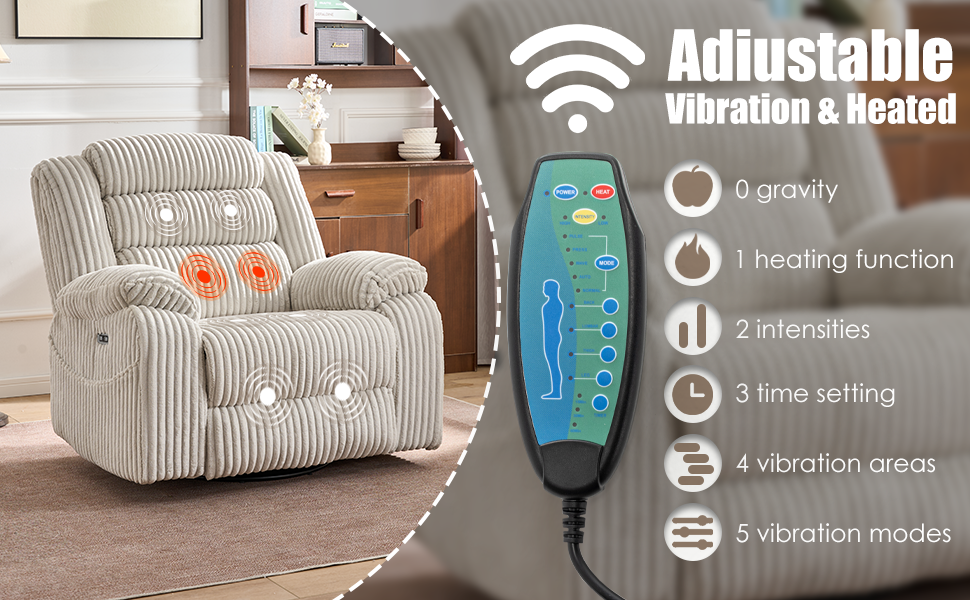
4.4 USB and Type-C Charging Ports
The chair is equipped with built-in USB and Type-C charging ports for convenient charging of your mobile devices while you relax.

4.5 Side Pockets
Dual side pockets are provided for easy storage of small items such as remote controls, books, or mobile devices.
5. Maintenance
Proper care will extend the life and appearance of your recliner.
- Cleaning: Wipe clean with a damp cloth. Avoid harsh chemicals or abrasive cleaners.
- Fabric Care: The corduroy fabric is skin-friendly and soft. Regular light vacuuming can help maintain its texture and remove dust.
- Electrical Components: Ensure all electrical connections are dry and free from debris. Do not attempt to repair electrical components yourself.
- Moving Parts: Periodically check the reclining mechanism and swivel base for smooth operation. Do not force any moving parts.
6. Troubleshooting
If you encounter any issues with your recliner, refer to the following common solutions:
- Recliner not operating: Check if the power adapter is securely plugged into both the chair and the wall outlet. Ensure the power switch (if present) is in the ON position. Verify all internal electrical connections are properly matched and secure.
- Massage/Heat not working: Confirm the remote control is properly connected to the chair. Check the power connection. Try pressing the 'Power' button on the remote to activate the system.
- Unusual noises during operation: Inspect the reclining mechanism for any obstructions. Ensure all assembly bolts are tightened. If the noise persists, discontinue use and contact customer support.
- Chair feels unstable: Recheck all assembly points to ensure the backrest and armrests are securely locked into place. Ensure the chair is on a flat, stable surface.
7. Specifications
| Feature | Detail |
|---|---|
| Brand | SINCRUMI |
| Model Name | Electric Recliner Chair |
| Product Dimensions | 30.5"D x 41.8"W x 41.35"H |
| Item Weight | 96 pounds |
| Maximum Weight Recommendation | 330 Pounds |
| Color | Pale Grey |
| Material | Cotton (Corduroy Fabric) |
| Special Features | Arm Rest, Massage and Heat, Rocking, Swivel, USB and Type-C Charge |
| Reclining Angle | Up to 160 degrees (Infinite Position) |
| Swivel Angle | 270 degrees |
| Rocking Angle | 30 degrees |
| Massage Zones | Back, Lumbar, Thigh, Leg (8 motors) |
| Massage Intensity | 2 levels (High, Low) |
| Massage Modes | 5 modes (Pulse, Press, Wave, Auto, Normal) |
| Heat Function | Lumbar Heat |
| Charging Ports | USB and Type-C |
| Product Care Instructions | Wipe Clean |
8. Warranty and Support
SINCRUMI provides a 1-year warranty guarantee for this product. This warranty covers free exchange for installation problems, damaged, and missing parts.
For any purchase-related inquiries, technical assistance, or warranty claims, please feel free to contact SINCRUMI customer support. Our team is available to answer any questions you may have.
- Customer Service: Refer to your purchase documentation or the SINCRUMI brand store for contact information.
- Online Resources: Visit the SINCRUMI Store for additional product information and FAQs.