
1. Product Overview
The Kado Portable Monitor K165W-FPNT is a 15.6-inch Full HD (1920x1080p) IPS display designed for enhanced portability and versatility. It features 45W USB-C reverse charging, built-in speakers, and a 180° adjustable kickstand, making it suitable for various applications including remote work, gaming, and extended desktop setups.
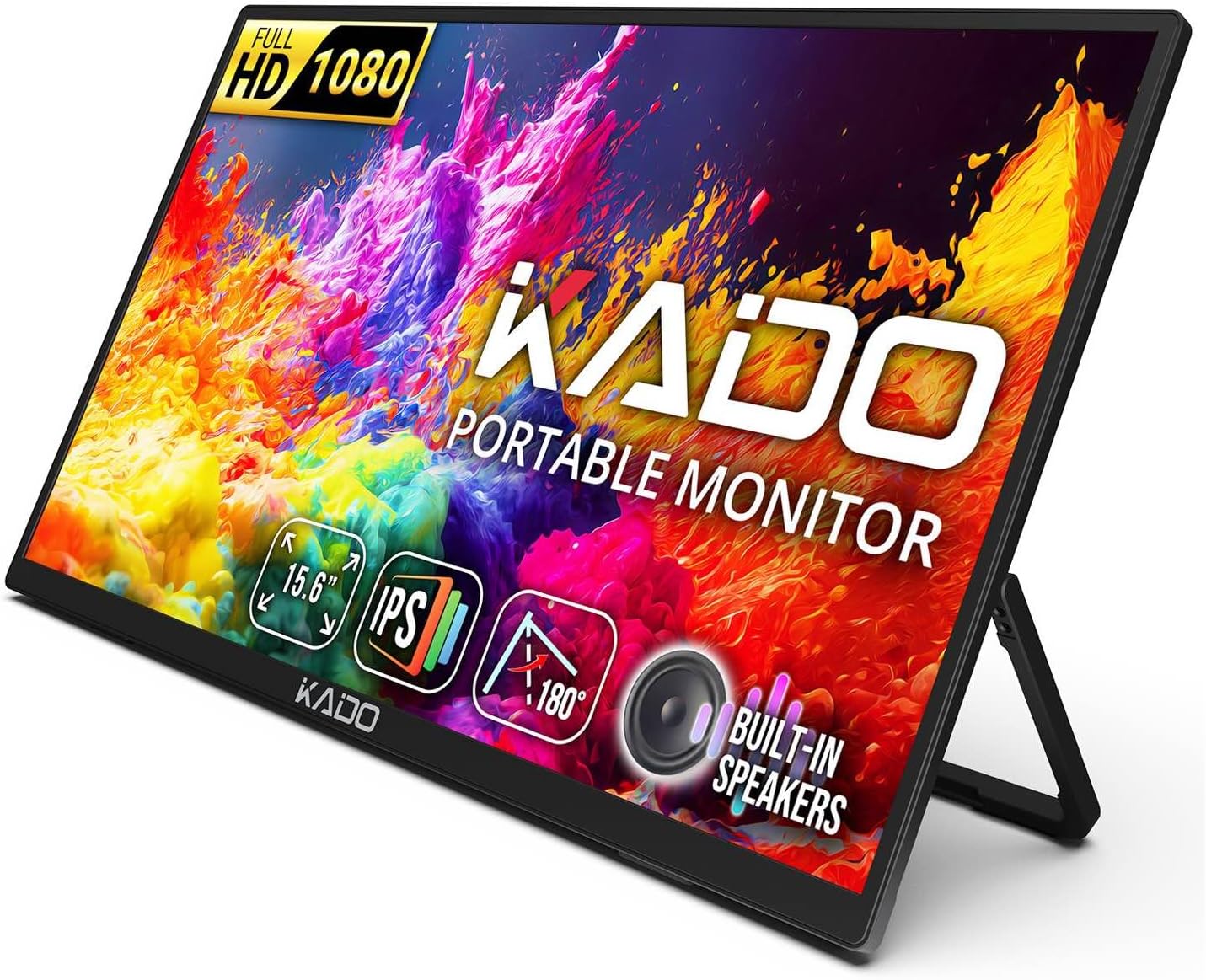
Figure 1: Kado Portable Monitor K165W-FPNT
Key Features:
- Full HD IPS Display: Enjoy clear and vibrant visuals with a 1920x1080 resolution, providing wide viewing angles and accurate color reproduction.
- Ultra-Slim and Lightweight: Designed for portability, making it ideal for travel, remote work, and gaming.
- Versatile Connectivity: Equipped with USB-C (DP Alt Mode) and mini-HDMI ports, allowing easy connection to laptops, PCs, phones, Macs, Xbox, PS4/PS5, and Switch.
- 45W USB-C Reverse Charging: With power and display in one, the Kado K16 portable monitor keeps your laptop or device powered while you work or play.
- VESA Mountable: The portable monitor comes equipped with a 100x100mm VESA mounting pattern so you can mount it to your monitor arms or stands to build your desktop setup.
- 180° Adjustable Kickstand: Offers full-range tilt flexibility, allowing seamless switching between landscape and portrait modes for optimal viewing angles anywhere.
- Built-In Speakers: Integrated speakers deliver clear audio, eliminating the need for external speakers or headphones.
- Plug & Play: Simple setup with no drivers required, making it easy to use right out of the box.
2. What's in the Box
Your Kado Portable Monitor package includes all necessary accessories to get started.

Figure 2: Included accessories with the Kado Portable Monitor.
- 1x Kado Portable Monitor K165W-FPNT
- 1x Mini-HDMI to HDMI Cable
- 1x USB-C to USB-C Full Function Cable (for Display and Power)
- 1x USB-A to USB-C Cable
- 1x Quick Start Guide
3. Setup Instructions
The Kado Portable Monitor is designed for plug-and-play functionality, requiring no additional drivers for most devices.
Connecting to a Laptop/PC (USB-C):
- Ensure your laptop/PC has a USB-C port that supports DisplayPort Alternate Mode (DP Alt Mode) and power delivery.
- Connect one end of the provided USB-C to USB-C Full Function Cable to the monitor's USB-C port.
- Connect the other end of the USB-C to USB-C Full Function Cable to your laptop/PC's compatible USB-C port.
- The monitor should automatically detect the signal and display your screen. If not, adjust display settings on your laptop/PC.
Connecting to a Laptop/PC/Console (Mini-HDMI):
- Connect one end of the provided Mini-HDMI to HDMI Cable to the monitor's Mini-HDMI port.
- Connect the HDMI end of the cable to your laptop/PC/console's HDMI output port.
- For power, connect the USB-A to USB-C Cable from the monitor's USB-C port to a USB-A port on your device or a power adapter (not included).
- The monitor should automatically detect the signal and display your screen. Adjust display settings on your device if necessary.
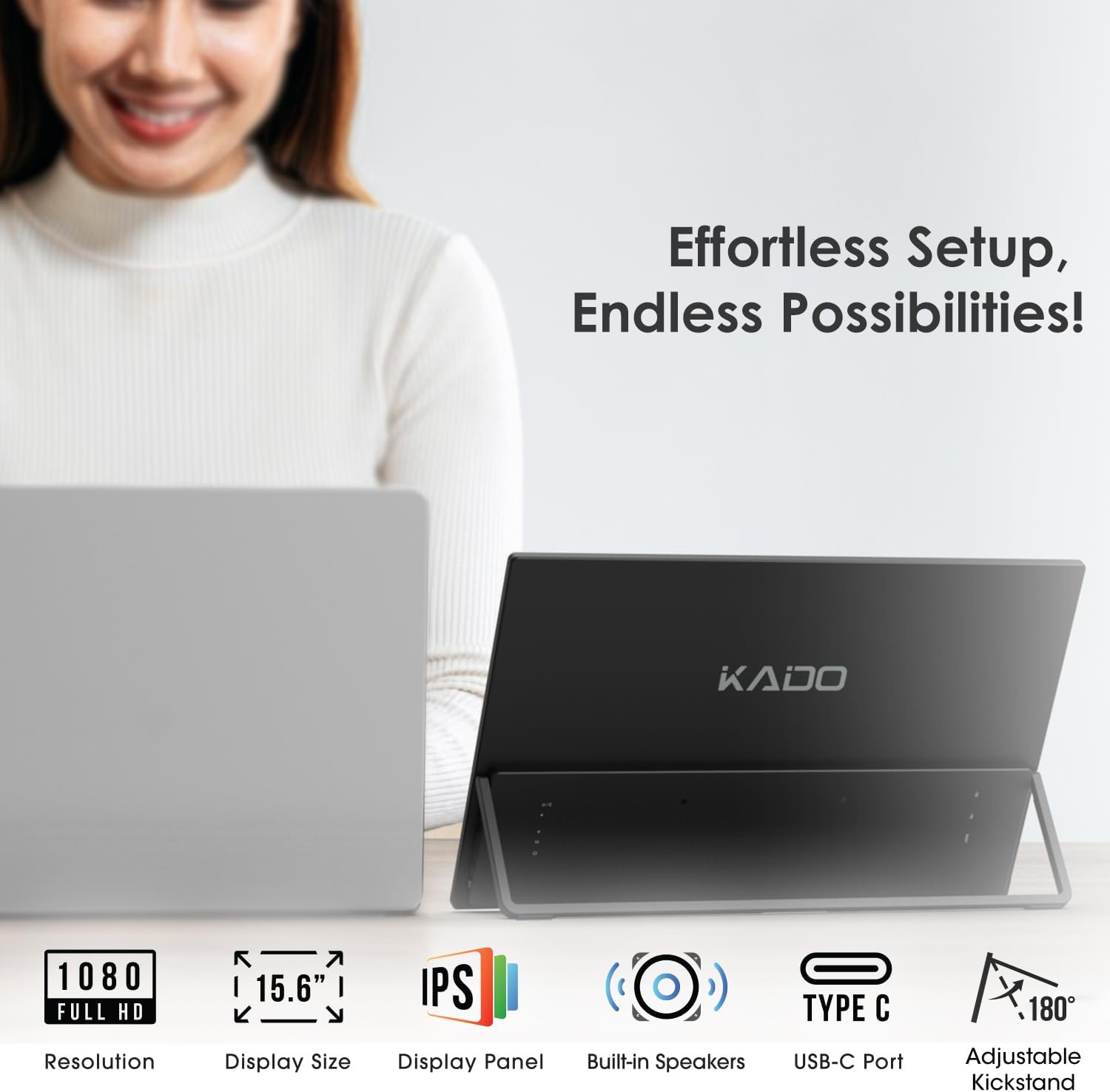
Figure 3: Monitor connected to a laptop for an extended display.
Video 1: Demonstrates the ease of connecting the Kado Portable Monitor to a laptop via USB-C for an extended display.
4. Connectivity Options
The Kado Portable Monitor offers flexible connectivity to a wide range of devices.
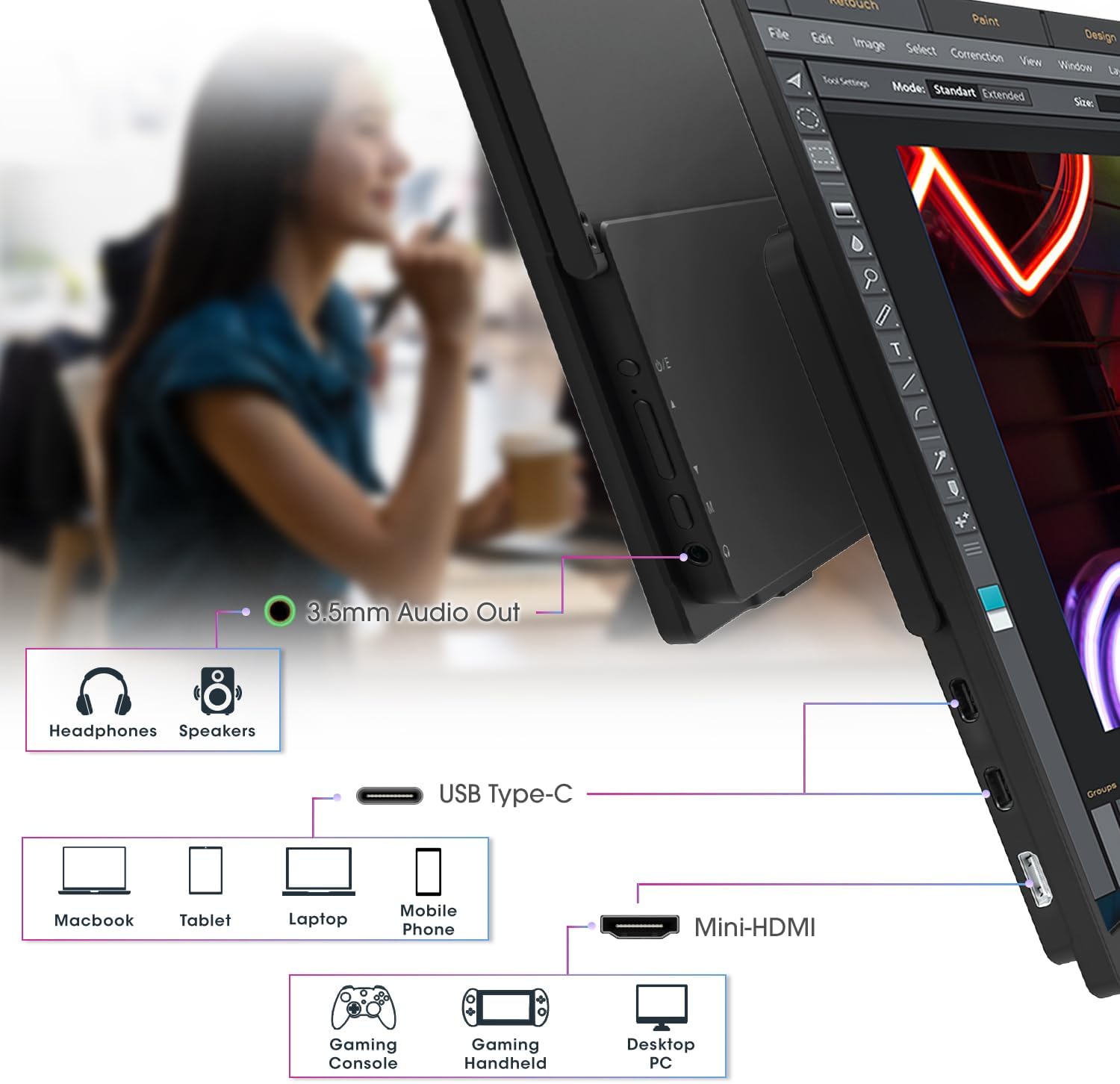
Figure 4: Overview of monitor ports and compatible devices.
- USB Type-C: Supports DisplayPort Alternate Mode for video output and Power Delivery for charging compatible devices (up to 45W reverse charging).
- Mini-HDMI: For video input from devices with HDMI output.
- 3.5mm Audio Out: For connecting external headphones or speakers.
5. Operating Instructions
Display Modes:
The monitor supports various display modes to suit your needs:

Figure 5: Multiple display modes for versatile use.
- Extend Mode: Expands your desktop workspace across both your primary device and the portable monitor.
- Duplicate Mode: Mirrors the display of your primary device onto the portable monitor.
- Single Screen Mode: Uses only the portable monitor as the display.
These modes can typically be configured through your operating system's display settings.
On-Screen Display (OSD) Settings:
The monitor features intuitive buttons for accessing and adjusting OSD settings:
- Brightness/Contrast: Adjust display brightness and contrast levels.
- Volume: Control the volume of the built-in speakers.
- Color Settings: Customize color temperature, hue, and saturation.
- Input Source: Manually select the video input source (USB-C or Mini-HDMI).
- Other Settings: Access various system, image, and language options.
Video 2: Highlights the Kado Portable Monitor's features, including its kickstand and various display modes.
6. Mounting Options
The Kado Portable Monitor offers flexible positioning options:

Figure 6: VESA mounting and adjustable kickstand features.
- 180° Adjustable Kickstand: The integrated kickstand allows for easy adjustment of the viewing angle and supports both landscape and portrait orientations.
- VESA Mountable: Equipped with a 100x100mm VESA mounting pattern, the monitor can be attached to compatible monitor arms or wall mounts for a customized desktop setup.
7. Portability
Designed with mobility in mind, the Kado Portable Monitor is ultra-slim and lightweight, making it an ideal companion for travel and on-the-go productivity.

Figure 7: Monitor easily fits into a bag for travel.
8. Specifications
| Feature | Detail |
|---|---|
| Product Dimensions | 0.36 x 13.94 x 8.23 inches |
| Item Weight | 2.68 pounds |
| Manufacturer | Kado |
| ASIN | B0DLW7JXK4 |
| Item Model Number | K165W-FPNT |
| Standing Screen Display Size | 15.6 Inches |
| Aspect Ratio | 16:9 |
| Resolution | 1920 x 1080 Pixels (FHD 1080p) |
| Total USB Ports | 2 (USB-C) |
| Screen Surface Description | Matte |
9. Troubleshooting
If you encounter issues with your Kado Portable Monitor, please refer to the following common troubleshooting steps:
- No Signal/Black Screen:
- Ensure all cables are securely connected.
- Verify your device's USB-C port supports DP Alt Mode for video output.
- If using HDMI, ensure the monitor is also receiving power via a USB-C connection.
- Check your device's display settings to ensure the external monitor is detected and configured correctly (e.g., Extend, Duplicate).
- Try a different cable or port on your device.
- No Power:
- Ensure the USB-C power cable is connected to a sufficient power source (e.g., a 45W power adapter or a laptop's power-delivery USB-C port).
- Check if the power indicator light on the monitor is on.
- Display Flickering/Unstable:
- Ensure the power supply is stable and sufficient.
- Try reducing the display resolution or refresh rate on your device.
- Check for updated graphics drivers on your computer.
- Audio Issues:
- Check the monitor's volume settings via the OSD menu.
- Ensure your device's audio output is directed to the portable monitor.
- If using external speakers/headphones, ensure they are properly connected to the 3.5mm audio out port.
10. Maintenance
To ensure the longevity and optimal performance of your Kado Portable Monitor, follow these maintenance guidelines:
- Cleaning the Screen: Use a soft, lint-free cloth lightly dampened with water or a non-abrasive screen cleaner. Avoid harsh chemicals or abrasive materials.
- Cleaning the Casing: Wipe the monitor's casing with a soft, dry cloth.
- Storage: When not in use, store the monitor in a cool, dry place, preferably in its original packaging or a protective sleeve, to prevent dust accumulation and damage.
- Avoid Extreme Conditions: Do not expose the monitor to extreme temperatures, humidity, or direct sunlight.
- Handle with Care: Avoid dropping or subjecting the monitor to strong impacts.
11. Warranty & Support
Kado products are designed for reliability and performance. For warranty information and customer support, please refer to the Quick Start Guide included in your product package.
You may also visit the official Kado website for the latest support resources, FAQs, and contact information.


